 Evander Batson
 xinhe feng
 FluffyLeecy
 frankiezek
 gaboratparsons
 giang063
 gracegotlost
 lauriewaxman
 Siwen Li
 Xiaofeng Lin
 Yury Gitman
 mar28th
 Max(TONG WEN)
 Soohyun
 sabotai
 Susan Lin
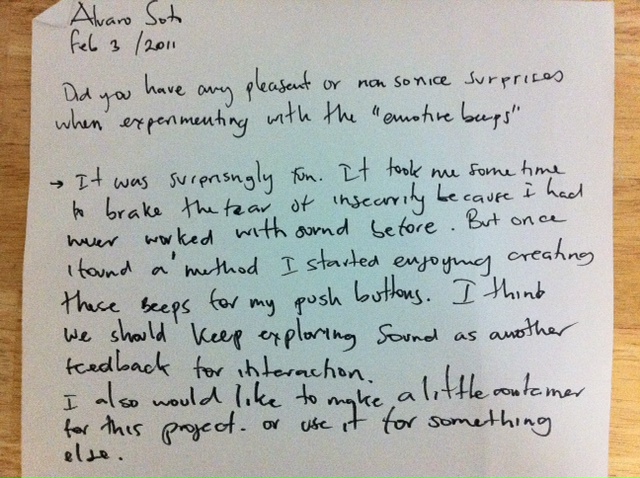
Thoughts feb 3 2011

Smellysock
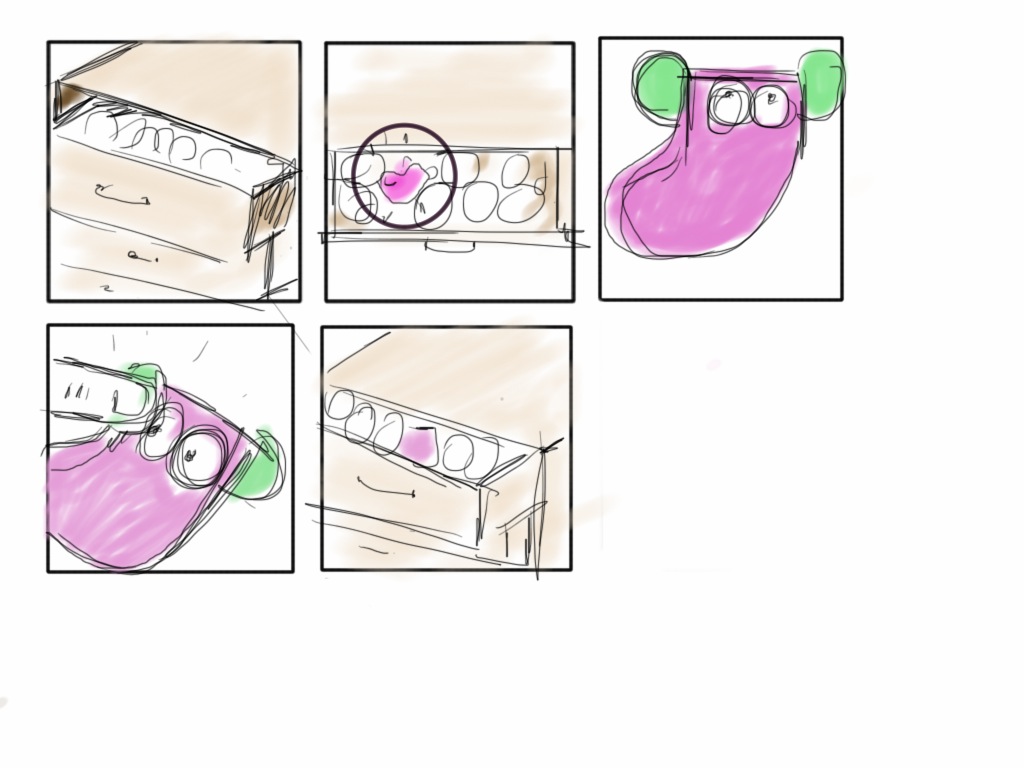
Smellysock would be great for kids and adults would love it too. I am imagining a smelly sock that you could put in your underwear drawers and help the odors go away. Smelly sock is activated with a small amount of light and helps you find that pair of socks you cant find most of the time. But you should be good to smelly sock as well, she likes her ears to be pressed and that way you make everything fresher inside her smelly home.
Froggylab
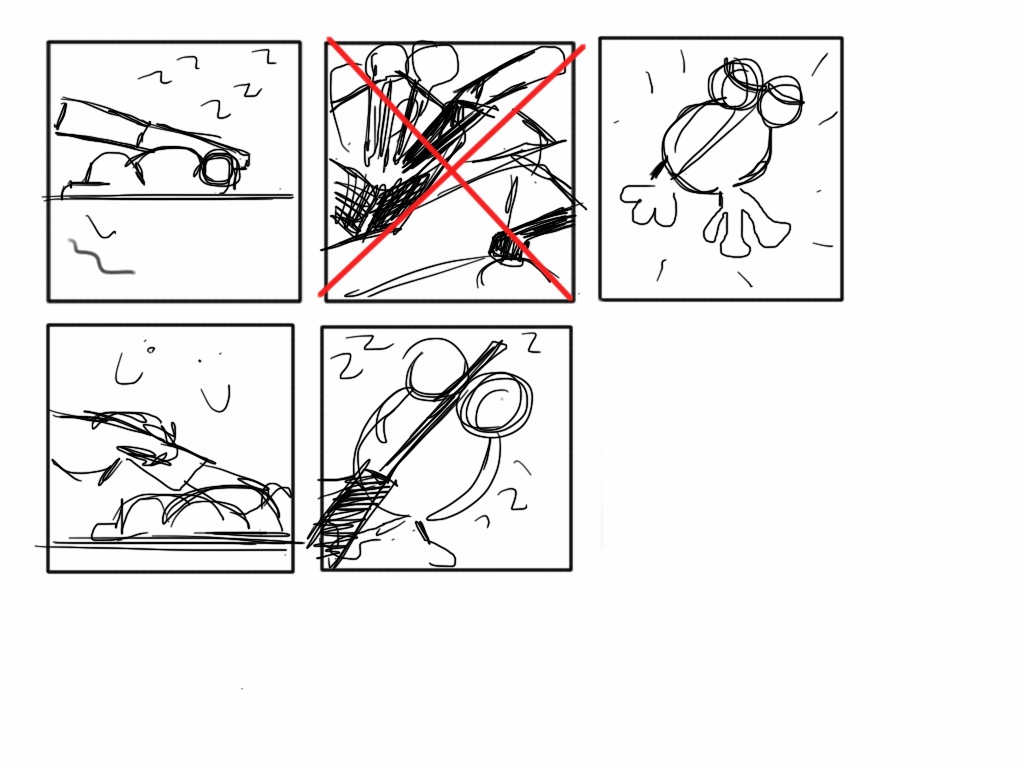
I never had the opportunity to to dissect a frog when I was a kid so the idea of having a cute Froggylab its amazing to me. Now that Im a big boy I like to play with good knives in the kitchen, but I always forget to put the knife back in its place after washing it. So there is where this Froggylab can help you. she hasnt died yet and like in all the movies it hurts when you take the the weapon out of the stomach. So don’t do that for a long time to froggylab because it will hurt her. She might sing, scream, light up.. who knows. but definitely, she will let you know is no good to do that to her.
happycoupletea

They are a couple and they cant be away from each other. one will sing when its time for more hot water or its grose inside for you to drink. You must keep them united though. because they are a very dependent crazy couple
link to Lightbird project
1. Explain (in a nutshell) your code structure, logic, important, parts
2. what did you do that you feel is new, non-obvious, and useful
Answers
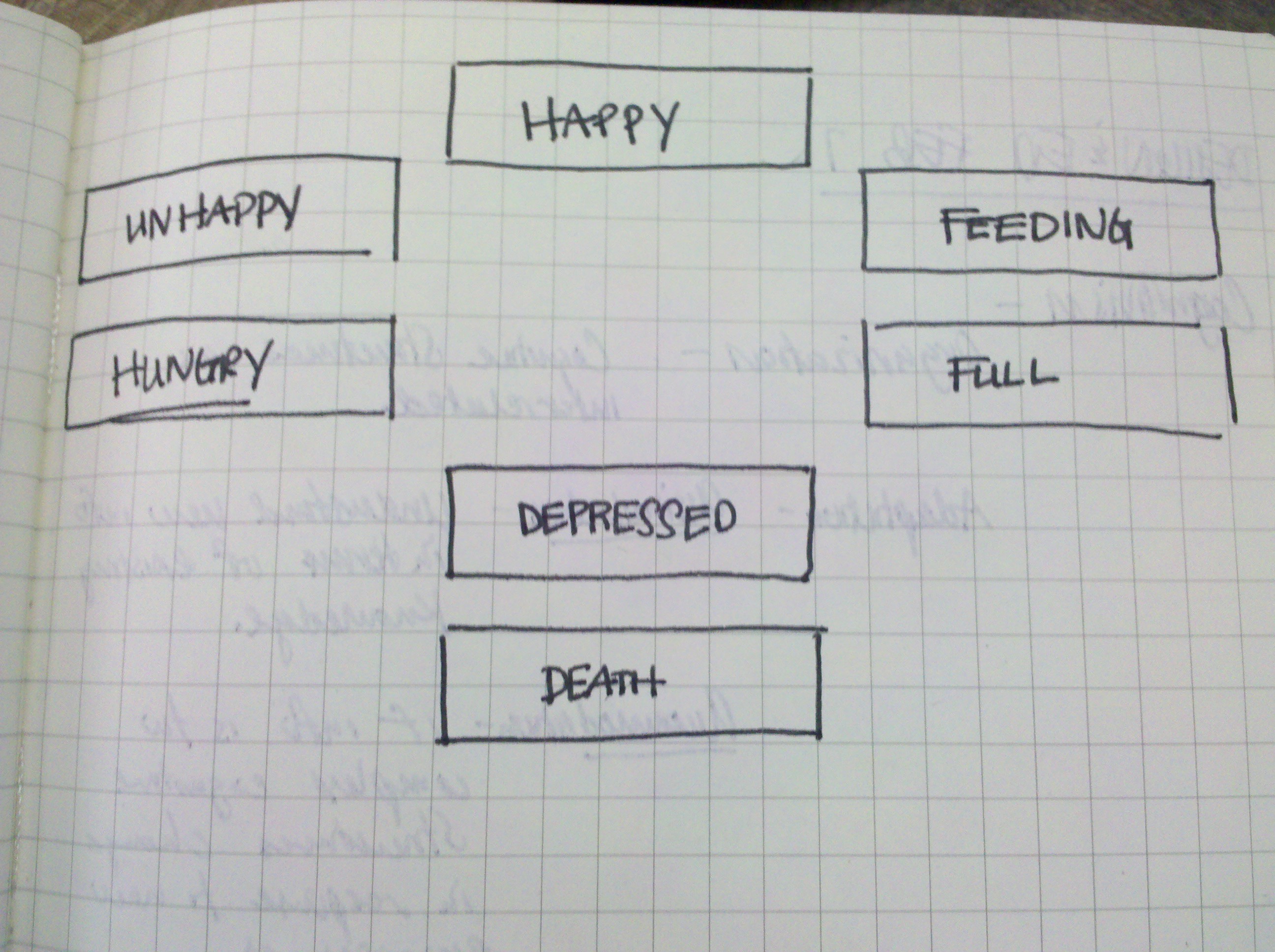
1.The code structure is written in multidimensional arrays that store each one of the melodies that are triggered by the light sensor. The logic is a set of conditionals that calculate the time in which the sensor is reading light. We used this time to change from one stage (mood) to another, same logic applies to the time the sensor is not reading any values or reads values bellow a margin defined in the code.
Is important to note that thanks to multidimensional arrays we developed a much cleaner, simple code. One thing to develop further is a threshold at the last step of the logic in which the mood (death of the bird) cant be resolved. In other words once the bird is in the mood before death is inevitable to stop the array so at the end Lightbird will always die. (Take a look at the video) .
2. We felt very good with our simple approach to the project, defining one of our previous sounds as the starting point. We also chose to used another device (Ipad) to compose the sounds and then put them in the code.
Is useful the way we decided to prototype since it has a good quality but still has a “in process feeling” that give us the freedom to iterate multiple times after this one.

Fantastic Post, love to see this kind of feedback.
This lightbird I made with Chris Piuggi needs to be fed with light and he would tell you if he is actually being fed. but you can not give him too much food because he can get full then depressed and finally die. although if you don’t give him food he will be angry and then sad. Eventually he will die. So lightbird you need to keep him in the right combinations.


Download the code here:
Ok guys, thought I would never finish this Beep Beep Boo but here it is:
my bipolar monologue goes like this:
Hello, I am on
I am Happy
I am Angry
I am Dying
I need to alert you to do something
By! Im turning off
I decided to use 6 push buttons (but I just had three with me so I would post the video later today when I get some more). Each of the push buttons represents one phrase or sentence. The code is the same code from the Arduino website but I added the interaction and of course created different melodies.
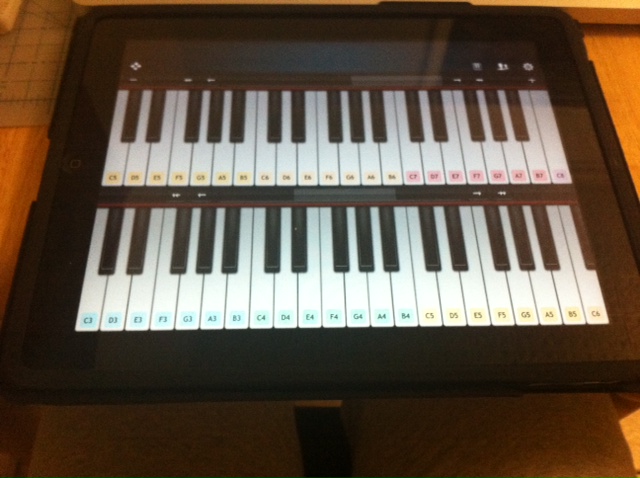
I used an Ipad app (virtuoso) to listen to the tones, although they are not very similar to the beep sound, it actually helps.
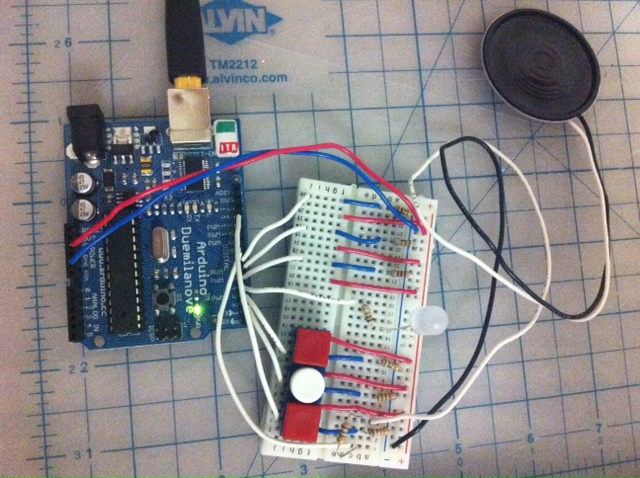
More push buttons need to be connected but the code is ready for the 6 of them
Here is the code (sorry for posting it directly here, if somebody knows, could you please let me/us know how to link the code? I think the blog looks messy with all that, but maybe is just me)
/*
HelloImon
Plays a HelloImon
circuit:
created 21 Jan 2010
modified 14 Oct 2010
by Tom Igoe
This example code is in the public domain.
http://arduino.cc/en/Tutorial/Tone
modified 2 jan 2011
by Alvaro Soto
This code will play a short melody representing sentences in beeps
Hello, Im on
Im Happy
Im angry
Im dying
I need to alert you to do something
Bye, Im turning off
*/
#include “pitches.h”
int ledPin = 4; // LED to turn on when melody is playing
// notes for the melody Hello Im on :
int HelloImon[] = {NOTE_C5, NOTE_B6,NOTE_B6};
// note durations: 4 = quarter note, 8 = eighth note, etc.:
int noteDurations[] = {8, 8,4 };
int button7 = 7;
int button7State = 0;
// notes for the melody Im Happy:
int ImHappy[] = {NOTE_F6, NOTE_G6,NOTE_F6, NOTE_G6,NOTE_F6, NOTE_G6,NOTE_F6, NOTE_G6,NOTE_F6, NOTE_G6};
// note durations: 4 = quarter note, 8 = eighth note, etc.:
int noteDurations2[] = {16,16,16,16,16,16,16,16,16,16};
int button6 = 6;
int button6State = 0;
// notes for the melody Im Angry:
int ImAngry[] = {NOTE_B0, NOTE_B0,NOTE_B0, NOTE_B0,NOTE_B0, NOTE_B0,NOTE_B0, NOTE_B0,NOTE_B0, NOTE_B0};
// note durations: 4 = quarter note, 8 = eighth note, etc.:
int noteDurations3[] = {4,8,8,8,8,8,8,8,8,8};
int button5 = 5;
int button5State = 0;
//notes for the melody Im Dying
int ImDying[] = {NOTE_B2, NOTE_A2,NOTE_G2, NOTE_F2,NOTE_E2, NOTE_D2,NOTE_C2,NOTE_C2};
// note durations: 4 = quarter note, 8 = eighth note, etc.:
int noteDurations4[] = {2,2,8,8,8,8,8,4};
int button3 = 3;
int button3State = 0;
//notes for the melody Im I need to alert you to do something
int Alertyou[] = {NOTE_B6, NOTE_B6,NOTE_B6, NOTE_B6,NOTE_B6, NOTE_B6};
// note durations: 4 = quarter note, 8 = eighth note, etc.:
int noteDurations5[] = {4,4,4,4,4,4};
int button2 = 2;
int button2State = 0;
//Bye Im turning off
int Imoff[] = {NOTE_C8, NOTE_B7,NOTE_A7, NOTE_G7,NOTE_F7, NOTE_E7,NOTE_D7,NOTE_C7};
// note durations: 4 = quarter note, 8 = eighth note, etc.:
int noteDurations6[] = {2,2,8,8,8,8,8,4};
int button1 = 12;
int button1State = 0;
void setup() {
pinMode(button7,INPUT);
pinMode(button6,INPUT);
pinMode(button5,INPUT);
pinMode(ledPin,OUTPUT);
}
void loop() {
//Hello Im on————————————————-
button7State = digitalRead(button7);
if (button7State == HIGH){
digitalWrite(ledPin,HIGH);
// iterate over the notes of the HelloImon:
for (int thisNote = 0; thisNote < 4; thisNote++) {
// to calculate the note duration, take one second
// divided by the note type.
//e.g. quarter note = 1000 / 4, eighth note = 1000/8, etc.
int noteDuration = 1000/noteDurations[thisNote];
tone(8, HelloImon[thisNote],noteDuration);
// to distinguish the notes, set a minimum time between them.
// the note’s duration + 30% seems to work well:
int pauseBetweenNotes = noteDuration * 1.30;
delay(pauseBetweenNotes);
// stop the tone playing:
noTone(8);
}
}else{
digitalWrite(ledPin,LOW);
}
//Im Happy———————————————————-
button6State = digitalRead(button6);
if (button6State == HIGH){
digitalWrite(ledPin,HIGH);
// iterate over the notes of the HelloImon:
for (int thisNote = 0; thisNote < 11; thisNote++) {
// to calculate the note duration, take one second
// divided by the note type.
//e.g. quarter note = 1000 / 4, eighth note = 1000/8, etc.
int noteDuration = 1000/noteDurations2[thisNote];
tone(8, ImHappy[thisNote],noteDuration);
// to distinguish the notes, set a minimum time between them.
// the note’s duration + 30% seems to work well:
int pauseBetweenNotes = noteDuration * 1.30;
delay(pauseBetweenNotes);
// stop the tone playing:
noTone(8);
}
}else{
digitalWrite(ledPin,LOW);
}
// Im Angry———————————————
button5State = digitalRead(button5);
if (button5State == HIGH){
digitalWrite(ledPin,HIGH);
// iterate over the notes of the HelloImon:
for (int thisNote = 0; thisNote < 11; thisNote++) {
// to calculate the note duration, take one second
// divided by the note type.
//e.g. quarter note = 1000 / 4, eighth note = 1000/8, etc.
int noteDuration = 1000/noteDurations3[thisNote];
tone(8, ImAngry[thisNote],noteDuration);
// to distinguish the notes, set a minimum time between them.
// the note’s duration + 30% seems to work well:
int pauseBetweenNotes = noteDuration * 1.30;
delay(pauseBetweenNotes);
// stop the tone playing:
noTone(8);
}
}else{
digitalWrite(ledPin,LOW);
}
// Im Dying —————————————————-
button3State = digitalRead(button3);
if (button3State == HIGH){
digitalWrite(ledPin,HIGH);
// iterate over the notes of the HelloImon:
for (int thisNote = 0; thisNote < 9; thisNote++) {
// to calculate the note duration, take one second
// divided by the note type.
//e.g. quarter note = 1000 / 4, eighth note = 1000/8, etc.
int noteDuration = 1000/noteDurations4[thisNote];
tone(8, ImDying[thisNote],noteDuration);
// to distinguish the notes, set a minimum time between them.
// the note’s duration + 30% seems to work well:
int pauseBetweenNotes = noteDuration * 1.30;
delay(pauseBetweenNotes);
// stop the tone playing:
noTone(8);
}
}else{
digitalWrite(ledPin,LOW);
}
// I need to alert you to do something——————————
button2State = digitalRead(button2);
if (button2State == HIGH){
digitalWrite(ledPin,HIGH);
// iterate over the notes of the HelloImon:
for (int thisNote = 0; thisNote < 7; thisNote++) {
// to calculate the note duration, take one second
// divided by the note type.
//e.g. quarter note = 1000 / 4, eighth note = 1000/8, etc.
int noteDuration = 1000/noteDurations5[thisNote];
tone(8, Alertyou[thisNote],noteDuration);
// to distinguish the notes, set a minimum time between them.
// the note’s duration + 30% seems to work well:
int pauseBetweenNotes = noteDuration * 1.30;
delay(pauseBetweenNotes);
// stop the tone playing:
noTone(8);
}
}else{
digitalWrite(ledPin,LOW);
}
// Bye! Im turning off
button1State = digitalRead(button1);
if (button1State == HIGH){
digitalWrite(ledPin,HIGH);
// iterate over the notes of the HelloImon:
for (int thisNote = 0; thisNote < 9; thisNote++) {
// to calculate the note duration, take one second
// divided by the note type.
//e.g. quarter note = 1000 / 4, eighth note = 1000/8, etc.
int noteDuration = 1000/noteDurations5[thisNote];
tone(8, Imoff[thisNote],noteDuration);
// to distinguish the notes, set a minimum time between them.
// the note’s duration + 30% seems to work well:
int pauseBetweenNotes = noteDuration * 1.30;
delay(pauseBetweenNotes);
// stop the tone playing:
noTone(8);
}
}else{
digitalWrite(ledPin,LOW);
}
}
Here is the video

Hey there,
My name is Alvaro, I am an Industrial Designer and have been working in the field for about 3 and half years after college, I love objects and I see a lot of potential in Ubiquitous Computing, I believe Industrial designers need to be trained in Technology as this Ubicomp era arrives and every surface will be subject to become an interface for computing. Also Im very much interested in critical design and the work of Dunne and Raby which inspired me to work on my final project for Studio interface and I am looking forward to keep researching and contributing to this subject. I registered to this Studio because it follows my interests and will help build my body of work.
If you’d like to see some of my work please take a look at my Parsons Blog or Portfolio.
Cheers!

 Making Toys
Reply