I guess I’m just obsessed with refrigerator projects. So it goes. For my visualization, I wanted to make a game that used the data collected to control some element of the gameplay. I settled on creating a top down shoot-em-up game that used the data to spawn enemies.
For data collection, I wanted to select something that was not continuous (such as the brightness of my room would have been), so that I could use each instance of it happening as another enemy spawn. I settled on using the refrigerator door because I could also check how long the door was open for and get two data points (when it was opened, and for how long) very easily using just the one sensor.
In my previous fridge project, I had inadvertently encouraged bad energy use habits by more or less rewarding the user for opening up their refrigerator for no reason, so with this one, I wanted there to be something of a punishment for leaving the door open longer than necessary. In my game, the time that the door was left open is used to determine how strong the new enemy is.
The look of the game resulted from the housing I used for the sensor. Wile cleaning out my parents’ house, I found an old Halloween decoration that I liked quite a bit.
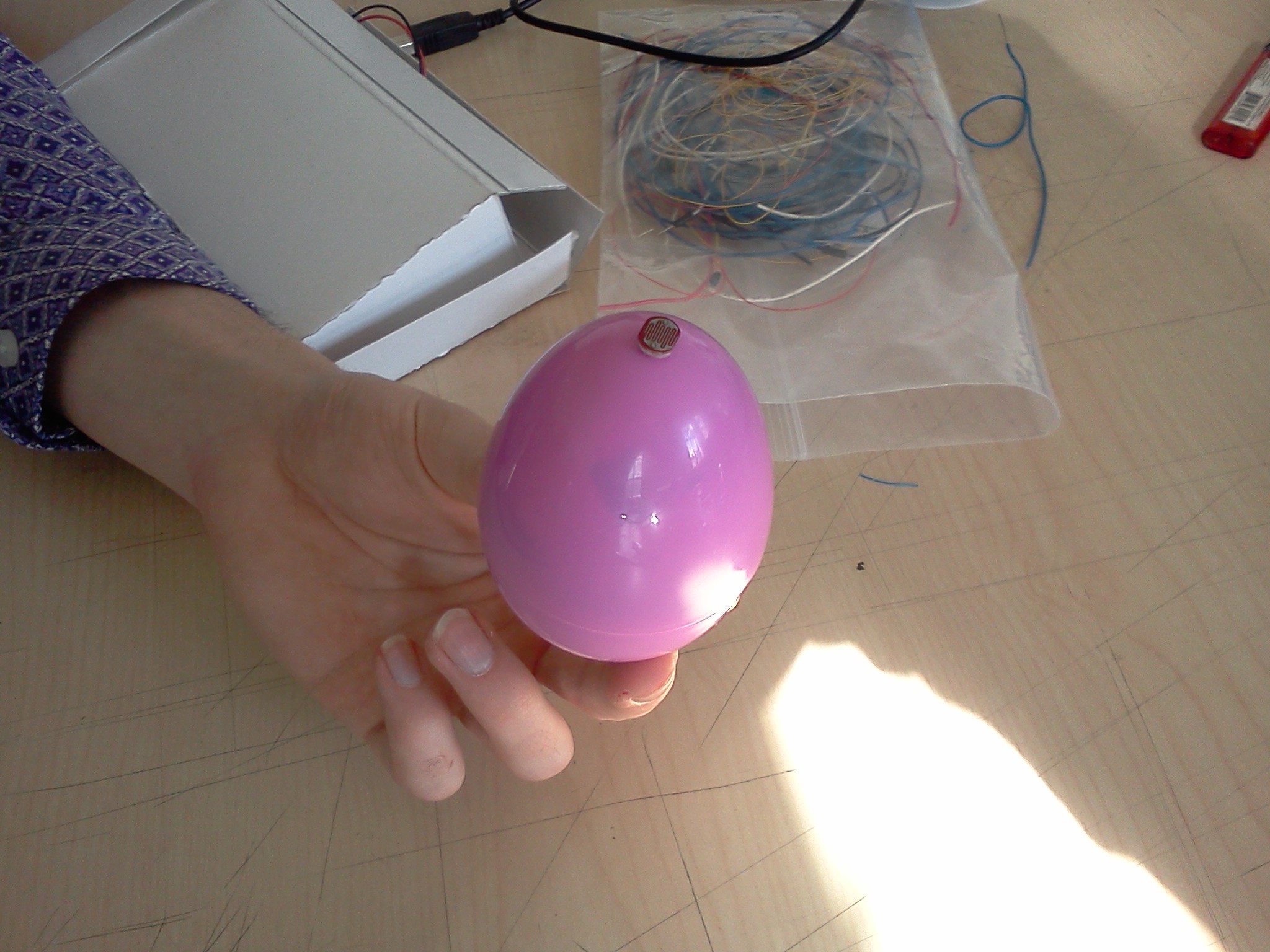
The Christmas Intruder Alert system is a wireless device lets parents know if their kids have been peeping in the present stash. A small egg is set up with the presents that is sensitive to light. When there is light, a remote unit will show that the space has been breached. This warning light will stay lit until it is reset by the parent.
It’s that simple! And now you can know when your children are trying to spoil the magic of Christmas!
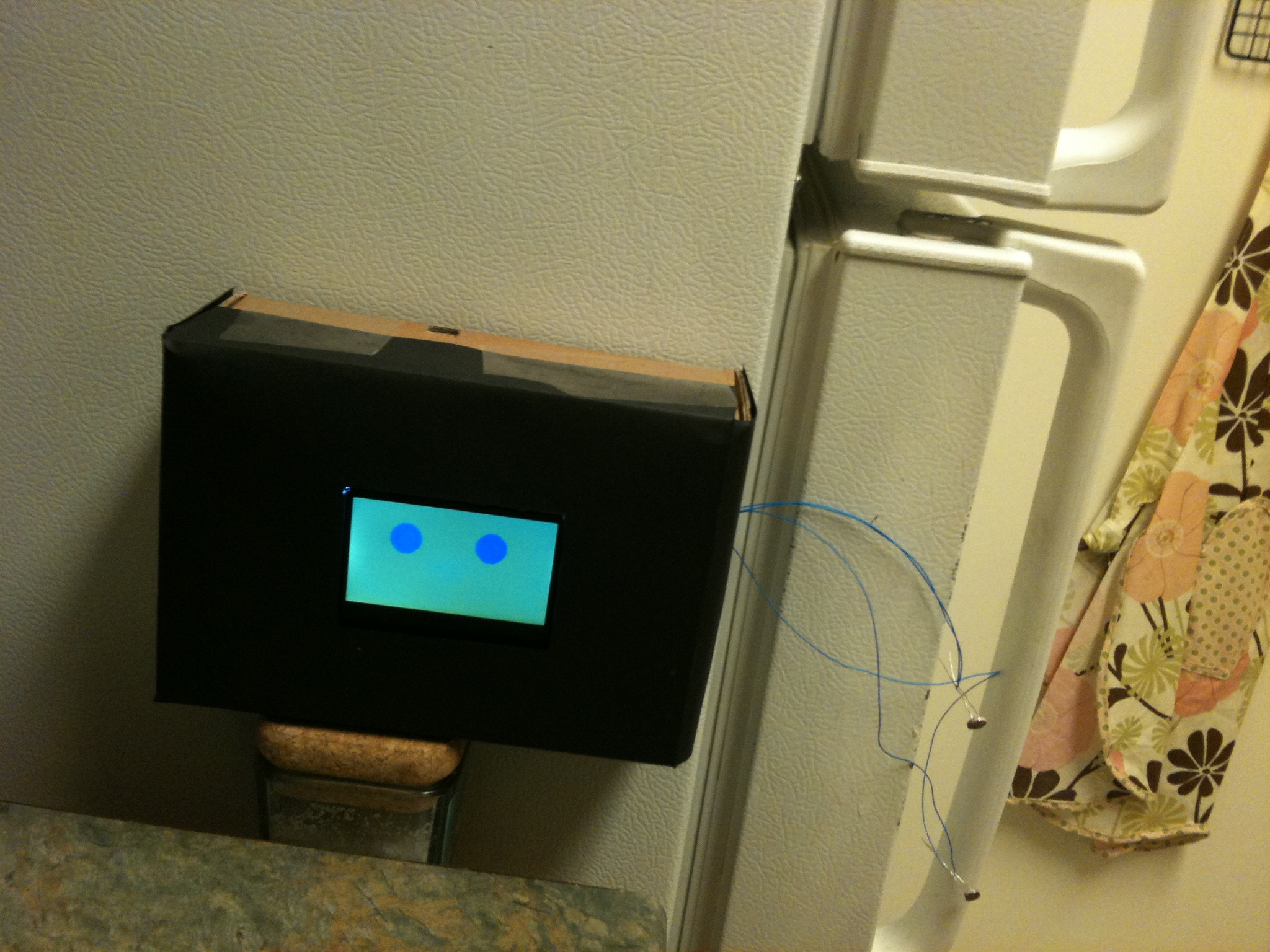
Minho and I worked together to create two jealous siblings that live on your refrigerator. One is the freezer and the other is the fridge. Each one is happy when their door is opened, and will get sad if it has not been opened in a while. And if the other door is opened they will get jealous of their brother.
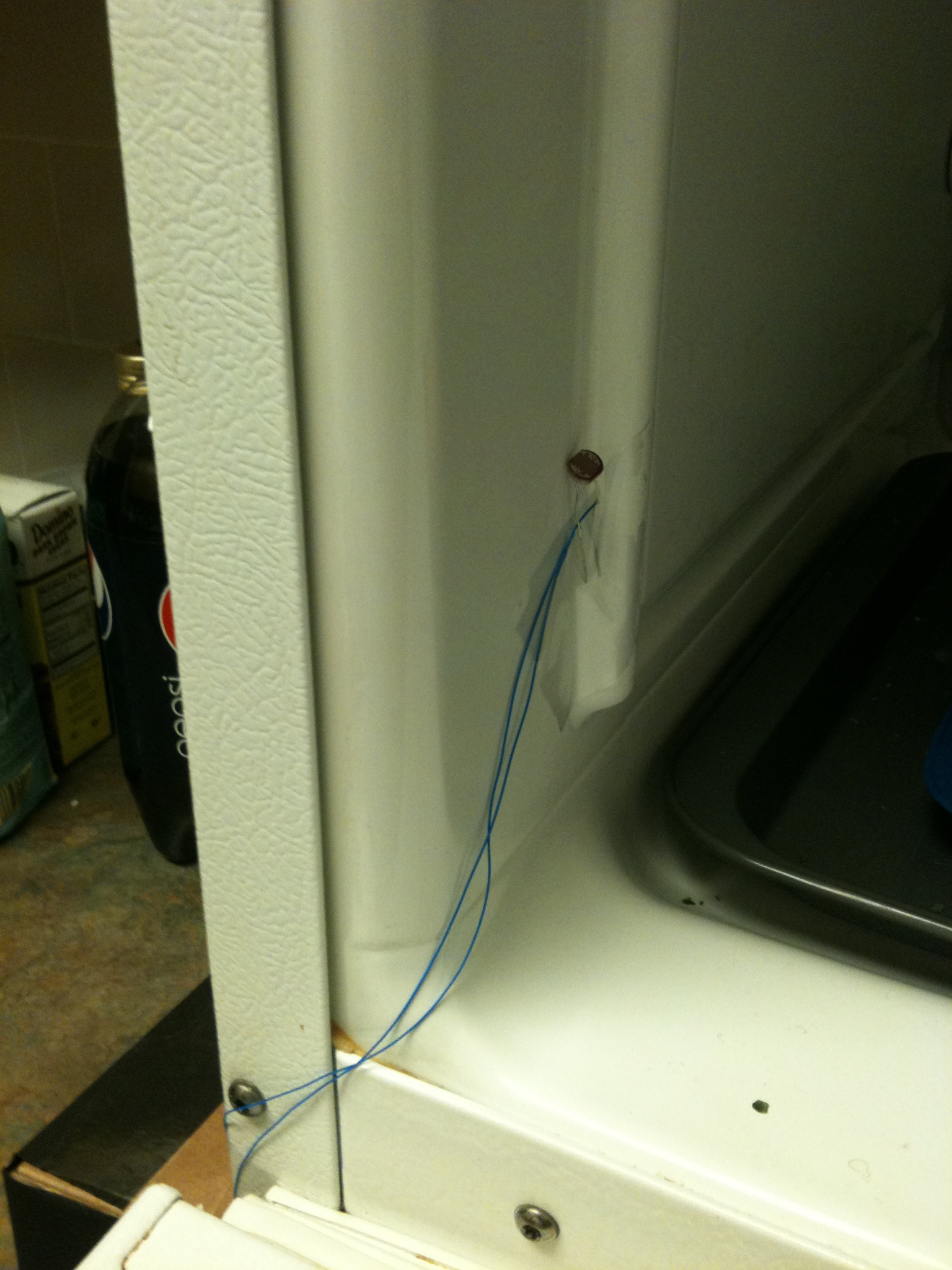
Each creature uses two photoresistors to see when the doors are open, and LCD screen to make faces, and a piezo speaker to make sounds.
Each one has a face and a sound for the following events:
– Neutral – It makes this face when the door is not open, but it has not been too long.
Their Door Opened – Beeps hello and smiles. While the door is open, brief happy soudns play at random intervals.
Their door closed – Beeps goodbye and winks.
– Lonely – If Fridge Friend goes too long without seeing the light in the, it will put on a sad face and cry at random intervals
Jealous – If it’s own door has not been opened in a while and the other door is opened, Fridge Friend becomes jealous and will growl and long as the door is open.
The jealous sound will play over and over lowering each pitch and how long it draws out the last growl until the other door is shut again. At a certain point, the growl stops moving down in pitch (so as not to go bellow what the piezo can produce), but the length will continue to increase.
The entire thing is mounted on a box that stay outside of the fridge with the photoresistors being mounted inside and sensing the light.
The crying and other similar sounds happen on a semi-random basis, because no user would want to hear them constantly. In the video, I am using very short amounts of time for everything to trigger, but when actually setting this up, it would take several hours instead of several seconds to become lonely. It could still become jealous very quickly, though, since users don’t generally have their fridge or freezer doors open for very long.
I went to Toy Fair along with Thom Hines, Scott and a few other folks on Monday and looked at almost all of the same exhibits. I guess I should have been quicker to post.
The Tandars were definitely the most lifelike toy at the fair (although there was a booth selling sleeping dog toys that were almost creepy in their resemblance to actual napping dogs). They had a wide range of movement, could talk with one another, and most of all just looked alive. We taked about how they had a strong resemblance to the Gelflings from Dark Crystal, except instead of requiring a team of puppeteers, there was just a computer inside. Although the Furby craze has certainly died down, these guys seemed like a good improvement.
We also saw a set of tops that were motorized to keep spinning and were able to battle by being controlled by magnets under the table. They were fairly simple, but had a cool Tron look to them.
The best thing I saw was the prototype for Skylanders, a cross platform video game. Although the actual gameplay seemed somewhat generic, the game will feature about 50 characters, all of which are represented by small figurines. When the figures are placed on a special platform, they are brought into the game and can be used by the player as their character until another figure is swapped out. More than one figurine can be placed if two players want to play. The characters advance and get new skills and attire as they play, and all of this information is stored on the figurine, allowing them to be brought to friends houses and used there etc. I like it because it brought a trading card element to the game since players could trade their high level character for something else, and the actual physical object has value in a way that most games don’t allow for.
All told, Toy Fair was a lot of fun, as it should be with a name like Toy Fair.
Cabinet friend lives inside your bathroom cabinet. He greets you when you open the door, and will generally coo while you are around, but he is also a very curious fellow. If you take a pill bottle or anything else from a the shelf he can see, he will tilt his head to look at it with interest. When the door is closed it can gesture goodbye.
This could be accomplished by using an IR scanner to get the distance of each item while the person is away and comparing it to the distances when the person is using it. Obviously, this would require a few servos to control the IR scanner and the head.
2. Fruit Friend
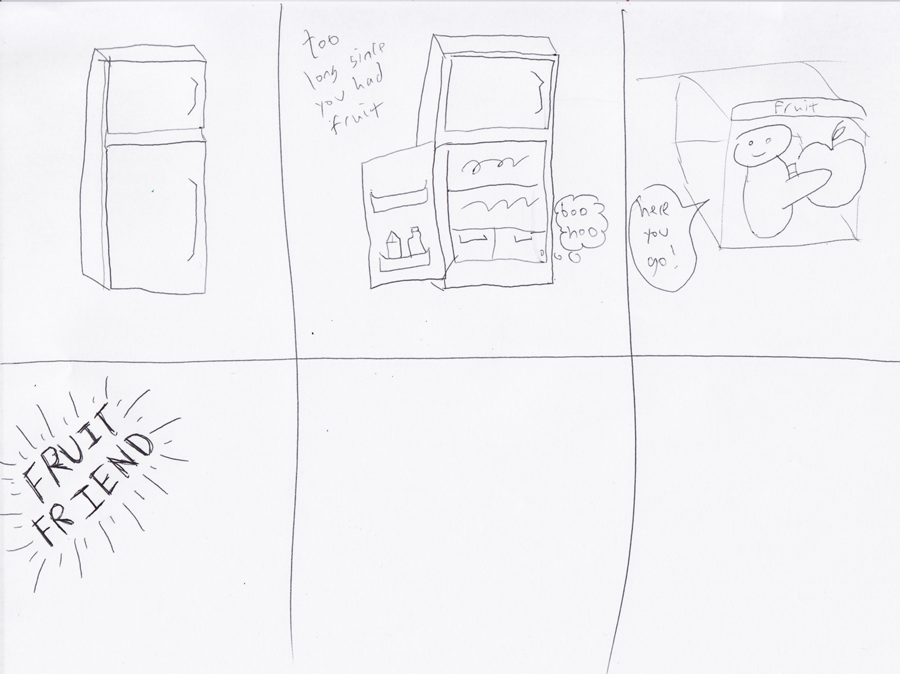
Fruit Friend likes to hang out in the fruit drawer of your refrigerator. He loves fruit but he also loves company. He can sense when the fridge is open based on the light, and will cry if he has not been visited in a while. If you open the fruit, drawer, though, he will be happy and will offer you a piece of fruit. To help remind you to eat more fruit, you should put the next piece of fruit in his hands so he can offer it to you next time you open the fridge. If you have no fruit and leave him empty handed, he will cry more often, reminding you to get some.
3. Door Friend
Door Friend loves to swing on the door. He loves it when people open and close the door and squeals with excitement when he gets to ride on a swinging door. Of all of these creatures, he is the youngest, and his emotions can be somewhat fickle. If you close or open the door too slowly he’ll get bored, but if you slam the door, he will become scared.
Door friend would use an accelerometer to tell how fast he is going.
General Vision
I see of all these little creatures being somewhat simian in nature, and of course somewhat adorable. They are all playful, and need to have the user want to keep them around, so cute helps. Think baby lemur:
1) Explain (in a nutshell) your code structure, logic, important parts.
2) What did you do that you feel is new, non obvious, and useful.
The code works by putting the creature in one of several states, each of which cause a sound and sometimes an addition effect based on how long it has been in that state. There is one additional state that takes precedence over all others: Dead. The behavior of the creature is completely different while it is dead.
While alive, the creature will either be excited, neutral, or screaming. Each of these values are defined by the level of light going to the photoresistor. The code will only change the state (which is storred as a string for readability’s sake) if the value from the photoresistor corresponds to a state that it is not currently on. When this happens, the state changes and the counter is set to 0.
The counter is used to effectively create two additional states: bliss and dying. If the counter gets high enough while the creature is excited, the bliss sound will play. And if the counter gets too high while the creature is screaming, the death sound will play and the creature will be set to dead.
When dead, the creature makes a psuedo randomly generated death gurgle every so often and can only be revitalized by being kept in the dark uninterrupted for a set period of time. At this point it will play the revitalize sound and come back to life.
One of the less obvious solutions we had was for the excited sound. We originally set it so that the pitch was affected by the level of light coming in. And this worked reasonably well, but if a user kept the same level of light, the creature would make almost the same sound over and over and it didn’t really sound like it was getting more excited before it played the bliss sound. To add to the effect, we had the pace of the tone be dependent on how long it had been in the excited state. The result is a fairly dynamic sound dependent on both the light level and the counter value. And no matter how the user accomplishes it, the creature definitely sounds like it is getting more and more excited before the bliss sound finally plays.
I found that our code for setting the state was useful. We were constantly getting a value from the photoresistor, but didn’t want the state to be updated with every iteration of the loop because we wanted a counter to keep track of how long the creature has been in a given state. Although there are obviously many solutions to this, ours looked like this:
if (reading<excitedPoint && state!=”excited”){
state=”excited”;
counter=0;
}
This was repeated for all three of our potential states
I liked this, because it required very little additional code. If the reading is still within the range of excited, the fact that the state is still “excited” means this section will simply be skipped. If the state was anything else, the new reading will be acknowledged, the state will be set to excited, and the counter will be reset.
A final useful if not entirely innovative feature, was setting the piezo with a potentiometer to control the volume while testing. Very easy, and saves a lot of headache.
Lee and I created a pair of darkness loving space squids. They become very happy when placed in the dark, but become frightened by the light, and can even die from it.
The space squid uses a photoresistor to sense light and a piezo speaker to make sound. The apparatus is contained inside a cardboard box with the image of a squid on the front. The squid has 5 states that it can be in:
Excited – In low light, the squid becomes excited and will chirp. The chirp will be higher pitched the darker it is, and the longer it is excited, the chirps will become faster and faster.
Bliss – If the squid is in low light long enough, and will become overwhelmed with joy and shout out.
Neutral – In a space that is not quite dark, but not quite bright, the squid will just chirp every so often to let you know it’s there, but not much else. The sound played is a two tone sound chosen at random from several that Lee and I created to make the creature feel more organic.
Screaming – In a brighter space, the squid will start screaming. The screams will get faster and faster as the squid becomes more urgent.
Dead – If the squid is in the light for two long, it will die. After playing a death sound, it will let out a pathetic groan every so often. This groan is a somewhat randomly generated low tone.
There is hope, though! If placed in darkness for a long enough time, the squid will regenerate and play a special melody showing that it has come back to life.
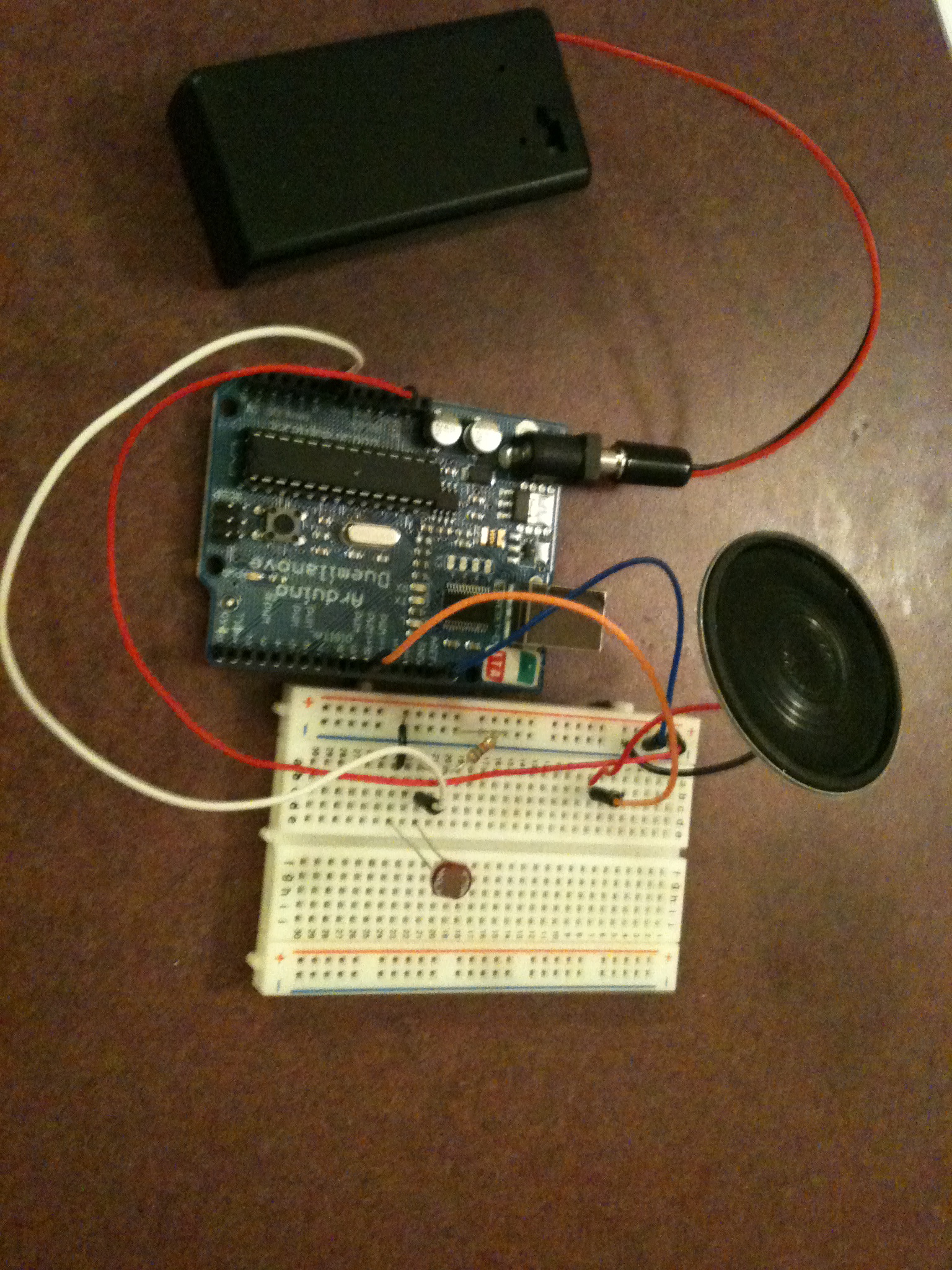
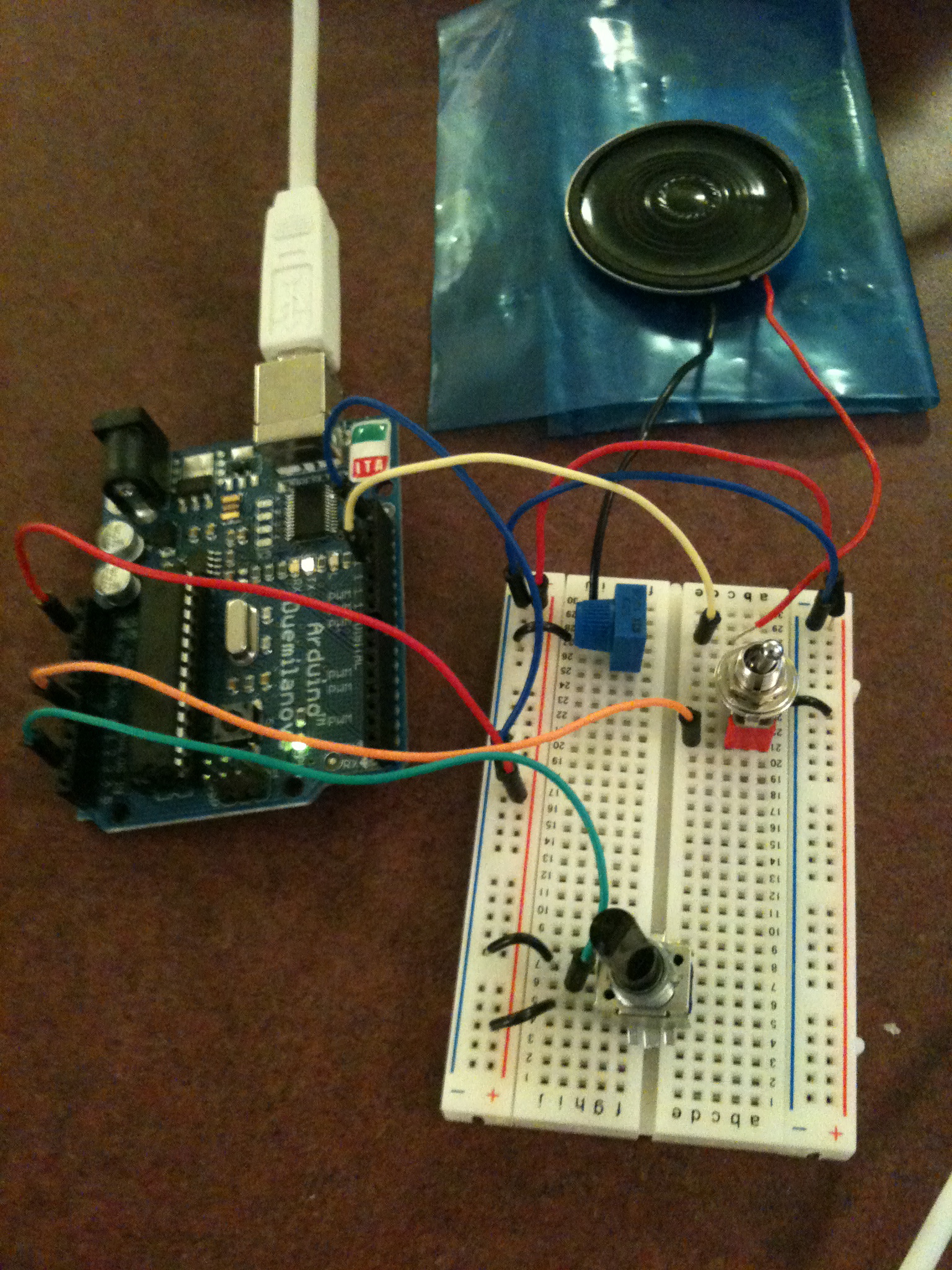
The wiring before I put it in the box.
And the box I used.
I punched some holes for the speaker.
I left the potentiometer attached to the piezo in case I wanted to adjust the volume.
Another sound project. Between this and AV systems, I feel like I’m being tossed into the deep end of the pool. I’ve never worked with audio, but this is certainly a good way to learn. I tried to pull together a few sounds that a potential little robot could use to express itself.
First I threw together a simple device to let me test out the different sounds I could get out of my piezo. After some basic experimentation, I found the range of acceptable sounds (defined as them not hurting my ear) to be 50-1000 Hz. I mapped this to the range of a potentiometer (0-1024) and set it so that the piezo would play at the relevant frequency to the level of the potentiometer. While testing, I added two additional things: A potentiometer to control the volume of the piezo, and a switch that could silence the piezo without having to unplug it (I found myself uploading the code a lot, and got tired of the constant buzz resulting from keeping it plugged in.
I used the same physical device when creating the individual emotional sounds. It was easy to work on the code for the individual sounds, and then upload the tester, just to see what tones I thought would work for the one I was working on.
For the final code, I wrote a simple loop function that calls a specific sound. Actually playing each sound is handled by a separate function. Because the way the sounds were generated tended to vary a bit from sound to sound, and each one is fairly short, it didn’t make sense to me to create a standardized way of handling it (such as in the melody example, where any array of notes and durations could have been fed to it).
Creating the actual sounds consisted mostly of trial and error, just seeing what seemed right for each emotion. For most of the tones used, I simply found a tone manually to me that fit, although there were several that I used actual notes for, hence the inclusion of pitches.h (available in the examples that come with Arduino). Most are comprised of two or three beeps of varying lengths and a few do sweeps across a range of frequencies.
In then end, the device has 8 expressions: “Hello”, “Yes”, “No”, “I’m happy”, “I’m sad”, “Thank you”, “I need to alert you” and “I’m dying”. They’re all my babies, but I think the happiness sound is my favorite.
I only recently got the potentiometer I’m using for this project. It’s a big old black one and it has a great feel to it, so I thought I could use that to scroll between the options for the sounds. The range of 1024 is broken up into 8 segments, each of which is mapped to a sound. When the device is not playing anything, the current sound selection is displayed on the serial window (This requires the device to be attached to the computer in order to see what sound will be played). When the selection is made, a switch is flipped and the sound loops until it is put back down.
I had originally intended to use a push button to activate the sound, but I ran into a bug which I assume has to be with the way I built the circuit, since I tried using code that has previously worked with it. The button reads 0 until it is pressed down, at which point it reads 1 for the rest of eternity. Instead I am using my switch as an analog input. The switch has a very satisfying feel to it anyway, though, so I decided not to worry too much about it for now.
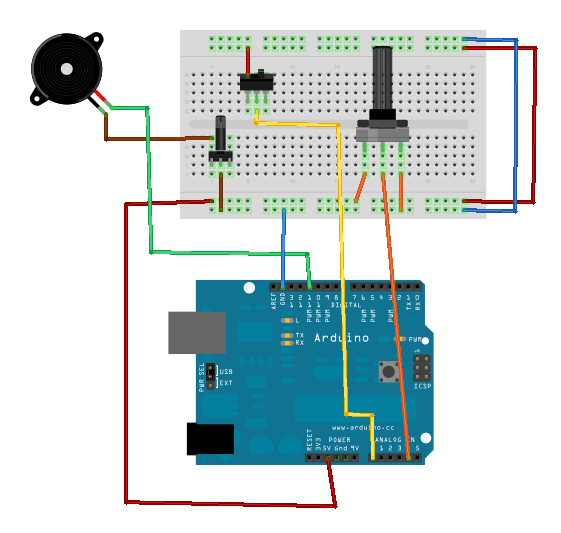
As the picture shows, my final setup wound up being almost identical to the test device. I moved a few things around to make them less cramped, but that was it. I really liked the tactile sensation that comes from using that specific potentiometer and switch, so I was happy to keep them.
Given a bit more time, I would have liked to use LEDs with labels to signify which sound would be played, but as it is, the interface is easy to use, and I believe the sounds do a good job of expressing their inteded meaning.
Prompt: Any pleasant or not-so-nice surprises while experimenting with the emotive beeps?
What stands out is struggling for over an hour with a simple push button. For the life of me, I could not get it to work, which was infuriating given the basic nature of it. I looked over my wiring and could find nothing. Looking as it again this morning, the problem was obvious: I hadn’t ever connected the loop to ground. How I missed this yesterday? No idea.
I definitely had some difficulty getting sounds that felt like the emotions was trying to convey. I woud play a tone and think to myself “this will be perfect for the next part of the sequence” only to realize that it could not have been more wrong. As I mentioned, I have never really worked with sound, so it was interesting ti see just how the different tones interacted with each other.
This fine looking fellow is Andy Wallace. Hello. I very much enjoyed my physical computing class last semester, and the reason I cam to Parsons in the first place was technology, so here I am in Major Studio Computation. My interest, specifically, is gaming, but interaction in general is simply exciting to me. Im still not sure exactly what I am going to get out of the class, but I’m looking forward to expanding my knowledge of hardware and how to make things fun for people to interact with.
My background consists almost entirely of Flash. I’ve been making games and music videos for years. As far as games go, I often prefer little oddities or toys to more traditional games. I graduated with a degree and computer science and enjoy programming (all the more reason for me to be in this class). I’ve been doing freelance flash work when I can and otherwise starve my way through grad school.
 Evander Batson
 xinhe feng
 FluffyLeecy
 frankiezek
 gaboratparsons
 giang063
 gracegotlost
 lauriewaxman
 Siwen Li
 Xiaofeng Lin
 Yury Gitman
 mar28th
 Max(TONG WEN)
 Soohyun
 sabotai
 Susan Lin











 Making Toys

Reply