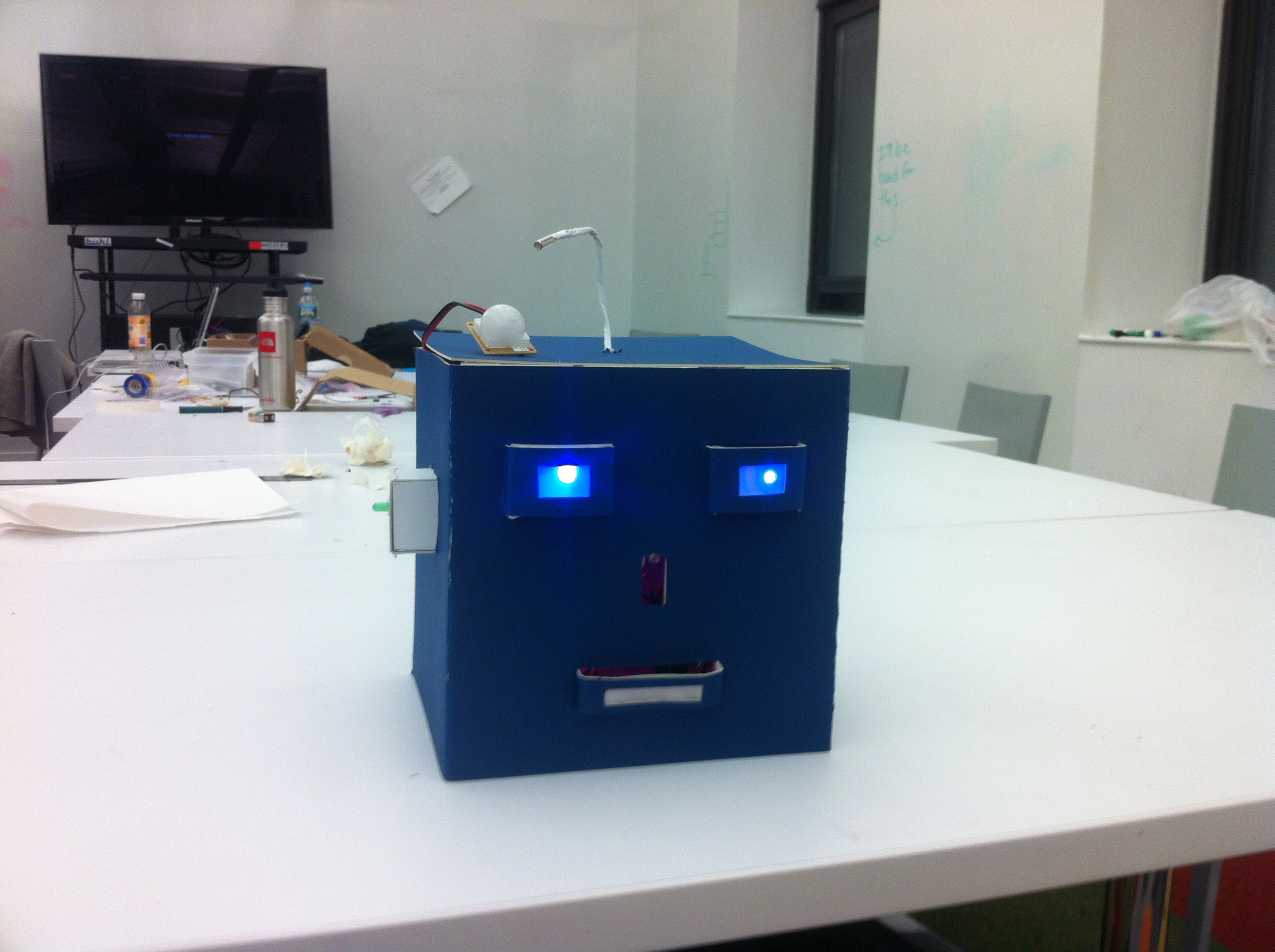
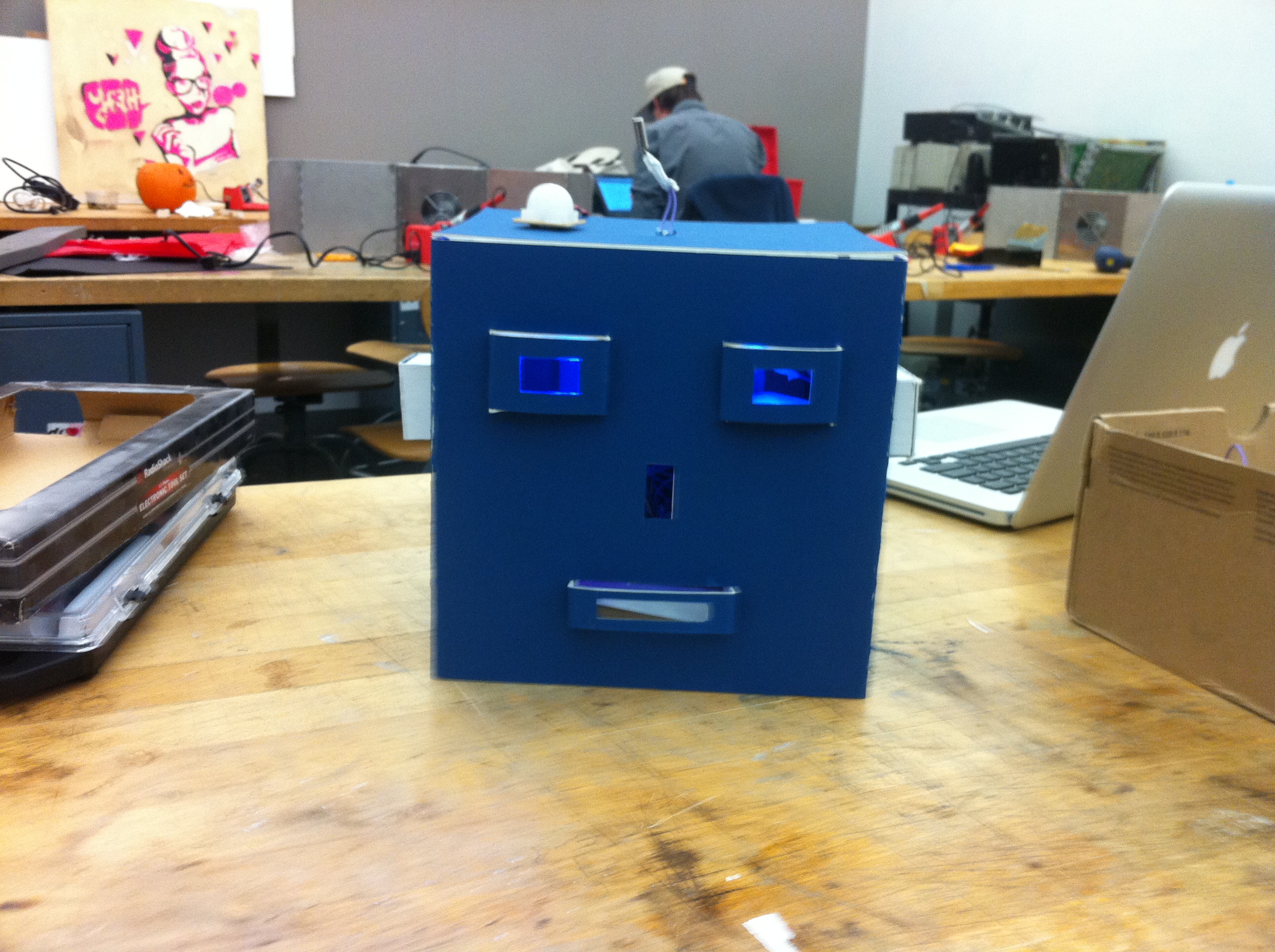
Hallowbot is created with three different sensors. There is a motion sensor that detects people in the room, and waking the robot with blue light in the eyes. Also, there is a photocell on the nose that detects close movement of users. The photocell triggers an animation in the mouse of the robot. The tilt sensor on the head of robot gives red light when users move an antenna of Hallowbot.
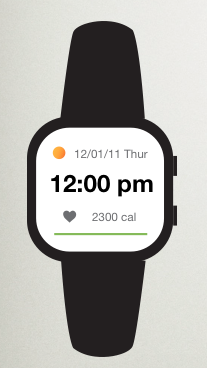
stressFree is a watch that can track our stress level and give warnings to a high and higher stress level.
As creating a prototype, I used Arduino and Processing to connect to each other.
1st iteration:
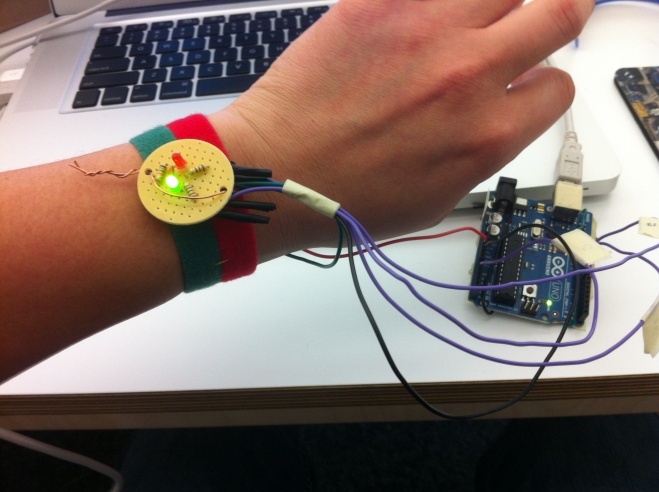
I created a Galvanic skin response sensor to detect different emotional level. Then, I used a green light for a normal stress level, and a
red light for high stress level.
2nd iteration:
I used a LOL shield attached Galvanic skin response sensor. When stressFree detect a high stress level, it shows a smiling animation on the LoL shield. Once stressFree detects a higher stress level, stressFree triggers to play video on the computer as a higher stress level. Also, stressFreee collects datas of users’ stress level and show the stress graph visually.
Using a LOL Shield and tilt sensor, I made an smile box. The smile box greets with text ” HEY SHAKE ME!”. When a user rotate the smile box, it shows smile animation.
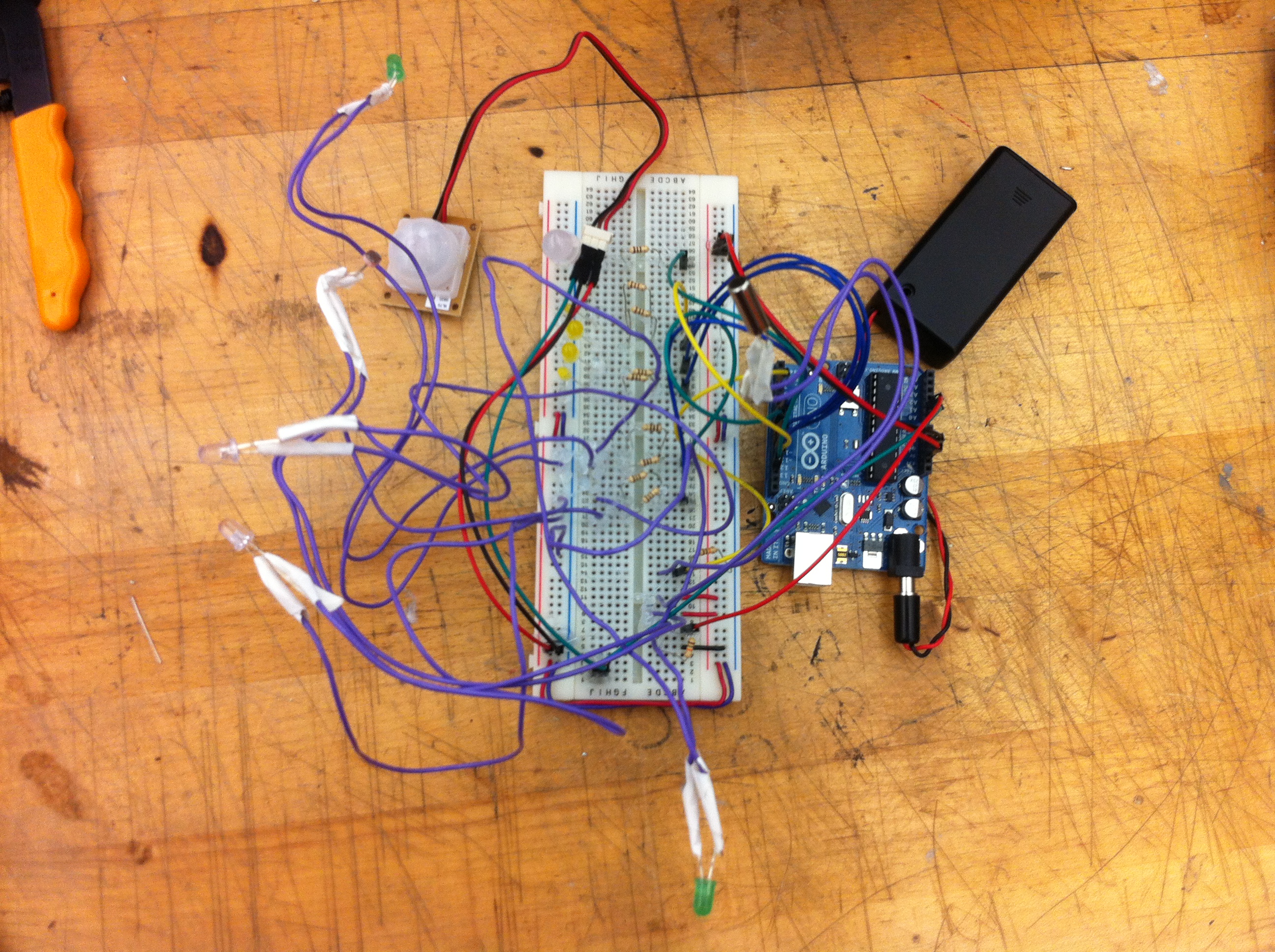
2) The basic idea of my Hallowbot is that communicates with a user. I put a PIR Motion Sensor that detects a user in the room or the area, and greets with waking up with blue leds on the eyes. Then, if a user gets close enough to the Hallowbot, there will be an animation with yellow leds that triggered by a PhotoCell. The yellow animation is similar that talks to a user. Also, I put a Tilt Sensor that triggered by a user touching Hallowbot’s Antena on the top of the head and change the color of a led light to red.
3)
3) A photo of the final project
4) A short video demonstrating it.
5) The code you used.
int inputPin = 2;
int ledPin = 6; // blue led 1
int ledPin4 = 7;  // green led 1

// button 2 animation
int inputPin2 = 3;
int ledPin2 = 8;  // yellow led 1
int ledPin5 = 9;  // yeallow led 2
int ledPin6 = 10; // yellow led 3
int ledPin7 = 11;  // yellow led 4

int inputPin3 = 4;
int ledPin3 = 12;  // red led

/**** motion sensor *****/
int timer = 500;
int sensorPin = A0;
int sensorValue = 0;

/*    photocells */
int photocellPin = A1;     // the cell and 10K pulldown are connected to a0
int photocellReading;     // the analog reading from the sensor divider
int LEDbrightness;        //

void setup(){
  Serial.begin(9600);
  pinMode(ledPin,OUTPUT);
  pinMode(inputPin,INPUT);

  pinMode(ledPin2,OUTPUT);
  pinMode(inputPin2,INPUT);

  pinMode(ledPin3,OUTPUT);
  pinMode(inputPin3,INPUT);

  //  green leds
  pinMode(ledPin4, OUTPUT);

  //  yellow leds
  pinMode(ledPin5,OUTPUT);
  pinMode(ledPin6,OUTPUT);
  pinMode(ledPin7,OUTPUT);

  /**** photocells *****/
  pinMode(photocellPin, INPUT);

  /***** motion sensor *****/
  pinMode(sensorPin, INPUT); // A0 analog input
  digitalWrite(sensorPin, HIGH); //INTERNAL PULL-UP RESISTOR
  delay (2000); // it takes the sensor 2 seconds to scan the area around it before it can detect presence.

}

void loop(){

  int val = analogRead(sensorPin);
  if (val < 1000){
    digitalWrite(ledPin,HIGH);
    digitalWrite(ledPin4,LOW);
  }
  else{
    digitalWrite(ledPin,LOW);
    digitalWrite(ledPin4,HIGH);
  }

  delay(timer);
  Serial.println (val);
  delay (1000);

  int val2 = analogRead(photocellPin);

  Serial.print("Analog reading for photocell = ");
  Serial.println(val2);     // the raw analog reading

  if(val2 <800)
  {
    digitalWrite(ledPin3,LOW);
    digitalWrite(ledPin4,LOW);
    digitalWrite(ledPin,HIGH);
    for(int i=0; i<3; i++)
    {
      digitalWrite(ledPin2, HIGH);
      digitalWrite(ledPin5, HIGH);
      digitalWrite(ledPin6, HIGH);
      digitalWrite(ledPin7, HIGH);
      delay(1000);

      digitalWrite(ledPin2, LOW);
      digitalWrite(ledPin5, LOW);
      digitalWrite(ledPin6, LOW);
      digitalWrite(ledPin7, LOW);

      digitalWrite(ledPin2, HIGH);
      delay(500);

      digitalWrite(ledPin2, LOW);
      digitalWrite(ledPin5, HIGH);
      delay(500);

      digitalWrite(ledPin5, LOW);
      digitalWrite(ledPin5, HIGH);
      delay(500);

      digitalWrite(ledPin5, LOW);
      digitalWrite(ledPin6, HIGH);
      delay(500);

      digitalWrite(ledPin6, LOW);
      digitalWrite(ledPin7, HIGH);
      delay(500);

      digitalWrite(ledPin7, LOW);
      digitalWrite(ledPin6, HIGH);
      delay(500);

      digitalWrite(ledPin6, LOW);
      digitalWrite(ledPin5, HIGH);
      delay(500);

      digitalWrite(ledPin5, LOW);
      digitalWrite(ledPin, HIGH);
      delay(500);

      digitalWrite(ledPin6, LOW);
      digitalWrite(ledPin7, HIGH);
      digitalWrite(ledPin6, HIGH);
      digitalWrite(ledPin5, HIGH);
      digitalWrite(ledPin2, HIGH);

    }
  }

  //3
  int val3 = digitalRead(inputPin);

  Serial.print("Analog reading for tilt = ");
  Serial.println(val3);     // the raw analog reading

  if(val3 == HIGH){
    //    digitalWrite(ledPin,LOW);

    digitalWrite(ledPin2, LOW);
    digitalWrite(ledPin5, LOW);
    digitalWrite(ledPin6, LOW);
    digitalWrite(ledPin7, LOW);

    digitalWrite(ledPin3,HIGH);
  }

}
Based on a users distance and interaction, my pumpkin will display different colors to create different mood. Also, there will be sound to make people surprise or scared.
First of all, yellow color will be shown. When a motion sensor detect a user, color will change to red. There will be photo sensor that will activate the multi-mouse led lights.
Once a user shake my pumpkin, it will play a music.
3)My Experience:
Working with codes is not easy for me. I will have to combine different function of codes to make my pumpkin alive.
1 . The Empowerment Plan : Veronika Scott at the College of Creative Studies
The jacket is self-heated, waterproof, and transforms into a sleeping bag at night for a homeless people. I am very interested in using our knowledge in our daily lives and for people. I think that Veronika’s idea and her coat are great example of using our knowledge to needed people.
2. In the Wind: Michell Cardona and Nelson Ramon at NYU ITP
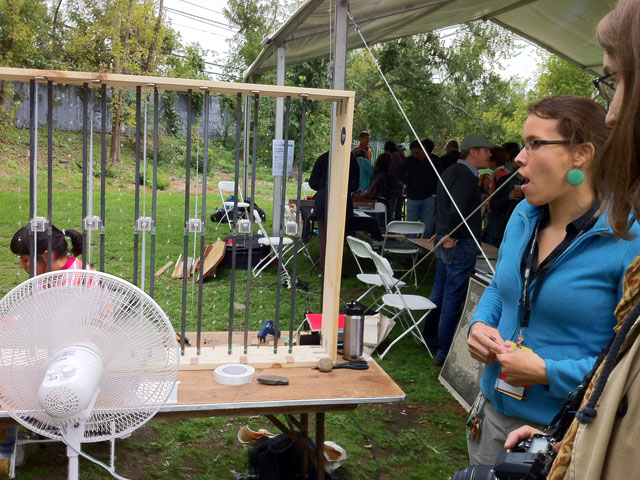
A project on self-generating power with wind. The project is great use of alernative energy. Magnetics in the center of the bands vibrate as wind blows and create energy. These two people studies at the NYU ITP.
3. Spinning Drum: University of Massachusetts Amherst, Electric Computer Engineering
A user hits the synthisizer key inputs to create animation on the screen. The music player is very simple and easy to use, so I found lots of not technical users having fun to play with it.
2. I am taking a Future of Urban Fashion and would like to cooperate the Physical Computing with it. Also, I am interested in general use of Physical Computing to our daily life.
3. When I was kid, I used to play with Astro Boy. There was an 3d animation of Astro Boy in 2009. I really enjoyed the Movie.
 Evander Batson
 xinhe feng
 FluffyLeecy
 frankiezek
 gaboratparsons
 giang063
 gracegotlost
 lauriewaxman
 Siwen Li
 Xiaofeng Lin
 Yury Gitman
 mar28th
 Max(TONG WEN)
 Soohyun
 sabotai
 Susan Lin








 Making Toys
Reply