Recent Updates Page 36 Toggle Comment Threads | Keyboard Shortcuts

  • Unknown's avatar

    Jun Sik (Jason) Kim 1:49 am on November 21, 2011 Permalink | Reply  

    Pulse Sensor Presentation 

    By Jason Kim, Rachel Law, and Freddie Andrade

    1)Pulse Sensor Description Presentation

    PulseSensorPresentation

    2)Pulse Sensor Working with LED & working with LOL Shield

    LED Arduino Code and Processing Code (from http://www.pulsesensor.com)

    LOL Shield Arduino Code

    
    #include <Charliplexing.h> //Imports the library, which needs to be
    
    byte line = 0; //Row counter
    char buffer[10];
    int value;
    
    // VARIABLES
    unsigned long time; // Holds current time for pulse rate calculation
    unsigned long lastTime; // Used for calculating time between beats
    int Sensor; // Holds current analog Sensor Reading
    int lastSensor; // Used to find waveform direction
    int Peak; // Holds value of peak in waveform
    int Trough; // Holds value of trough in waveform
    int beats[10]; // Array to collect time between beats for calculating BPM
    int beatCounter = 0; // Used to hold position in beats array
    int QuantifiedSelf; // Used to hold the heart rate value (BPM)
    int drop; // Holds the amplitude of waveform
    
    int fadeRate = 10; // when arduino finds a heartbeat, it will fade an LED on pin 11 (PWM)
    int Fade = 0; // Fade variable will set PWM
    
    boolean falling = false; // used to keep track of waveform direction
    
    // PINS
    int LED = 13; // pin 13 LED blinks on each pulse
    int dimLED = 11; // LED on pin 11 fades with each pulse
    int PulseSensor = 5; // Pulse Sensor purple wire connected to analog pin 5
    
    void setup()
    {
     LedSign::Init();
    
    // pinMode(LED, OUTPUT); // set the LED pins as outputs
    // pinMode(dimLED, OUTPUT);
     Serial.begin(115200); // start the hardware serial block and set the baud rate
     lastTime = millis(); // initialize lastTime variable
    }
    void loop()
    {
     Sensor = analogRead(PulseSensor); // take a reading
     Serial.print("s"); // send raw analog data to Processing sketch (or other)
     Serial.println(Sensor); // 's' = Raw Sensor Data
    // USE WITH LED ON PIN 11 FOR FADE EFFECT
    // Fade -= fadeRate; // Fade variable set to 255 when heart beat is found
    // Fade = constrain(Fade,0,255); // these lines fade the LED
    // analogWrite(dimLED,Fade);
    
    // KEEP TRACK OF THE DIRECTION OF THE WAVEFORM
     if (falling == false){ // if the sensor values are rising
     if (Sensor < lastSensor-1){ // if current reading is less than last reading - noise
     falling = true; // a peak has been reached
     Serial.print("P"); // send peak value to Processing scketch (or other)
     Serial.println(Peak); // 'P' = Peak in waveform
    // digitalWrite(LED,LOW); // turn off pin 13 LED
    // myHeart();
     smallHeart();
     }else if(Sensor > lastSensor){ // otherwise, if current reading is bigger, values are still rising
     Peak = Sensor; // record the next potential peak
     lastSensor = Sensor; // keep track of rising signal
     }
     }
     if (falling == true){ // if the sensor values are falling
     if (Sensor > lastSensor){ // if current reading is bigger than last reading
     falling = false; // a trough has been reached
     Serial.print("T"); // send trough value to Processing sketch (or other)
     Serial.println(Trough); // 'T' = Trough in waveform
     drop = Peak - Trough; // difference = signal amplitude
     Peak = 0; // setting Peak to 0 here helps get rid of noise
    // THIS IF STATEMENT IS HOW THE HEARTBEAT IS FOUND IN PULSE SENSOR WAVEFORM
     if (drop > 4 && drop <60){ // ignore noise in signal. adjust as needed
     timeBeat(); // go work out the BPM
     Serial.print("d"); // send the amplitude to Processing Sketch (or other)
     Serial.println(drop); // 'd' = amplitude of waveform
    // digitalWrite(LED,HIGH); // start pin 13 LED blink
     bigHeart();
    // Fade = 255; // set fading LED to high brightness
    
     }
     }else if (Sensor < lastSensor){ // otherwise, if current reading is smaller weʻre still falling
     Trough = Sensor; // record the next potential trough
     lastSensor = Sensor; // keep track of falling signal
     }
     }
     delay(150);
     //SLOW DOWN!!!!!!!! (LOL SHIELD)
     // break for 20mS. Processing frame-rate = 100.
    
    }// END VOID LOOP
    
    
    void timeBeat(){
     time = millis(); // take note of the current time
     beats[beatCounter] = time - lastTime; // record miliseconds since the last pulse in beats array
     lastTime = time; // stay up to date!
     beatCounter ++; // move array pointer to next position in array
     if (beatCounter == 10){ // if we've taken 10 readings, it's time to derive heart rate
     QuantifiedSelf = getBPM(); // go derive the heart rate
     Serial.print("q"); // send the heart rate to Processing sketch (or other)
     Serial.println(QuantifiedSelf); // 'q' = heart rate
     beatCounter = 0;
     }
    }// END OF timeBeat FUNCTION
    
    
    // This function will return a value for heart rate (Beats Per Minute)
    int getBPM(){
     int dummy; // used in sorting
     int mean; // used in averaging
     boolean done = false; // clear sorting flag
    // this simple sorting routine will arrange values in the beat array from lowest to highest
     while(done != true){
     done = true;
     for (int j=0; j<9; j++){ // simple swap sorts numbers from lowest to highest
     if (beats[j] > beats[j + 1]){ // sorting numbers here
     dummy = beats[j + 1];
     beats [j+1] = beats[j] ;
     beats[j] = dummy;
     done = false;
     }
     }
     }
    // this FOR loop selects the longer beat time values to avoid incorrect heart rate readings
     for(int k=1; k<9; k++){ // exclude lowest and highest values from averaging
     mean += beats[k]; // add beat times together
     }
     mean /=8; // averaging
     mean = 60000/mean; // devide 60 seconds by average pulse length
     return mean; // return beats per minute
    }// END OF getBPM function
    
    
    void smallHeart()
    {
    // delay(2000);
     DisplayBitMap(0);
     DisplayBitMap(0);
     DisplayBitMap(288);
     DisplayBitMap(720);
     DisplayBitMap(528);
     DisplayBitMap(528);
     DisplayBitMap(288);
     DisplayBitMap(192);
     DisplayBitMap(0);
    }
    
    void bigHeart()
    {
    // delay(100);
     DisplayBitMap(0);
     DisplayBitMap(816);
     DisplayBitMap(1224);
     DisplayBitMap(2052);
     DisplayBitMap(2052);
     DisplayBitMap(1032);
     DisplayBitMap(528);
     DisplayBitMap(288);
     DisplayBitMap(192);
    }
    
    void DisplayBitMap(int lineint)
    {
     //int data[9] = {95, 247, 123, 511, 255, 1, 5, 31, 15};
    
     //for(line = 0; line < 9; line++) {
     for (byte led=0; led<14; ++led) {
     if (lineint & (1<<led)) {
     LedSign::Set(led, line, 1);
     } else {
     LedSign::Set(led, line, 0);
     }
     }
    
     line++;
     if(line >= 9) line = 0;
    }


  • Unknown's avatar

    strawberrymillefuille 12:19 am on November 19, 2011 Permalink | Reply  

    [pulse sensor] sin wave visualisation 

    sin wave visualisation

    code zip: http://www.mediafire.com/file/agk56oug5gqwub5/actuallyworking.zip

    • to get the faded background, comment the background(50); out
    • works with the existing arudino code that goes with the example
    • the way the sin is coded, you can actually create ‘sections’ based on width and add a mimin library so you can play sound based on the sin waves created. it works with max msp as well
     
  • Unknown's avatar

    Aneta Genova 5:58 pm on November 18, 2011 Permalink | Reply  

    LOL shield – first Iteration – Aneta Genova 

    Here is my first LOL shield iteration.


    Code:

     
    #include <Charliplexing.h> //Imports the library, which needs to be
    const int buttonPin = A4;     // the number of the pushbutton pin
    byte line = 0;       //Row counter
    char buffer[10];
    int value;
    int buttonState = 0;

    void setup()
    { Serial.begin(9600);
    LedSign::Init();  //Initializes the screen
    // initialize the pushbutton pin as an input:
    pinMode(buttonPin, INPUT);
    }

    void loop()
    {
    // read the state of the pushbutton value:
    buttonState = digitalRead(buttonPin);

    // check if the pushbutton is pressed. if it is, the buttonState is HIGH:
    if (buttonState == HIGH) {
    Serial.println(‘low’);

    delay(300);
    DisplayBitMap(127);
    DisplayBitMap(127);
    DisplayBitMap(127);
    DisplayBitMap(127);
    DisplayBitMap(127);
    DisplayBitMap(127);
    DisplayBitMap(127);
    DisplayBitMap(127);
    DisplayBitMap(127);
    }

    else {
    Serial.println(‘0000909090909090’);

    delay(300);
    DisplayBitMap(127);
    DisplayBitMap(127);
    DisplayBitMap(127);
    DisplayBitMap(127);
    DisplayBitMap(127);
    DisplayBitMap(127);
    DisplayBitMap(127);
    DisplayBitMap(127);
    DisplayBitMap(127);
    delay(300);
    DisplayBitMap(127);
    DisplayBitMap(127);
    DisplayBitMap(127);
    DisplayBitMap(127);
    DisplayBitMap(127);
    DisplayBitMap(127);
    DisplayBitMap(127);
    DisplayBitMap(127);
    DisplayBitMap(255);
    delay(300);
    DisplayBitMap(63);
    DisplayBitMap(127);
    DisplayBitMap(127);
    DisplayBitMap(127);
    DisplayBitMap(127);
    DisplayBitMap(127);
    DisplayBitMap(127);
    DisplayBitMap(255);
    DisplayBitMap(511);
    delay(300);
    DisplayBitMap(63);
    DisplayBitMap(63);
    DisplayBitMap(127);
    DisplayBitMap(127);
    DisplayBitMap(127);
    DisplayBitMap(127);
    DisplayBitMap(255);
    DisplayBitMap(255);
    DisplayBitMap(511);
    delay(300);
    DisplayBitMap(63);
    DisplayBitMap(63);
    DisplayBitMap(63);
    DisplayBitMap(127);
    DisplayBitMap(127);
    DisplayBitMap(255);
    DisplayBitMap(255);
    DisplayBitMap(511);
    DisplayBitMap(511);
    delay(300);
    DisplayBitMap(63);
    DisplayBitMap(63);
    DisplayBitMap(63);
    DisplayBitMap(63);
    DisplayBitMap(127);
    DisplayBitMap(255);
    DisplayBitMap(255);
    DisplayBitMap(511);
    DisplayBitMap(1023);
    delay(300);
    DisplayBitMap(31);
    DisplayBitMap(63);
    DisplayBitMap(63);
    DisplayBitMap(63);
    DisplayBitMap(127);
    DisplayBitMap(127);
    DisplayBitMap(255);
    DisplayBitMap(1023);
    DisplayBitMap(2047);
    delay(300);
    DisplayBitMap(31);
    DisplayBitMap(31);
    DisplayBitMap(63);
    DisplayBitMap(63);
    DisplayBitMap(63);
    DisplayBitMap(127);
    DisplayBitMap(255);
    DisplayBitMap(1023);
    DisplayBitMap(2047);
    delay(300);
    DisplayBitMap(15);
    DisplayBitMap(31);
    DisplayBitMap(31);
    DisplayBitMap(63);
    DisplayBitMap(63);
    DisplayBitMap(127);
    DisplayBitMap(255);
    DisplayBitMap(511);
    DisplayBitMap(2047);
    delay(300);
    DisplayBitMap(7);
    DisplayBitMap(15);
    DisplayBitMap(31);
    DisplayBitMap(31);
    DisplayBitMap(31);
    DisplayBitMap(63);
    DisplayBitMap(255);
    DisplayBitMap(511);
    DisplayBitMap(2047);
    delay(300);
    DisplayBitMap(3);
    DisplayBitMap(7);
    DisplayBitMap(7);
    DisplayBitMap(15);
    DisplayBitMap(31);
    DisplayBitMap(63);
    DisplayBitMap(511);
    DisplayBitMap(2047);
    DisplayBitMap(4095);
    delay(300);
    DisplayBitMap(1);
    DisplayBitMap(3);
    DisplayBitMap(3);
    DisplayBitMap(7);
    DisplayBitMap(15);
    DisplayBitMap(31);
    DisplayBitMap(1023);
    DisplayBitMap(2047);
    DisplayBitMap(8191);
    delay(300);
    DisplayBitMap(0);
    DisplayBitMap(3);
    DisplayBitMap(3);
    DisplayBitMap(7);
    DisplayBitMap(15);
    DisplayBitMap(63);
    DisplayBitMap(1023);
    DisplayBitMap(4095);
    DisplayBitMap(16383);
    delay(300);
    DisplayBitMap(0);
    DisplayBitMap(0);
    DisplayBitMap(3);
    DisplayBitMap(3);
    DisplayBitMap(7);
    DisplayBitMap(15);
    DisplayBitMap(1023);
    DisplayBitMap(8191);
    DisplayBitMap(16383);
    delay(300);
    DisplayBitMap(0);
    DisplayBitMap(0);
    DisplayBitMap(0);
    DisplayBitMap(3);
    DisplayBitMap(7);
    DisplayBitMap(15);
    DisplayBitMap(2047);
    DisplayBitMap(16383);
    DisplayBitMap(16383);
    delay(300);
    DisplayBitMap(0);
    DisplayBitMap(0);
    DisplayBitMap(0);
    DisplayBitMap(0);
    DisplayBitMap(15);
    DisplayBitMap(255);
    DisplayBitMap(8191);
    DisplayBitMap(16383);
    DisplayBitMap(16383);
    delay(300);
    DisplayBitMap(0);
    DisplayBitMap(0);
    DisplayBitMap(0);
    DisplayBitMap(0);
    DisplayBitMap(0);
    DisplayBitMap(2047);
    DisplayBitMap(16383);
    DisplayBitMap(16383);
    DisplayBitMap(16383);
    delay(300);
    DisplayBitMap(0);
    DisplayBitMap(0);
    DisplayBitMap(0);
    DisplayBitMap(0);
    DisplayBitMap(0);
    DisplayBitMap(16383);
    DisplayBitMap(16383);
    DisplayBitMap(16383);
    DisplayBitMap(16383);
    delay(300);
    DisplayBitMap(0);
    DisplayBitMap(0);
    DisplayBitMap(0);
    DisplayBitMap(0);
    DisplayBitMap(14336);
    DisplayBitMap(16380);
    DisplayBitMap(16383);
    DisplayBitMap(16383);
    DisplayBitMap(16383);
    delay(300);
    DisplayBitMap(0);
    DisplayBitMap(0);
    DisplayBitMap(0);
    DisplayBitMap(8192);
    DisplayBitMap(12288);
    DisplayBitMap(16368);
    DisplayBitMap(16380);
    DisplayBitMap(16383);
    DisplayBitMap(16383);

    }

    void DisplayBitMap(int lineint)
    {
    //int data[9] = {95, 247, 123, 511, 255, 1, 5, 31, 15};

    //for(line = 0; line < 9; line++) {
    for (byte led=0; led<14; ++led) {
    if (lineint & (1<<led)) {
    LedSign::Set(led, line, 1);
    } else {
    LedSign::Set(led, line, 0);
    }
    }

    line++;
    if(line >= 9) line = 0;
    }

     
  • Unknown's avatar

    Fred Andrade 8:54 pm on November 17, 2011 Permalink | Reply  

    Interesting Galvanic Skin Response Sensor Business 

    http://arduino.cc/blog/category/sensors/galvanic-skin-response/

     
  • Unknown's avatar

    Yury Gitman 7:28 pm on November 11, 2011 Permalink | Reply  

    Schedule for Rest of Semester 

    Oct 11:   LOL homework,
    Make  an enclosure of your screen LOL that diffuses the light. Create software that uses dynamic scrolling text and a interactive activated animation.
    Buy second Arduino

    Nov 18:   Show twitting Displays, Homework.  Pulse Sensor and Sound group present.
    Make either:  A project the displays the HeartRate in a physical form (can be LOL)  OR  Make a Sound Message Box with 2-3 switches and 2-3 LED’s.

    Nov 25:  Thanks Giving No Class

    Dec 2:    Present Homework.  Do the second assignment.

    Dec 9:   Present prototypes for review.

    Dec 16:  Presentation 2 project to guest crits.

     
  • Unknown's avatar

    mónica arias. 5:58 pm on November 11, 2011 Permalink | Reply  

    LoL shield: scrolling text code. 

    /*
      Requires LoL Shield library, at least V0.2Beta
    
    http://code.google.com/p/lolshield/downloads/list
    
      And the Font.cpp from LoL_Shield-100915.zip on ikkei's page:
    
    http://web.mac.com/kxm_ikkei/Site/LoL.html
    
      Based on original TEXT SAMPLE CODE for LOL Shield for Arduino
      Copyright 2009/2010 Benjamin Sonntag <benjamin@sonntag.fr> http://benjamin.sonntag.fr/
    
      (This version edited by Walfas)
    */
    
    #include "Charliplexing.h"
    #include "Font.h"
    #include "WProgram.h"
    
    // Technically the number of columns of LEDs minus one
    #define SCREEN_WIDTH 13
    
    // Scroll delay: lower values result in faster scrolling
    #define SCROLL_DELAY 80
    
    /* How long to wait after the last letter before
        going back to the beginning and repeating */
    #define REPEAT_DELAY 500
    
    int textLength, totalPixels;
    char text[]="HI CLASS WE MADE IT THIS IS OUR LOL SHIELD PRESENTATION";
    
    void setup() {
      LedSign::Init();
      getLength(text, &textLength, &totalPixels);
    }
    
    void loop() {
      int x=0;
      for(int j=SCREEN_WIDTH; j>-totalPixels-SCREEN_WIDTH; j--) {
        x=j;
        LedSign::Clear();
        for(int i=0; i<textLength; i++) {
          x += Font::Draw(text[i],x,0);
          if (x>=SCREEN_WIDTH)
            break;
        }
        delay(SCROLL_DELAY);
      }
      delay(REPEAT_DELAY);
    }
    
    void getLength(char* charArray, int* lengthPtr, int* pixelPtr) {
      /* Finds the length of a string in terms of characters
         and pixels and assigns them to the variable at
         addresses lengthPtr and pixelPtr, respectively. */
    
      int charCount = 0, pixelCount = 0;
      char * charPtr = charArray;
    
      // Count chars until newline or null character reached
      while (*charPtr != '\0' && *charPtr != '\n') {
        charPtr++;
        charCount++;
    
        /* Increment pixelCount by the number of pixels
           the current character takes up horizontally. */
        pixelCount += Font::Draw(*charPtr,-SCREEN_WIDTH,0);
      }
    
      *pixelPtr = pixelCount;
      *lengthPtr = charCount;
    }
    
     
  • Unknown's avatar

    hirumi 5:16 pm on November 11, 2011 Permalink | Reply  

    LOLShieldHammerTime 

    template
    jimmierodgers
    Hammer Time Excel Animation Template
    
    
    #include <avr/pgmspace.h>  //This is in the Arduino library 
    
    int blinkdelay = 75; //This basically controls brightness. Lower is dimmer
    int runspeed = 20;   //smaller = faster
    
    int pin13 =13;
    int pin12 =12;
    int pin11 =11;
    int pin10 =10;
    int pin09 =9;
    int pin08 =8;
    int pin07 =7;
    int pin06 =6;
    int pin05 =5;
    int pin04 =4;
    int pin03 =3;
    int pin02 =2;
    
    const int pins[] = {
      pin13,pin12,pin11,pin10,pin09,pin08,pin07,pin06,pin05,pin04,pin03,pin02};
    
    const int ledMap[126][2] ={
    {pin13, pin05},{pin13, pin06},{pin13, pin07},{pin13, pin08},{pin13, pin09},{pin13, pin10},{pin13, pin11},{pin13, pin12},{pin13, pin04},{pin04, pin13},{pin13, pin03},{pin03, pin13},{pin13, pin02},{pin02, pin13},
    {pin12, pin05},{pin12, pin06},{pin12, pin07},{pin12, pin08},{pin12, pin09},{pin12, pin10},{pin12, pin11},{pin12, pin13},{pin12, pin04},{pin04, pin12},{pin12, pin03},{pin03, pin12},{pin12, pin02},{pin02, pin12},
    {pin11, pin05},{pin11, pin06},{pin11, pin07},{pin11, pin08},{pin11, pin09},{pin11, pin10},{pin11, pin12},{pin11, pin13},{pin11, pin04},{pin04, pin11},{pin11, pin03},{pin03, pin11},{pin11, pin02},{pin02, pin11},
    {pin10, pin05},{pin10, pin06},{pin10, pin07},{pin10, pin08},{pin10, pin09},{pin10, pin11},{pin10, pin12},{pin10, pin13},{pin10, pin04},{pin04, pin10},{pin10, pin03},{pin03, pin10},{pin10, pin02},{pin02, pin10},
    {pin09, pin05},{pin09, pin06},{pin09, pin07},{pin09, pin08},{pin09, pin10},{pin09, pin11},{pin09, pin12},{pin09, pin13},{pin09, pin04},{pin04, pin09},{pin09, pin03},{pin03, pin09},{pin09, pin02},{pin02, pin09},
    {pin08, pin05},{pin08, pin06},{pin08, pin07},{pin08, pin09},{pin08, pin10},{pin08, pin11},{pin08, pin12},{pin08, pin13},{pin08, pin04},{pin04, pin08},{pin08, pin03},{pin03, pin08},{pin08, pin02},{pin02, pin08},
    {pin07, pin05},{pin07, pin06},{pin07, pin08},{pin07, pin09},{pin07, pin10},{pin07, pin11},{pin07, pin12},{pin07, pin13},{pin07, pin04},{pin04, pin07},{pin07, pin03},{pin03, pin07},{pin07, pin02},{pin02, pin07},
    {pin06, pin05},{pin06, pin07},{pin06, pin08},{pin06, pin09},{pin06, pin10},{pin06, pin11},{pin06, pin12},{pin06, pin13},{pin06, pin04},{pin04, pin06},{pin06, pin03},{pin03, pin06},{pin06, pin02},{pin02, pin06},
    {pin05, pin06},{pin05, pin07},{pin05, pin08},{pin05, pin09},{pin05, pin10},{pin05, pin11},{pin05, pin12},{pin05, pin13},{pin05, pin04},{pin04, pin05},{pin05, pin03},{pin03, pin05},{pin05, pin02},{pin02, pin05}
    };
    
    uint16_t BitMap[][9] PROGMEM = {
    {0, 0, 0, 1, 0, 0, 0, 1, 0},
    {1, 1, 1, 2, 1, 0, 1, 2, 0},
    {3, 2, 3, 5, 3, 1, 2, 4, 0},
    {7, 4, 7, 10, 7, 2, 5, 8, 0},
    {14, 10, 14, 20, 14, 5, 10, 17, 0},
    {28,20, 28, 8, 62, 8, 20, 34, 0},
    {56, 40, 56, 20, 56, 80, 40, 68, 0},
    {112, 80, 112, 32, 248, 32, 80, 136, 0},
    {224, 160, 224, 320, 224, 80, 160, 272, 0},
    {448, 320, 448, 128, 992, 128, 320, 544, 0},
    {896, 640, 896, 320, 896, 1280, 640, 1088},
    {1792, 1280, 1792, 512, 3968, 512, 1280, 2176, 0},
    {3584, 2560, 3584, 5120, 3584, 1280, 2560, 4352, 0},
    {7168, 5120, 7168, 2048, 15872, 2048, 5120, 8704, 0},
    {14336, 10240, 14336, 5120, 14336, 4096, 10240, 1024, 0},
    {12288, 4096, 12288, 8192, 14336, 8192, 4096, 2048, 0},
    {8192, 8192, 8192, 4096, 8192, 0, 8192, 4096, 0},
    {0, 0, 0, 0, 8192, 0, 0, 8192, 0},
    {8192, 8192, 8192, 4096, 8192, 0, 8192, 4096, 0},
    {12288, 4096, 12288, 8192, 14336, 8192, 4096, 2048, 0},
    {14336, 10240, 14336, 5120, 14336, 4096, 10240, 1024, 0},
    {7168, 5120, 7168, 2048, 15872, 2048, 5120, 8704, 0},
    {3584, 2560, 3584, 5120, 3584, 1280, 2560, 4352, 0},
    {1792, 1280, 1792, 512, 3968, 512, 1280, 2176, 0},
    {896, 640, 896, 320, 896, 1280, 640, 1088},
    {448, 320, 448, 128, 992, 128, 320, 544, 0},
    {224, 160, 224, 320, 224, 80, 160, 272, 0},
    {112, 80, 112, 32, 248, 32, 80, 136, 0},
    {56, 40, 56, 20, 56, 80, 40, 68, 0},
    {28,20, 28, 8, 62, 8, 20, 34, 0},
    {14, 10, 14, 20, 14, 5, 10, 17, 0},
    {7, 4, 7, 10, 7, 2, 5, 8, 0},
    {3, 2, 3, 5, 3, 1, 2, 4, 0},
    {1, 1, 1, 2, 1, 0, 1, 2, 0},
    {0, 0, 0, 1, 0, 0, 0, 1, 0},
    {18000}
    };
    
    void setup() {
      blinkall(2); // useful for testing
    }
    void loop() {
      //sequenceon(); // useful for testing
      DisplayBitMap();
    }
    void turnon(int led) {
      int pospin = ledMap[led][0];
      int negpin = ledMap[led][1];
      pinMode (pospin, OUTPUT);
      pinMode (negpin, OUTPUT);
      digitalWrite (pospin, HIGH);
      digitalWrite (negpin, LOW);
    }
    
    void alloff() {
      DDRD = B00000010;
      DDRB = B00000000;
    }
    
    void DisplayBitMap()
    {
      boolean run=true;
      byte frame = 0;
      byte line = 0;
      unsigned long data;
      while(run == true) {
        for(int i = 0; i < runspeed; i++)     {
          for(line = 0; line < 9; line++)       {
            data = pgm_read_word_near (&BitMap[frame][line]);   // fetch data from program memory
            if (data==18000){
              run=false;
            }
            else for (byte led=0; led<14; ++led) {
              if (data & (1<<led)) {
                turnon((line*14)+led);
                delayMicroseconds(blinkdelay);
                alloff();
              }
              else {
                delayMicroseconds(blinkdelay);
              }
            }
    
          }
    
        } frame++;
      }
    }
    
    void blinkall(int numblink) {
      alloff();
      for(int n = 0;n < numblink;n++)   {
        for(int i = 0; i < runspeed; i++)     {
          for(int j = 0; j < 126; j++)       {
            turnon(j);
            delayMicroseconds(blinkdelay);
            alloff();
          }
        }
        delay(500);
      }
    }
    
    void sequenceon() {
      for(int i = 0; i < 126; i++)   {
        turnon(i);
        delay(800);
        alloff();
        delay(800);
      }
    }
    
     
  • Unknown's avatar

    Fred Andrade 4:35 pm on November 11, 2011 Permalink | Reply  

    Kitteh 

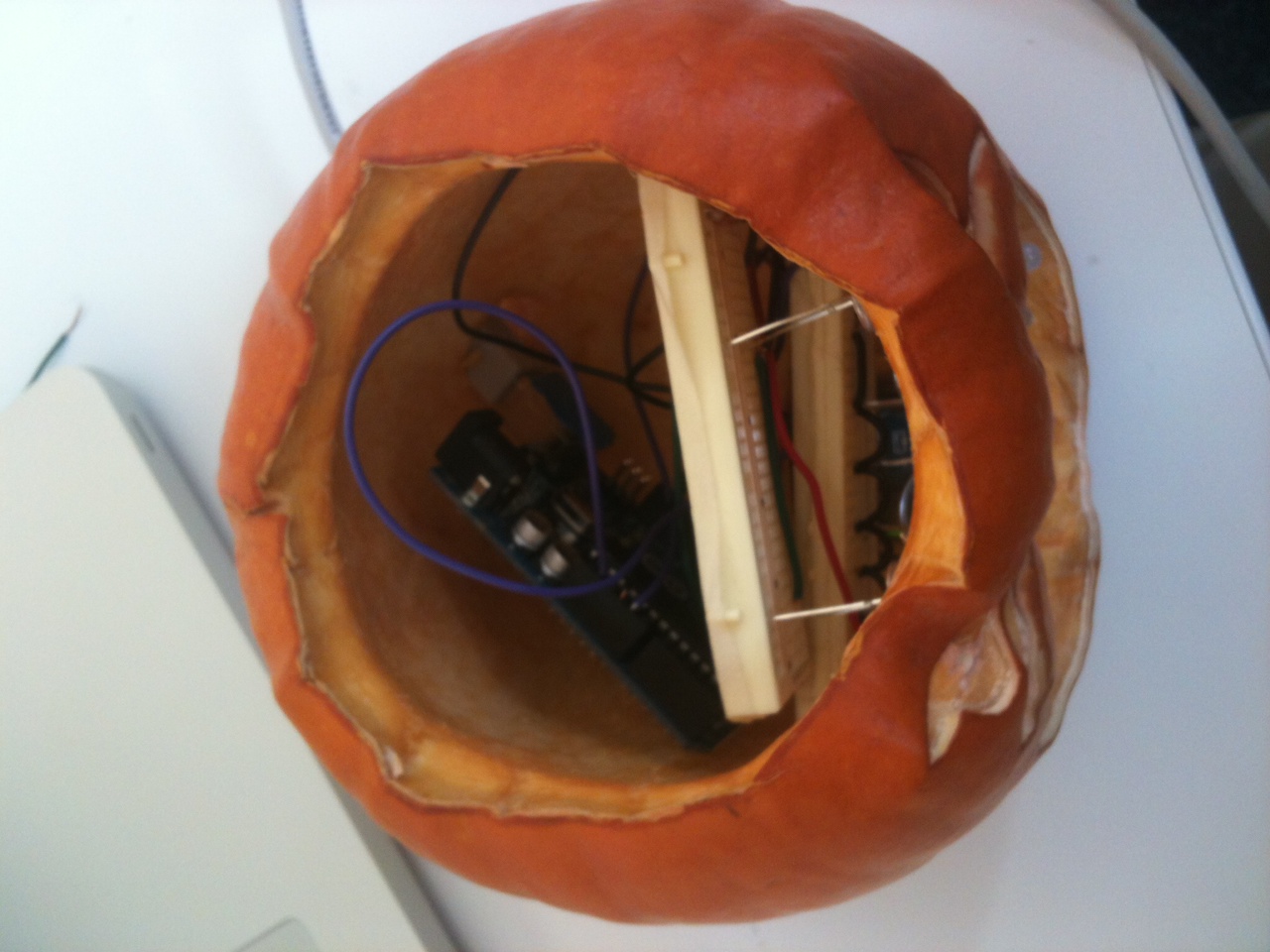
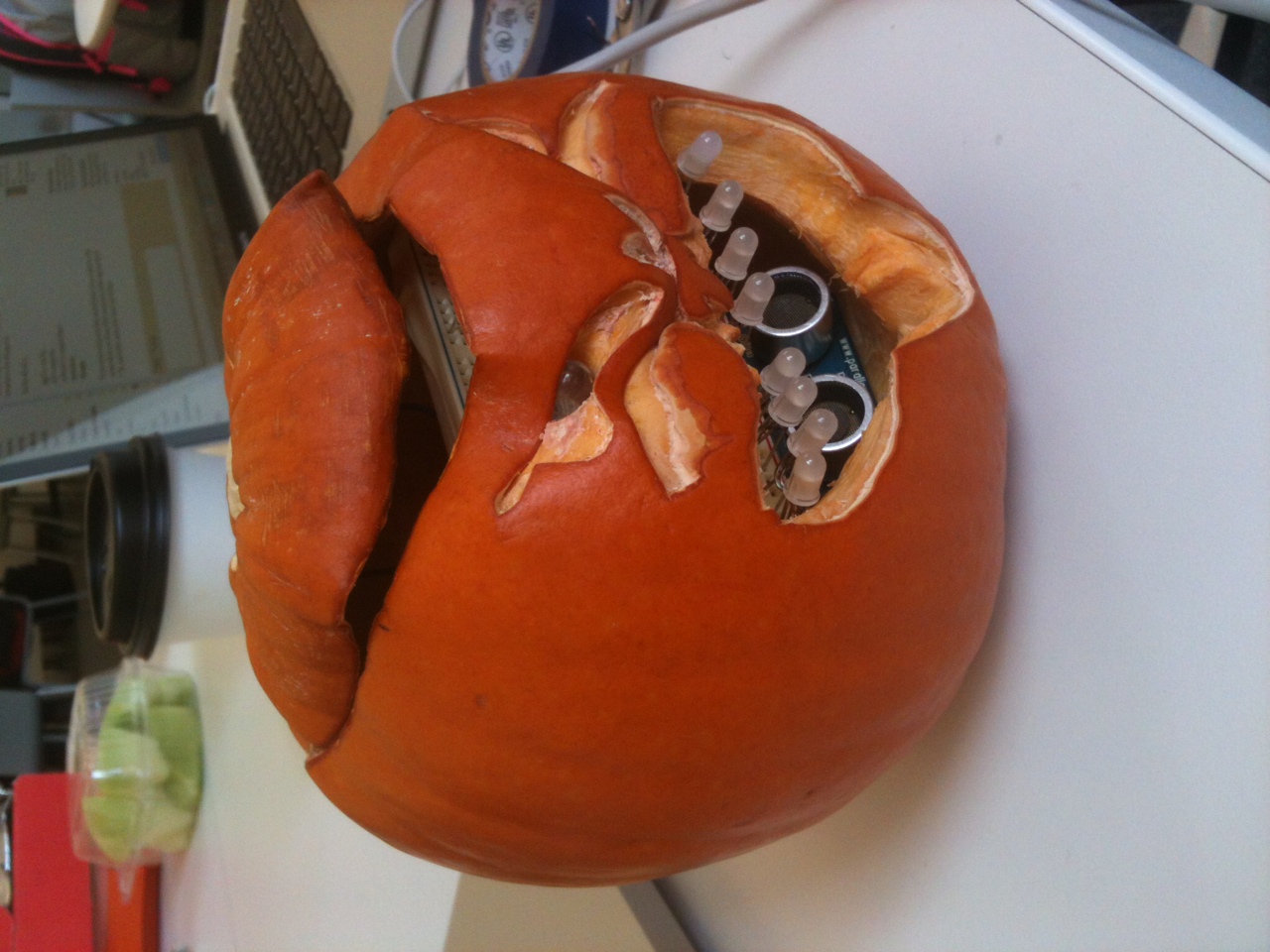
    Here is the Kitteh pumpkin, also known as the Cat-O-Lantern.

    It is very temperamental and has a lot to say about physical contact.

    It has two individual LEDs for eyes, driven by pin 2, eight LEDs in series for the mouth driven by pin 5, and a PING ultrasonic sensor driven by pin 7.

    The PING ultrasonic sensor discriminates between two states.

    The ground state is when there is a distance of at least 50cm between the PING sensor and anything. In the ground state, the eyes blink randomly and the mouth pulsates slowly.

    When something comes closer than 50cm, the active state takes over, making the eyes blink rapidly and the mouth pulsate fast.

    It returns to normal once the distance of 50cm is restored.

    (More …)

     
  • Unknown's avatar

    Catalina 3:10 am on November 11, 2011 Permalink | Reply  

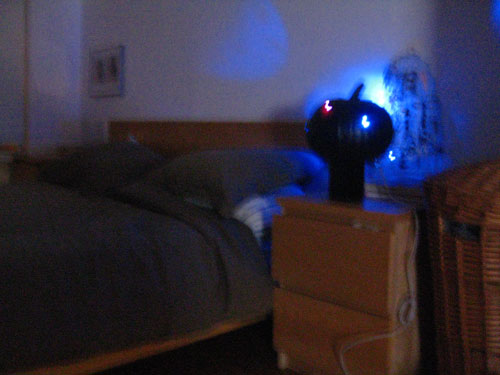
    Pumpkin-Sky Lamp by Catalina Cortázar 

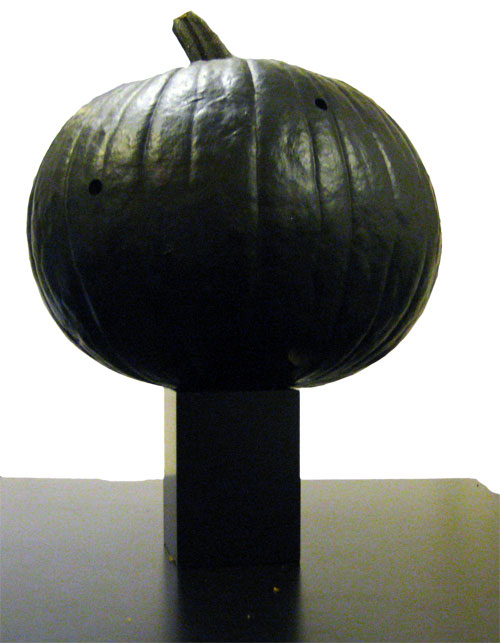
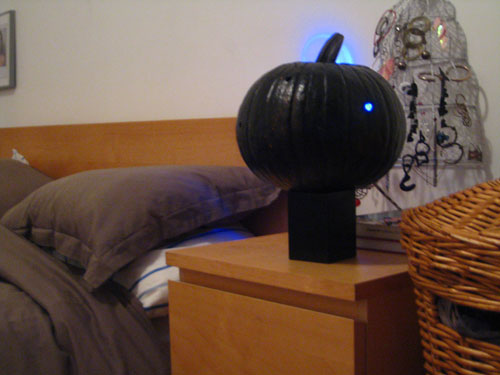
    Pumpkin-Sky Lamp

    The concept is a lamp that interacts with the environment.

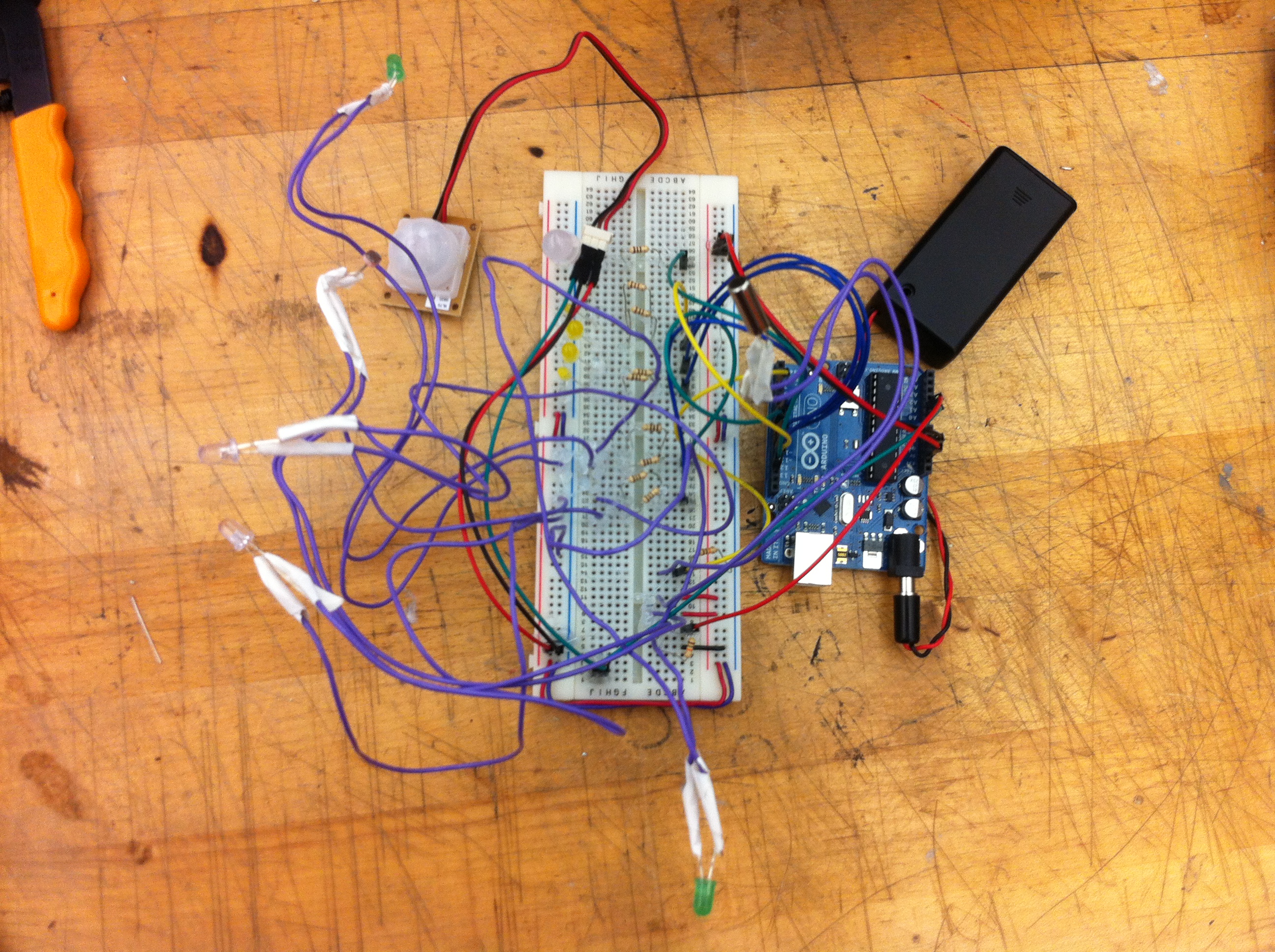
    The lamp consists on a black-pumpkin, as night, which has blue LEDs and one RGB Led.
    Every time the light of the room is turned off, when it becomes dark, the blue LEDs light up and there is one Led that is purple.

    When the PIR motion sensor is activated, when someone is near the lamp, all of the LEDs become blue and they start blinking.

    When the room light is turn on, and the room lights up, the lamp turns off.

    (More …)

     
  • Unknown's avatar

    noadol 7:02 am on November 9, 2011 Permalink | Reply  

    Meet the Pumpkinsteins (Noa & Aaron) 

    The Pumpkintstein sister is a life loving pumpkin that loves to eat and receive a lot of attention. She makes happy sounds when you rub her single pot ear  and has peaceful, deep-blue LED eyes. With her super sensitive maxsonar nose, she can detected if you walk away, then her eyes will turn red to express how disappointed she is. The Pumpkintstein brother has the exact opposite nature. He hates when people get too close to him, and his eyes turn back green when you give hime some space, peace and quiet. Both of the pumpkins loooooove candies. If you feed them with candies, their eyes blink in happiness and they produce cheerful tunes. All this will happen thanks to lighten mouths equipped with photo resistors that respond to the candies blocking the direct light.


    //Pumpkinstein code:\\
    
    int lightPin = 3;  //Photo resistor = A3
    int threshold = 250;
    
    const int pwPin = 6;
    long pulse, inches, cm;
    
    //eyes:
    int redEye = 3;
    int blueEye = 4; //Green
    
    //mouth:
    #include "pitches.h"
    
    int melody[] = {
      NOTE_C5,NOTE_C7, NOTE_C6, NOTE_C7, NOTE_C5, NOTE_D4, NOTE_C6, NOTE_C7};
    
    int noteDurations[] = {
      4, 8, 8, 4,6,4,6,4 };
    
    // speakers:
    int speakerPin1 = 9;
    int pitchPin1 = 0;
    int readingPitch1 = 0;
    int frequency1 = 0;
    
    int prevVal1 = 0;
    int currentVal1 = 0;
    long lastTimeMoved = 0;
    int shakeTime = 1000;
    
    void setup(){
      Serial.begin(9600);
      pinMode(redEye, OUTPUT);
      pinMode(blueEye, OUTPUT);
    }
    
    void loop(){
    
      if(analogRead(lightPin) < threshold ){
    
        for (int thisNote = 0; thisNote < 8; thisNote++) {
          int noteDuration = 600/noteDurations[thisNote];
          tone(speakerPin1, melody[thisNote],noteDuration);
          int pauseBetweenNotes = noteDuration * 1.30;
          delay(pauseBetweenNotes);
    //    noTone(speakerPin1);
        }
    
        blink2();
        blink1();
        delay(100);
      }
    
     pulse = pulseIn(pwPin, HIGH);
      //147uS per inch
      inches = pulse/147;
      //change inches to centimeters
      cm = inches * 2.54;
    
      Serial.print("sonar value = ");
      Serial.print(inches);
      Serial.print("in, ");
      Serial.print(cm);
      Serial.print("cm");
      Serial.println();
    
      if (inches > 45){
        digitalWrite(redEye, HIGH);
        digitalWrite(blueEye,LOW);
      }
      else {
        digitalWrite(redEye, LOW);
        digitalWrite(blueEye,HIGH);
      }
    
      readingPitch1 = analogRead(pitchPin1);
      currentVal1 = analogRead(pitchPin1);
    
      if (prevVal1 != currentVal1)
      {
    
        frequency1 = map(readingPitch1, 0, 1023, 3000, 5000); // 100Hz -> 5kHz
        Serial.print("frequency1 = ");
        Serial.println(frequency1);
        tone(speakerPin1, frequency1, random(100));
      } 
    
      if(millis() - lastTimeMoved > shakeTime){
        noTone(pitchPin1);
      }
      else {
        lastTimeMoved = millis();
        prevVal1 = currentVal1;
      }  
    
      delay(10);
    }
    
    //Functions://
    
    void blink1(){
      digitalWrite(blueEye, HIGH);
      digitalWrite(blueEye, LOW);
      delay(200);
    }
    
    void blink2(){
      digitalWrite(blueEye, HIGH);
      digitalWrite(blueEye, LOW);
      delay(400);
      digitalWrite(blueEye, HIGH);
      digitalWrite(blueEye, LOW);
      delay(400);
    }</pre>
    &nbsp;
    <pre>


  • Unknown's avatar

    Jun Sik (Jason) Kim 6:38 am on November 9, 2011 Permalink | Reply  

    Jason Kim Midterm: Stupid Pumpkin 

    1) Project Name: Stupid Pumpkin

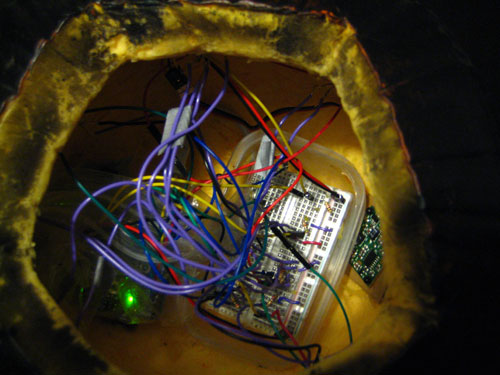
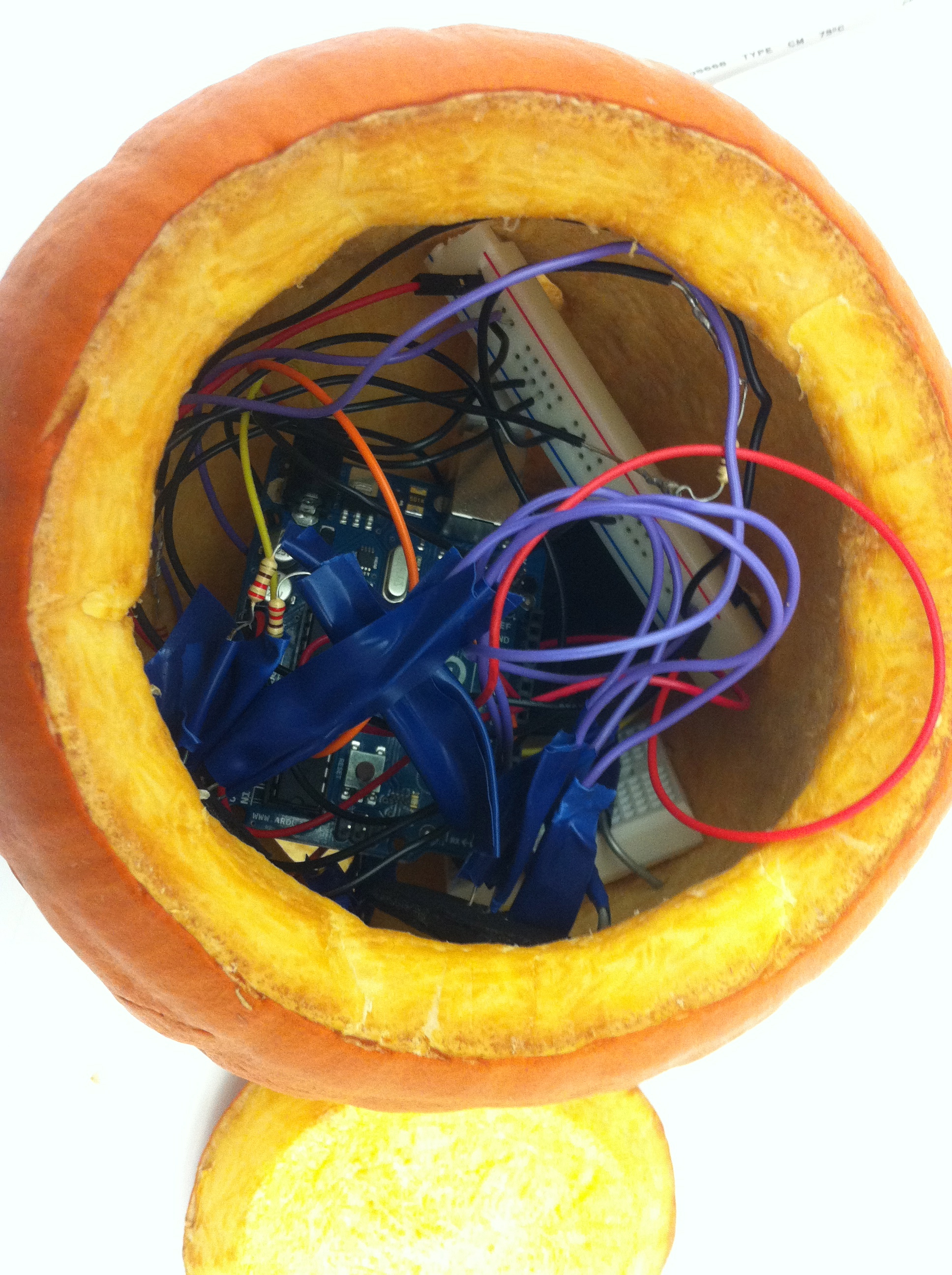
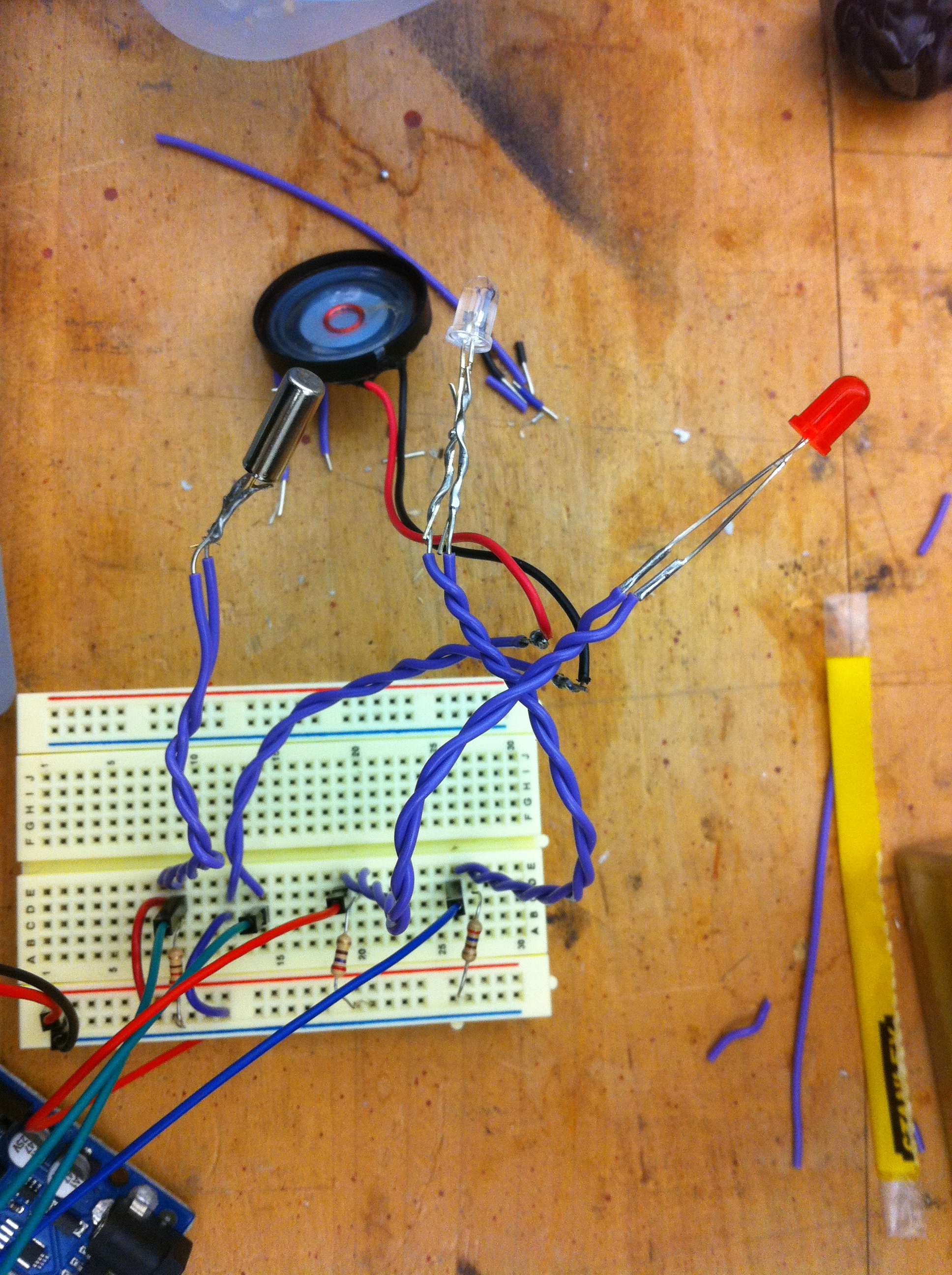
    The concept of the Stupid Pumpkin is relatively straightforward. It’s a pumpkin that looks stupid and a pumpkin that people would want to hit. Using two tilt sensors, I could detect if the pumpkin was hit from the left or from the right. If hit from the right side, the servo motor turns in a clockwise direction (counter clockwise if hit from left) and the Stupid Pumpkin makes a sad face and starts to cry. The LEDs representing the mouth of the pumpkin are controlled by a shift register. The eyes of the pumpkin are RGB LEDs that change color every time the pumpkin is hit. Near the nose (fading superbright blue LED) of the pumpkin is also a photocell that detects if the pumpkin’s nose is covered or if the lights are turned off. If the nose is covered or lights are turned off, the Stupid Pumpkin starts to cry as it is lonely and frightened. The inside of the pumpkin are all wires and circuit boards and uses no bread boards. Circuit boards are screwed on the inside wall of the pumpkin. The Arduino is powered by a 9V battery pack.

    2) A photo of the electronics and final project

    3) A short video demonstrating it

    4) The Arduino code

    <pre>//Midterm Pumpkin Jason Kim
    
    //Photocell
    int photocellPin = A3;
    int photocellReading;
    
    //Servo Motor
    #include <Servo.h>
    Servo myServo;
    int noTurn = 90;
    
    //Shift Register 75HC595
    int SER_Pin = 11;   //pin 14 on the 75HC595 bluewire
    int RCLK_Pin = 8;  //pin 12 on the 75HC595 greenwire
    int SRCLK_Pin = 12; //pin 11 on the 75HC595 yellowwire
    #define number_of_74hc595s 1
    #define numOfRegisterPins number_of_74hc595s * 8
    
    //Pumpkin eyes
    const int redPin = A0;
    const int greenPin = A1;
    const int bluePin = A2;
    const boolean invert = true;
    
    int color = 0;
    int R, G ,B;
    
    //Pumpkin tear eyes
    int eyePin[] = {
      6,3};
    
    int eyePin2[] = {
      9,10};
    
    int brightness2 = 0;
    int brightness3 = 0;
    
    //Pumpkin nose
    int brightness = 0;
    int fadeAmount = 5;
    int nosePin = 5;
    
    //Pumpkin hit (tilt sensor)
    int tiltPin[] = {
      7,4};
    int tiltState = 0;
    int tiltState2 = 0;
    
    //test led
    int testPin = 13;
    
    boolean registers[numOfRegisterPins];
    
    void setup(){
      Serial.begin(9600);
      myServo.attach(2);
      myServo.write(noTurn);
      pinMode(SER_Pin, OUTPUT);
      pinMode(RCLK_Pin, OUTPUT);
      pinMode(SRCLK_Pin, OUTPUT);
      pinMode(nosePin, OUTPUT);
      for(int i = 0; i<2; i++){
        pinMode(tiltPin[i], INPUT);
      }
      for(int j = 0; j<2; j++){
        pinMode(eyePin[j],OUTPUT);
      }
      for(int k = 0; k<2; k++){
        pinMode(eyePin2[k],OUTPUT);
      }
      clearRegisters();
      writeRegisters();
    }       
    
    //set all register pins to LOW
    void clearRegisters(){
      for(int i = numOfRegisterPins - 1; i >=  0; i--){
        registers[i] = LOW;
      }
    }
    void writeRegisters(){
      digitalWrite(RCLK_Pin, LOW);
      for(int i = numOfRegisterPins - 1; i >=  0; i--){
        digitalWrite(SRCLK_Pin, LOW);
        int val = registers[i];
        digitalWrite(SER_Pin, val);
        digitalWrite(SRCLK_Pin, HIGH);
      }
      digitalWrite(RCLK_Pin, HIGH);
    }
    
    void setRegisterPin(int index, int value){
      registers[index] = value;
    }
    
    void loop(){
      tiltState = digitalRead(tiltPin[0]);
      tiltState2 = digitalRead(tiltPin[1]);
      photocellReading = analogRead(photocellPin);
      photocellReading = 1023 - photocellReading;
      if (photocellReading > 500 && photocellReading < 600){
        myTear();
      }
      Serial.print("Photocell reading = ");
      Serial.println(photocellReading);
      //Pumpkin Eyes
      myEye();
      //Pumpkin Nose
      myNose();
      //Pumpkin Hit
      myHit();
      //Pumpkin Mouth
      myHappy();
      writeRegisters();
      if(tiltState == HIGH){
        myServo.write(111);
        mySad();
        myEyeHit();
        writeRegisters();
        myTear();
        delay(500);
        myServo.write(noTurn);
      }
      if(tiltState2 == HIGH){
        myServo.write(71);
        mySad();
        myEyeHit();
        writeRegisters();
        myTear();
        delay(500);
        myServo.write(noTurn);
      }
    }
    void myHappy(){
      setRegisterPin(0, HIGH);
      setRegisterPin(3, HIGH);
      setRegisterPin(5, HIGH);
      setRegisterPin(6, HIGH);
      setRegisterPin(1, LOW);
      setRegisterPin(2, LOW);
      setRegisterPin(4, LOW);
      setRegisterPin(7, LOW);
    }
    void mySad(){
      setRegisterPin(1, HIGH);
      setRegisterPin(2, HIGH);
      setRegisterPin(4, HIGH);
      setRegisterPin(7, HIGH);
      setRegisterPin(0, LOW);
      setRegisterPin(3, LOW);
      setRegisterPin(5, LOW);
      setRegisterPin(6, LOW);
    }
    void myNose(){
      analogWrite(nosePin, brightness);
      brightness = brightness + fadeAmount;
      if (brightness == 0 || brightness == 255){
        fadeAmount = -fadeAmount;
      }
      delay(30);
    }
    void myHit(){
      if(tiltState == HIGH){
        digitalWrite(testPin, HIGH);
      }
      else if(tiltState2 == HIGH){
        digitalWrite(testPin, HIGH);
      }
      else{
        digitalWrite(testPin, LOW);
      }
    }
    void myTear(){
      for(int i =0; i < 2; i++){
        //one LED fade
        for(int brightness2 = 0; brightness2 <= 255; brightness2 +=5){
          analogWrite(eyePin[i], brightness2);
          //      analogWrite(eyePin2[i],brightness2);
          delay(10);
        }
        for(int brightness2 = 255; brightness2 >= 0; brightness2 -=5){
          analogWrite(eyePin[i],brightness2);
          //      analogWrite(eyePin2[i],brightness2);
          delay(10);
        }
      }
    }
    void myLeftTear(){
      for(int i = 0; i < 2; i++){
        //one LED fade
        for(int brightness3 = 0; brightness3 <= 255; brightness3 +=5){
          //      analogWrite(eyePin[i],brightness2);
          analogWrite(eyePin2[i],brightness3);
          delay(10);
        }
        for(int brightness3 = 255; brightness3 >= 0; brightness3 -=5){
          //      analogWrite(eyePin[i],brightness2);
          analogWrite(eyePin2[i],brightness3);
          delay(10);
        }
      }
    }
    void myEye(){
      int brightnessEye = 255;
      hueToRGB(color, brightnessEye);
      analogWrite(redPin, R);
      analogWrite(greenPin, G);
      analogWrite(bluePin, B);
      if(color > 255){
        color = 0;
      }
      delay(10);
    }
    void myEyeHit(){
      int brightness = 100;
      hueToRGB(color, brightness);
      analogWrite(redPin, R);
      analogWrite(greenPin, G);
      analogWrite(bluePin, B);
      color+=60;
      if(color > 255){
        color = 0;
      }
      delay(10);
    }
    void hueToRGB( int hue, int brightness){
      unsigned int scaledHue = (hue * 6);
      unsigned int segment = scaledHue / 256; //segment 0 to 5 round the color wheel
      unsigned int segmentOffset = scaledHue - (segment * 256); //position within segment
      unsigned int complement = 0;
      unsigned int prev = (brightness * ( 255 - segmentOffset)) / 256;
      unsigned int next = (brightness * segmentOffset) / 256;
      if(invert){
        brightness = 255-brightness;
        complement = 255;
        prev = 255-prev;
        next = 255-next;
      }
      switch(segment ){
      case 0: //red
        R = brightness;
        G = next;
        B = complement;
        break;
      case 1: //yellow
        R = prev;
        G = brightness;
        B = complement;
        break;
      case 2: //green
        R = complement;
        G = brightness;
        B = next;
        break;
      case 3: //cyan
        R = complement;
        G = prev;
        B = brightness;
        break;
      case 4: //blue
        R = next;
        G = complement;
        B = brightness;
        break;
      case 5: //magenta
      default:
        R = brightness;
        G = complement;
        B = prev;
        break;
      }
    }
    
     
  • Unknown's avatar

    aisencc 4:03 am on November 9, 2011 Permalink | Reply  

    Toccata CalaBach 


    The concept behind this pumpkin was inspired by the Toccata in Fugue D Minor by Bach. The teeth of the pumpkin are white keys/ switches, that when pressed to the bottom surface close the circuit and play a note through a piezo buzzer. If the first and the last key are both pressed at the same time, a short introduction of the Toccata in Fugue plays. The light of the pumpkin turns on at night, once a photoresistor reads values that are low enough to mean darkness. A little stuffed dead guy accompanies Toccata CalaBach, representing Johann Sebastian.


    // CODE:

    int photo= 0;
    int led = 2;
    int key1 = 3;
    int key2 = 4;
    int key3 = 5;
    int key4 = 6;
    int key5 = 7;
    int key6 = 8;
    int speakerOut = 9;

    int debounce = 10;

    int state= LOW;
    int lastkeyvalue = LOW; // we start, assuming no motion detected
    int val= 0;
    int val1 = 0;
    int val2 = 0;
    int val3 = 0;
    int val4 = 0;
    int val5 = 0;
    int val6 = 0;
    // variable for reading the key status
    //******************************************************************************
    // TONES ==========================================
    // Start by defining the relationship between
    // note, period, & frequency.
    int c= 3830; // 261 Hz
    int d= 3400; // 294 Hz
    int e= 3038; // 329 Hz
    int f= 2864; // 349 Hz
    int g= 2550; // 392 Hz
    int a= 2272; // 440 Hz
    int b= 2028; // 493 Hz
    int C= 1912; // 523 Hz
    // Define a special note, ‘R’, to represent a rest
    int O= 0;

    // MELODY and TIMING =======================================
    // melody[] is an array of notes, accompanied by beats[],
    // which sets each note’s relative length (higher #, longer note)
    int melody[] = {
    a, g, a, O, g, f, e, d, 3615, d };
    int beats[] = {
    8, 8, 64, 64, 16, 16, 16, 16, 64, 64 };
    int MAX_COUNT = sizeof(melody) / 2; // Melody length, for looping.

    // Set overall tempo
    long tempo = 10000;
    // Set length of pause between notes
    int pause = 1000;
    // Loop variable to increase Rest length
    int rest_count = 100; //<-BLETCHEROUS HACK; See NOTES

    // Initialize core variables
    int tone_ = 0;
    int beat = 0;
    long duration = 0;
    //******************************************************************************

    void setup() {
    pinMode(speakerOut, OUTPUT);
    pinMode(photo, INPUT); //photoresistor Analog
    pinMode(key1, INPUT);
    pinMode(key2, INPUT);
    pinMode(key3, INPUT);
    pinMode(key4, INPUT);
    pinMode(key5, INPUT);
    pinMode(key6, INPUT);
    pinMode(led, OUTPUT);

    Serial.begin(9600);
    }

    void loop(){
    val1 = digitalRead(key1);
    val2 = digitalRead(key2);
    val3 = digitalRead(key3);
    val4 = digitalRead(key4);
    val5 = digitalRead(key5);
    val6 = digitalRead(key6);
    if (val1 == HIGH && val6 == HIGH){
    playSong();
    }else{
    keyTones();
    }
    nightLight();

    }

    void keyTones(){
    Serial.println(“val1”);
    if (val1 == HIGH){
    tone_=c;
    duration= 640000;
    playTone();
    Serial.println(“YES = 1”);
    }
    if (val2 == HIGH){
    tone_=d;
    duration= 640000;
    playTone();
    Serial.println(“YES = 2”);
    }
    if (val3 == HIGH){
    tone_=e;
    duration= 640000;
    playTone();
    Serial.println(“YES = 3”);
    }

    if (val4 == HIGH){
    tone_=f;
    duration= 640000;
    playTone();
    Serial.println(“YES = 4”);
    }
    if (val5 == HIGH){
    tone_=g;
    duration= 640000;
    playTone();
    Serial.println(“YES = 5”);
    }
    if (val6 == HIGH){
    tone_=a;
    duration= 640000;
    playTone();
    Serial.println(“YES = 6”);
    }
    else {
    digitalWrite(speakerOut, LOW);
    }
    if (val1 != lastkeyvalue ){
    delay(debounce);
    val1 = key1;
    }
    lastkeyvalue= val1, val2, val3, val4, val5, val6;

    }

    void nightLight(){
    val= analogRead(photo);
    // Serial.print(val);
    Serial.print(10, BYTE);
    delay(10);

    if (val<400){
    digitalWrite(led, HIGH);
    }else{
    digitalWrite(led, LOW);
    }

    }

    void playSong() {
    // Set up a counter to pull from melody[] and beats[]
    for (int i=0; i 0) { // if this isn’t a Rest beat, while the tone has
    // played less long than ‘duration’, pulse speaker HIGH and LOW
    while (elapsed_time < duration) {

    digitalWrite(speakerOut,HIGH);
    delayMicroseconds(tone_ / 2);

    // DOWN
    digitalWrite(speakerOut, LOW);
    delayMicroseconds(tone_ / 2);

    // Keep track of how long we pulsed
    elapsed_time += (tone_);
    }
    }
    else { // Rest beat; loop times delay
    for (int j = 0; j < rest_count; j++) { // See NOTE on rest_count
    delayMicroseconds(duration);
    }
    }
    }

     
  • Unknown's avatar

    Aneta Genova 6:27 pm on November 7, 2011 Permalink | Reply  

    Midterm Pumpkin by Aneta Genova 

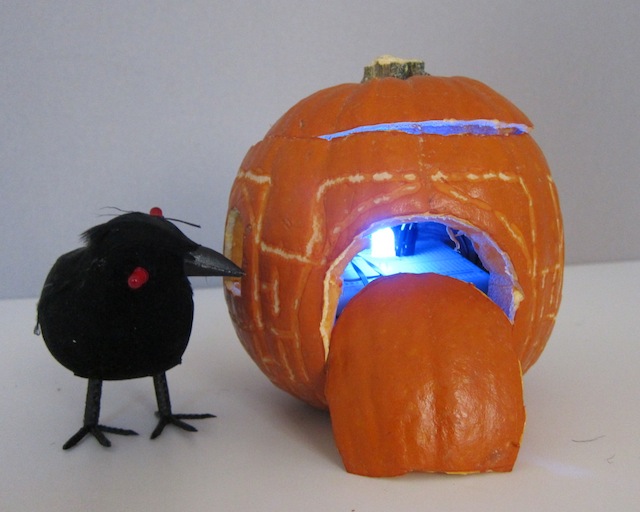
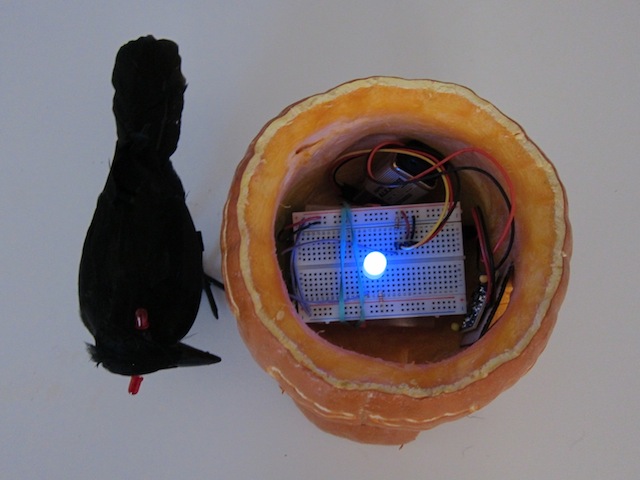
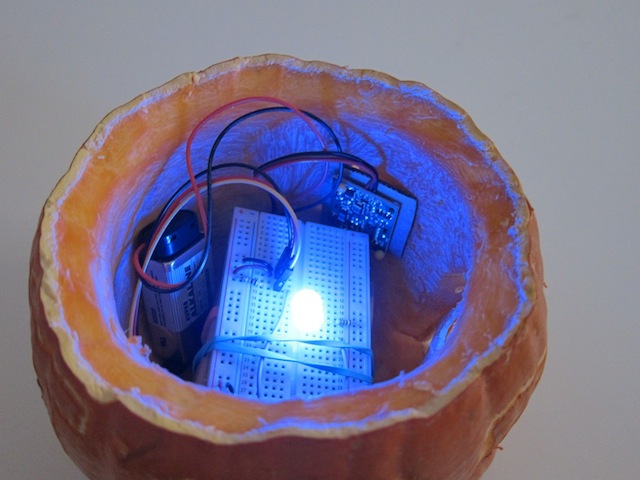
    Castle of the Black Crow

    The pumpkin castle exudes a soft fading light when it is at peace. As soon as somebody approaches the light starts blinking faster. I am using a PIR motion sensor to detect motion for this action. The black crow sits next to its castle and guards its against predators. If you come closer it attacks (using my own hands and imagination here) and the crow’s eyes start blinking, triggered by a tilt switch.


    Code
    // Midterm project Aneta Genova
    // fading LED and motion sensor

    int timer = 500;
    int sensorPin = A0;
    int sensorValue = 0;
    int ledPin = 11;

    void setup()

    {
    pinMode(11, OUTPUT);
    Serial.begin (9600);
    pinMode(ledPin, OUTPUT);
    pinMode(sensorPin, INPUT);
    delay (2000); // it takes the sensor 2 seconds to scan the area around it before it can detect presence.
    }

    void fade(int pin, int start, int finish, int milliseconds)   // fading set up
    {
    uint32_t startMillis = millis();  // remember when we started
    while (true)  // we will ‘break’ when we are done
    {
    uint32_t elapsedTime = millis() – startMillis;  // track the time

    // convert the elapsed time into a brightness range
    int brightness = map(elapsedTime, 0, milliseconds, start, finish);
    analogWrite(pin, brightness);

    // exit when milliseconds have elapsed
    if (elapsedTime >= milliseconds)
    {
    break;
    }
    delay(1);
    }
    }

    void loop()
    {

    //PIR motion sensor is introduced
    sensorValue = analogRead(sensorPin);
    if (sensorValue < 100)
    while(analogRead(sensorPin) < 100)  //execute the command while statement is true
    {
    digitalWrite(11,HIGH);
    delay(200);
    digitalWrite(11,LOW);
    delay(200); // blinks when the motion has been detected
    }
    else
    {

    fade(11, 0, 255, 2000);  // fade led on pin 11 from min to max over three second
    delay(2000);  // hold for 2 seconds
    fade(11, 255, 0, 2000);  // fade pin 11 from max to min over 2 seconds
    delay(1000);  // hold for 1 second

    }
    }

     
  • Unknown's avatar

    Yury Gitman 8:57 pm on November 6, 2011 Permalink | Reply  

    LoL Shield, Soldering and Testing 

    Hi Everyone,
    1)
    If you still need some visual help putting your LOL together see this:
    1.2) 
    Once you get it all soldered up, run this test code linked below before we start the next class.  It will light up all your LED’s:
    2)
    The required reading for next class is:
    3)
    If you want to get more advanced (next weeks homework), the official library for the shield is hosted here:
    The file you want to use is LoLShield V0.2.beta.zip
    a)
    To install this library create a folder in your Arduino folder called “libraries”, if it is not there already.
    b)
    Bring the LoL_Shield V0.2.beta.zip file into this new libraries folder, and unzip it there.
    c)
    restart Arduino and you should be able to see new examples in: File>Examples>LoLShield>
    d)
    Run the Basic_Test and fonttest sketches.
    4)
    There is another great sketch and accompanying libraries called LoL-shield-dynamic-banner, that displays text you type into the serial window.
     
    • josefayala's avatar

      josefayala 6:31 pm on November 7, 2011 Permalink | Reply

      I believe there might be a problem with that sketch- just because of the name…I tried correcting it but it would not let me.
      What do you suggest?

  • Unknown's avatar

    yongjaelee2011 9:19 pm on November 5, 2011 Permalink | Reply  

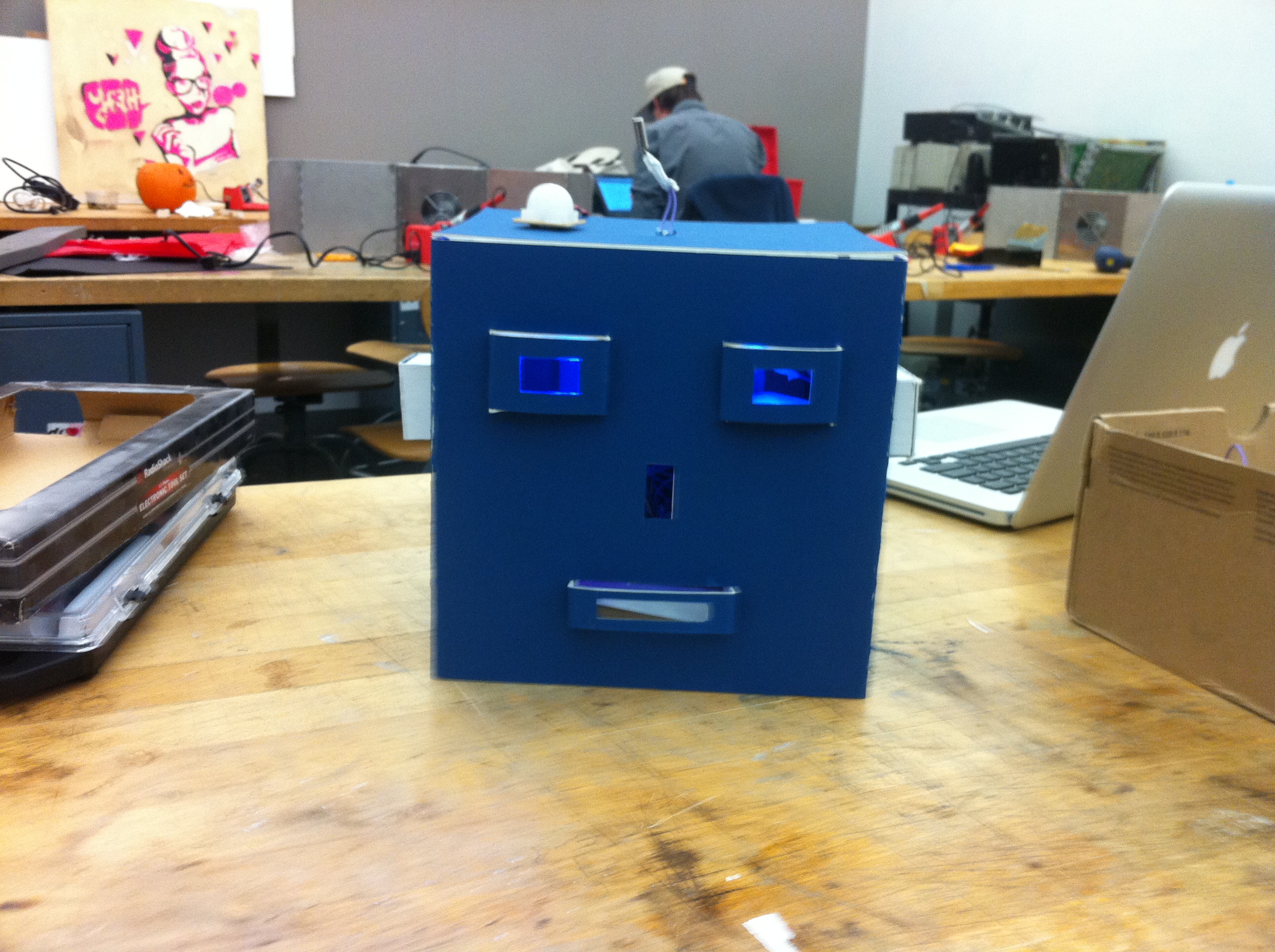
    Meet the Hallowbot 

    1) Hallowbot

    2) The basic idea of my Hallowbot is that communicates with a user. I put a PIR Motion Sensor that detects a user in the room or the area, and greets with waking up with blue leds on the eyes. Then, if a user gets close enough to the Hallowbot, there will be an animation with yellow leds that triggered by a PhotoCell. The yellow animation is similar that talks to a user. Also, I put a Tilt Sensor that triggered by a user touching Hallowbot’s Antena on the top of the head and change the color of a led light to red.

    3)

    3) A photo of the final project


    4) A short video demonstrating it.


    5) The code you used.

    int inputPin = 2;
    int ledPin = 6; // blue led 1
    int ledPin4 = 7;  // green led 1  
    
    // button 2 animation
    int inputPin2 = 3;
    int ledPin2 = 8;  // yellow led 1
    int ledPin5 = 9;  // yeallow led 2
    int ledPin6 = 10; // yellow led 3
    int ledPin7 = 11;  // yellow led 4
    
    int inputPin3 = 4;
    int ledPin3 = 12;  // red led
    
    /**** motion sensor *****/
    int timer = 500;
    int sensorPin = A0;
    int sensorValue = 0;
    
    /*    photocells */
    int photocellPin = A1;     // the cell and 10K pulldown are connected to a0
    int photocellReading;     // the analog reading from the sensor divider
    int LEDbrightness;        // 
    
    void setup(){
      Serial.begin(9600);
      pinMode(ledPin,OUTPUT);
      pinMode(inputPin,INPUT);
    
      pinMode(ledPin2,OUTPUT);
      pinMode(inputPin2,INPUT);
    
      pinMode(ledPin3,OUTPUT);
      pinMode(inputPin3,INPUT);
    
      //  green leds
      pinMode(ledPin4, OUTPUT);
    
      //  yellow leds
      pinMode(ledPin5,OUTPUT);
      pinMode(ledPin6,OUTPUT);
      pinMode(ledPin7,OUTPUT);
    
      /**** photocells *****/
      pinMode(photocellPin, INPUT);
    
      /***** motion sensor *****/
      pinMode(sensorPin, INPUT); // A0 analog input
      digitalWrite(sensorPin, HIGH); //INTERNAL PULL-UP RESISTOR
      delay (2000); // it takes the sensor 2 seconds to scan the area around it before it can detect presence. 
    
    }
    
    void loop(){
    
      int val = analogRead(sensorPin);
      if (val < 1000){
        digitalWrite(ledPin,HIGH);
        digitalWrite(ledPin4,LOW);
      }
      else{
        digitalWrite(ledPin,LOW);
        digitalWrite(ledPin4,HIGH);
      }
    
      delay(timer);
      Serial.println (val);
      delay (1000);  
    
      int val2 = analogRead(photocellPin);
    
      Serial.print("Analog reading for photocell = ");
      Serial.println(val2);     // the raw analog reading
    
      if(val2 <800)
      {
        digitalWrite(ledPin3,LOW);
        digitalWrite(ledPin4,LOW);
        digitalWrite(ledPin,HIGH);
        for(int i=0; i<3; i++)
        {
          digitalWrite(ledPin2, HIGH);
          digitalWrite(ledPin5, HIGH);
          digitalWrite(ledPin6, HIGH);
          digitalWrite(ledPin7, HIGH);
          delay(1000);
    
          digitalWrite(ledPin2, LOW);
          digitalWrite(ledPin5, LOW);
          digitalWrite(ledPin6, LOW);
          digitalWrite(ledPin7, LOW);
    
          digitalWrite(ledPin2, HIGH);
          delay(500);
    
          digitalWrite(ledPin2, LOW);
          digitalWrite(ledPin5, HIGH);
          delay(500);
    
          digitalWrite(ledPin5, LOW);
          digitalWrite(ledPin5, HIGH);
          delay(500);    
    
          digitalWrite(ledPin5, LOW);
          digitalWrite(ledPin6, HIGH);
          delay(500);    
    
          digitalWrite(ledPin6, LOW);
          digitalWrite(ledPin7, HIGH);
          delay(500);    
    
          digitalWrite(ledPin7, LOW);
          digitalWrite(ledPin6, HIGH);
          delay(500);
    
          digitalWrite(ledPin6, LOW);
          digitalWrite(ledPin5, HIGH);
          delay(500);
    
          digitalWrite(ledPin5, LOW);
          digitalWrite(ledPin, HIGH);
          delay(500);    
    
          digitalWrite(ledPin6, LOW);
          digitalWrite(ledPin7, HIGH);
          digitalWrite(ledPin6, HIGH);
          digitalWrite(ledPin5, HIGH);
          digitalWrite(ledPin2, HIGH);    
    
        }
      }
    
      //3
      int val3 = digitalRead(inputPin);
    
      Serial.print("Analog reading for tilt = ");
      Serial.println(val3);     // the raw analog reading
    
      if(val3 == HIGH){
        //    digitalWrite(ledPin,LOW); 
    
        digitalWrite(ledPin2, LOW);
        digitalWrite(ledPin5, LOW);
        digitalWrite(ledPin6, LOW);
        digitalWrite(ledPin7, LOW);   
    
        digitalWrite(ledPin3,HIGH);
      }
    
    }
     
  • Unknown's avatar

    josefayala 8:00 pm on November 5, 2011 Permalink | Reply
    Tags: Jack-O-Lantern, Pumpkin, Tilt Sensor   

    Josef Ayala-Wake-O-Lantern! 

    Description: This pumpkin was a simple exercise in implementing a circuit inside of an enclosure. It’s immediate purpose is to act as a sort of alarm, or sound and light signal for anyone aware of its use. The overall interaction of this pumpkin comes from changing its vertically. When the pumpkin is upright it’s quiet and when it is placed upside down it emits a sound. It’s interaction is based on both visual (seeing me sleep) and hearing the alarm (flipping the pumpkin over).

    Wake-O-Lantern uses:
    -Tilt Sensor (laced with cardboard to prevent short circuit).
    -Blue/Red LED (laced with cardboard to prevent short circuit).
    -8 Ohm Speaker (for positioning purposes, it was hot glued).

    PComp Pumpkin-Midterm-A from Josef Ayala on Vimeo.

    Interaction video can be seen here: http://vimeo.com/31656339

    (Sorry, still waiting for the upload!)


    <code>
    // constants won’t change. They’re used here to
    // set pin numbers:

    const int buttonPin = 4;     // the number of the pushbutton pin
    const int ledPin5 = 5;      // the number of the LED pin
    const int ledPin9 = 9;
    const int speaker = 8;
    int timer = 100;

    // variables will change:
    int buttonState = 0;         // variable for reading the pushbutton status

    void setup() {
    // initialize the LED pin as an output:
    pinMode(ledPin5, OUTPUT);
    pinMode(ledPin9, OUTPUT);
    pinMode(speaker, OUTPUT);

    // initialize the pushbutton pin as an input:
    pinMode(buttonPin, INPUT);
    }

    void loop(){
    // read the state of the pushbutton value:
    buttonState = digitalRead(buttonPin);

    // check if the pushbutton is pressed.
    // if it is, the buttonState is HIGH:
    if (buttonState == LOW) {
    // turn LED off:
    delay (1000);
    digitalWrite(ledPin5, HIGH);
    digitalWrite(ledPin9, LOW);
    tone(speaker,1000);
    delay(2000);
    noTone(speaker);
    delay(1000);
    }
    else {
    // turn LED off:
    delay (1000);
    digitalWrite(ledPin9, HIGH);
    digitalWrite(ledPin5, LOW);

    }
    }
    <code/>

     
  • Unknown's avatar

    hirumi 1:38 am on November 5, 2011 Permalink | Reply  

    The Harry Potter Pumpkin 

    The Harry Potter Pumpkin is a social pumpkin that interacts with you based on proximity. From far away, he is sad and sits quietly with red eyes. If you move a little closer, his eyes change to green and he turns on the light from his magic wand. When you are REALLY close, his eyes change to blue, his wand lights up completely, and he hums the Harry Potter theme.


    Final Video


    Final Pumpkin

    Parts used:
    LEDs
    RGB LEDs
    8 Ohm mini speaker
    mini photocell

    Whats happening:
    The photocell values dictate what the other components do. The largest value keeps the RGB LEDs (the eyes) red. The medium range changes the RGBs to green and lights the tip of the wand. The lowest range changes the RGBs to blue, lights up the entire wand, and plays the Harry Potter theme from the speaker. I looked up the sheet music for HP  to compose the tune.

    Testing out the circuit

    I had to tweak my original concept, which was having the pumpkin shoot different spells the closer you approached it. The Twig sound recorder was so difficult to work with. I was able to record spells, but controlling it through the arduino was tough. The sounds kept looping instead of playing one at a time, so I decided to change my concept a bit.

    If I could redo this project, I would use the sound shield, which seems to be easier to control with the arduino, so that the pumpkin will actually shoot spells.

    CODE:

    #include “pitches.h”
    int analogPin = 4;   //Set value for analog pin input from photocell into arduino
    int red = 3;        // If serial reads val <= 700, red will go HIGH
    int green = 4;      // If serial reads val >= 701 or val <= 825, green will go HIGH
    int blue = 5;       // If serial reads val >= 826, blue will go HIGH
    int wand1 = 9;
    int wand2 = 10;
    int wand3 = 11;
    int wand4 = 12;
    int wand5 = 13;
    int val = 0;         // Store value of pin input (i.e. photocell) for serial to read
    int melody[] = {
      NOTE_B3, NOTE_E4, NOTE_G4, NOTE_FS4, NOTE_E4, NOTE_B4, NOTE_A4, NOTE_FS4};
    // note durations: 4 = quarter note, 8 = eighth note, etc.:
    int noteDurations[] = {
      4, 3, 8, 4, 2, 4, 1.5, 1.5 };
    void setup(){
     Serial.begin(9600);
     pinMode(red, OUTPUT);
     pinMode(green, OUTPUT);
     pinMode(blue, OUTPUT);
      pinMode(wand1, OUTPUT);
     pinMode(wand2, OUTPUT);
     pinMode(wand3, OUTPUT);
     pinMode(wand4, OUTPUT);
     pinMode(wand5, OUTPUT);
    }
    void loop(){
     val = analogRead(analogPin);  // Read the value (amount of light) from photocell
     Serial.println(val);           // Print out the value to the serial port
     if(val <= 749){
      digitalWrite(blue, HIGH);
      digitalWrite(wand1, LOW);
      digitalWrite(wand4, HIGH);
      delay(250);
      digitalWrite(wand3, HIGH);
      delay(250);
      digitalWrite(wand2, HIGH);
      delay(250);
      digitalWrite(wand1, HIGH);
      lumos();
      delay(2000);
     }else{
      digitalWrite(blue, LOW);
      digitalWrite(wand1, LOW);
      digitalWrite(wand2, LOW);
      digitalWrite(wand3, LOW);
      digitalWrite(wand4, LOW);
     }
     if(val >= 750 || val <= 799){
      digitalWrite(green, HIGH);
     digitalWrite(wand1, HIGH);
     }else{
      digitalWrite(green, LOW);
     }
      if(val >= 800){
       digitalWrite(red, HIGH);
      digitalWrite(wand1, LOW);
      }else{
       digitalWrite(red, LOW);
      }
    }
    void lumos (){
    for (int thisNote = 0; thisNote < 8; thisNote++) {
        // to calculate the note duration, take one second
        // divided by the note type.
        //e.g. quarter note = 1000 / 4, eighth note = 1000/8, etc.
        int noteDuration = 1000/noteDurations[thisNote];
        tone(8, melody[thisNote],noteDuration);
        // to distinguish the notes, set a minimum time between them.
        // the note’s duration + 30% seems to work well:
        int pauseBetweenNotes = noteDuration * 1.30;
        delay(pauseBetweenNotes);
        // stop the tone playing:
        noTone(8);
      }
     }
    PITCHES (to include in new tab)
    #define NOTE_B0  31
    #define NOTE_C1  33
    #define NOTE_CS1 35
    #define NOTE_D1  37
    #define NOTE_DS1 39
    #define NOTE_E1  41
    #define NOTE_F1  44
    #define NOTE_FS1 46
    #define NOTE_G1  49
    #define NOTE_GS1 52
    #define NOTE_A1  55
    #define NOTE_AS1 58
    #define NOTE_B1  62
    #define NOTE_C2  65
    #define NOTE_CS2 69
    #define NOTE_D2  73
    #define NOTE_DS2 78
    #define NOTE_E2  82
    #define NOTE_F2  87
    #define NOTE_FS2 93
    #define NOTE_G2  98
    #define NOTE_GS2 104
    #define NOTE_A2  110
    #define NOTE_AS2 117
    #define NOTE_B2  123
    #define NOTE_C3  131
    #define NOTE_CS3 139
    #define NOTE_D3  147
    #define NOTE_DS3 156
    #define NOTE_E3  165
    #define NOTE_F3  175
    #define NOTE_FS3 185
    #define NOTE_G3  196
    #define NOTE_GS3 208
    #define NOTE_A3  220
    #define NOTE_AS3 233
    #define NOTE_B3  247
    #define NOTE_C4  262
    #define NOTE_CS4 277
    #define NOTE_D4  294
    #define NOTE_DS4 311
    #define NOTE_E4  330
    #define NOTE_F4  349
    #define NOTE_FS4 370
    #define NOTE_G4  392
    #define NOTE_GS4 415
    #define NOTE_A4  440
    #define NOTE_AS4 466
    #define NOTE_B4  494
    #define NOTE_C5  523
    #define NOTE_CS5 554
    #define NOTE_D5  587
    #define NOTE_DS5 622
    #define NOTE_E5  659
    #define NOTE_F5  698
    #define NOTE_FS5 740
    #define NOTE_G5  784
    #define NOTE_GS5 831
    #define NOTE_A5  880
    #define NOTE_AS5 932
    #define NOTE_B5  988
    #define NOTE_C6  1047
    #define NOTE_CS6 1109
    #define NOTE_D6  1175
    #define NOTE_DS6 1245
    #define NOTE_E6  1319
    #define NOTE_F6  1397
    #define NOTE_FS6 1480
    #define NOTE_G6  1568
    #define NOTE_GS6 1661
    #define NOTE_A6  1760
    #define NOTE_AS6 1865
    #define NOTE_B6  1976
    #define NOTE_C7  2093
    #define NOTE_CS7 2217
    #define NOTE_D7  2349
    #define NOTE_DS7 2489
    #define NOTE_E7  2637
    #define NOTE_F7  2794
    #define NOTE_FS7 2960
    #define NOTE_G7  3136
    #define NOTE_GS7 3322
    #define NOTE_A7  3520
    #define NOTE_AS7 3729
    #define NOTE_B7  3951
    #define NOTE_C8  4186
    #define NOTE_CS8 4435
    #define NOTE_D8  4699
    #define NOTE_DS8 4978
     
  • Unknown's avatar

    mayaweinstein 10:06 pm on November 4, 2011 Permalink | Reply  

    Mr Pumpkin Head 

    Mr Pumpkin Head is an interactive jack-o-lantern who gets angry if you wake him. When he is ‘sleeping’ his eyes fade in and out and his mouth is still. If you remove his top the motion sensor is triggered and he wakes up, his eyes stop flashing and his nostrils flare. If you shake his top he gets angry and his teeth flash red.


    int pirPin = 12; //digital 2
    int brightness = 0;
    int fadeAmount = 5;
    int ledEyes = 11;
    int ledNose = 10;
    const int tiltSensorPin = 8;
    const int ledTeeth = 7;
    const int ledMouth = 4;

    void setup(){
    Serial.begin(9600);
    pinMode(pirPin, INPUT);
    pinMode(ledNose, OUTPUT);
    pinMode(ledEyes, OUTPUT);
    pinMode(tiltSensorPin, INPUT);
    digitalWrite(tiltSensorPin, HIGH);
    pinMode(ledTeeth, OUTPUT);
    pinMode(ledMouth, OUTPUT);
    }

    void loop(){
    if(digitalRead(tiltSensorPin)){
    digitalWrite(ledTeeth, HIGH);
    digitalWrite(ledMouth, LOW);
    }else{
    digitalWrite(ledTeeth,LOW);
    digitalWrite(ledMouth, HIGH);
    }

    analogWrite(ledEyes, brightness);
    brightness = brightness + fadeAmount;
    if(brightness == 0 || brightness == 255) {
    fadeAmount =-fadeAmount;
    }
    delay(30);

    int pirVal = digitalRead(pirPin);
    analogWrite(ledNose, LOW);

    //pinMode(pirPin, INPUT);
    //digitalWrite(pirPin, HIGH);

    if(pirVal == LOW){ //was motion detected
    Serial.println(“Motion Detected”);
    analogWrite(ledNose, HIGH);
    delay(2000);
    }
    if(pirVal == HIGH) {
    analogWrite(ledNose, LOW);
    }

    }

     
c
Compose new post
j
Next post/Next comment
k
Previous post/Previous comment
r
Reply
e
Edit
o
Show/Hide comments
t
Go to top
l
Go to login
h
Show/Hide help
shift + esc
Cancel