Recent Updates Page 28 Toggle Comment Threads | Keyboard Shortcuts

  • Unknown's avatar

    mikesusol 8:11 pm on April 5, 2012 Permalink | Reply  

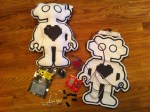
    Open Heart Robot combines the openHeart LED with a 5V pulse sensor to facilitate a special kind of communication. The boundary between human and robot is blurred as the user sees their own heartbeat represented digitally on the robot’s chest. The anthropomorphized features of the robot, combined with the illusion of controlling the beating heart, invites users to connect and respond to an inanimate object in a very human way.

    Further development is required to connect the robot’s speech mechanism to a corresponding range of heartbeats. A BPM result that is outside the normal human range (>65 or <140 BPM) for a sustained period of time will prompt the robot to declare “You are one of us”. If the robot detects a human-like heartbeat (66-139 BPM) it will say “You are not a robot”.

     
  • Unknown's avatar

    adamsabh 7:41 pm on April 5, 2012 Permalink | Reply  

    Pulse-a-tune 

    Pulse-a-tune!

    Pulse-a-tune is my first iteration of my explorations of electronics combined with music. A new toy prototype to light up your room depending on how your body reacts to the music being played.

    A convenient tool for parties or relaxing evenings to save you the hassle of finding the right way to light your night.

    User < 75 BPM = Blue/Purple

    105 BPM > User > 75 BPM = Red

    User > 105 BPM = Strobe Light

     
    • Joe Volpe's avatar

      Joe Volpe 8:57 pm on April 5, 2012 Permalink | Reply

      total youtube star in the making! this video is awesome! lol

    • naterudolph's avatar

      naterudolph 9:09 pm on April 9, 2012 Permalink | Reply

      When can we be expecting the release of the alternate version, “Tuna-pulse”?

  • Unknown's avatar

    christopherkoelsch 6:36 pm on April 5, 2012 Permalink | Reply  

    Look.Feel Prototype – “There’s Someone In This House” 


    “There’s Someone In This House” is a prototype utilizing a pulse sensor.

    A simulated intruder enters a house with a “victim” in an attic (not seen from the viewer’s perspective).  As the intruder enters the first room, LED’s are timed simultaneously to the user’s heart rate – directly correlating the user’s heart rate.  The only way to keep the intruder from ascending to the attic is “not to panic.”  If the user “panics” with an increased heart rate, the intruder proceeds to the next room, then to the next level, and so forth to the attic.  Once the attic is reached the sound of the intruder’s footsteps are heard – simulating by a “walking” servo motor with a rotary blade.

    The Look/Feel aspect of the house is reflected in the Period introduction in the video:  the facade of the building reflects true crime/sensationalist magazines of the period.

    Yury and I were unable to simulate a desired glowing/fading LED — so blinking to each heart beat was decided upon.  However, I couldn’t get an accurate reading from the sensor to correspond to the LED’s.

    A user is presented in the video for the ideal scenario.

    Future plans include implementation and correction of the above.  I also want to have the servo motor spin in a box of glass to simulate destruction/rape of the victim.  An mp3 shield with timed sound is also being considered.

    This structure will be used for the Final Project with a new motif/theme.

     
  • Unknown's avatar

    normandiaz 6:09 pm on April 5, 2012 Permalink | Reply  

    Perceive Illume 

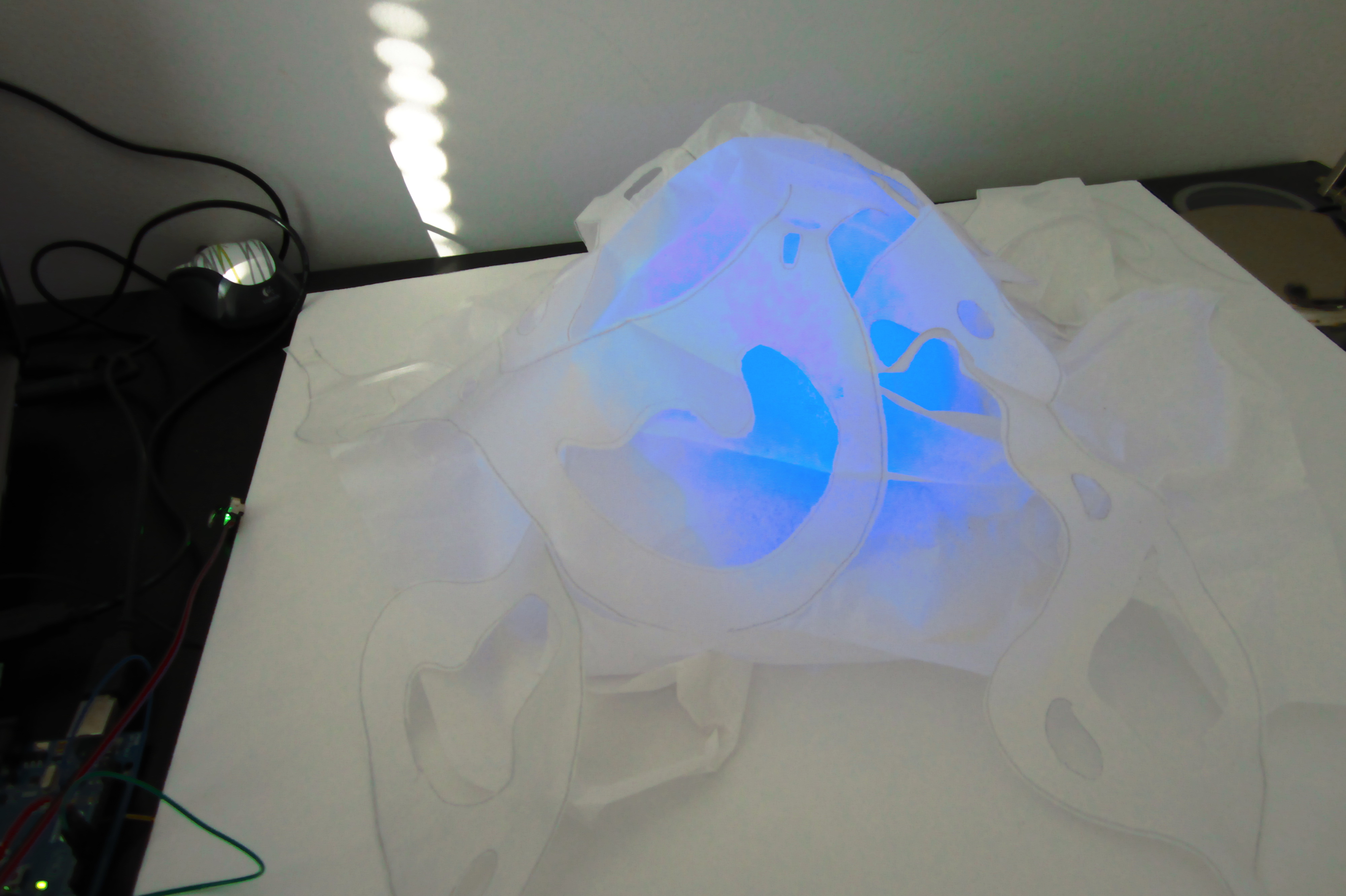
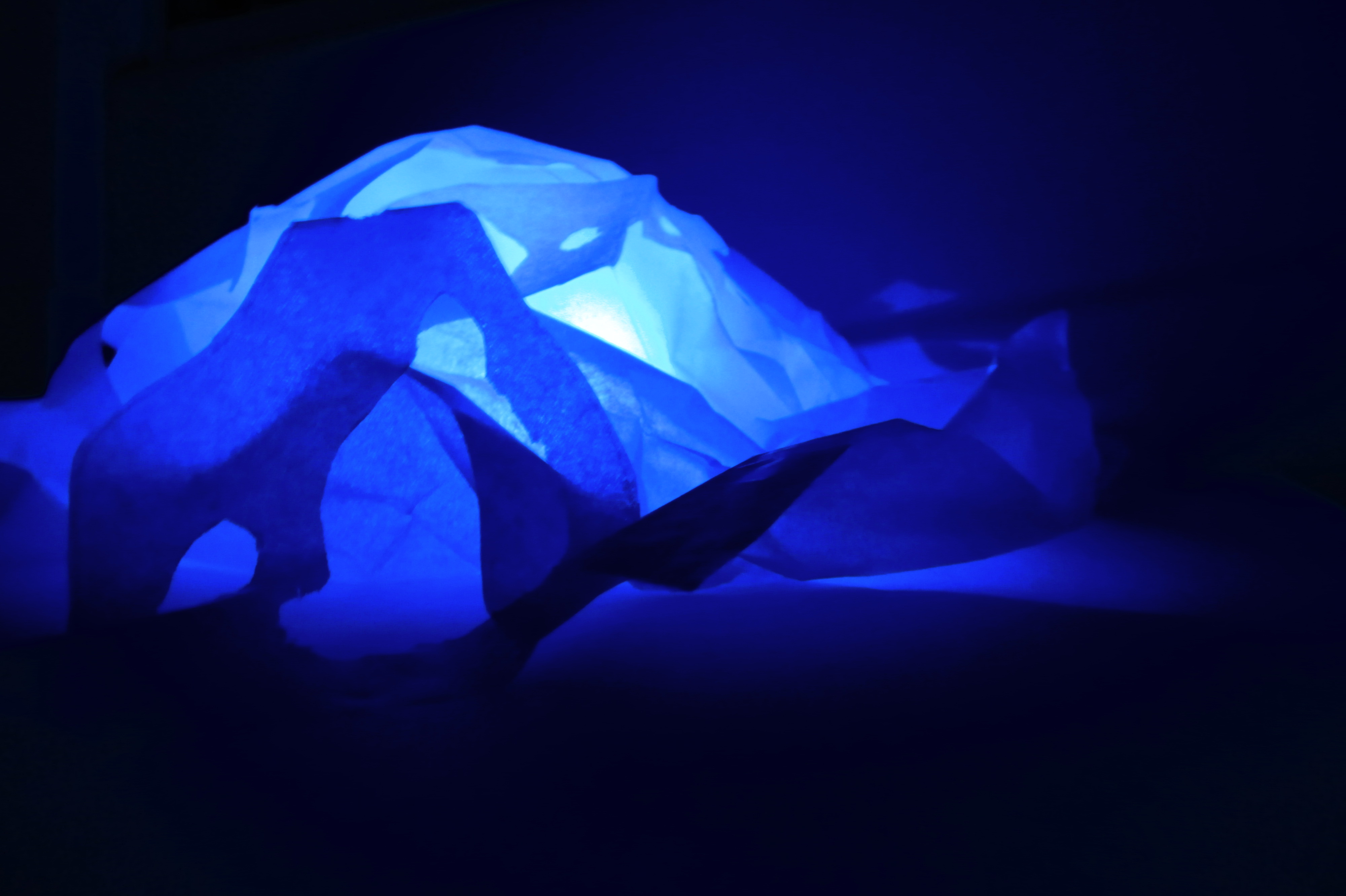
    Perceive Illume is an ambient RGB lamp, which changes color depending on your heart rate. The user would be able to learn about their BPM through experience.

    The design of the lamp is an abstract representation of the heart and the arteries.

     
  • Unknown's avatar

    naterudolph 4:19 pm on April 5, 2012 Permalink | Reply  

    Tightrope Trainer Prototype 

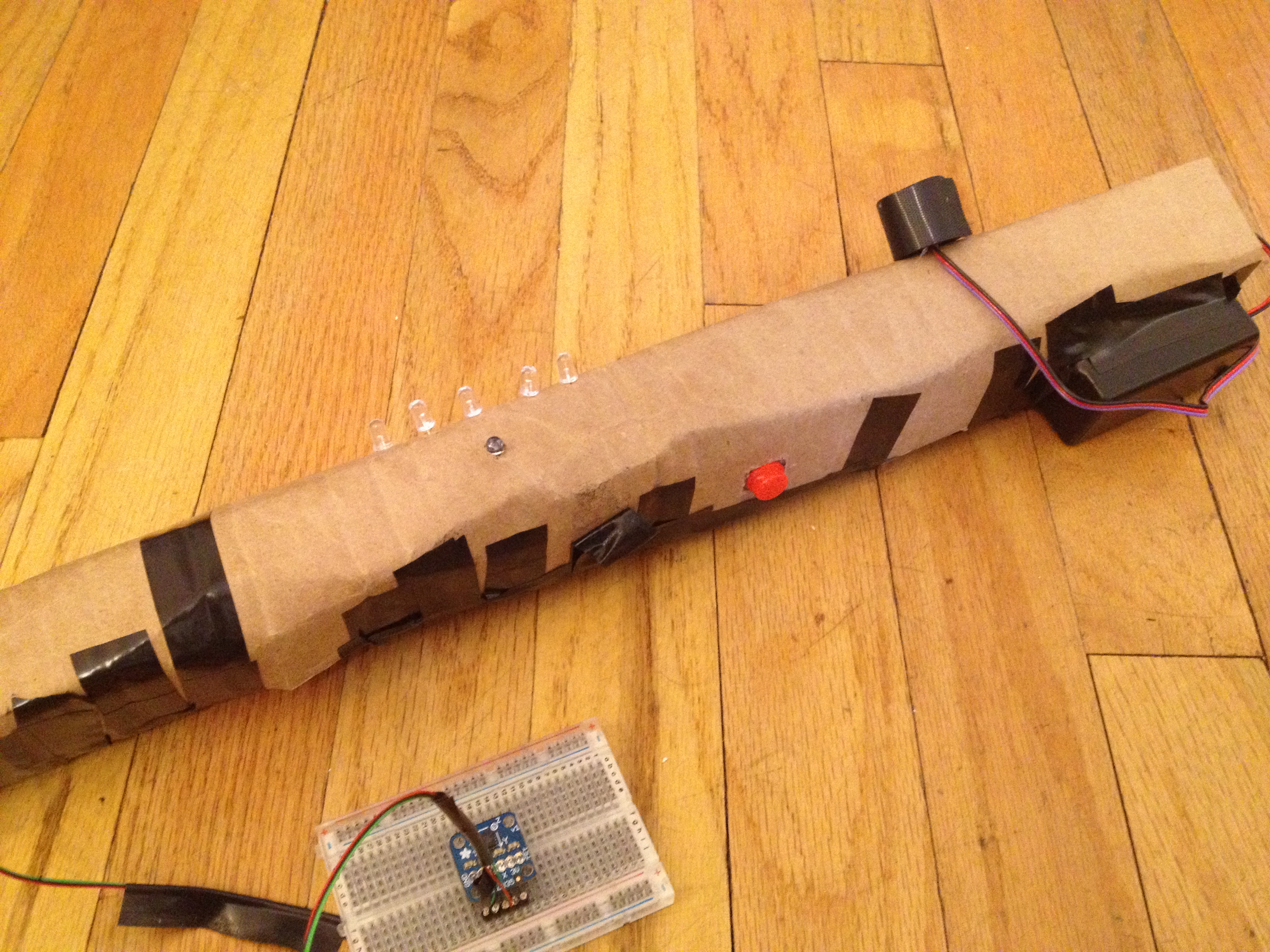
    The “Tightrope Trainer” is a toy designed to help novices exercise the muscles involved in balancing, and learn techniques to keep their heart rate low. To play, the user must balance according to a sequence shown by the LEDs. Each step in the sequence must be held for a count of 4 heart beats. This is to help users learn how to keep their heart rate low with breathing techniques while still exerting energy keeping their balance. Once the sequence is finished, it can be repeated, or the user can press the button to start a new level.

     
  • Unknown's avatar

    Yury Gitman 9:59 pm on April 3, 2012 Permalink | Reply  

    Making Toys – For April 9th 

    Make and Post 7 Prototypes for your concept(s).

    2-3 Role Specific Protos

    2-3 Detailed Look and Feel Protos

    2-3 Implementation Protos

    –ALSO post your Venn Diagrams into your First Prototypes Post.

     
  • Unknown's avatar

    Caitlin Morris 9:30 pm on April 3, 2012 Permalink | Reply
    Tags: WirelessToys2012   

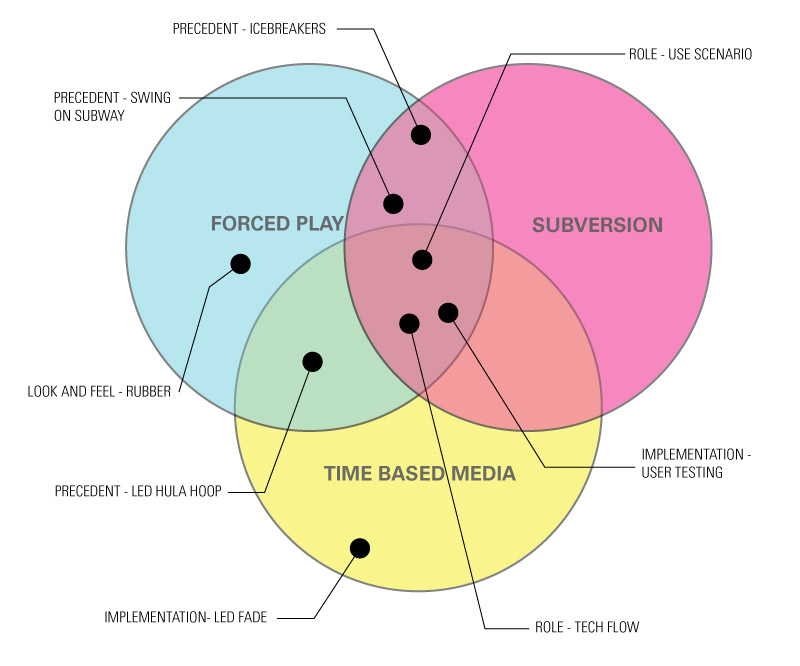
    Liza + Caitlin : Venn Diagram 

    Image

     
  • Unknown's avatar

    Caitlin Morris 6:35 pm on April 3, 2012 Permalink | Reply  

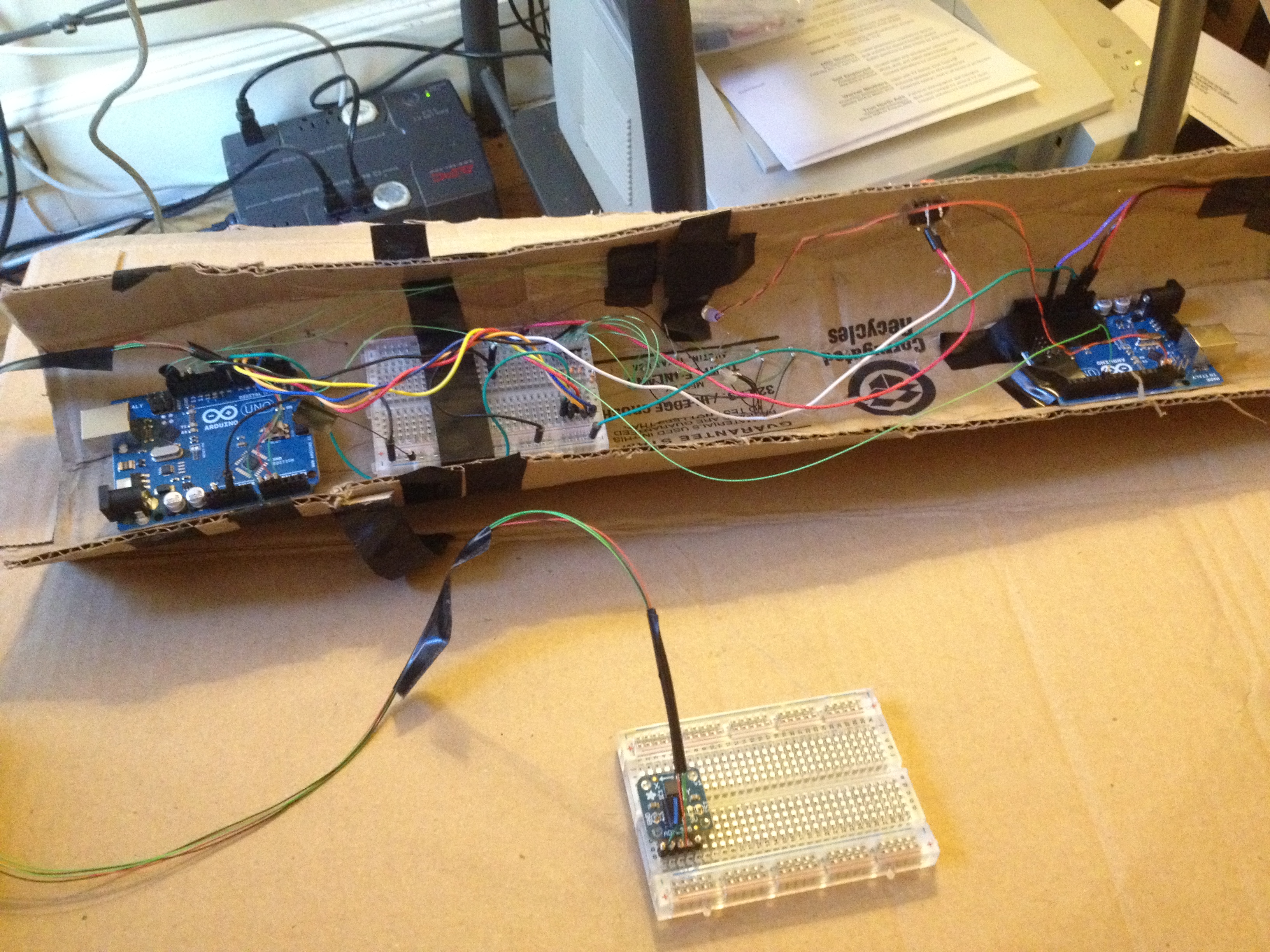
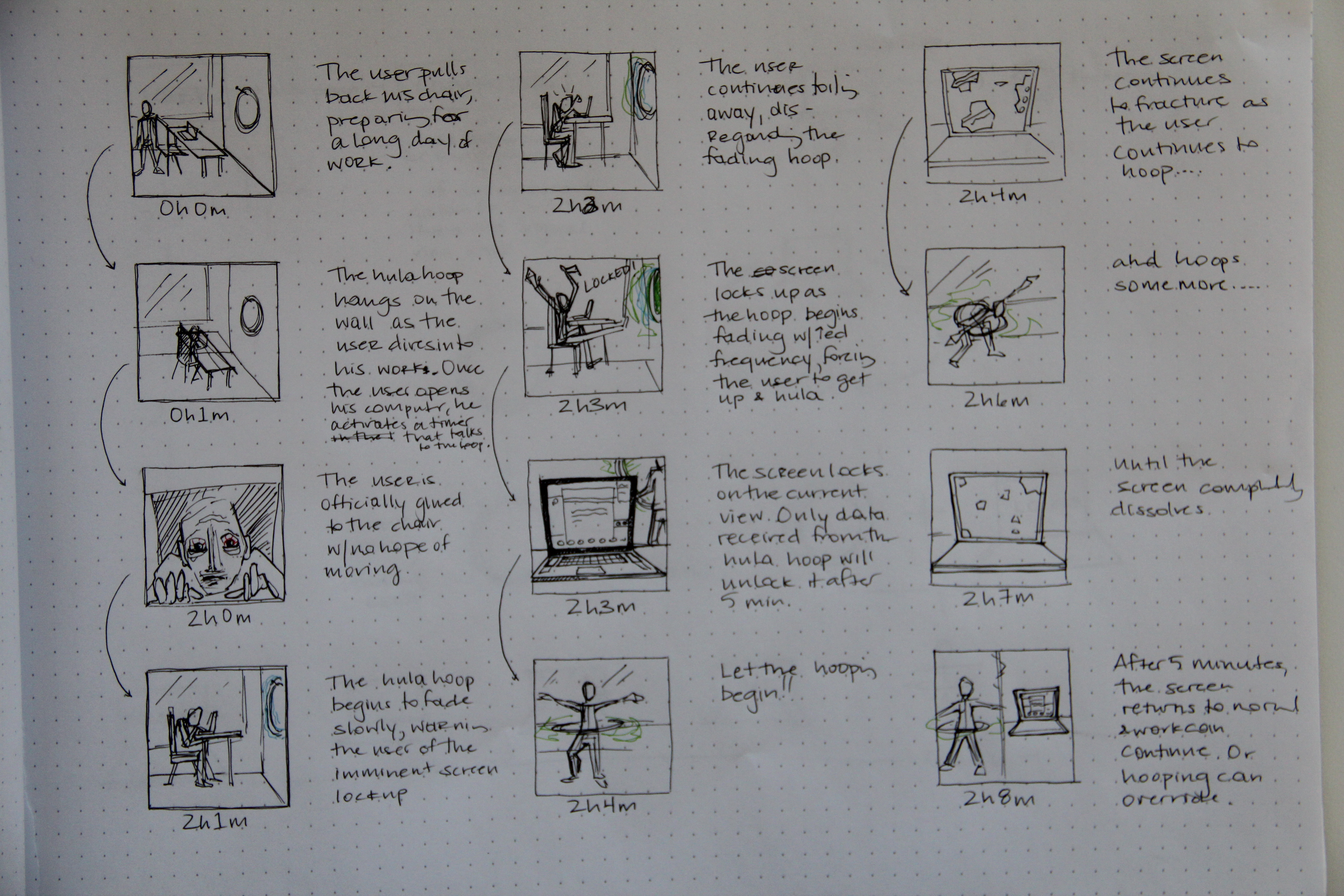
    Liza + Caitlin : Hula Hoop 

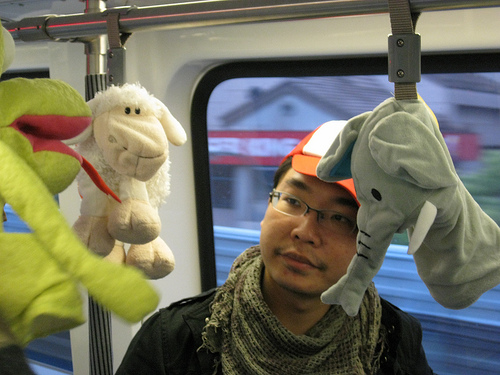
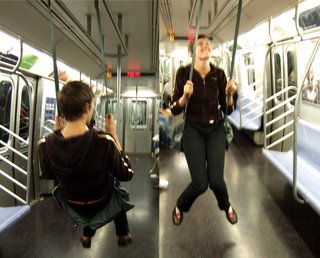
    PRECEDENTS

    ICEBREAKERS by hannah perner wilson

    SWING ON SUBWAY by caroline woolard

    LED HULA HOOP

    LOOK AND FEEL

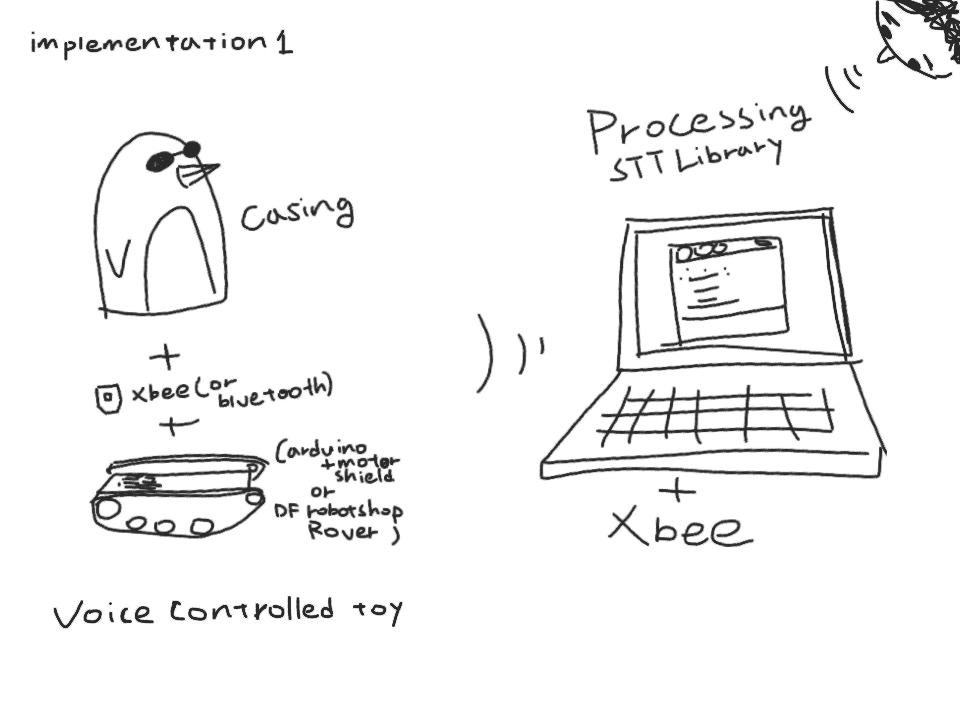
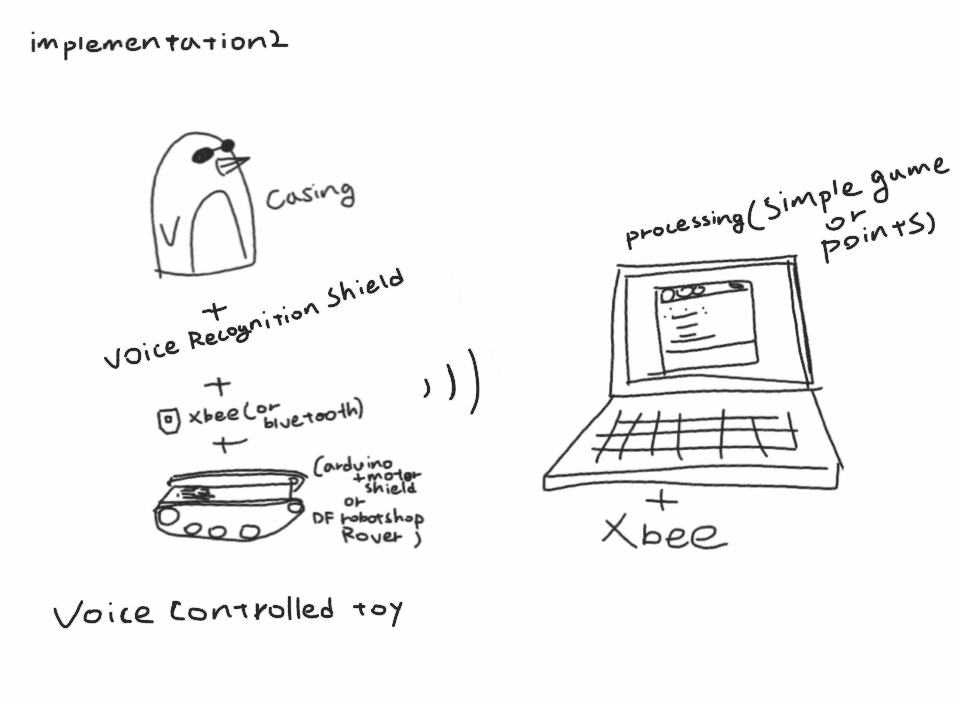
    IMPLEMENTATION

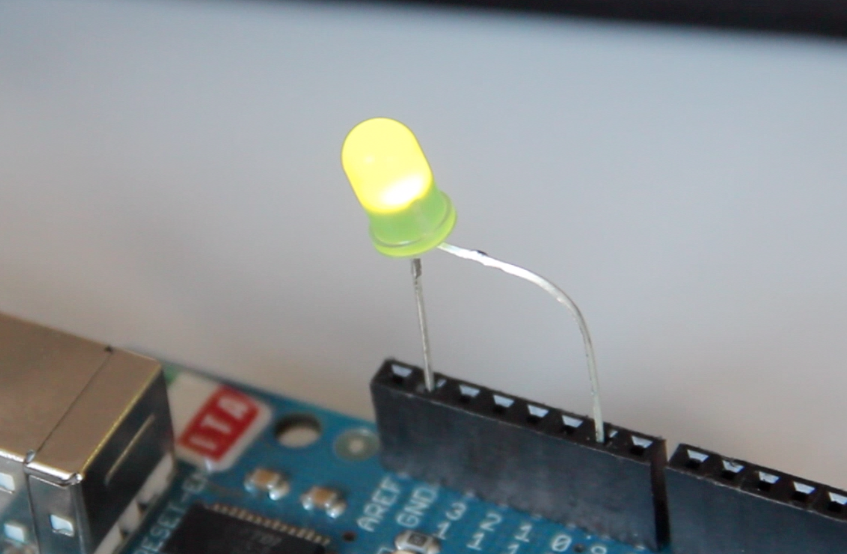
    LED FADE ALERT

    ROLE

     
  • Unknown's avatar

    minho 5:35 pm on April 3, 2012 Permalink | Reply  

    prototypes 

    1) Physical game

    2) Physical game + Video game(Processing)

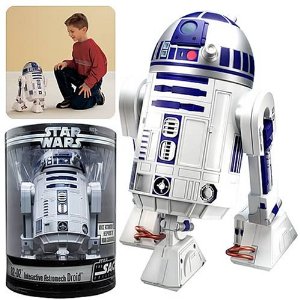
    R2D2 Voice- Controlled Interactive Droid

    penguin02

    –  Card board casing, light weight,  will not bother motors

    hamster ball runner

    • the rolling egg
     
  • Unknown's avatar

    Joe Volpe 5:23 pm on April 3, 2012 Permalink | Reply
    Tags: , midterm   

    Final: prototypes 

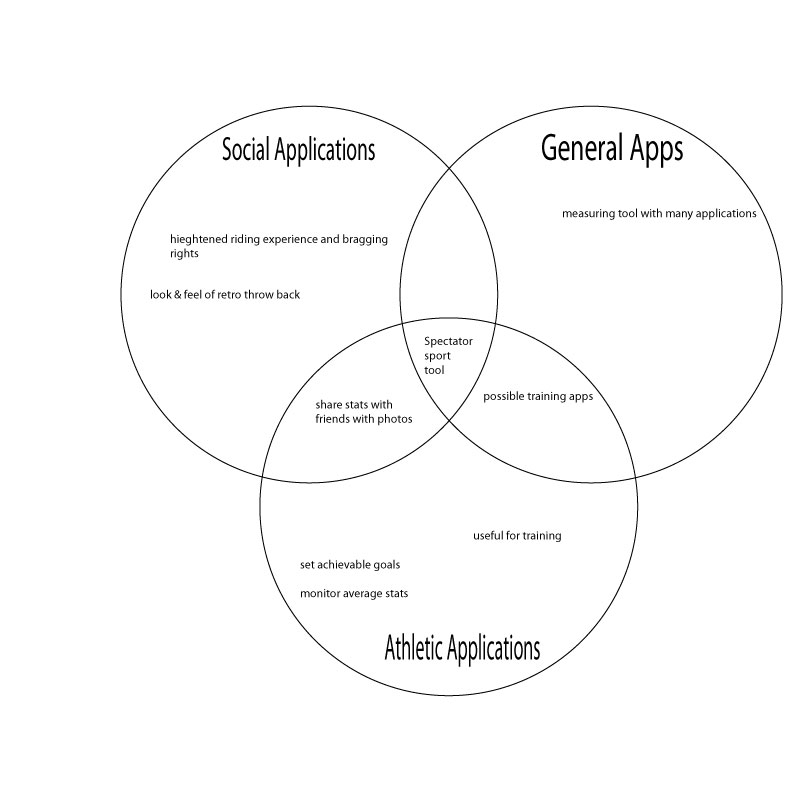
    As of now my project is named “trick tracker”. It will be a device that tracks height and rotation for bmx riders. Some day I hope this device will be developed further to track an extensive library of bmx tricks.

    Look and Feel Prototype:

    1.
    This device will be mounted on the down tupe on any bmx frame. This is the ideal placement due to it being the point of least contact during riding and other bmx tricks.

    The electronics for the device will be imbedded into this foam pad that will be wrapped in decorative fabric. Not only is the padding practical but, the padding holds a nostalgic feeling to most riders and will be a retro throw back reference to the younger days of freestyle bmx of the early 1980’s.

    2.
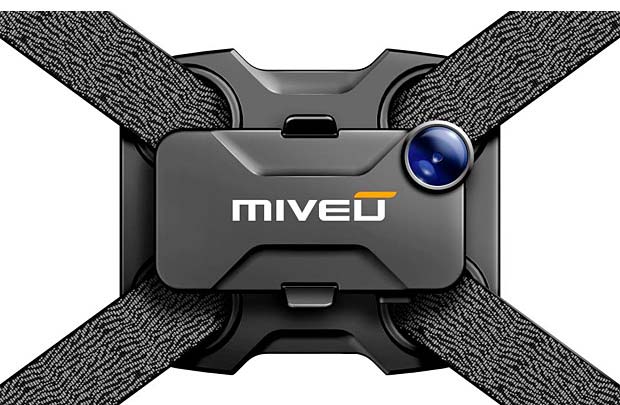
    This second look and feel is strictly functional. This light weight plastic or rubber housing will contain all of the electrons and will aim to use the least amount of mounting space as possible. There is still room to play with color here but this design aims to remove itself practically and visual from the bike.

    This is an example photo of a previously used bike mount for a cell phone camera, my model would ideally be similar.

    Role Prototype:

    1.
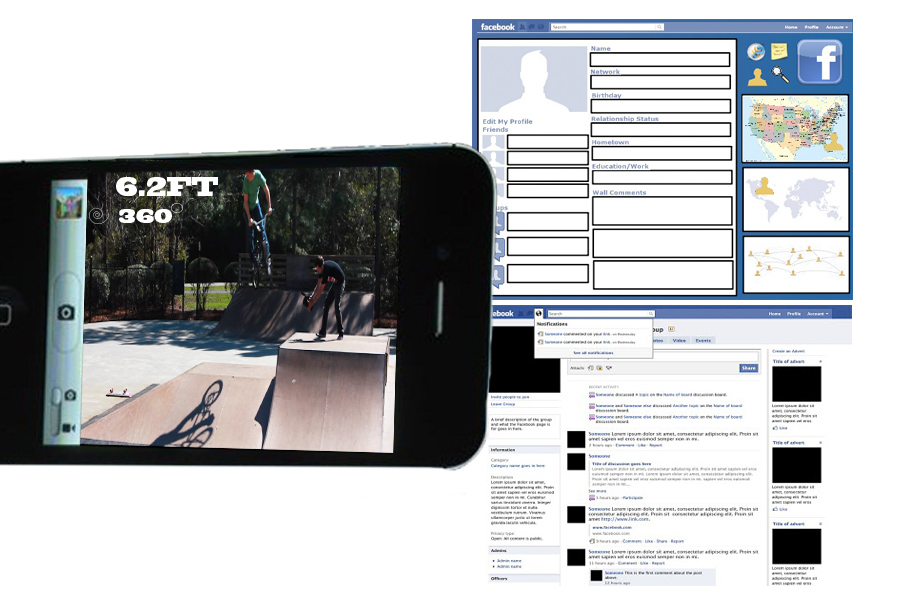
    In the role involving the average consumer, I imagine this product being used as a way to document tricks and rider progression and sharing it on line.

    2. I also can see a role being used in conjunction with a video camera app or camera app on smart phones to aid this documentation, sharing, and user experience.

    3.
    My last predicted role, this product could be used during televised competitions to create athletic statistics. A rider’s average speed, height, and rotation could be documented and displayed in a news ticker during the competition.

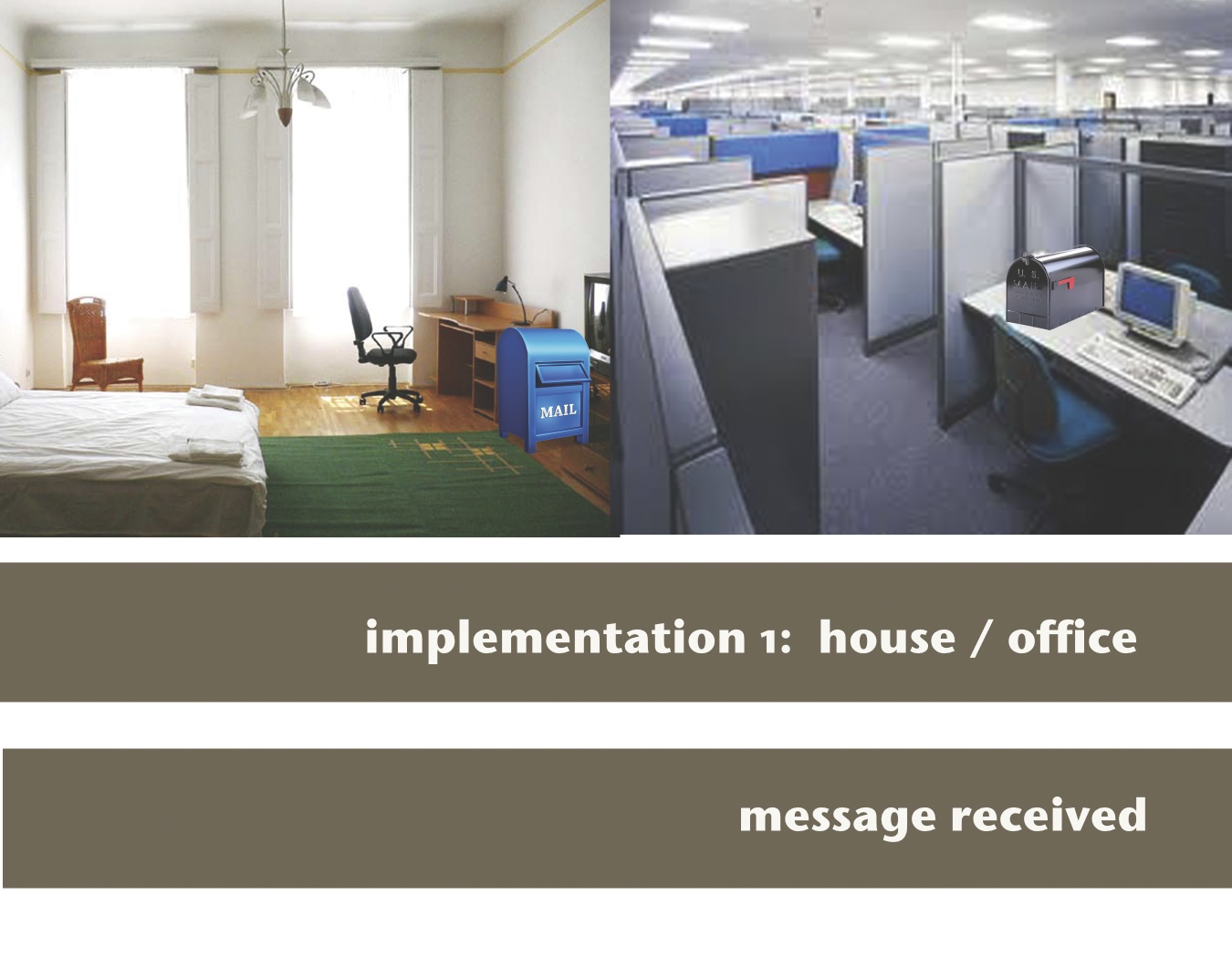
    Implementation Prototype:

    1. I imagine that this could be built as a smart phone app, as smart phones do possess most of the necessary hardware to achieve this. I am just concerned about physical placement of the phone on the bike or the body of the rider, and types on phones varying in too much of a degree for it to be widely accepted.

    2. My second implementation involves actually building the electronics using arduino. I would like the arduino to transmit the athletic statistics to a smart via blue tooth.
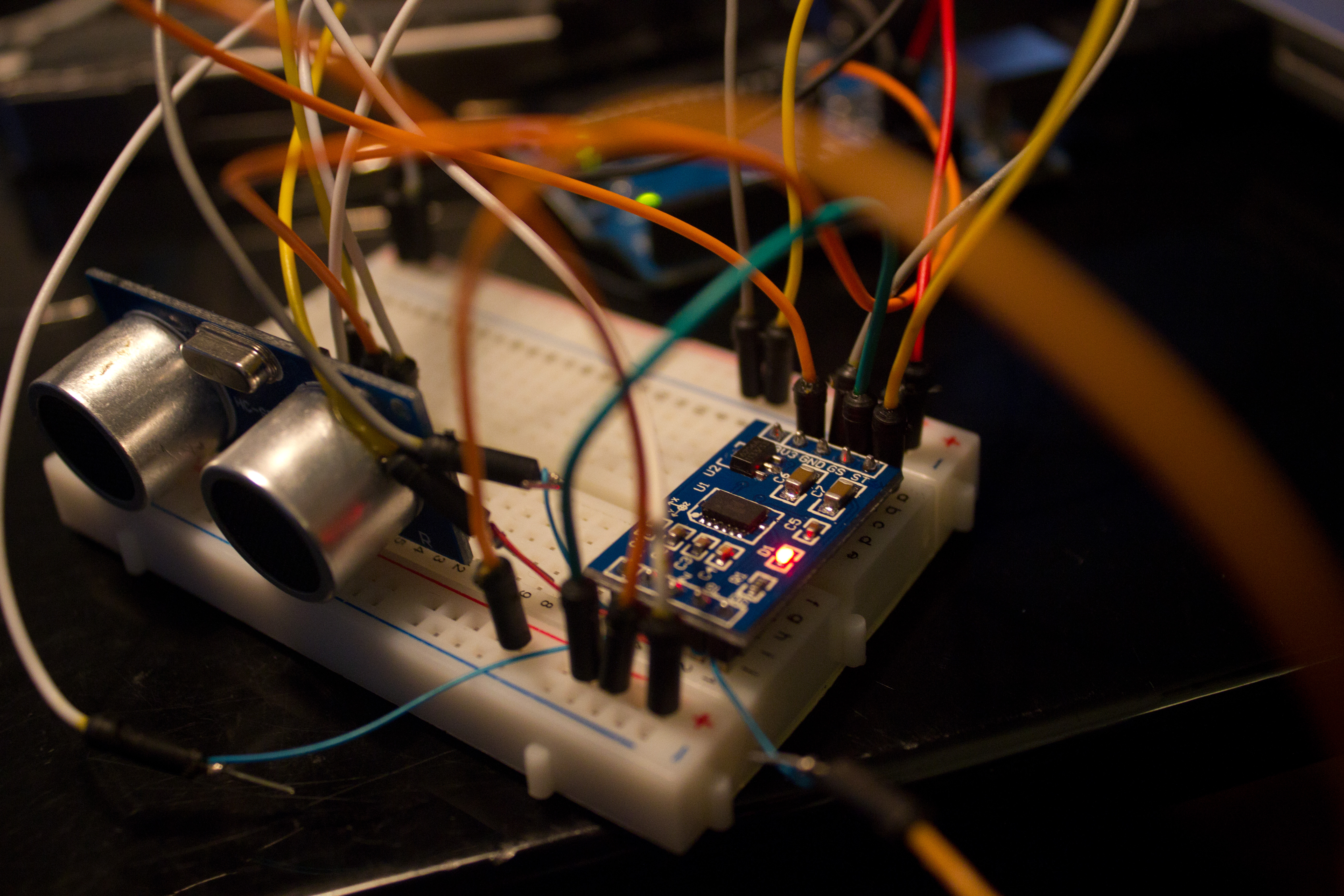
    I have already begun to test out a variety of sensors for this project. The height from the ground information will be gathered using an ultrasonic range finder, and rotation will use a combination of accelerometers, composes, and gyros. All of this will need to by gyroscopically mounted to the down tupe the bike frame.

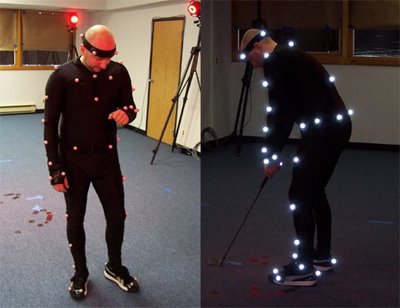
    3. Implementation three involves building a motion tracking suit. By using a camera in conjunction with a variety of motion tracking points on the bike and rider, one could eventually write computer vision software that tracked tricks. This is the most elaborate and complex theoretical implementation.

    Precedence:

    1.
    Sports Bio Engineering PhD student Tristan McNab plans on developing iphone software to track athletic information during track and field sports .

    also here is a link to an array of athletic uses for various sensors http://wockets.wikispaces.com/WirelessMonitors

    2.
    Chaotic Moon Labs’ “Board of Awesomeness” is intended as a technology teaser to show how perceptive computing can turn around the way we look at user experiences. The project utilizes a Microsoft Kinect device, Samsung Windows 8 tablet, a motorized longboard, and some standard and custom hardware to create a longboard that watches the user to determine what to do rather than have the operator use a wired or wireless controller. The project uses video recognition, speech recognition, localization data, accelerometer data, and other factors to determine what the user wants to do and allows the board to follow the operators commands without additional aid.

    3.
    http://www.revolights.com/

     
  • Unknown's avatar

    KB 3:31 pm on April 3, 2012 Permalink | Reply  

    10 prototypes 

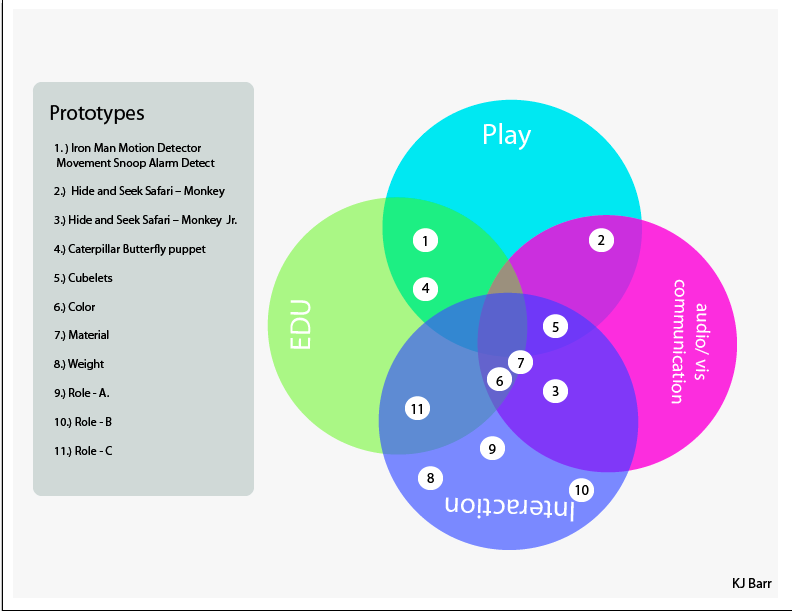
    Domain Map

    Implementation – Examples of Prior Work 

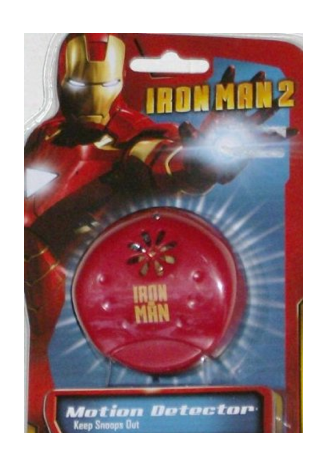
    Iron Man Motion Detector Movement Snoop Alarm Detect

    This toy is similar to the idea I have but its altered slightly differently because it deals with motion detection from one end only.

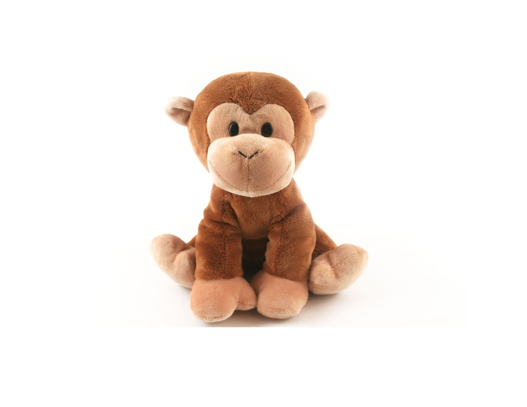
     Hide and Seek Safari – Monkey 
    This toy is similar to the toy that I  would like to make but I would like the object to react not the detector.
     Hide and Seek Safari – Monkey  Jr. 
    This jr edition is more along the lines of what I would like to make because it is soft and I feel that children would react more positively to it.
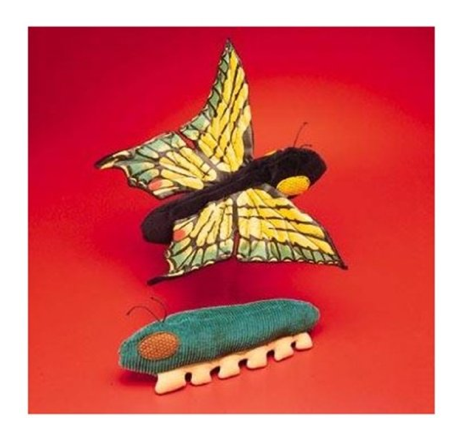
    Caterpillar Butterfly puppet 
    Is a 2 in 1 puppet and I think that my egg could also be a 2 in 1 toy.
    Cubelets
    Look & feel 
    Color
      
    Easter color pallet
    Material 
    I would like to use this fuzzy material for the inside of the egg and for the outside I would like to use the fabric the Yuri provided
    Weight  
    After weight testing this week I decided that 1/2 is a great weight for the egg and detector.
    Role
    A.)
       The first role I envision my toy in is during an easter egg hunt. This would allow a younger child an easy opportunity to find the egg.
    B. )
       The second role I envision my toy in is during a scavenger hunt. This could be used as group activity during a birthday party or other event involving children.
    C. )
       The final role I envision my toy in would be an education setting. Because the toy will be a 2 in 1 puppet it can have the ability to display to children how an egg hatches.
     
  • Unknown's avatar

    theliztaylor 6:01 am on April 3, 2012 Permalink | Reply  

    Final Prototypes – Liz Taylor 

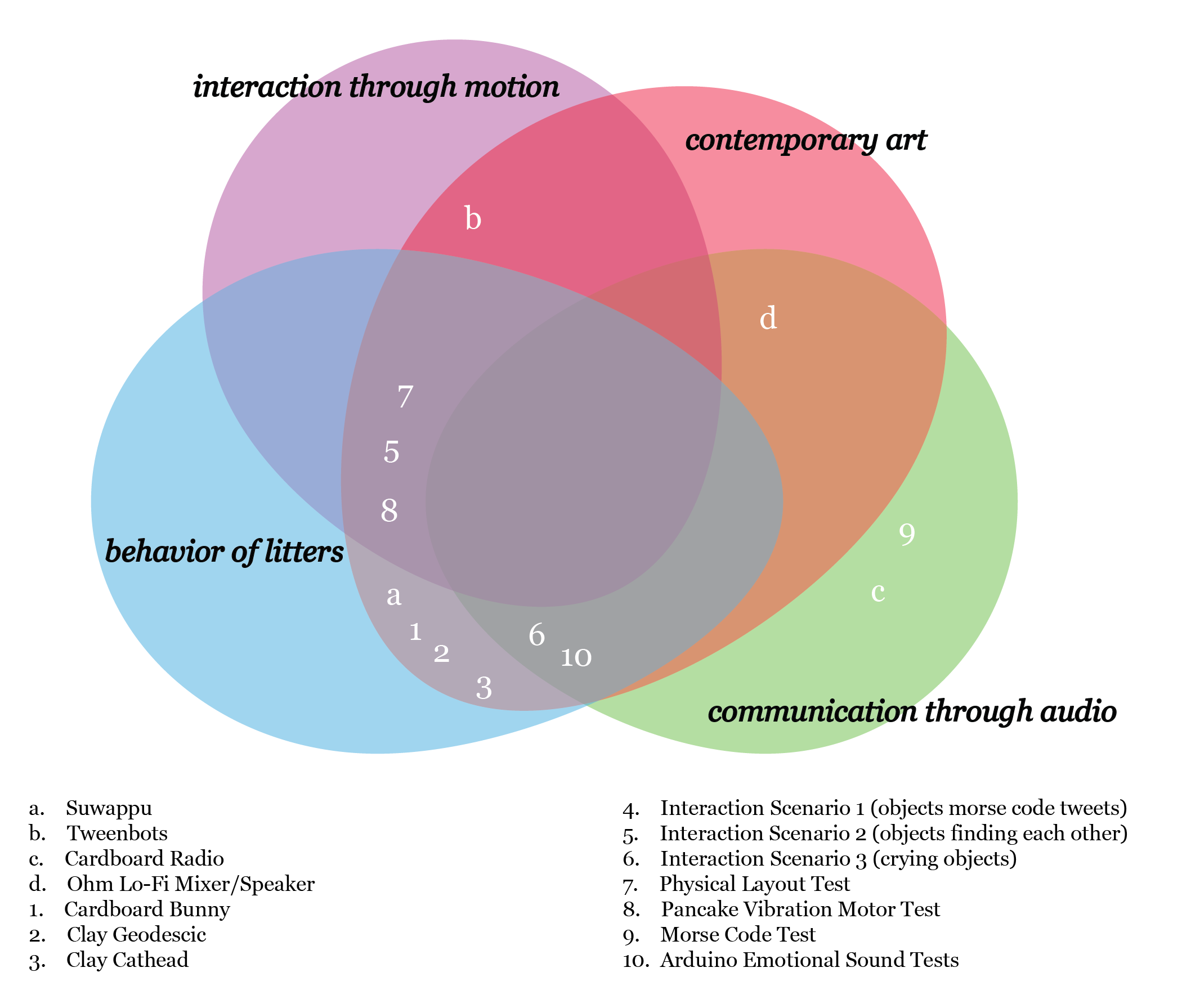
    First, here is my venn diagram of domain interest. My domains are: Interaction through motion, Contemporary Art, Behavior of Litters, and Communication through Audio

    Here are my examples of prior art:

    Suwappu

    Introducing Suwappu! from mcgarrybowen london on Vimeo.

    (More …)

     
  • Unknown's avatar

    kasiawitek 1:39 am on April 3, 2012 Permalink | Reply  

    IS ANYBODY ELSE HAVING A FRUSTRATING TIME WITH ARRANGING PHOTOS/GALLERIES/TEXT ON THIS BLOG??? sorry, very frustrated. Wasted 2 hrs going back and forth trying to fix the alignment of text and photos. I do not need to be spending useless time on this…Just someone tell me “IT’S ME” not the blog.

     
  • Unknown's avatar

    kasiawitek 12:38 am on April 3, 2012 Permalink | Reply  

    “Feeling Presence” PROTOTYPES 

    PRIOR ART:

    KISSINGER: transmitting a kiss over a distance.

    HERE AND THERE: Emotional communications tool for families that are separated by long distances.

    KUMA: A TEDDY BEAR PHONE: To use it, you need to pick the teddy bear up and put it’s snout near to your ear as if it is whispering to you.

    FOR SOMETHING STRAIGHT UP CREEPY: ROBOT GIRLFRIEND : for lonely men. HIGHLY QUESTIONABLE. I don’t care how lonely you are.

    Using her infrared sensors and battery power, the diminutive damsel named “EMA” puckers up for nearby human heads, entering what designers call its “love mode.”

    She’s very lovable and though she’s not a human, she can act like a real girlfriend.”


    PROTOTYPES:

    ROLE PROTOTYPES/ LOOK AND FEEL/ IMPLEMENTATION:


  • Unknown's avatar

    Yury Gitman 11:00 pm on April 2, 2012 Permalink | Reply  

    Midterm Post for Major Studio 

    Make One Blog Post with:

    Your project name,  a 3-8 sentence project summary, of one photo of your project, one photo of your project with a user, and one video as below.

    Video Requirements:

    Make a 90-120 second that shows your project.  Communicate your project vision with your prototype.  At some point you should state explicitly if your video is showing a integrated prototype, or a look and feel prototype.

    Your video should have:

    1) Your project name

    2) Your name

    3) Show the interaction with a user, from start to finnish

    4) have 10-30 seconds on the technology used.

    Note: User  voice over to communicate idea.  Video should not be over 180 seconds max, and 120 is recommended longest length.

     
  • Unknown's avatar

    Yury Gitman 10:27 pm on March 29, 2012 Permalink | Reply  

    RGB PulseSensor TryMe Code, for BPM 70 / 70-84 / 85 

    //—————————————————
    //—————————————————
    // Output
    int redPin = 3; // Red LED, connected to digital pin 9
    int greenPin = 5; // Green LED, connected to digital pin 10
    int bluePin = 6; // Blue LED, connected to digital pin 11

    // Program variables
    int redVal = 1; // Variables to store the values to send to the pins
    int greenVal = 1; // Initial values are Red full, Green and Blue off
    int blueVal = 1;

    int i = 0; // Loop counter
    int j =0 ;
    int jOld = 0;
    int wait = 50; // 50ms (.05 second) delay; shorten for faster fades
    int DEBUG = 0; // DEBUG counter; if set to 1, will write values back via serial


    //—————————————————
    //—————————————————

    long Hxv[4]; // these arrays are used in the digital filter
    long Hyv[4]; // H for highpass, L for lowpass
    long Lxv[4];
    long Lyv[4];

    unsigned long readings; // used to help normalize the signal
    unsigned long peakTime; // used to time the start of the heart pulse
    unsigned long lastPeakTime = 0;// used to find the time between beats
    volatile int Peak; // used to locate the highest point in positive phase of heart beat waveform
    int rate; // used to help determine pulse rate
    volatile int BPM;

    // used to hold the pulse rate
    int offset = 0; // used to normalize the raw data
    int sampleCounter; // used to determine pulse timing
    int beatCounter = 1; // used to keep track of pulses
    volatile int Signal; // holds the incoming raw data
    int NSignal; // holds the normalized signal
    volatile int FSignal; // holds result of the bandpass filter
    volatile int HRV; // holds the time between beats
    volatile int Scale = 13; // used to scale the result of the digital filter. range 12<>20 : high<>low amplification
    volatile int Fade = 0;

    boolean first = true; // reminds us to seed the filter on the first go
    volatile boolean Pulse = false; // becomes true when there is a heart pulse
    volatile boolean B = false; // becomes true when there is a heart pulse
    volatile boolean QS = false; // becomes true when pulse rate is determined. every 20 pulses

    int pulsePin = 0; // pulse sensor purple wire connected to analog pin 0

    void setup(){
    pinMode(13,OUTPUT); // pin 13 will blink to your heartbeat!
    Serial.begin(115200); // we agree to talk fast!
    // this next bit will wind up in the library. it initializes Timer1 to throw an interrupt every 1mS.
    TCCR1A = 0x00; // DISABLE OUTPUTS AND BREAK PWM ON DIGITAL PINS 9 & 10
    TCCR1B = 0x11; // GO INTO ‘PHASE AND FREQUENCY CORRECT’ MODE, NO PRESCALER
    TCCR1C = 0x00; // DON’T FORCE COMPARE
    TIMSK1 = 0x01; // ENABLE OVERFLOW INTERRUPT (TOIE1)
    ICR1 = 8000; // TRIGGER TIMER INTERRUPT EVERY 1mS
    sei(); // MAKE SURE GLOBAL INTERRUPTS ARE ENABLED

    pinMode(redPin, OUTPUT); // sets the pins as output
    pinMode(greenPin, OUTPUT);
    pinMode(bluePin, OUTPUT);

    }


    void loop(){
    Serial.print(“S”); // S tells processing that the following string is sensor data
    Serial.println(Signal);
    Serial.print(” BPM: “);
    Serial.println(BPM);
    if (B == true){ // B is true when arduino finds the heart beat
    Serial.print(“B”); // ‘B’ tells Processing the following string is HRV data (time between beats in mS)
    Serial.println(HRV); // HRV holds the time between this pulse and the last pulse in mS
    B = false; // reseting the QS for next time
    }
    if (QS == true){ // QS is true when arduino derives the heart rate by averaging HRV over 20 beats
    Serial.print(“Q”); // ‘QS’ tells Processing that the following string is heart rate data
    Serial.println(BPM); // BPM holds the heart rate in beats per minute
    QS = false; // reset the B for next time
    }
    // Fade -= 15;
    // Fade = constrain(Fade,0,255);
    // analogWrite(11,Fade);

    //—————————————————
    //—————————————————

    i = BPM;

    // i = (j+jOld)/2;

    // Serial.println(“j”);
    // Serial.println(j);
    // Serial.println(“jOld”);
    // Serial.println(jOld);
    //
    // Serial.println(“i”);
    // Serial.println(i);

    if (i < 70) // First phase of fades
    {

    analogWrite (redPin, 0);
    analogWrite (greenPin, 0);
    analogWrite (bluePin, 255);

    }
    else if (i > 70 && i <= 85) // Second phase of fades
    {

    analogWrite (redPin, 0);
    analogWrite (greenPin, 255);
    analogWrite (bluePin, 0);
    }
    else if (i > 85 ) // Third phase of fades
    {
    analogWrite (redPin, 255);
    analogWrite (greenPin,0 );
    analogWrite (bluePin, 0);
    }
    else // Re-set the counter, and start the fades again
    {
    jOld = j;

    Serial.println(j);
    Serial.println(jOld);
    Serial.println(i);

    }

    // analogWrite(redPin, redVal); // Write current values to LED pins
    // analogWrite(greenPin, greenVal);
    // analogWrite(bluePin, blueVal);

    //—————————————————
    //—————————————————


    delay(20); // take a break

    }

    // THIS IS THE TIMER 1 INTERRUPT SERVICE ROUTINE. IT WILL BE PUT INTO THE LIBRARY
    ISR(TIMER1_OVF_vect){ // triggered every time Timer 1 overflows
    // Timer 1 makes sure that we take a reading every milisecond
    Signal = analogRead(pulsePin);

    // First normailize the waveform around 0
    readings += Signal; // take a running total
    sampleCounter++; // we do this every milisecond. this timer is used as a clock
    if ((sampleCounter %300) == 0){ // adjust as needed
    offset = readings / 300; // average the running total
    readings = 0; // reset running total
    }
    NSignal = Signal – offset; // normalizing here

    // IF IT’S THE FIRST TIME THROUGH THE SKETCH, SEED THE FILTER WITH CURRENT DATA
    if (first = true){
    for (int i=0; i<4; i++){
    Lxv[i] = Lyv[i] = NSignal <<10; // seed the lowpass filter
    Hxv[i] = Hyv[i] = NSignal <<10; // seed the highpass filter
    }
    first = false; // only seed once please
    }
    // THIS IS THE BANDPAS FILTER. GENERATED AT www-users.cs.york.ac.uk/~fisher/mkfilter/trad.html
    // BUTTERWORTH LOWPASS ORDER = 3; SAMPLERATE = 1mS; CORNER = 5Hz
    Lxv[0] = Lxv[1];
    Lxv[1] = Lxv[2];
    Lxv[2] = Lxv[3];
    Lxv[3] = NSignal<<10; // insert the normalized data into the lowpass filter
    Lyv[0] = Lyv[1];
    Lyv[1] = Lyv[2];
    Lyv[2] = Lyv[3];
    Lyv[3] = (Lxv[0] + Lxv[3]) + 3 * (Lxv[1] + Lxv[2])
    + (3846 * Lyv[0]) + (-11781 * Lyv[1]) + (12031 * Lyv[2]);
    // Butterworth; Highpass; Order = 3; Sample Rate = 1mS; Corner = .8Hz
    Hxv[0] = Hxv[1];
    Hxv[1] = Hxv[2];
    Hxv[2] = Hxv[3];
    Hxv[3] = Lyv[3] / 4116; // insert lowpass result into highpass filter
    Hyv[0] = Hyv[1];
    Hyv[1] = Hyv[2];
    Hyv[2] = Hyv[3];
    Hyv[3] = (Hxv[3]-Hxv[0]) + 3 * (Hxv[1] – Hxv[2])
    + (8110 * Hyv[0]) + (-12206 * Hyv[1]) + (12031 * Hyv[2]);
    FSignal = Hyv[3] >> Scale; // result of highpass shift-scaled

    //PLAY AROUND WITH THE SHIFT VALUE TO SCALE THE OUTPUT ~12 <> ~20 = High <> Low Amplification.

    if (FSignal >= Peak && Pulse == false){ // heart beat causes ADC readings to surge down in value.
    Peak = FSignal; // finding the moment when the downward pulse starts
    peakTime = sampleCounter; // recodrd the time to derive HRV.
    }
    // NOW IT’S TIME TO LOOK FOR THE HEART BEAT
    if ((sampleCounter %20) == 0){// only look for the beat every 20mS. This clears out alot of high frequency noise.
    if (FSignal < 0 && Pulse == false){ // signal surges down in value every time there is a pulse
    Pulse = true; // Pulse will stay true as long as pulse signal < 0
    digitalWrite(13,HIGH); // pin 13 will stay high as long as pulse signal < 0
    Fade = 255; // set the fade value to highest for fading LED on pin 11 (optional)
    HRV = peakTime – lastPeakTime; // measure time between beats
    lastPeakTime = peakTime; // keep track of time for next pulse
    B = true; // set the Quantified Self flag when HRV gets updated. NOT cleared inside this ISR
    rate += HRV; // add to the running total of HRV used to determine heart rate
    beatCounter++; // beatCounter times when to calculate bpm by averaging the beat time values
    if (beatCounter == 7){ // derive heart rate every 10 beats. adjust as needed
    rate /= beatCounter; // averaging time between beats
    BPM = 60000/rate; // how many beats can fit into a minute?
    beatCounter = 0; // reset counter
    rate = 0; // reset running total
    QS = true; // set Beat flag when BPM gets updated. NOT cleared inside this ISR
    }
    }
    if (FSignal > 0 && Pulse == true){ // when the values are going up, it’s the time between beats
    digitalWrite(13,LOW); // so turn off the pin 13 LED
    Pulse = false; // reset these variables so we can do it again!
    Peak = 0; //
    }
    }

    }// end isr


  • Unknown's avatar

    Yury Gitman 9:29 pm on March 27, 2012 Permalink | Reply  

    Making Toys Final, 1st Protos 

    Make 10 from below. Number each, present in class.

    3 Look and Feel Prototypes

    3 Role Prototypes

    3 Implementation Prototypes

    3 Examples of Prior Art

     
  • Unknown's avatar

    lizastark 7:47 pm on March 27, 2012 Permalink | Reply  

    Final Project Concepts || Caitlin+Liza 

    Descriptions coming soon!

     
c
Compose new post
j
Next post/Next comment
k
Previous post/Previous comment
r
Reply
e
Edit
o
Show/Hide comments
t
Go to top
l
Go to login
h
Show/Hide help
shift + esc
Cancel