Recent Updates Page 57 Toggle Comment Threads | Keyboard Shortcuts

  • Unknown's avatar

    Thom Hines 10:07 pm on February 7, 2011 Permalink | Reply  

    Light-Sensitive Noise Monster 

    http://vimeo.com/upload/video

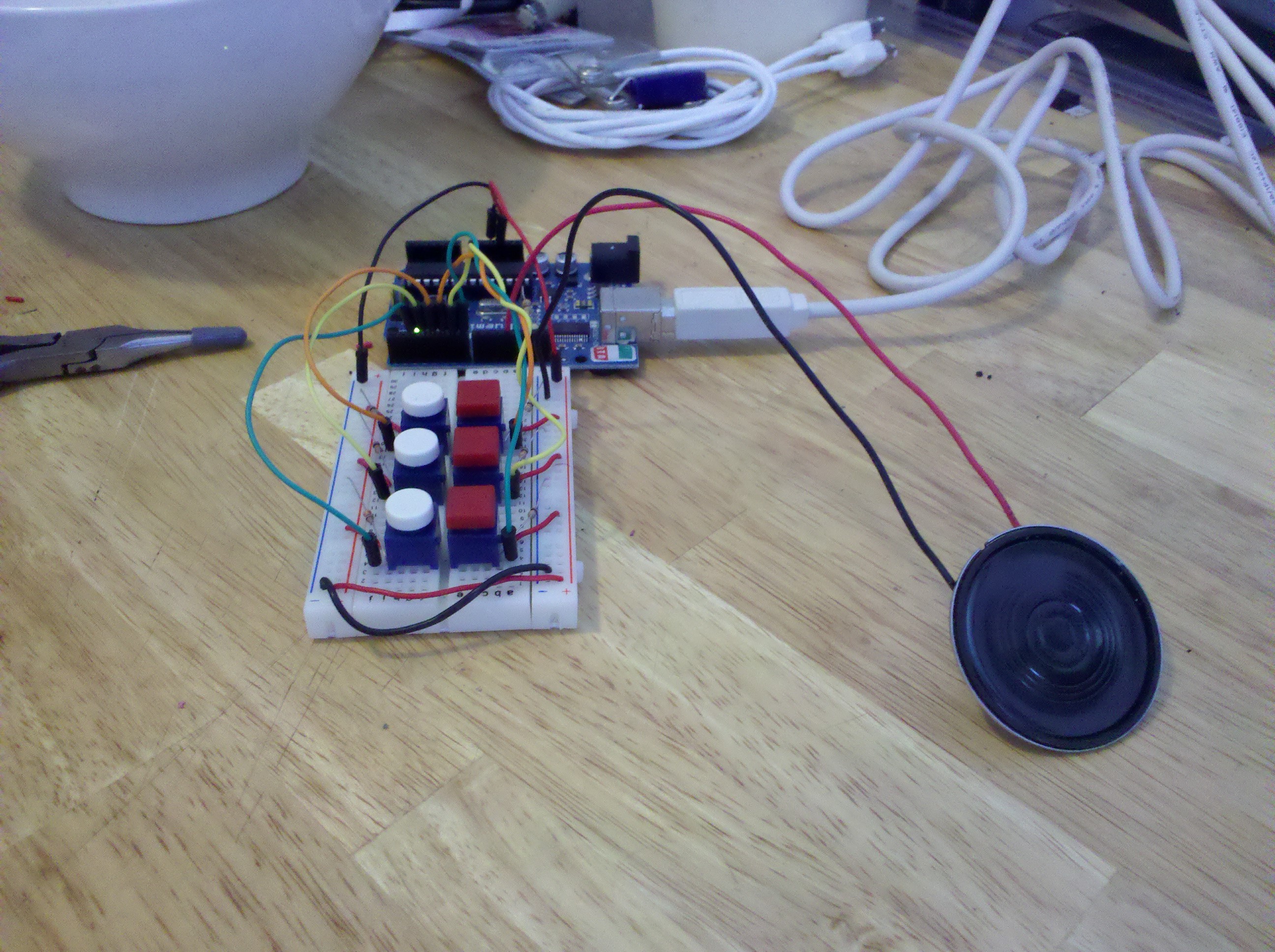
    Working with the code we made last week to create different emotional gestures through sound, this week our task was to make creatures that responded to light using a photoresistor, either by loving light and hating dark, or hating light and loving dark. I partnered up with Bree Rubin to make two characters that were somewhat diametrically opposed. My creature is a predator of sorts that gets excited when darkness comes, as if that were the time it hunts. Bree’s creature is meant to be my creature’s natural prey, and so it fears the dark and loves the light.

    sound creature's lowly beginnings

    a monster in progress

    Another part of the assignment was that the light sensor wasn’t supposed to act as if it were a switch, but that changing light should affect it over time, in some sort of life-like way. Both of our creatures get happier or sadder based on their preferences, and these shifts happen over time. If it is light for a long time, my creature continues to get sadder and sadder. However, if there is an abrupt change in light levels, our creatures react in much stronger ways. For instance, if it is dark in the room but suddenly the lights come on bright, my creature will scream and very quickly be depressed. If, on the other hand, there is a lot of light and it suddenly gets dark, the creature will have a sudden burst of happiness and his mood will be shifted much quicker.

    Additionally, if either of our creatures are in their negative state for too long, they die, and can only be revived by making the room completely dark (in the predator’s case) or completely light (in the case of the prey).

    Here’s the code that runs the predator. The loop() handles all the logic and tracking of light levels and happiness and it runs various functions to indicate what emotion the speaker is supposed to convey.

    Also, here are my thoughtful written at the beginning of last class.

     
  • Unknown's avatar

    Yury Gitman 9:59 pm on February 7, 2011 Permalink | Reply  

    Toy Fair 2011 Feb: 13-16th 

    Image

     
  • Unknown's avatar

    minho 6:55 pm on February 7, 2011 Permalink | Reply  

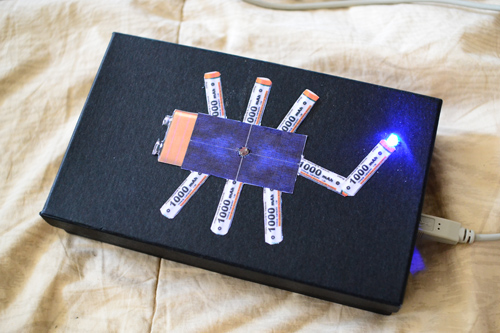
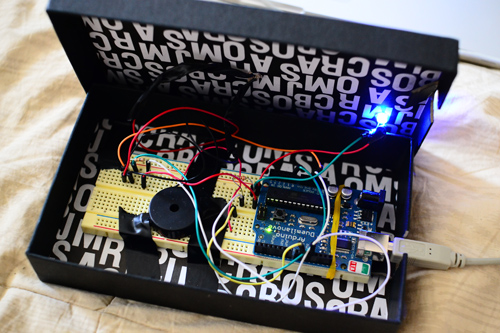
    Charger scorpion 

    He has solar panel body and battery organs, charging by light. When he gets full charged, his poisonous tail emits light.

    Charging speed depends on power of light, brighter light charges it faster with reaction. He dies in dark.

    #define  v     18000
    #define  x     10000
    #define  z     8000
    #define  c     3830    // 261 Hz
    #define  d     3400    // 294 Hz
    #define  e     3038    // 329 Hz
    #define  f     2864    // 349 Hz
    #define  g     2550    // 392 Hz
    #define  a     2272    // 440 Hz
    #define  b     2028    // 493 Hz
    #define  C     1912    // 523 Hz
    #define  D     1680
    #define  E     1500
    #define  F     1350
    #define  G     1200
    #define  A     1050
    #define  B     912
    // Define a special note, ‘R’, to represent a rest
    #define  R     0

    // SETUP ============================================
    // Set up speaker on a PWM pin (digital 9, 10 or 11)
    int speakerOut = 9;
    // Do we want debugging on serial out? 1 for yes, 0 for no
    int DEBUG = 1;

    int photocellPin = 0;     // the cell and 10K pulldown are connected to a0
    int photocellReading;     // the analog reading from the sensor divider
    int LEDpin = 11;          // connect Red LED to pin 11 (PWM pin)
    int LEDbrightness;
    int growspeed;
    int bN = 0;
    int bNcount = 0;
    int bNcount2 = 0;

    void setup() {
    pinMode(speakerOut, OUTPUT);
    if (DEBUG) {
    Serial.begin(9600); // Set serial out if we want debugging
    }
    }

    // MELODY and TIMING  =======================================
    //  melody[] is an array of notes, accompanied by beats[],
    //  which sets each note’s relative length (higher #, longer note)
    int hellom[] = {c,  c};
    int beats[]  = {16, 64};
    int dyingm[] = {  v,  R, z, v };
    int beats2[] = { 200, 8, 8, 32 };
    int happym[] = {  c,  C,  g,  e,  C,  g,  z,  e,  z,    c,  C,  g,  f,  C,  g,  z,  f,  z,     c,  C,  g,  e,  C,  g,  z,  e,  z,     d,  e,  f,  z,  f,  g,  g,  z,  g,  a,  a,  z,  C,  R};
    int beats3[] = { 16, 16, 16,  16, 8,  8, 16, 16, 16,   16, 16, 16, 16,  8,  8, 16, 16, 16,    16, 16, 16,  16, 8,  8, 16, 16, 16,     8,  8,  8,  8,  8,  8,  8,  8,  8,  8,  8,  8, 16, 16};
    int sadm[]   = {z,  x,  z,  z,  x,  x};
    int beats4[] = {36, 36, 36, 36, 36, 200};
    int yesm[]   = {d, b, E};
    int beats5[] = {8, 16, 32};
    int nom[]    = {B,  B,  B,  B,  B,  B};
    int beats6[] = {8,  8,  8,  8,  8,  8};

    int MAX_COUNT = sizeof(hellom) / 2;
    int MAX_COUNT2 = sizeof(dyingm) / 2;
    int MAX_COUNT3 = sizeof(happym) / 2;
    int MAX_COUNT4 = sizeof(sadm) / 2;
    int MAX_COUNT5 = sizeof(yesm) / 2;
    int MAX_COUNT6 = sizeof(nom) / 2;// Melody length, for looping.

    // Set overall tempo
    long tempo = 10000;
    // Set length of pause between notes
    int pause = 1000;
    // Loop variable to increase Rest length
    int rest_count = 100; //<-BLETCHEROUS HACK; See NOTES

    // Initialize core variables
    int tone1 = 0;
    int beat = 0;
    long duration  = 0;

    // PLAY tone1  ==============================================
    // Pulse the speaker to play a tone1 for a particular duration
    void playtone1() {
    long elapsed_time = 0;
    if (tone1 > 0) { // if this isn’t a Rest beat, while the tone1 has
    //  played less long than ‘duration’, pulse speaker HIGH and LOW
    while (elapsed_time < duration) {

    digitalWrite(speakerOut,HIGH);
    delayMicroseconds(tone1 / 2);

    // DOWN
    digitalWrite(speakerOut, LOW);
    delayMicroseconds(tone1 / 2);

    // Keep track of how long we pulsed
    elapsed_time += (tone1);
    }
    }
    else { // Rest beat; loop times delay
    for (int j = 0; j < rest_count; j++) { // See NOTE on rest_count
    delayMicroseconds(duration);
    }
    }
    }

    // LET THE WILD RUMPUS BEGIN =============================
    void loop() {
    // play each sound in order, with a pause between each one.
    photocellReading = analogRead(photocellPin);

    Serial.print(“Analog reading = “);
    Serial.println(photocellReading);
    Serial.println( growspeed);
    Serial.println(bNcount);
    Serial.println(bNcount2);

    LEDbrightness = 255;

    growspeed = map(photocellReading,0, 1023, 10000, 2000);

    if(photocellReading>300){
    bNcount2 = 0;
    bN = 0;
    bNcount = bNcount +1;
    if(bNcount == 4){
    bN= 2;
    }
    if(bNcount == 5){
    bN= 1 ;
    bNcount = 0;
    }

    }

    if(photocellReading<300){
    bNcount = 0;
    bN = 4;
    bNcount2 = bNcount2 +1;
    if(bNcount2 == 4){
    bN= 6;
    }
    if(bNcount2 == 5){
    bN= 5 ;
    bNcount2 = 0;
    }

    }

    switch (bN) {

    case 0:
    analogWrite(LEDpin, LOW);
    hello();
    break;

    case 1:

    analogWrite(LEDpin, LEDbrightness);
    happy();
    break;

    case 2:
    yes();
    break;

    case 3:
    // game4();
    break;

    case 4:
    analogWrite(LEDpin, LOW);
    no();
    break;

    case 5:
    analogWrite(LEDpin, LOW);
    dying();
    break;

    case 6:
    analogWrite(LEDpin, LOW);
    sad();

    break;

    }

    }

    void hello() {
    // Set up a counter to pull from melody[] and beats[]
    for (int i=0; i<MAX_COUNT; i++) {
    tone1 = hellom[i];
    beat = beats[i];

    duration = beat * tempo; // Set up timing

    playtone1();
    // A pause between notes…
    delayMicroseconds(pause);
    //noTone(speakerOut);

    }
    delay(growspeed);
    }

    void dying() {
    // Set up a counter to pull from melody[] and beats[]
    for (int i=0; i<MAX_COUNT2; i++) {
    tone1 = dyingm[i];
    beat = beats2[i];

    duration = beat * tempo; // Set up timing

    playtone1();
    // A pause between notes…
    delayMicroseconds(pause);
    //noTone(speakerOut);

    }
    delay(10000);
    }

    void happy() {
    // Set up a counter to pull from melody[] and beats[]
    for (int i=0; i<MAX_COUNT3; i++) {
    tone1 = happym[i];
    beat = beats3[i];

    duration = beat * tempo; // Set up timing

    playtone1();
    // A pause between notes…
    delayMicroseconds(pause);
    //noTone(speakerOut);

    }
    delay(8000);
    }

    void sad() {
    // Set up a counter to pull from melody[] and beats[]
    for (int i=0; i<MAX_COUNT4; i++) {
    tone1 = sadm[i];
    beat = beats4[i];

    duration = beat * tempo; // Set up timing

    playtone1();
    // A pause between notes…
    delayMicroseconds(pause);
    //noTone(speakerOut);

    }
    delay(2000);
    }

    void yes() {
    // Set up a counter to pull from melody[] and beats[]
    for (int i=0; i<MAX_COUNT5; i++) {
    tone1 = yesm[i];
    beat = beats5[i];

    duration = beat * tempo; // Set up timing

    playtone1();
    // A pause between notes…
    delayMicroseconds(pause);
    //noTone(speakerOut);

    }
    delay(growspeed);
    }

    void no() {
    // Set up a counter to pull from melody[] and beats[]
    for (int i=0; i<MAX_COUNT6; i++) {
    tone1 = nom[i];
    beat = beats6[i];

    duration = beat * tempo; // Set up timing

    playtone1();
    // A pause between notes…
    delayMicroseconds(pause);
    //noTone(speakerOut);

    }
    delay(2000);
    }

     
  • Unknown's avatar

    Lee 5:17 pm on February 7, 2011 Permalink | Reply  

    SPACE SQUID OF DOOOOOOM!!!! 

    So my Beep Boop creature is a squid. He loves the dark and hates the light. He’ll increasingly beep faster the longer he’s upset until he dies. He can be revived by being immersed in full darkness for a little while. He’ll get more excited the longer he’s in the dark.

    ::BONUS::When he’s upset his eyes will blink red as well.

    #include "pitches.h"    //list of the frequencies of most notes
    int counter=0;
    
    int photoPin=0;
    int speaker=6;
    
    
    //the reading must be bellow each of these values to ellicit that emotion
    int excitedPoint=120;
    int neutralPoint=180;
    //higher than neutral results in dying
    
    int reading;  //holds the current photo reading
    String state="neutral";
    
    //using resistor: gold, red, green, brown
    
    boolean dead=false;
    int reviveCounter=0;  //counts how logn the dead creature has been in darkness
    
    // These are for the LED eyes
    const int ledPin =  13;
    int ledState = LOW;             // ledState used to set the LED
    long previousMillis = 0; 
    long interval = 1000;
    
    void setup(){
      Serial.begin(9600);
      pinMode(ledPin, OUTPUT);
    }
    
    void loop(){
      noTone(speaker);
      //checks to see what state the creature is in
      reading=analogRead(photoPin);
    
      if (readingexcitedPoint &amp;&amp; readingneutralPoint &amp;&amp; state!="screaming"){
        counter=0;
        state="screaming";
      }
    
      //Deal with the various states
      //is it dead?
      if (dead){
        Serial.println("DEAD");
        if (random(100)==0)
          PlayDeathGasp();
        interval = random(100,1300);
        RedEye(interval);
    
        //if it is in darkness logn enough, it should revive
        if (reading100){
            Serial.println("CHECK IT");
            //wait a few seconds between playing bliss sound
            if (counter%200==0) {
              PlayBliss();
            }
          }
          else if (counter%20==0){
            //if not, keep upping counter and play the exciting 
            PlayExcited();
          }
        }
    
        if (state=="neutral"){
          if (counter==1){
            PlayNeutral();  //play the sound
          }
          //if it's been neutral for a while, make sure some time passes between making sounds
          //then play it randomly
          if (counter&gt;200){
            if (random(0,100)==0)
              counter=0;  //reset counter
          }
        }
    
        if (state=="screaming"){
          if (counter%20==0)
            PlayScream(); 
          interval = 500;
          RedEye(interval);
          if (counter&gt;100){
            PlayDying();
            dead=true;
          }
        }
      }
    
      Serial.println(state);
      counter++;
      Serial.println(analogRead(photoPin));
      //Serial.println(counter);
    }
    
    void PlayNeutral(){
      //neutral tone sare played in a series of two.
      int notes[]={ 
        NOTE_D4, NOTE_B3, NOTE_A3, NOTE_F3, NOTE_DS3, NOTE_CS3                  };
      int start=random(0,2) *2;
      for (int i=start; i&lt;start+2; i++){
        tone(speaker, notes[i]);
        delay(500);
        noTone(speaker);
        delay(300);
      }
    }
    
    //&quot;I'm bursting with joy!&quot;
    void PlayBliss(){
      //oscilate between two ranges that keep moving up
      //originaly 512
      int startVal=512;
      int endVal=860;
      int range=100;
      int val=startVal;
      int incr=random(1,3);
    
      while(val&lt;endVal){
        //send it up
        int tempMax=val+range;  //how far up to go with this pass
        for (val; valtempMin; val-=incr){
          tone(speaker, val);
          delay(3);
        }
      }
    
      //hold the last value for a little while
      delay(500);
    }
    
    void PlayScream(){
      int scream[] = {
        NOTE_B4, 0, NOTE_G4, 0, NOTE_E4, 0, NOTE_D4                  };
      int screamDurations[] = {
        4,16,4,16,4,16,1                  };
    
      for (int thisNote = 0; thisNote endVal; i--){
        tone(speaker, i);
        delay(6);
      }
    
      //now create two beeps.
      noTone(speaker);
      delay(200);
      tone(speaker, 300);
      delay(500);
      noTone(speaker);
      delay(200);
      tone(speaker, 200);
      delay(500);
    }
    
    void PlayExcited(){
      int levelAdjust=map(reading,0,excitedPoint, 300,0);
      int toneA=NOTE_B4+levelAdjust;
      int toneB=NOTE_G5+levelAdjust;
    
      int counterAdjust=map(counter,0,100,0,40);
    
      for (int i=0; iendVal; i-=30){
        tone(speaker,i);
        delay(30000/i);
      }
      noTone(speaker);
      delay(500);
    
      //a few little burbles
      for (int i=0; i&lt;3; i++){
        PlayDeathGasp();
      }
    }
    
    //Burbles and gurgles
    void PlayDeathGasp(){
      tone(speaker, random(50,70));
      delay(random(500,1000));
      noTone(speaker);
      delay(random(500,1000));
    }
    
    //&quot;I'm coming back to life!&quot;
    void PlayRevive(){
      int startVal=50;
      int endVal=NOTE_D5;
    
      for (int i=startVal; i&lt;endVal; i+=30){
        tone(speaker,i);
        delay(30000/i);
      }
      noTone(speaker);
      delay(500);
    
      for (int i=0; i interval) {
        // save the last time you blinked the LED 
        previousMillis = currentMillis;   
    
        // if the LED is off turn it on and vice-versa:
        if (ledState == LOW)
          ledState = HIGH;
        else
          ledState = LOW;
    
        // set the LED with the ledState of the variable:
        digitalWrite(ledPin, ledState);
      }
    }
    
     
  • Unknown's avatar

    Bree 11:40 am on February 7, 2011 Permalink | Reply  

    I shall call him “Meat” 

    This is Meat. He is a bit of a nervous thing and really gets upset when the lights dim. Turn them off too quickly, and he screams. If he freaks out too much, he’s going to pass out and only a quick burst of light can wake him up.

    Why is he afraid of the dark? Because there are monsters out there…

    Meat gets ready for his housingThese are Meat's insides


    How does his little mind work?

    With very messy code.

    ————————————————————————————-

    ————————————————————————————-

    // Dayturnal “meat”

    // int vars
    int speaker = 9;

    int lastlight = 0;
    int light;
    int mood = 100;
    boolean happy = true;
    boolean scared = false;

    int deathCounter;
    boolean dead = false;

    void setup() {
    // set up pins and serial
    pinMode(0, INPUT);
    pinMode(9, OUTPUT);
    Serial.begin(9600);
    }

    void loop() {

    // check light sensor
    light = analogRead(0)*10;
    // make sure that value checking changes in light is same as light on first run
    // otherwise, it could falsely register a big change in light
    if(lastlight == 0) lastlight = light;

    // send values to serial
    Serial.println(“light: “);
    Serial.println(light);
    Serial.println(“mood: “);
    Serial.println(mood);
    Serial.println();

    mood = map(light, 0, 1000, 0, 1000);
    // run most of the code unless creature is dead

    // lazarus function
    if(dead){
    if(light – lastlight > 200) {
    dead = false;
    deathCounter = 0;
    // preyRelief();
    mood = 100;
    lastlight = 120;

    }
    }

    if(!dead) {

    // happiness follows light level
    if (mood >= 80){
    happy = true;
    }
    if (mood < 80){
    happy = false;
    scared = true;
    }

    if(light > lastlight) {
    mood+=5;
    }
    else if(light < lastlight) {
    mood-=5;
    }

    // sudden drop in light, OH NO!
    if(lastlight – light > 100) {
    preyScream();
    mood = 1;
    scared = true;
    }
    // sudden burst of light, OH JOY!
    if(light – lastlight > 100) {
    preyRelief();
    mood = 200;
    happy = true;
    }

    // if too little light, creature starts dying
    if(light < 50) deathCounter++;
    // otherwise, creature is recovering
    else deathCounter–;

    // if too little light for too long, DEATH!
    if(deathCounter > 20) {
    preyScream();
    death();
    dead = true;
    }

    // play normal noise on each loop
    preyNoise();
    // use line below instead if you don’t want the flat-line noise
    // when creature dies.
    if(!dead) preyNoise();
    }

    // remember last light value to see changes over time
    lastlight = light;
    }

    // standard creature noise, dependent on mood level
    void preyNoise() {

    if(happy){
    int basetone   = map(mood, 0, 800, 150, 1000);
    int basetempo  = map(mood, 0, 800, 20, 600);

    //3 notes
    tone(speaker, basetone);
    delay(basetempo);
    noTone(speaker);
    delay(basetempo);

    tone(speaker, basetone*1.26);
    delay(basetempo);
    noTone(speaker);
    delay(basetempo );

    tone(speaker, basetone*1.5);
    delay(basetempo);
    noTone(speaker);
    delay(basetempo);
    delay(basetempo*2);
    }
    else if (scared){
    int basetone   = map(mood, 0, 800, 150, 1000);
    int basetempo  = map(mood, 0, 800, 10, 600);
    basetempo      = basetempo – mood;

    //3 notes scared
    tone(speaker, basetone);
    delay(basetempo);
    noTone(speaker);
    delay(basetempo / 5);

    tone(speaker, basetone);
    delay(basetempo);
    noTone(speaker);
    delay(basetempo / 5);

    tone(speaker, basetone*1.6);
    delay(basetempo);
    noTone(speaker);
    delay(basetempo / 5);
    delay(basetempo*2);

    }

    }

    // noise when too much light comes abruptly
    void preyScream() {
    int freq = 2100;
    for(int x=0; x < 3000; x++) {
    tone(speaker, freq);
    delay(2);
    if (freq < 2800){
    freq++;
    }
    else {
    freq=3000;
    }
    }
    }

    // noise when light comes back abruptly.
    void preyRelief() {

    }

    // sound which occurs when creature dies
    void death() {
    tone(speaker, 200);
    delay(40);

    }


    ————————————————————————————–

    ————————————————————————————–

     
  • Unknown's avatar

    andywallace 5:52 am on February 7, 2011 Permalink | Reply  

    Space Squid (With Lee Williams) 

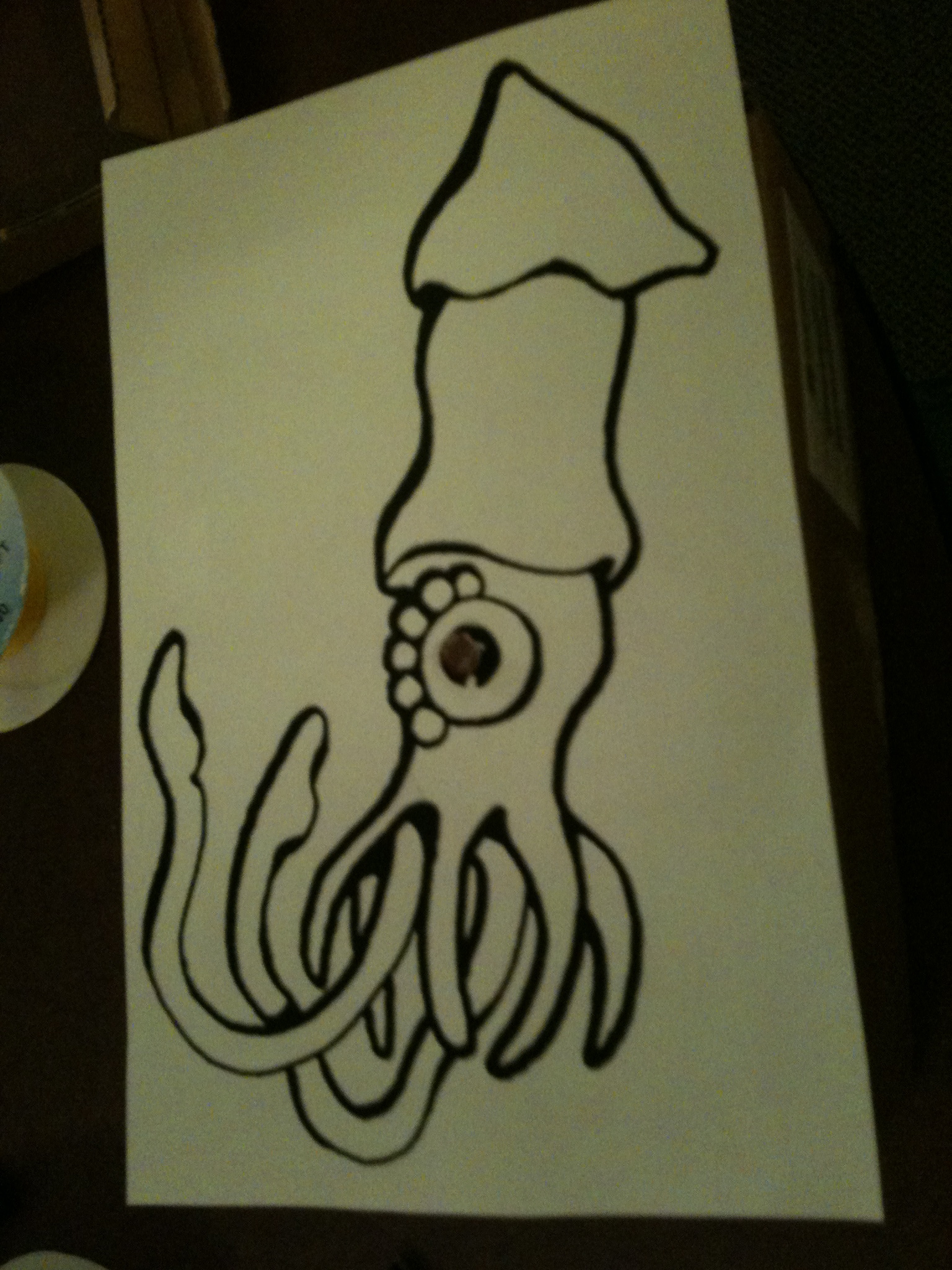
    Lee and I created a pair of darkness loving space squids. They become very happy when placed in the dark, but become frightened by the light, and can even die from it.

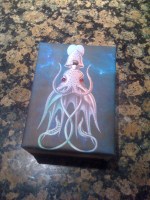
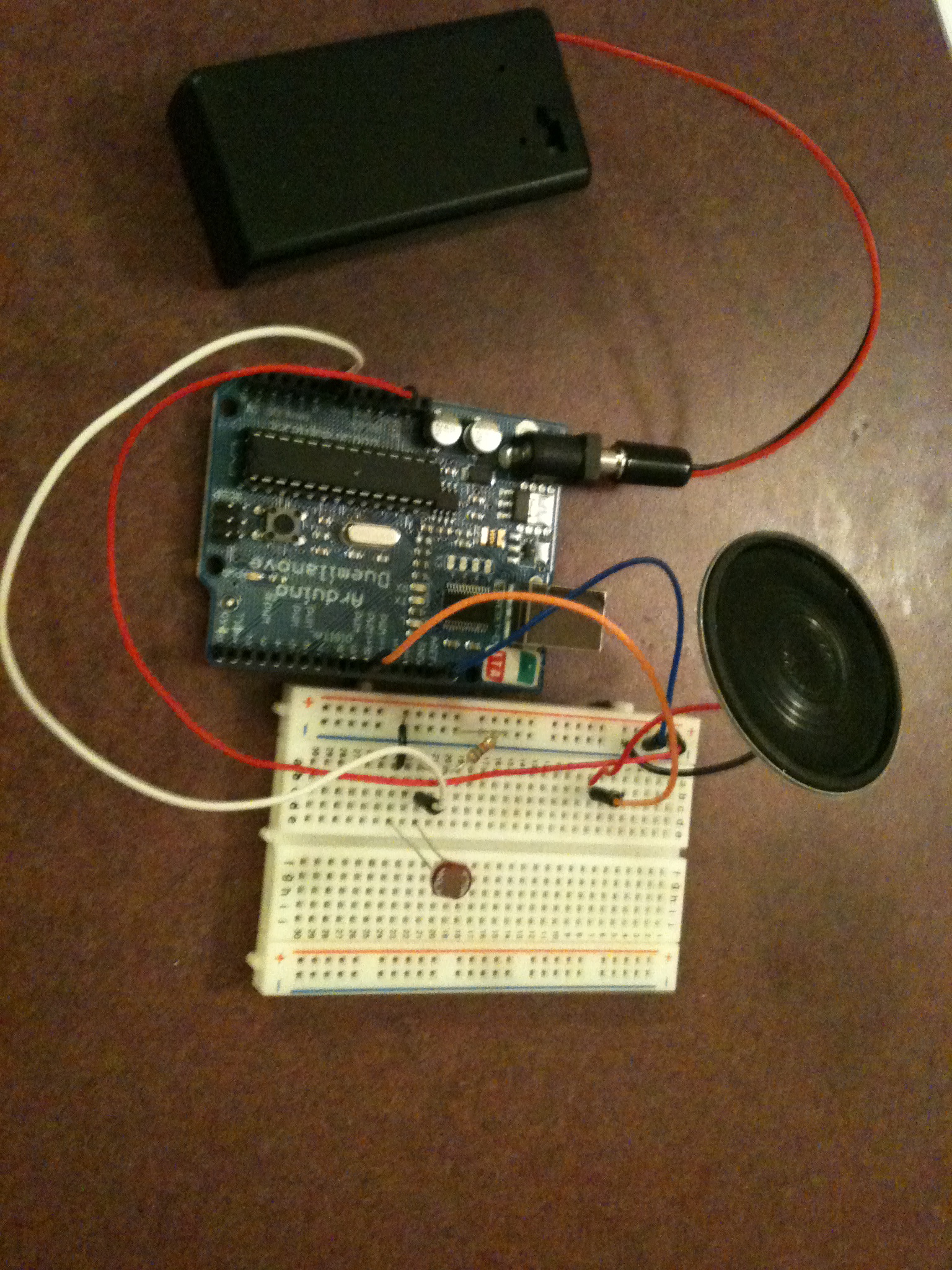
    The space squid uses a photoresistor to sense light and a piezo speaker to make sound. The apparatus is contained inside a cardboard box with the image of a squid on the front. The squid has 5 states that it can be in:

    Excited – In low light, the squid becomes excited and will chirp. The chirp will be higher pitched the darker it is, and the longer it is excited, the chirps will become faster and faster.

    Bliss – If the squid is in low light long enough, and will become overwhelmed with joy and shout out.

    Neutral – In a space that is not quite dark, but not quite bright, the squid will just chirp every so often to let you know it’s there, but not much else. The sound played is a two tone sound chosen at random from several that Lee and I created to make the creature feel more organic.

    Screaming – In a brighter space, the squid will start screaming. The screams will get faster and faster as the squid becomes more urgent.

    Dead – If the squid is in the light for two long, it will die. After playing a death sound, it will let out a pathetic groan every so often. This groan is a somewhat randomly generated low tone.

    There is hope, though! If placed in darkness for a long enough time, the squid will regenerate and play a special melody showing that it has come back to life.

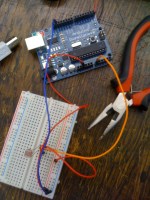
    The wiring before I put it in the box.

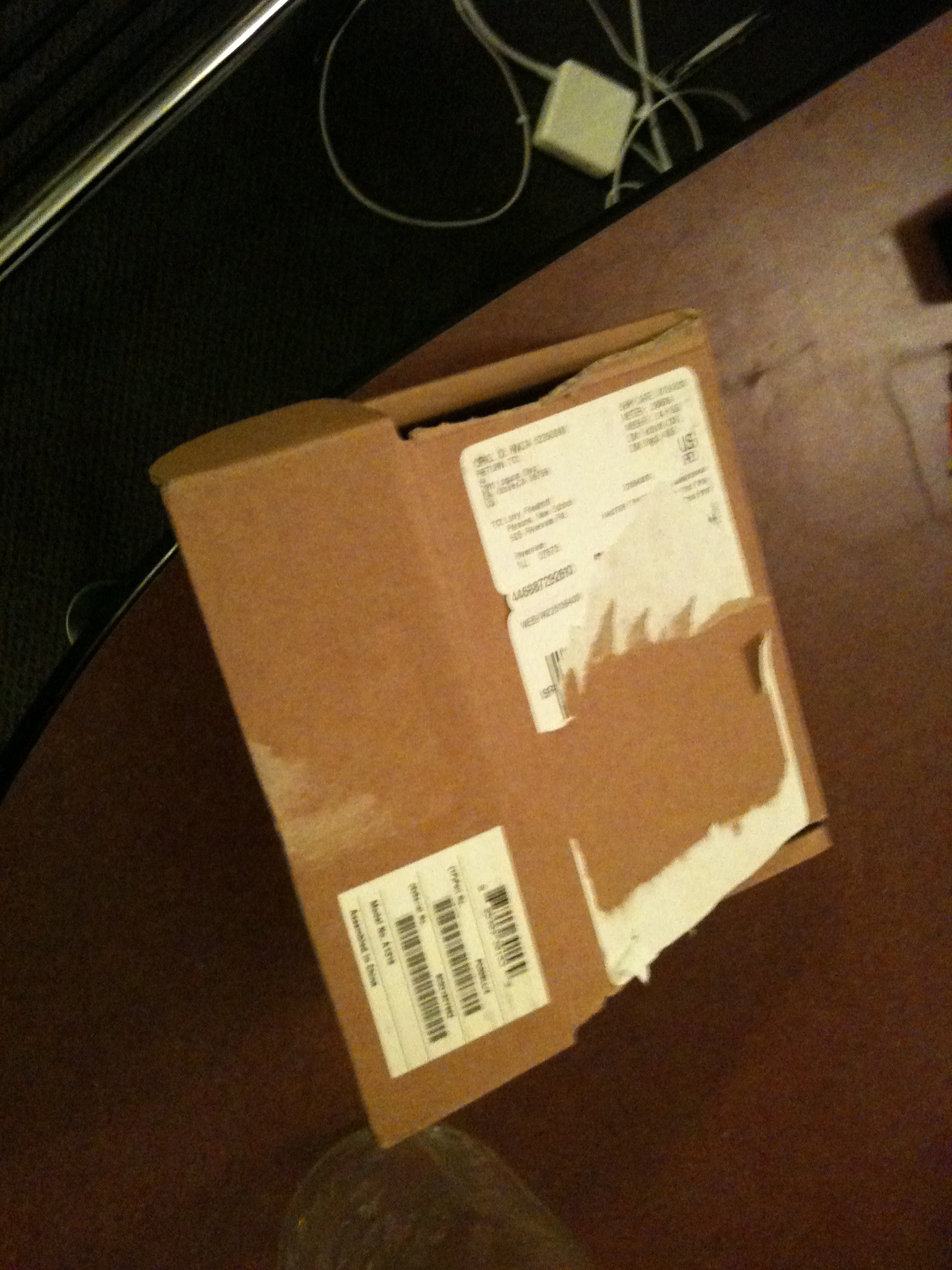
    And the box I used.

    I punched some holes for the speaker.

    I left the potentiometer attached to the piezo in case I wanted to adjust the volume.

    A diagram of the wiring made in Fritzing.

    CODE

     
  • Unknown's avatar

    hilalkoyuncu 11:27 pm on February 3, 2011 Permalink | Reply  

    Hilal’s talking robot, internal organs exposed 

    My arduino has this whole speech for you, click to listen.

    http://www.youtube.com/watch?v=3BFc1iQ1TqU

    Sounds/Codes:

    Pitch library that I created for ardu: hilal_pitch.h

    
    #define A0	9091
    #define A0S	8581
    #define B_0	8099
    #define C1	7644
    #define C1S	7216
    #define D1	6811
    #define D1S	6428
    #define E1	6068
    #define F1	5727
    #define F1S	5405
    #define G1	5102
    #define G1S	4816
    #define A1	4545
    #define A1S	4290
    #define B_1	4050
    #define C2	3822
    #define C2S	3608
    #define D2	3405
    #define D2S	3214
    #define E2	3034
    #define F2	2863
    #define F2S	2703
    #define G2	2551
    #define G2S	2408
    #define A2	2273
    #define A2S	2145
    #define B2	2025
    #define C3	1911
    #define C3S	1804
    #define D3	1703
    #define D3S	1607
    #define E3	1517
    #define F3	1432
    #define F3S	1351
    #define G3	1276
    #define G3S	1204
    #define A3	1136
    #define A3S	1073
    #define B3	1012
    #define C4	956
    #define C4S	902
    #define D4	851
    #define D4S	804
    #define E4	758
    #define F4	716
    #define F4S	676
    #define G4	638
    #define G4S	602
    #define A4	568
    #define A4S	536
    #define B4	506
    #define C5	478
    #define C5S	451
    #define D5	426
    #define D5S	402
    #define E5	379
    #define F5	358
    #define F5S	338
    #define G5	319
    #define G5S	301
    #define A5	284
    #define A5S	268
    #define B5	253
    #define C6	239
    #define C6S	225
    #define D6	213
    #define D6S	201
    #define E6	190
    #define F6	179
    #define F6S	169
    #define G6	159
    #define G6S	150
    #define A6	142
    #define A6S	134
    #define B6	127
    #define C7	119
    #define C7S	113
    #define D7	106
    #define D7S	100
    #define E7	95
    #define F7	89
    #define F7S	84
    #define G7	80
    #define G7S	75
    #define A7	71
    #define A7S	67
    #define B7	63
    #define C8	60
    #define  R     0


    Hello I’m on! :

     
    /* Play HelloImOn 
     * -----------
     *
     * Program to play a simple HelloImOn 
     *
     * Tones are created by quickly pulsing a speaker on and off 
     *   using PWM, to create signature frequencies.
     *
     * Each note has a frequency, created by varying the period of 
     *  vibration, measured in microseconds. We'll use pulse-width
     *  modulation (PWM) to create that vibration.
    
     * We calculate the pulse-width to be half the period; we pulse 
     *  the speaker HIGH for 'pulse-width' microseconds, then LOW 
     *  for 'pulse-width' microseconds.
     *  This pulsing creates a vibration of the desired frequency.
     *
     * (cleft) 2005 D. Cuartielles for K3
     * Refactoring and comments 2006 clay.shirky@nyu.edu
     * See NOTES in comments at end for possible improvements
     */
    
    // TONES  ==========================================
    // Start by defining the relationship between 
    //       note, period, &  frequency. 
    
    
    // SETUP ============================================
    
     #include "hilal_pitch.h"
     
    // Set up speaker on a PWM pin (digital 9, 10 or 11)
    int speakerOut = 9;
    // Do we want debugging on serial out? 1 for yes, 0 for no
    int DEBUG = 1;
    
    void setup() { 
      pinMode(speakerOut, OUTPUT);
      if (DEBUG) { 
        Serial.begin(9600); // Set serial out if we want debugging
      } 
    }
    
    // HelloImOn  and TIMING  =======================================
    //  HelloImOn [] is an array of notes, accompanied by beats[], 
    //  which sets each note's relative length (higher #, longer note) 
    
    int HelloImOn[] = { F2S, A2, D3, F3S, A3, D5S,  R };
    int beats[]  = { 8, 8, 8, 8, 8, 32, 16};
    int MAX_COUNT = sizeof(HelloImOn )/2; // HelloImOn  length, for looping.
    
    // Set overall tempo
    long tempo = 10000;
    // Set length of pause between notes
    int pause = 1000;
    // Loop variable to increase Rest length
    int rest_count = 110; //<-BLETCHEROUS HACK; See NOTES
    
    // Initialize core variables
    int ton = 0;
    int beat = 0;
    long duration  = 0;
    
    // PLAY TONE  ==============================================
    // Pulse the speaker to play a tone for a particular duration
    void playTone() {
      long elapsed_time = 0;
      if (ton > 0) { // if this isn't a Rest beat, while the tone has 
        //  played less long than 'duration', pulse speaker HIGH and LOW
        while (elapsed_time < duration) {
    
          digitalWrite(speakerOut,HIGH);
          delayMicroseconds(ton / 2);
    
          // DOWN
          digitalWrite(speakerOut, LOW);
          delayMicroseconds(ton / 2);
    
          // Keep track of how long we pulsed
          elapsed_time += (ton);
        } 
      }
      else { // Rest beat; loop times delay
        for (int j = 0; j < rest_count; j++) { // See NOTE on rest_count
          delayMicroseconds(duration);  
        }                                
      }                                 
    }
    
    // LET THE WILD RUMPUS BEGIN =============================
    void loop() {
      // Set up a counter to pull from HelloImOn [] and beats[]
      for (int i=0; i<MAX_COUNT; i++) {
        ton = HelloImOn [i];
        beat = beats[i];
    
        duration = beat * tempo; // Set up timing
    
        playTone(); 
        // A pause between notes...
        delayMicroseconds(pause);
    
        if (DEBUG) { // If debugging, report loop, tone, beat, and duration
          Serial.print(i);
          Serial.print(":");
          Serial.print(beat);
          Serial.print(" ");    
          Serial.print(ton);
          Serial.print(" ");
          Serial.println(duration);
        }
      }
    }
    
    /*
     * NOTES
     * The program purports to hold a tone for 'duration' microseconds.
     *  Lies lies lies! It holds for at least 'duration' microseconds, _plus_
     *  any overhead created by incremeting elapsed_time (could be in excess of 
     *  3K microseconds) _plus_ overhead of looping and two digitalWrites()
     *  
     * As a result, a tone of 'duration' plays much more slowly than a rest
     *  of 'duration.' rest_count creates a loop variable to bring 'rest' beats 
     *  in line with 'tone' beats of the same length. 
     * 
     * rest_count will be affected by chip architecture and speed, as well as 
     *  overhead from any program mods. Past behavior is no guarantee of future 
     *  performance. Your mileage may vary. Light fuse and get away.
     *  
     * This could use a number of enhancements:
     * ADD code to let the programmer specify how many times the HelloImOn  should
     *     loop before stopping
     * ADD another octave
     * MOVE tempo, pause, and rest_count to #define statements
     * RE-WRITE to include volume, using analogWrite, as with the second program at
     *          http://www.arduino.cc/en/Tutorial/PlayHelloImOn 
     * ADD code to make the tempo settable by pot or other input device
     * ADD code to take tempo or volume settable by serial communication 
     *          (Requires 0005 or higher.)
     * ADD code to create a tone offset (higer or lower) through pot etc
     * REPLACE random HelloImOn  with opening bars to 'Smoke on the Water'
     */


    Yes!:

     
    /* Play Yes
     * -----------
     *
     * Program to play a simple Yes
     *
     * Tones are created by quickly pulsing a speaker on and off 
     *   using PWM, to create signature frequencies.
     *
     * Each note has a frequency, created by varying the period of 
     *  vibration, measured in microseconds. We'll use pulse-width
     *  modulation (PWM) to create that vibration.
    
     * We calculate the pulse-width to be half the period; we pulse 
     *  the speaker HIGH for 'pulse-width' microseconds, then LOW 
     *  for 'pulse-width' microseconds.
     *  This pulsing creates a vibration of the desired frequency.
     *
     * (cleft) 2005 D. Cuartielles for K3
     * Refactoring and comments 2006 clay.shirky@nyu.edu
     * See NOTES in comments at end for possible improvements
     */
    
    // TONES  ==========================================
    // Start by defining the relationship between 
    //       note, period, &  frequency. 
    
     #include "hilal_pitch.h"
     
    // SETUP ============================================
    // Set up speaker on a PWM pin (digital 9, 10 or 11)
    int speakerOut = 9;
    // Do we want debugging on serial out? 1 for yes, 0 for no
    int DEBUG = 1;
    
    void setup() { 
      pinMode(speakerOut, OUTPUT);
      if (DEBUG) { 
        Serial.begin(9600); // Set serial out if we want debugging
      } 
    }
    
    // Yes and TIMING  =======================================
    //  Yes[] is an array of notes, accompanied by beats[], 
    //  which sets each note's relative length (higher #, longer note) 
     
    int Yes[] = {F3S,F3S,R };
    int beats[]  = { 8,8, 16};
    int MAX_COUNT = sizeof(Yes)/2; // Yes length, for looping.
    
    // Set overall tempo
    long tempo = 10000;
    // Set length of pause between notes
    int pause = 1000;
    // Loop variable to increase Rest length
    int rest_count = 110; //<-BLETCHEROUS HACK; See NOTES
    
    // Initialize core variables
    int ton = 0;
    int beat = 0;
    long duration  = 0;
    
    // PLAY TONE  ==============================================
    // Pulse the speaker to play a tone for a particular duration
    void playTone() {
      long elapsed_time = 0;
      if (ton > 0) { // if this isn't a Rest beat, while the tone has 
        //  played less long than 'duration', pulse speaker HIGH and LOW
        while (elapsed_time < duration) {
    
          digitalWrite(speakerOut,HIGH);
          delayMicroseconds(ton / 2);
    
          // DOWN
          digitalWrite(speakerOut, LOW);
          delayMicroseconds(ton / 2);
    
          // Keep track of how long we pulsed
          elapsed_time += (ton);
        } 
      }
      else { // Rest beat; loop times delay
        for (int j = 0; j < rest_count; j++) { // See NOTE on rest_count
          delayMicroseconds(duration);  
        }                                
      }                                 
    }
    
    // LET THE WILD RUMPUS BEGIN =============================
    void loop() {
      // Set up a counter to pull from Yes[] and beats[]
      for (int i=0; i<MAX_COUNT; i++) {
        ton = Yes[i];
        beat = beats[i];
    
        duration = beat * tempo; // Set up timing
    
        playTone(); 
        // A pause between notes...
        delayMicroseconds(pause);
    
        if (DEBUG) { // If debugging, report loop, tone, beat, and duration
          Serial.print(i);
          Serial.print(":");
          Serial.print(beat);
          Serial.print(" ");    
          Serial.print(ton);
          Serial.print(" ");
          Serial.println(duration);
        }
      }
    }
    
    /*
     * NOTES
     * The program purports to hold a tone for 'duration' microseconds.
     *  Lies lies lies! It holds for at least 'duration' microseconds, _plus_
     *  any overhead created by incremeting elapsed_time (could be in excess of 
     *  3K microseconds) _plus_ overhead of looping and two digitalWrites()
     *  
     * As a result, a tone of 'duration' plays much more slowly than a rest
     *  of 'duration.' rest_count creates a loop variable to bring 'rest' beats 
     *  in line with 'tone' beats of the same length. 
     * 
     * rest_count will be affected by chip architecture and speed, as well as 
     *  overhead from any program mods. Past behavior is no guarantee of future 
     *  performance. Your mileage may vary. Light fuse and get away.
     *  
     * This could use a number of enhancements:
     * ADD code to let the programmer specify how many times the Yes should
     *     loop before stopping
     * ADD another octave
     * MOVE tempo, pause, and rest_count to #define statements
     * RE-WRITE to include volume, using analogWrite, as with the second program at
     *          http://www.arduino.cc/en/Tutorial/PlayYes
     * ADD code to make the tempo settable by pot or other input device
     * ADD code to take tempo or volume settable by serial communication 
     *          (Requires 0005 or higher.)
     * ADD code to create a tone offset (higer or lower) through pot etc
     * REPLACE random Yes with opening bars to 'Smoke on the Water'
     */


    I’m growing!!!:

     
    /* Play ImGrowing
     * -----------
     *
     * Program to play a simple ImGrowing
     *
     * Tones are created by quickly pulsing a speaker on and off 
     *   using PWM, to create signature frequencies.
     *
     * Each note has a frequency, created by varying the period of 
     *  vibration, measured in microseconds. We'll use pulse-width
     *  modulation (PWM) to create that vibration.
    
     * We calculate the pulse-width to be half the period; we pulse 
     *  the speaker HIGH for 'pulse-width' microseconds, then LOW 
     *  for 'pulse-width' microseconds.
     *  This pulsing creates a vibration of the desired frequency.
     *
     * (cleft) 2005 D. Cuartielles for K3
     * Refactoring and comments 2006 clay.shirky@nyu.edu
     * See NOTES in comments at end for possible improvements
     */
    
    // TONES  ==========================================
    // Start by defining the relationship between 
    //       note, period, &  frequency. 
    
    
    // Define a special note, 'R', to represent a rest


    // SETUP ============================================
    
    #include "hilal_pitch.h"
    
    // Set up speaker on a PWM pin (digital 9, 10 or 11)
    
    
    "
    
    int speakerOut = 9;
    // Do we want debugging on serial out? 1 for yes, 0 for no
    int DEBUG = 1;
    
    void setup() { 
      pinMode(speakerOut, OUTPUT);
      if (DEBUG) { 
        Serial.begin(9600); // Set serial out if we want debugging
      } 
    }
    
    // ImGrowing and TIMING  =======================================
    //  ImGrowing[] is an array of notes, accompanied by beats[], 
    //  which sets each note's relative length (higher #, longer note) 
     
    int ImGrowing[] = {C3,D3,E3,F3,G3,A3,B3,C4,D4,E4,F4,G4,A4,B4,C5S, R };
    int beats[]  = {4,4,4,4,4,4,4,4,4,4,4,4,4,4,24,8};
    int MAX_COUNT = sizeof(ImGrowing)/2; // ImGrowing length, for looping.
    
    // Set overall tempo
    long tempo = 10000;
    // Set length of pause between notes
    int pause = 1000;
    // Loop variable to increase Rest length
    int rest_count = 110; //<-BLETCHEROUS HACK; See NOTES
    
    // Initialize core variables
    int ton = 0;
    int beat = 0;
    long duration  = 0;
    
    // PLAY TONE  ==============================================
    // Pulse the speaker to play a tone for a particular duration
    void playTone() {
      long elapsed_time = 0;
      if (ton > 0) { // if this isn't a Rest beat, while the tone has 
        //  played less long than 'duration', pulse speaker HIGH and LOW
        while (elapsed_time < duration) {
    
          digitalWrite(speakerOut,HIGH);
          delayMicroseconds(ton / 2);
    
          // DOWN
          digitalWrite(speakerOut, LOW);
          delayMicroseconds(ton / 2);
    
          // Keep track of how long we pulsed
          elapsed_time += (ton);
        } 
      }
      else { // Rest beat; loop times delay
        for (int j = 0; j < rest_count; j++) { // See NOTE on rest_count
          delayMicroseconds(duration);  
        }                                
      }                                 
    }
    
    // LET THE WILD RUMPUS BEGIN =============================
    void loop() {
      // Set up a counter to pull from ImGrowing[] and beats[]
      for (int i=0; i<MAX_COUNT; i++) {
        ton = ImGrowing[i];
        beat = beats[i];
    
        duration = beat * tempo; // Set up timing
    
        playTone(); 
        // A pause between notes...
        delayMicroseconds(pause);
    
        if (DEBUG) { // If debugging, report loop, tone, beat, and duration
          Serial.print(i);
          Serial.print(":");
          Serial.print(beat);
          Serial.print(" ");    
          Serial.print(ton);
          Serial.print(" ");
          Serial.println(duration);
        }
      }
    }
    
    /*
     * NOTES
     * The program purports to hold a tone for 'duration' microseconds.
     *  Lies lies lies! It holds for at least 'duration' microseconds, _plus_
     *  any overhead created by incremeting elapsed_time (could be in excess of 
     *  3K microseconds) _plus_ overhead of looping and two digitalWrites()
     *  
     * As a result, a tone of 'duration' plays much more slowly than a rest
     *  of 'duration.' rest_count creates a loop variable to bring 'rest' beats 
     *  in line with 'tone' beats of the same length. 
     * 
     * rest_count will be affected by chip architecture and speed, as well as 
     *  overhead from any program mods. Past behavior is no guarantee of future 
     *  performance. Your mileage may vary. Light fuse and get away.
     *  
     * This could use a number of enhancements:
     * ADD code to let the programmer specify how many times the ImGrowing should
     *     loop before stopping
     * ADD another octave
     * MOVE tempo, pause, and rest_count to #define statements
     * RE-WRITE to include volume, using analogWrite, as with the second program at
     *          http://www.arduino.cc/en/Tutorial/PlayImGrowing
     * ADD code to make the tempo settable by pot or other input device
     * ADD code to take tempo or volume settable by serial communication 
     *          (Requires 0005 or higher.)
     * ADD code to create a tone offset (higer or lower) through pot etc
     * REPLACE random ImGrowing with opening bars to 'Smoke on the Water'
     */


    I’m happy:


    // Define a special note, 'R', to represent a rest
    
    
    // SETUP ============================================
    
     #include "hilal_pitch.h"
     
    // Set up speaker on a PWM pin (digital 9, 10 or 11)
    int speakerOut = 9;
    // Do we want debugging on serial out? 1 for yes, 0 for no
    int DEBUG = 1;
    
    void setup() { 
      pinMode(speakerOut, OUTPUT);
      if (DEBUG) { 
        Serial.begin(9600); // Set serial out if we want debugging
      } 
    }
    
    // ImHappy and TIMING  =======================================
    //  ImHappy[] is an array of notes, accompanied by beats[], 
    //  which sets each note's relative length (higher #, longer note) 
     
    int ImHappy[] = {C3S,R, C3S,F3S,R };
    int beats[]  = { 16, 2, 8, 64, 32 };
    int MAX_COUNT = sizeof(ImHappy)/2; // ImHappy length, for looping.
    
    // Set overall tempo
    long tempo = 10000;
    // Set length of pause between notes
    int pause = 1000;
    // Loop variable to increase Rest length
    int rest_count = 110; //<-BLETCHEROUS HACK; See NOTES
    
    // Initialize core variables
    int ton = 0;
    int beat = 0;
    long duration  = 0;
    
    // PLAY TONE  ==============================================
    // Pulse the speaker to play a tone for a particular duration
    void playTone() {
      long elapsed_time = 0;
      if (ton > 0) { // if this isn't a Rest beat, while the tone has 
        //  played less long than 'duration', pulse speaker HIGH and LOW
        while (elapsed_time < duration) {
    
          digitalWrite(speakerOut,HIGH);
          delayMicroseconds(ton / 2);
    
          // DOWN
          digitalWrite(speakerOut, LOW);
          delayMicroseconds(ton / 2);
    
          // Keep track of how long we pulsed
          elapsed_time += (ton);
        } 
      }
      else { // Rest beat; loop times delay
        for (int j = 0; j < rest_count; j++) { // See NOTE on rest_count
          delayMicroseconds(duration);  
        }                                
      }                                 
    }
    
    // LET THE WILD RUMPUS BEGIN =============================
    void loop() {
      // Set up a counter to pull from ImHappy[] and beats[]
      for (int i=0; i<MAX_COUNT; i++) {
        ton = ImHappy[i];
        beat = beats[i];
    
        duration = beat * tempo; // Set up timing
    
        playTone(); 
        // A pause between notes...
        delayMicroseconds(pause);
    
        if (DEBUG) { // If debugging, report loop, tone, beat, and duration
          Serial.print(i);
          Serial.print(":");
          Serial.print(beat);
          Serial.print(" ");    
          Serial.print(ton);
          Serial.print(" ");
          Serial.println(duration);
        }
      }
    }
    
    /*
     * NOTES
     * The program purports to hold a tone for 'duration' microseconds.
     *  Lies lies lies! It holds for at least 'duration' microseconds, _plus_
     *  any overhead created by incremeting elapsed_time (could be in excess of 
     *  3K microseconds) _plus_ overhead of looping and two digitalWrites()
     *  
     * As a result, a tone of 'duration' plays much more slowly than a rest
     *  of 'duration.' rest_count creates a loop variable to bring 'rest' beats 
     *  in line with 'tone' beats of the same length. 
     * 
     * rest_count will be affected by chip architecture and speed, as well as 
     *  overhead from any program mods. Past behavior is no guarantee of future 
     *  performance. Your mileage may vary. Light fuse and get away.
     *  
     * This could use a number of enhancements:
     * ADD code to let the programmer specify how many times the ImHappy should
     *     loop before stopping
     * ADD another octave
     * MOVE tempo, pause, and rest_count to #define statements
     * RE-WRITE to include volume, using analogWrite, as with the second program at
     *          http://www.arduino.cc/en/Tutorial/PlayImHappy
     * ADD code to make the tempo settable by pot or other input device
     * ADD code to take tempo or volume settable by serial communication 
     *          (Requires 0005 or higher.)
     * ADD code to create a tone offset (higer or lower) through pot etc
     * REPLACE random ImHappy with opening bars to 'Smoke on the Water'
     */


    No!!!:

     
    /* Play No
     * -----------
     *
     * Program to play a simple No
     *
     * Tones are created by quickly pulsing a speaker on and off 
     *   using PWM, to create signature frequencies.
     *
     * Each note has a frequency, created by varying the period of 
     *  vibration, measured in microseconds. We'll use pulse-width
     *  modulation (PWM) to create that vibration.
    
     * We calculate the pulse-width to be half the period; we pulse 
     *  the speaker HIGH for 'pulse-width' microseconds, then LOW 
     *  for 'pulse-width' microseconds.
     *  This pulsing creates a vibration of the desired frequency.
     *
     * (cleft) 2005 D. Cuartielles for K3
     * Refactoring and comments 2006 clay.shirky@nyu.edu
     * See NOTES in comments at end for possible improvements
     */
    
    // TONES  ==========================================
    // Start by defining the relationship between 
    //       note, period, &  frequency. 
    
     #include "hilal_pitch.h"
    
    // SETUP ============================================
    // Set up speaker on a PWM pin (digital 9, 10 or 11)
    int speakerOut = 9;
    // Do we want debugging on serial out? 1 for No, 0 for no
    int DEBUG = 1;
    
    void setup() { 
      pinMode(speakerOut, OUTPUT);
      if (DEBUG) { 
        Serial.begin(9600); // Set serial out if we want debugging
      } 
    }
    
    // No and TIMING  =======================================
    //  No[] is an array of notes, accompanied by beats[], 
    //  which sets each note's relative length (higher #, longer note) 
     
    int No[] = {C1S, R };
    int beats[]  = { 64, 16};
    int MAX_COUNT = sizeof(No)/2; // No length, for looping.
    
    // Set overall tempo
    long tempo = 10000;
    // Set length of pause between notes
    int pause = 1000;
    // Loop variable to increase Rest length
    int rest_count = 110; //<-BLETCHEROUS HACK; See NOTES
    
    // Initialize core variables
    int ton = 0;
    int beat = 0;
    long duration  = 0;
    
    // PLAY TONE  ==============================================
    // Pulse the speaker to play a tone for a particular duration
    void playTone() {
      long elapsed_time = 0;
      if (ton > 0) { // if this isn't a Rest beat, while the tone has 
        //  played less long than 'duration', pulse speaker HIGH and LOW
        while (elapsed_time < duration) {
    
          digitalWrite(speakerOut,HIGH);
          delayMicroseconds(ton / 2);
    
          // DOWN
          digitalWrite(speakerOut, LOW);
          delayMicroseconds(ton / 2);
    
          // Keep track of how long we pulsed
          elapsed_time += (ton);
        } 
      }
      else { // Rest beat; loop times delay
        for (int j = 0; j < rest_count; j++) { // See NOTE on rest_count
          delayMicroseconds(duration);  
        }                                
      }                                 
    }
    
    // LET THE WILD RUMPUS BEGIN =============================
    void loop() {
      // Set up a counter to pull from No[] and beats[]
      for (int i=0; i<MAX_COUNT; i++) {
        ton = No[i];
        beat = beats[i];
    
        duration = beat * tempo; // Set up timing
    
        playTone(); 
        // A pause between notes...
        delayMicroseconds(pause);
    
        if (DEBUG) { // If debugging, report loop, tone, beat, and duration
          Serial.print(i);
          Serial.print(":");
          Serial.print(beat);
          Serial.print(" ");    
          Serial.print(ton);
          Serial.print(" ");
          Serial.println(duration);
        }
      }
    }
    
    /*
     * NOTES
     * The program purports to hold a tone for 'duration' microseconds.
     *  Lies lies lies! It holds for at least 'duration' microseconds, _plus_
     *  any overhead created by incremeting elapsed_time (could be in excess of 
     *  3K microseconds) _plus_ overhead of looping and two digitalWrites()
     *  
     * As a result, a tone of 'duration' plays much more slowly than a rest
     *  of 'duration.' rest_count creates a loop variable to bring 'rest' beats 
     *  in line with 'tone' beats of the same length. 
     * 
     * rest_count will be affected by chip architecture and speed, as well as 
     *  overhead from any program mods. Past behavior is no guarantee of future 
     *  performance. Your mileage may vary. Light fuse and get away.
     *  
     * This could use a number of enhancements:
     * ADD code to let the programmer specify how many times the No should
     *     loop before stopping
     * ADD another octave
     * MOVE tempo, pause, and rest_count to #define statements
     * RE-WRITE to include volume, using analogWrite, as with the second program at
     *          http://www.arduino.cc/en/Tutorial/PlayNo
     * ADD code to make the tempo settable by pot or other input device
     * ADD code to take tempo or volume settable by serial communication 
     *          (Requires 0005 or higher.)
     * ADD code to create a tone offset (higer or lower) through pot etc
     * REPLACE random No with opening bars to 'Smoke on the Water'
     */


    Help!!I’m running out of battery:

     
    /* Play Help
     * -----------
     *
     * Program to play a simple Help
     *
     * Tones are created by quickly pulsing a speaker on and off 
     *   using PWM, to create signature frequencies.
     *
     * Each Helpte has a frequency, created by varying the period of 
     *  vibration, measured in microseconds. We'll use pulse-width
     *  modulation (PWM) to create that vibration.
    
     * We calculate the pulse-width to be half the period; we pulse 
     *  the speaker HIGH for 'pulse-width' microseconds, then LOW 
     *  for 'pulse-width' microseconds.
     *  This pulsing creates a vibration of the desired frequency.
     *
     * (cleft) 2005 D. Cuartielles for K3
     * Refactoring and comments 2006 clay.shirky@nyu.edu
     * See HelpTES in comments at end for possible improvements
     */
    
    // TONES  ==========================================
    // Start by defining the relationship between 
    //       Helpte, period, &  frequency. 
    
    
    // SETUP ============================================
    
     #include "hilal_pitch.h"
     
    // Set up speaker on a PWM pin (digital 9, 10 or 11)
    int speakerOut = 9;
    // Do we want debugging on serial out? 1 for Help, 0 for Help
    int DEBUG = 1;
    
    void setup() { 
      pinMode(speakerOut, OUTPUT);
      if (DEBUG) { 
        Serial.begin(9600); // Set serial out if we want debugging
      } 
    }
    
    // Help and TIMING  =======================================
    //  Help[] is an array of Helptes, accompanied by beats[], 
    //  which sets each Helpte's relative length (higher #, longer Helpte) 
     
    int Help[] = {C3,F2 };
    int beats[]  = { 7,7};
    int MAX_COUNT = sizeof(Help)/2; // Help length, for looping.
    
    // Set overall tempo
    long tempo = 10000;
    // Set length of pause between Helptes
    int pause = 1000;
    // Loop variable to increase Rest length
    int rest_count = 110; //<-BLETCHEROUS HACK; See HelpTES
    
    // Initialize core variables
    int ton = 0;
    int beat = 0;
    long duration  = 0;
    
    // PLAY TONE  ==============================================
    // Pulse the speaker to play a tone for a particular duration
    void playTone() {
      long elapsed_time = 0;
      if (ton > 0) { // if this isn't a Rest beat, while the tone has 
        //  played less long than 'duration', pulse speaker HIGH and LOW
        while (elapsed_time < duration) {
    
          digitalWrite(speakerOut,HIGH);
          delayMicroseconds(ton / 2);
    
          // DOWN
          digitalWrite(speakerOut, LOW);
          delayMicroseconds(ton / 2);
    
          // Keep track of how long we pulsed
          elapsed_time += (ton);
        } 
      }
      else { // Rest beat; loop times delay
        for (int j = 0; j < rest_count; j++) { // See HelpTE on rest_count
          delayMicroseconds(duration);  
        }                                
      }                                 
    }
    
    // LET THE WILD RUMPUS BEGIN =============================
    void loop() {
      // Set up a counter to pull from Help[] and beats[]
      for (int i=0; i<MAX_COUNT; i++) {
        ton = Help[i];
        beat = beats[i];
    
        duration = beat * tempo; // Set up timing
    
        playTone(); 
        // A pause between Helptes...
        delayMicroseconds(pause);
    
        if (DEBUG) { // If debugging, report loop, tone, beat, and duration
          Serial.print(i);
          Serial.print(":");
          Serial.print(beat);
          Serial.print(" ");    
          Serial.print(ton);
          Serial.print(" ");
          Serial.println(duration);
        }
      }
    }
    
    /*
     * HelpTES
     * The program purports to hold a tone for 'duration' microseconds.
     *  Lies lies lies! It holds for at least 'duration' microseconds, _plus_
     *  any overhead created by incremeting elapsed_time (could be in excess of 
     *  3K microseconds) _plus_ overhead of looping and two digitalWrites()
     *  
     * As a result, a tone of 'duration' plays much more slowly than a rest
     *  of 'duration.' rest_count creates a loop variable to bring 'rest' beats 
     *  in line with 'tone' beats of the same length. 
     * 
     * rest_count will be affected by chip architecture and speed, as well as 
     *  overhead from any program mods. Past behavior is Help guarantee of future 
     *  performance. Your mileage may vary. Light fuse and get away.
     *  
     * This could use a number of enhancements:
     * ADD code to let the programmer specify how many times the Help should
     *     loop before stopping
     * ADD aHelpther octave
     * MOVE tempo, pause, and rest_count to #define statements
     * RE-WRITE to include volume, using analogWrite, as with the second program at
     *          http://www.arduiHelp.cc/en/Tutorial/PlayHelp
     * ADD code to make the tempo settable by pot or other input device
     * ADD code to take tempo or volume settable by serial communication 
     *          (Requires 0005 or higher.)
     * ADD code to create a tone offset (higer or lower) through pot etc
     * REPLACE random Help with opening bars to 'Smoke on the Water'
     */


    I’m sad:

     
    /* Play ImSad
     * -----------
     *
     * Program to play a simple ImSad
     *
     * Tones are created by quickly pulsing a speaker on and off 
     *   using PWM, to create signature frequencies.
     *
     * Each ImSadte has a frequency, created by varying the period of 
     *  vibration, measured in microseconds. We'll use pulse-width
     *  modulation (PWM) to create that vibration.
    
     * We calculate the pulse-width to be half the period; we pulse 
     *  the speaker HIGH for 'pulse-width' microseconds, then LOW 
     *  for 'pulse-width' microseconds.
     *  This pulsing creates a vibration of the desired frequency.
     *
     * (cleft) 2005 D. Cuartielles for K3
     * Refactoring and comments 2006 clay.shirky@nyu.edu
     * See ImSadTES in comments at end for possible improvements
     */
    
    // TONES  ==========================================
    // Start by defining the relationship between 
    //       ImSadte, period, &  frequency. 
    
    // Define a special ImSadte, 'R', to represent a rest
    
    
    // SETUP ============================================
    
     #include "hilal_pitch.h"
     
    // Set up speaker on a PWM pin (digital 9, 10 or 11)
    
    int speakerOut = 9;
    // Do we want debugging on serial out? 1 for ImSad, 0 for ImSad
    int DEBUG = 1;
    
    void setup() { 
      pinMode(speakerOut, OUTPUT);
      if (DEBUG) { 
        Serial.begin(9600); // Set serial out if we want debugging
      } 
    }
    
    // ImSad and TIMING  =======================================
    //  ImSad[] is an array of ImSadtes, accompanied by beats[], 
    //  which sets each ImSadte's relative length (higher #, longer ImSadte) 
     
    int ImSad[] = {F2, F2S,C3S, C2S, R };
    int beats[]  = { 32,32,32,80, 16};
    int MAX_COUNT = sizeof(ImSad)/2; // ImSad length, for looping.
    
    // Set overall tempo
    long tempo = 10000;
    // Set length of pause between ImSadtes
    int pause = 1000;
    // Loop variable to increase Rest length
    int rest_count = 110; //<-BLETCHEROUS HACK; See ImSadTES
    
    // Initialize core variables
    int ton = 0;
    int beat = 0;
    long duration  = 0;
    
    // PLAY TONE  ==============================================
    // Pulse the speaker to play a tone for a particular duration
    void playTone() {
      long elapsed_time = 0;
      if (ton > 0) { // if this isn't a Rest beat, while the tone has 
        //  played less long than 'duration', pulse speaker HIGH and LOW
        while (elapsed_time < duration) {
    
          digitalWrite(speakerOut,HIGH);
          delayMicroseconds(ton / 2);
    
          // DOWN
          digitalWrite(speakerOut, LOW);
          delayMicroseconds(ton / 2);
    
          // Keep track of how long we pulsed
          elapsed_time += (ton);
        } 
      }
      else { // Rest beat; loop times delay
        for (int j = 0; j < rest_count; j++) { // See ImSadTE on rest_count
          delayMicroseconds(duration);  
        }                                
      }                                 
    }
    
    // LET THE WILD RUMPUS BEGIN =============================
    void loop() {
      // Set up a counter to pull from ImSad[] and beats[]
      for (int i=0; i<MAX_COUNT; i++) {
        ton = ImSad[i];
        beat = beats[i];
    
        duration = beat * tempo; // Set up timing
    
        playTone(); 
        // A pause between ImSadtes...
        delayMicroseconds(pause);
    
        if (DEBUG) { // If debugging, report loop, tone, beat, and duration
          Serial.print(i);
          Serial.print(":");
          Serial.print(beat);
          Serial.print(" ");    
          Serial.print(ton);
          Serial.print(" ");
          Serial.println(duration);
        }
      }
    }
    
    /*
     * ImSadTES
     * The program purports to hold a tone for 'duration' microseconds.
     *  Lies lies lies! It holds for at least 'duration' microseconds, _plus_
     *  any overhead created by incremeting elapsed_time (could be in excess of 
     *  3K microseconds) _plus_ overhead of looping and two digitalWrites()
     *  
     * As a result, a tone of 'duration' plays much more slowly than a rest
     *  of 'duration.' rest_count creates a loop variable to bring 'rest' beats 
     *  in line with 'tone' beats of the same length. 
     * 
     * rest_count will be affected by chip architecture and speed, as well as 
     *  overhead from any program mods. Past behavior is ImSad guarantee of future 
     *  performance. Your mileage may vary. Light fuse and get away.
     *  
     * This could use a number of enhancements:
     * ADD code to let the programmer specify how many times the ImSad should
     *     loop before stopping
     * ADD aImSadther octave
     * MOVE tempo, pause, and rest_count to #define statements
     * RE-WRITE to include volume, using analogWrite, as with the second program at
     *          http://www.arduiImSad.cc/en/Tutorial/PlayImSad
     * ADD code to make the tempo settable by pot or other input device
     * ADD code to take tempo or volume settable by serial communication 
     *          (Requires 0005 or higher.)
     * ADD code to create a tone offset (higer or lower) through pot etc
     * REPLACE random ImSad with opening bars to 'Smoke on the Water'
     */


    Bye I’m off. :

     
    /* Play ByeImOff
     * -----------
     *
     * Program to play a simple ByeImOff
     *
     * Tones are created by quickly pulsing a speaker on and off 
     *   using PWM, to create signature frequencies.
     *
     * Each note has a frequency, created by varying the period of 
     *  vibration, measured in microseconds. We'll use pulse-width
     *  modulation (PWM) to create that vibration.
    
     * We calculate the pulse-width to be half the period; we pulse 
     *  the speaker HIGH for 'pulse-width' microseconds, then LOW 
     *  for 'pulse-width' microseconds.
     *  This pulsing creates a vibration of the desired frequency.
     *
     * (cleft) 2005 D. Cuartielles for K3
     * Refactoring and comments 2006 clay.shirky@nyu.edu
     * See NOTES in comments at end for possible improvements
     */
    
    // TONES  ==========================================
    // Start by defining the relationship between 
    //       note, period, &  frequency. 
    
    
    // Define a special note, 'R', to represent a rest
    
    // SETUP ============================================
    
    #include "hilal_pitch.h"
    
    // Set up speaker on a PWM pin (digital 9, 10 or 11)
    int speakerOut = 9;
    // Do we want debugging on serial out? 1 for yes, 0 for no
    int DEBUG = 1;
    
    void setup() { 
      pinMode(speakerOut, OUTPUT);
      if (DEBUG) { 
        Serial.begin(9600); // Set serial out if we want debugging
      } 
    }
    
    // ByeImOff and TIMING  =======================================
    //  ByeImOff[] is an array of notes, accompanied by beats[], 
    //  which sets each note's relative length (higher #, longer note) 
     
    int ByeImOff[] = { D5S, A3, F3S, D3, A2, F2S, R };
    int beats[]  = { 8, 8, 8, 8,8, 32, 16};
    int MAX_COUNT = sizeof(ByeImOff)/2; // ByeImOff length, for looping.
    
    // Set overall tempo
    long tempo = 10000;
    // Set length of pause between notes
    int pause = 1000;
    // Loop variable to increase Rest length
    int rest_count = 110; //<-BLETCHEROUS HACK; See NOTES
    
    // Initialize core variables
    int ton = 0;
    int beat = 0;
    long duration  = 0;
    
    // PLAY TONE  ==============================================
    // Pulse the speaker to play a tone for a particular duration
    void playTone() {
      long elapsed_time = 0;
      if (ton > 0) { // if this isn't a Rest beat, while the tone has 
        //  played less long than 'duration', pulse speaker HIGH and LOW
        while (elapsed_time < duration) {
    
          digitalWrite(speakerOut,HIGH);
          delayMicroseconds(ton / 2);
    
          // DOWN
          digitalWrite(speakerOut, LOW);
          delayMicroseconds(ton / 2);
    
          // Keep track of how long we pulsed
          elapsed_time += (ton);
        } 
      }
      else { // Rest beat; loop times delay
        for (int j = 0; j < rest_count; j++) { // See NOTE on rest_count
          delayMicroseconds(duration);  
        }                                
      }                                 
    }
    
    // LET THE WILD RUMPUS BEGIN =============================
    void loop() {
      // Set up a counter to pull from ByeImOff[] and beats[]
      for (int i=0; i<MAX_COUNT; i++) {
        ton = ByeImOff[i];
        beat = beats[i];
    
        duration = beat * tempo; // Set up timing
    
        playTone(); 
        // A pause between notes...
        delayMicroseconds(pause);
    
        if (DEBUG) { // If debugging, report loop, tone, beat, and duration
          Serial.print(i);
          Serial.print(":");
          Serial.print(beat);
          Serial.print(" ");    
          Serial.print(ton);
          Serial.print(" ");
          Serial.println(duration);
        }
      }
    }
    
    /*
     * NOTES
     * The program purports to hold a tone for 'duration' microseconds.
     *  Lies lies lies! It holds for at least 'duration' microseconds, _plus_
     *  any overhead created by incremeting elapsed_time (could be in excess of 
     *  3K microseconds) _plus_ overhead of looping and two digitalWrites()
     *  
     * As a result, a tone of 'duration' plays much more slowly than a rest
     *  of 'duration.' rest_count creates a loop variable to bring 'rest' beats 
     *  in line with 'tone' beats of the same length. 
     * 
     * rest_count will be affected by chip architecture and speed, as well as 
     *  overhead from any program mods. Past behavior is no guarantee of future 
     *  performance. Your mileage may vary. Light fuse and get away.
     *  
     * This could use a number of enhancements:
     * ADD code to let the programmer specify how many times the ByeImOff should
     *     loop before stopping
     * ADD another octave
     * MOVE tempo, pause, and rest_count to #define statements
     * RE-WRITE to include volume, using analogWrite, as with the second program at
     *          http://www.arduino.cc/en/Tutorial/PlayByeImOff
     * ADD code to make the tempo settable by pot or other input device
     * ADD code to take tempo or volume settable by serial communication 
     *          (Requires 0005 or higher.)
     * ADD code to create a tone offset (higer or lower) through pot etc
     * REPLACE random ByeImOff with opening bars to 'Smoke on the Water'
     */


  • Unknown's avatar

    lpercifield 11:16 pm on February 3, 2011 Permalink | Reply  

    LCD details 

    Here is the link to the LCD setup

     
  • Unknown's avatar

    scottpeterman 11:09 pm on February 3, 2011 Permalink | Reply  

    Whine-bot 

    Here is my very whiny robot. He complains when you wake him up! He whines no for the right button and grudgingly whines yes for the left button. But after three yeses he gets mad. You’ve got to go Jack Bauer style and twist his arm! Eventually he’ll relent. If you twist too long though, he’ll crash. Literally. Hold both buttons for a more humane reset.


    (More …)

     
  • Unknown's avatar

    thisisvictorkim 9:57 pm on February 3, 2011 Permalink | Reply  

    Intro 

    Hi. My name is Victor Kim.  I graduated with a BFA from Syracuse University in illustration.  While there I also “minored” in DJ’ing and had a weekly radio show on WERW.  After graduation I took on very few illustration freelance projects and a few design and video related internships that were dead ends and nowhere near what I wanted out of a creative based career.  My illustration portfolio can be viewed at vjkim.com while my general parsons blog is at vjkim.com/parsons/blog.  Also you can find some mixes i put together at sd3.vjkim.com.

    The real reason why I’m in computation is because I feel that I’ll be able to pick up on the principles of interactivity while learning about programming.  Two birds with one stone, maximizing those tuition $$$$$$ (dollars).  I’m generally interested in programming since coming to MFADT so I wanted to make sure I was in a Major Studio with colleagues of the same mindset who would inspire and push me during the semester.  I’m not really sure where my direction is with the tools I will soon learn to be honest.  I have general interests in music performance, particularly within the DJ and electronic based realms, an industry that requires its participants to spend thousands of dollars of equipment…

     
  • Unknown's avatar

    thisisvictorkim 9:47 pm on February 3, 2011 Permalink | Reply  

    Arduino Beep Bop Boopin’ 

    http://vimeo.com/19540512

    I hacked the “toneMelody” example in Arduino to make my robot phrases

    /*  Melody

    Plays a melody

    circuit:

    • 8-ohm speaker on digital pin 8

    created 21 Jan 2010

    modified 14 Oct 2010

    by Tom Igoe
    This example code is in the public domain.

    http://arduino.cc/en/Tutorial/Tone  */

    #include “pitches.h”
    // notes in the melody:

    int melody[] = {

    NOTE_D3, NOTE_F3, NOTE_AS3,

    0, NOTE_D4, NOTE_AS3,

    0, NOTE_D4, NOTE_AS3, NOTE_F3, NOTE_D3, NOTE_F3, NOTE_AS2,

    0, NOTE_C5, 0, NOTE_C3, NOTE_FS3, NOTE_DS3,

    0, NOTE_C4, NOTE_F4, NOTE_A4, NOTE_C5, NOTE_A4, NOTE_F4, NOTE_C4, NOTE_F4, NOTE_A4, NOTE_C5, NOTE_A4, NOTE_F4,

    0, NOTE_C4, NOTE_CS4, NOTE_C4, NOTE_CS4, NOTE_C4, NOTE_CS4, NOTE_C4, NOTE_CS4,

    0, NOTE_C4, NOTE_CS4, NOTE_C4, NOTE_CS4, NOTE_C4, NOTE_CS4, NOTE_C4, NOTE_CS4,

    0, NOTE_A4, NOTE_B4, NOTE_C5, 0, NOTE_C4};
    // note durations: 4 = quarter note, 8 = eighth note, etc.:

    int noteDurations[] = {

    8,8,8, 4, 8,8, 1, 8,8,2, 8, 8,2, 1, 8, 1,  8,8,8, 1, 8, 8, 8, 8, 8, 8, 8, 8, 8, 8, 8, 8, 1,  16, 16, 16, 16, 16, 16, 16, 16, 1, 16, 16, 16, 16, 16, 16, 16, 16, 1,  16,16,16, 4, 4

    };
    void setup() {

    // iterate over the notes of the melody:

    for (int thisNote = 0; thisNote < 56; thisNote++) {
    // to calculate the note duration, take one second

    // divided by the note type.

    //e.g. quarter note = 1000 / 4, eighth note = 1000/8, etc.

    int noteDuration = 1000/noteDurations[thisNote];

    tone(8, melody[thisNote],noteDuration);
    // to distinguish the notes, set a minimum time between them.

    // the note’s duration + 30% seems to work well:

    int pauseBetweenNotes = noteDuration * 2;

    delay(pauseBetweenNotes);

    // stop the tone playing:

    noTone(8);  }

    }
    void loop() {  // no need to repeat the melody.}

     
  • Unknown's avatar

    catherine 9:08 pm on February 3, 2011 Permalink | Reply  

    emotional homework. 


    My Arduino would like to say:
    I’m on!
    I’m happy!
    I’m in trouble!
    Yes!
    No!
    Good Bye!

    I had some trouble creating sound because I am very musically inclined. I tried my best to get my Arduino to speak the way I intended it to sound.

    Here is my code.

     
  • Unknown's avatar

    Oylum 7:56 pm on February 3, 2011 Permalink | Reply  

    Gestural Sounds 

    We are required to create sounds to represent emotions or “gesture” and I am so bad at music. I even didn’t know the names of the notes in English, so it was a bit hard for me to program the sounds.

    I used Virtuoso Iphone app to learn and familiarize myself with US type of music notes.  Then, I wrote the code (I used the Tone Tutorial by Tom Igoe to write the notes and music)  for 6 types of gestures:

    1. Hello

    2. Alert-Alarm

    3. Bye

    4. Sad

    5.Tension

    6. Dying

    I also assigned 6 buttons to activate these 6 sound.


    My sourcecode is here.

     
  • Unknown's avatar

    lpercifield 7:21 pm on February 3, 2011 Permalink | Reply  

    Arduino Speaks 

    I made my arduino talk!

    Arduino Speaks from Leif Percifield on Vimeo.

    Phrases:

    1. Hello

    2. Good Bye

    3. I’m Happy

    4. I’m dying

    5. ALERT

    6. I understand

    Code is available here


    In class writing February 3rd:

    Did you have any pleasant or not-so-nice surprises when experimenting with “emotive beeps”?


    For the most part I found it pretty straight forward to create the emotions that I wanted. There was a little bit of trouble separating the different positive and negative sounds. The positive sounds tended to have a rising tone and the negative sounds had a falling tone. The method that I used to separate them was length and number of total tones.


  • Unknown's avatar

    lpercifield 7:12 pm on February 3, 2011 Permalink | Reply  

    Arduino Plays Mario 

    So this is what my tone project was supposed to sound like (replaced a broken speaker).

    Arduino Mario from Leif Percifield on Vimeo.

    Code available here


  • Unknown's avatar

    lpercifield 6:56 pm on February 3, 2011 Permalink | Reply  

    Leif Percifield 

    Hello all,

    The main interest I have in this computation class is a better understanding of low voltage wireless communication and interaction. I have some experience with Xbee communication but want to work on the embedded systems aspect of Arduino. You can check out some of the work I’ve done with Xbee and Arduino here.

     
  • Unknown's avatar

    Lee 6:38 pm on February 3, 2011 Permalink | Reply  

    Beep Boop Lee 

    The peizo I have sounds pretty poor at all octaves unfortunately. There’s hardly any discernible difference between notes and this translates even worse being picked up by my computers microphone. Ah well, check out the video and my code is posted below.

    #include “pitches.h”

    // notes in the melody:
    int hello[] = {
    NOTE_F5, NOTE_G5, NOTE_A5, NOTE_B5, NOTE_C6,0, NOTE_A5,0,0,0};
    // note durations: 4 = quarter note, 8 = eighth note, etc.:
    int helloDurations[] = {
    16, 16, 16, 16 ,8,4,4,1,1,1};

    int goodbye[] = {
    NOTE_E4, NOTE_D4, NOTE_C4, 0,0,0};
    int goodbyeDurations[] = {
    2,4,1,1,1,1};

    int happy[] = {
    NOTE_E7, NOTE_D7, NOTE_A7, NOTE_D7, NOTE_A7, NOTE_D7, NOTE_A7, NOTE_G7,0,0,0};
    int happyDurations[] = {
    8,16,16,16,16,16,16,2,1,1,1};

    int sad[] = {
    NOTE_B4, 0, NOTE_G4, 0, NOTE_E4, 0, NOTE_D4,0,0,0};
    int sadDurations[] = {
    2,4,2,4,2,4,1,1,1,1};

    int yes[] = {
    NOTE_CS7,0,NOTE_E7,0,0,0};
    int yesDurations[] = {
    8,16,8,1,1,1};

    int no[] = {
    NOTE_DS5,0,NOTE_DS5,0,0,0};
    int noDurations[] = {
    8,16,8,1,1,1};

    int dyeing[] = {
    NOTE_AS4, NOTE_E4, NOTE_AS4, NOTE_E4, NOTE_AS4, NOTE_E4, NOTE_AS4, NOTE_E4, NOTE_AS4, 0,0,0};
    int dyeingDurations[] = {
    8,8,8,8,8,8,8,8,8,0,0,0};

    void setup() {
    // iterate over the notes of the melody:

    for (int thisNote = 0; thisNote < 10; thisNote++) {
    int helloDuration = 1000/helloDurations[thisNote];
    tone(8, hello[thisNote],helloDuration);
    int pauseBetweenNotes = helloDuration * 1.30;
    delay(pauseBetweenNotes);
    }

    for (int thisNote = 0; thisNote < 6; thisNote++) {
    int goodbyeDuration = 1000/goodbyeDurations[thisNote];
    tone(8, goodbye[thisNote],goodbyeDuration);
    int pauseBetweenNotes = goodbyeDuration * 1.30;
    delay(pauseBetweenNotes);
    }

    for (int thisNote = 0; thisNote < 11; thisNote++) {
    int happyDuration = 1000/happyDurations[thisNote];
    tone(8, happy[thisNote],happyDuration);
    int pauseBetweenNotes = happyDuration * 1.30;
    delay(pauseBetweenNotes);
    }

    for (int thisNote = 0; thisNote < 10; thisNote++) {
    int sadDuration = 1000/sadDurations[thisNote];
    tone(8, sad[thisNote],sadDuration);
    int pauseBetweenNotes = sadDuration * 1.30;
    delay(pauseBetweenNotes);
    }

    for (int thisNote = 0; thisNote < 6; thisNote++) {
    int yesDuration = 1000/yesDurations[thisNote];
    tone(8, yes[thisNote],yesDuration);
    int pauseBetweenNotes = yesDuration * 1.30;
    delay(pauseBetweenNotes);
    }

    for (int thisNote = 0; thisNote < 6; thisNote++) {
    int noDuration = 1000/noDurations[thisNote];
    tone(8, no[thisNote],noDuration);
    int pauseBetweenNotes = noDuration * 1.30;
    delay(pauseBetweenNotes);
    }

    for (int thisNote = 0; thisNote < 12; thisNote++) {
    int dyeingDuration = 1000/dyeingDurations[thisNote];
    tone(8, dyeing[thisNote],dyeingDuration);
    int pauseBetweenNotes = dyeingDuration * 1.30;
    delay(pauseBetweenNotes);
    }
    }

    void loop() {
    // no need to repeat the melody.
    }

     
  • Unknown's avatar

    Chris Piuggi 5:59 pm on February 3, 2011 Permalink | Reply  

    Anthropomorphic Sounds 

    After much tinkering I was able to put together some intriguing sounds. I also was able to load all content into two Multidimensional Arrays, which helped with organization. If anyone is looking into how to do that, please see my code.

    Overall I felt that this assignment was more challenging that I had initially thought. Music and sound is a whole new way of thinking for me, and there were moments that I felt out of my confort zone, however with enough tinkering and changing I began to see what types of combinations would create responses.

    I attempted to give a voice, to these sounds, as if they were coming for the same person/object, and attempted to mimic the syllables and sounds in the words/ phrases I tried to create.

    Phrases  Created:   I’m on/ready, Yes, No, I’m Learning, I’m trying to warn you, I’m Confused.

    View my code here

     
c
Compose new post
j
Next post/Next comment
k
Previous post/Previous comment
r
Reply
e
Edit
o
Show/Hide comments
t
Go to top
l
Go to login
h
Show/Hide help
shift + esc
Cancel