Recent Updates Page 67 Toggle Comment Threads | Keyboard Shortcuts

  • Unknown's avatar

    Yury Gitman 3:11 pm on April 7, 2009 Permalink | Reply  

    Beat Boxxx 1.0 

    Here is my project for the arduino sound assignment.

    Basically I wanted to combine an old school/do it yourself 80’s nerd feeling with the old-school/do it yourself 80’s break dancing/hip hop feel. I also wanted to create something that could be sold as a kit for a very reasonable price and would allow people to create their own custom beat boxes that would be uniquely theirs. I also see opportunity for releasing a line of artist-based boxes, either in somewhat limited quantities or as one-off truly custom units that could be sold for charity.

    Beat Boxx is an interactive beat creator and recorder that allows users to lay down digital loops of blips and beeps or perform them live. Through the use of gesture based beat selection, users can choose to either perform live or record a sample and endlessly loop it. Simple and affordable, Beat Boxx is available as both a pre-made ready to go unit and as a user buildable/customizable kit.
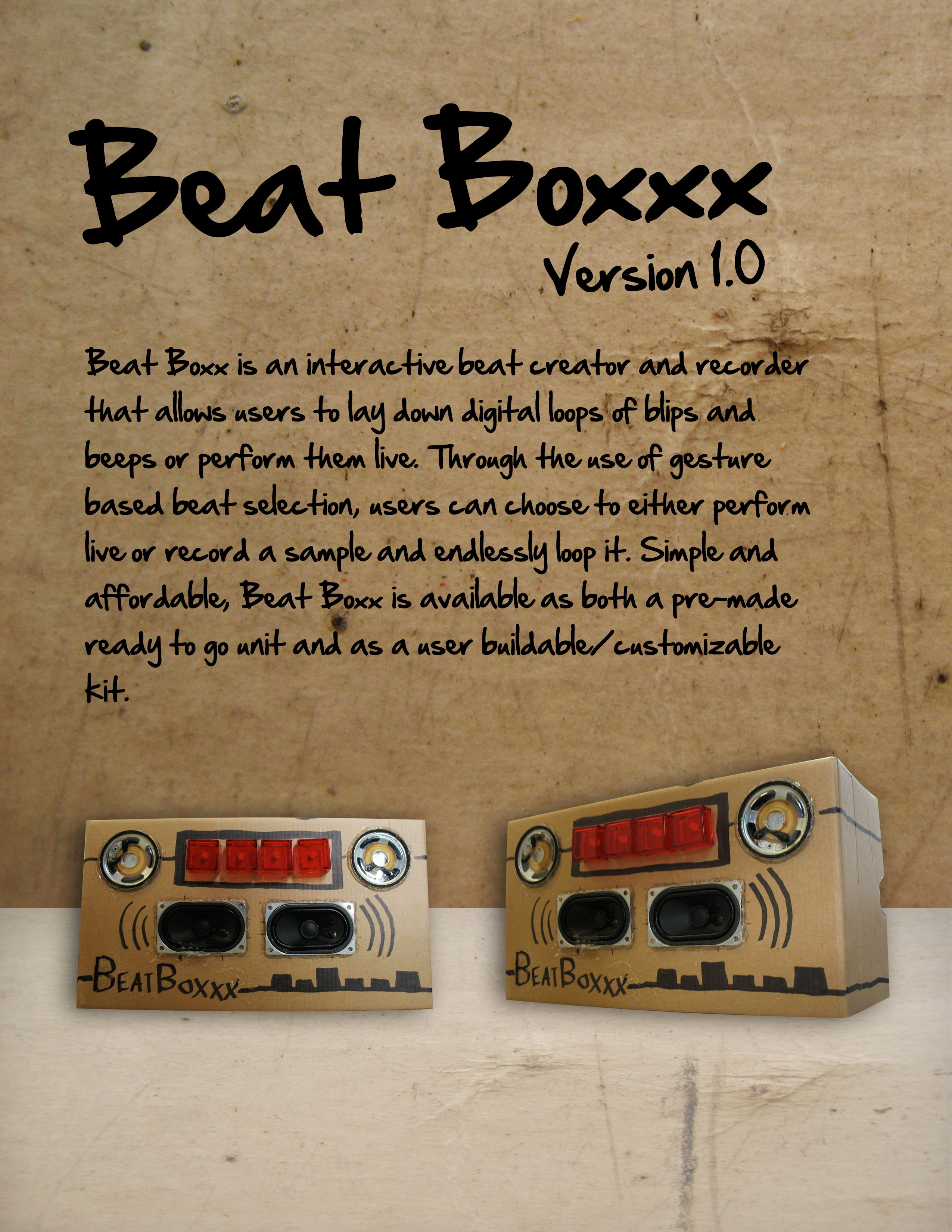
    SellSheet

    http://vimeo.com/moogaloop.swf?clip_id=4038918&server=vimeo.com&show_title=1&show_byline=1&show_portrait=0&color=&fullscreen=1
    Beat Boxxx! from Steve Varga on Vimeo.
    Download the Code!

     
  • Unknown's avatar

    Yury Gitman 2:46 pm on April 7, 2009 Permalink | Reply  

    :: My First Robot :: 

    My First Robot is a “book” for young children (ages 1 – 3), intended as an introduction to sensory input and output. Designer, Kirsten Halterman created this book to excite children about small electronics and robots. This book gives parents a platform to discuss depth, sound, and touch.

    MyFirstRobot

    :: My Video ::
    http://vimeo.com/4048110

     
  • Unknown's avatar

    Yury Gitman 2:28 pm on April 7, 2009 Permalink | Reply  


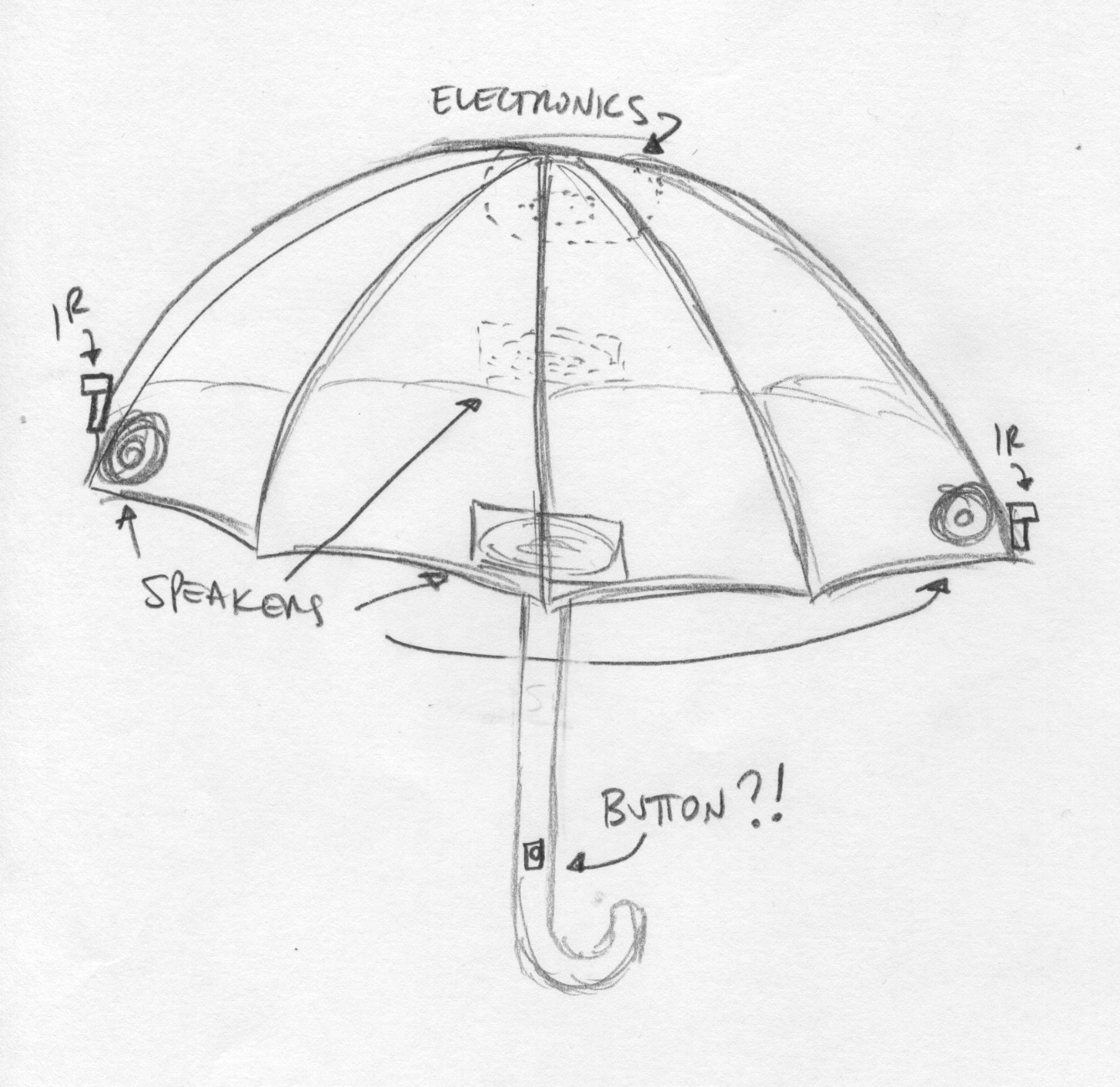
    Umbrella Project 

    The Umbrella Project Umbrella

     
  • Unknown's avatar

    Yury Gitman 2:22 pm on April 7, 2009 Permalink | Reply  

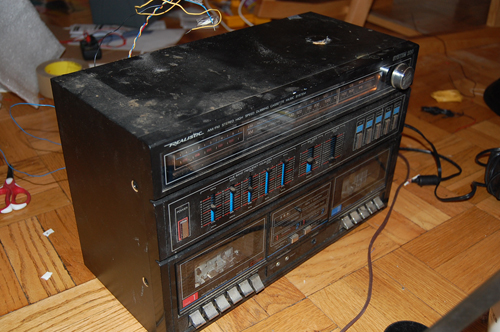
    Ira / Crunchy Beats 

    DesignSheet

     
  • Unknown's avatar

    Yury Gitman 2:15 pm on April 7, 2009 Permalink | Reply  

    Final Prototype – Diver 

    Final prototype – Diver is an instrument inspired by old Analog Sequencers and Theremins. It allows creating a four-note looped melody which can be manipulated in real-time with knobs that can assign upto 5 octaves for each note. Each knob lights up to indicate it’s position in the loop.

    The top of Diver houses a sensor which can be used to control the tempo of the loop in real-time. Use Diver in live performances or at home to produce awesome loops, melodies and special effects.

    Design Sheet

    http://vimeo.com/moogaloop.swf?clip_id=4039485&server=vimeo.com&show_title=0&show_byline=0&show_portrait=0&color=00adef&fullscreen=1

     
  • Unknown's avatar

    Yury Gitman 4:21 am on April 7, 2009 Permalink | Reply  

    Sales sheet 

    Sales Sheet

    User Testing

     
  • Unknown's avatar

    Yury Gitman 3:43 am on April 7, 2009 Permalink | Reply  

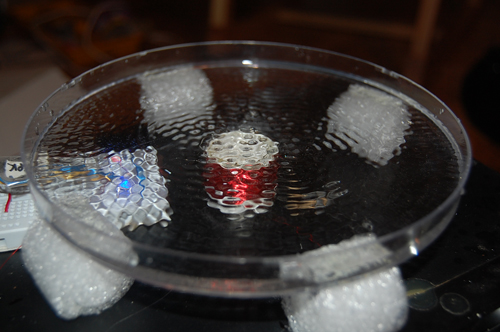
    Cymatic 3Form Waves 

    FinalCymaticWaterLightSoundWaves

    3from Waves is a merging of the 3 types of wave forms in a sound piece. The piece is inspired by the Theremin instrument – typically used in movies and some songs.  The 3 wave forms visualized here are
    light waves, sound waves and water waves. A speaker vibrates water in a clear dish according to sound frequencies controlled by a knob&equilizer. Light is projected from underneath so that you can visualize the sound on the ceiling at night or perhaps a revenge of the nerds party? The speaker woofer in this project uses a petri dish like surface that contains liquid. When a sound signal from the Arduino (through amp found in trash!) hits the electromagnetic wires underneath the dish, it causes vibrations (repulsion and attraction from a magnet) and repititave ripple patterns – "cymatics".  The piece is basically the same as any regular speaker without the metal basket, foam surrounds and liquid.  Pictures below.

    1. Light  waves which are electromagnetic radiation waves visible to the human eye.
    2. Water waves -  micro and macro – water drops, pools,  in sinks etc.
    3. Sound waves hitting our ear drums.

    Prototype that didnt work out too well, there wasn't enough juice in the Arduino signal to power things up.
    Prototype

    One man's trash is another man's geek project
    UsedSpeaker

    Hacking it
    HackingIt

    up and running -  Long live Cymatics
    Ripple1

    Ripple2

    basswet floorRipple3

    Lights off -  on the ceiling – looks better in person "Are you not entertained" — Maxiums Decimus Meridius
    Projection 

     
  • Unknown's avatar

    Yury Gitman 11:22 pm on April 6, 2009 Permalink | Reply  

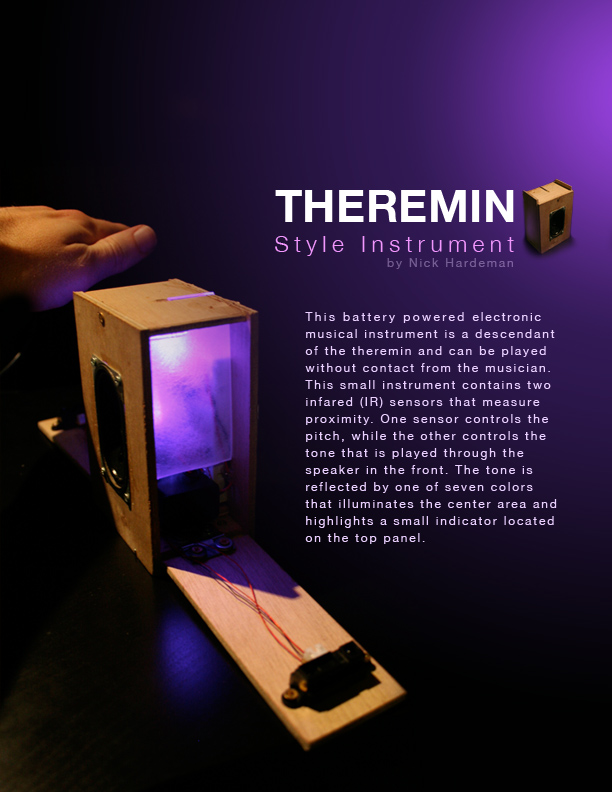
    Theremin Style Instrument 

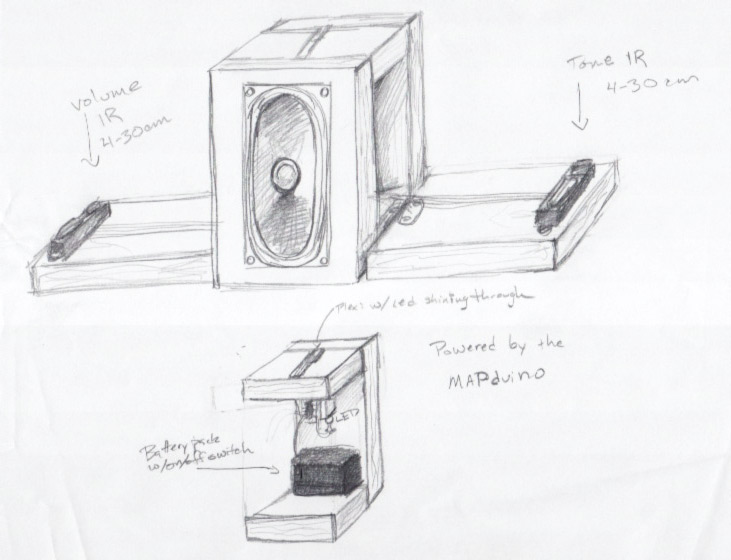
    This battery powered electronic musical instrument is a descendant of the theremin and can be played without contact from the musician. This small instrument contains two infared (IR) sensors that measure proximity. One sensor controls the pitch, while the other controls the tone that is played through the speaker in the front. The tone is reflected by one of seven colors that illuminates the center area and highlights a small indicator located on the top panel.

    OnePage

    http://vimeo.com/moogaloop.swf?clip_id=4036745&server=vimeo.com&show_title=1&show_byline=1&show_portrait=0&color=ff9933&fullscreen=1
    Theremin Style Instrument from Nick Hardeman on Vimeo.

     
  • Unknown's avatar

    Yury Gitman 1:37 am on April 4, 2009 Permalink | Reply  

    Serial.print 

    If your sound does not sound tight and clean. Try taking out the Serial functions. This includes the Serial.begin and Serial.print functions. The serial slows down the chip, so use it to get the readings out of your sensors and then turn off Serial when you want to test your sound. Hopefully this saves someone a headache, as it took me a few glasses of wine to figure out.

     
  • Unknown's avatar

    Yury Gitman 8:01 pm on April 3, 2009 Permalink | Reply  

    :(… 

    :: Interesting Article ::

    11-6-07-pleo
     
  • Unknown's avatar

    Yury Gitman 5:23 pm on April 3, 2009 Permalink | Reply  

    sweet links :: linearize IR sensor, drum waveshapes, R/2R dweeno DAC 

    Here is information on linearizing Sharp IR Rangefinder code:

    http://www.acroname.com/robotics/info/articles/irlinear/irlinear.html

    and tom igoe's implementation:

    http://www.tigoe.net/pcomp/code/category/arduinowiring/44

    ————–

    Sebastian Tomczak wrote the drum waveshaping code, and his blog post (as well as awesome drum machine) is here:

    http://little-scale.blogspot.com/2008/04/arduino-drum-machine.html

    ————–

    this is a tutorial and schematic on how to build a DAC (digital to analog converter) for the arduino. with this, you can output your sounds to an 1/8" (headphone) or 1/4" audio jack, with a simple circuit and lots of resistors. SO SICK.

    http://blog.makezine.com/archive/2008/05/makeit_protodac_shield_fo.html

     
  • Unknown's avatar

    Yury Gitman 5:12 pm on April 3, 2009 Permalink | Reply  

    Theremin prototype 1 

    This is the first implementation prototype of an instrument inspired by a theremin. The POT changes the frequency and the sensor adds another frequency to the mix. The idea is to create a theremin and an analog sequencer hybrid. I want to add 4 potentiometers to generate a looping melody and using the sensor to alter or add to it.

    Source

    http://vimeo.com/moogaloop.swf?clip_id=3993033&server=vimeo.com&show_title=0&show_byline=0&show_portrait=0&color=00adef&fullscreen=1

     
  • Unknown's avatar

    Yury Gitman 2:45 pm on April 3, 2009 Permalink | Reply  

    Theremin-Like Project – Kirsten 

    For this homework assignment, I played around with buttons, speakers, and sensors. I tried using the Max-Sonar sensor but I feel that I get more accurate results from the IR sensor. I have three buttons that each play a specific melody to their own speaker. The IR sensor detects the distance of the user and adjusts the speed of the melody accordingly. If the user is very close to the sensor, the melody is played very slowly. If there is nothing in front of the sensor, the melody is runs through rapidly.

    Board

    +*+*+*+*+*+*+*+*+*+*+*+*+*+*+*+*+*+*+*+*+*+*+*+*+*+*+*+*+*+*+*+*+*+*+*+*+*+*+*+*+*+*+*+*+*+*

    One of my ideas is to create a music box. I would place the board at the bottom of the box and run wires up to the speaker and sensor near the "ballerina." Depending on how close the user is to the sensor, the box will play different tunes.

    Box

    +*+*+*+*+*+*+*+*+*+*+*+*+*+*+*+*+*+*+*+*+*+*+*+*+*+*+*+*+*+*+*+*+*+*+*+*+*+*+*+*+*+*+*+*+*+*

    Another idea is to create a mini toy modeled after an "Ugly Doll." This toy would have a sensor in it's eye and play creepy tunes (like the Theremin) out of it's mouth. The sensor will detect the user's distance and adjust the speed of the music accordingly. The closer the user is to the toy, the slower (and more scary) the monster's sound will be.

    Monster

    +*+*+*+*+*+*+*+*+*+*+*+*+*+*+*+*+*+*+*+*+*+*+*+*+*+*+*+*+*+*+*+*+*+*+*+*+*+*+*+*+*+*+*+*+*+*

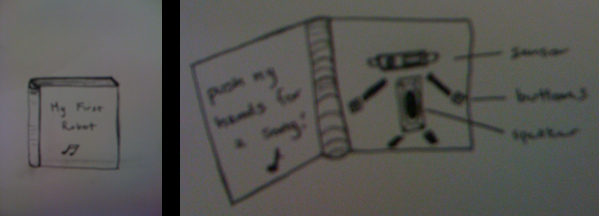
    My third idea is to create a book that shows the parts of a "mini robot." The robot's head will be the IR sensor, the body will be the speaker, the hands will be buttons that will play two different tunes, and the arms/legs will be ribbon or drawn on the book for decoration. The sensor will control the speed of the tunes – the closer you are to the robot the louder he'll be.

    Robot

    :: CODE ::

     
  • Unknown's avatar

    Yury Gitman 2:40 pm on April 3, 2009 Permalink | Reply  

    a stab at a theremin 

    Spike

     
  • Unknown's avatar

    Yury Gitman 1:53 pm on April 3, 2009 Permalink | Reply  

    Ira / Don’t Touch My Bread! 

    My project is a playful ready made experiment.
    I want to create a food Theremin. Different melodies and sounds
    will be activated by IR, Ultra and photo sensors in different foods.
    This is the first prototype, demonstrates the basic idea of the project.

    http://vimeo.com/moogaloop.swf?clip_id=3988233&server=vimeo.com&show_title=1&show_byline=1&show_portrait=0&color=&fullscreen=1
    Don’t touch my bread! from Ira Goldberg on Vimeo.

     
  • Unknown's avatar

    Yury Gitman 11:53 am on April 3, 2009 Permalink | Reply  

    Myriam-Theremin like project 

    IMPLEMENTATION

    For this project, I started building different codes (videos soon online).

    The first one, the scale controlled by the ultrasonic sensor is not precise enough. I need to figure out a way to change the average depending on time, so that it can be read every second for example.

    I then created 2 musics. One of them is the intro of "the man who sold the world" by David Bowie. 
    But I am not going to use a melody for my final project because I think the sound is annoying.
    And I prefer people to play around freely with my instrument.

    In the end, I made a code where the tone of the music changes with the sensor, and I really liked the sound of it. 

    http://vimeo.com/moogaloop.swf?clip_id=3990072&server=vimeo.com&show_title=1&show_byline=1&show_portrait=0&color=&fullscreen=1
    Test-tones from maryam aboukhater on Vimeo.

    LOOK + FEEL

    1.

    For the aspect of my project, I had three different ideas:

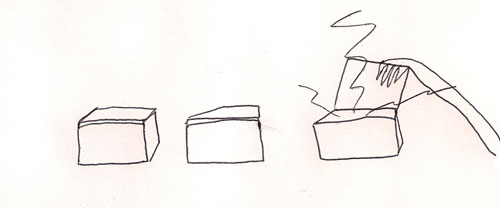
    One is playing with boxes and controlling rythm and notes with opening and closing them. I like the idea that the "clap" sound of the box closing can be part of the music as well.
    T3

    2.

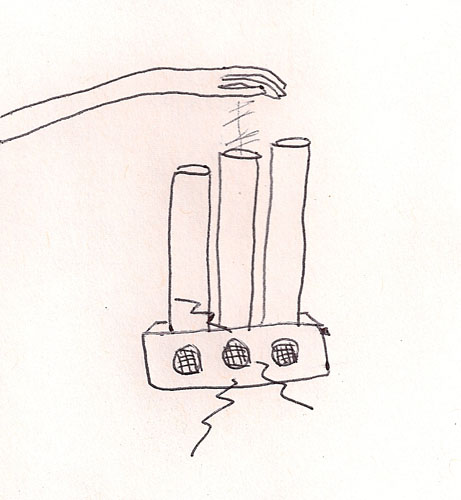
    The second one is a intrument made of tubes, reminding an orgue or a flute, and that has a holy spirit to it. It can illustrate the magic of playing music with your hand in the air.
    T2
    3.
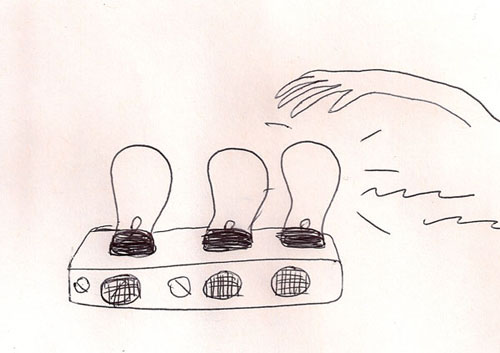
    The third one, and the one I want to make, is an "inside out" theremin. The idea is revealing the hidden mecanism of the original theremin, using light bulbs as a symbol.
    While you pass your hand over it, the light plays music and fades with it.
    It is a nice way to visualize the music you're playing as well.
    T1

     
  • Unknown's avatar

    Yury Gitman 4:44 am on April 3, 2009 Permalink | Reply  

    Drum Machine + Melodizer + Sound Spatialization 

    so, i realize that using these 8ohm speakers and an arduino, will not be yielding any types of award winning sound.  however, i am quite passionate about sound in general, so i want to focus on an aspect that is often overlooked: spatialization.

    i have devised to different ways to approach surrounding one's head with speakers.  the first is, of course, a hat.  here are some sketches i drew up.

    Surroundsoundhat
      

    the hat is nice because it is wearable. you don't need hands, you can walk around all day long enjoying some sweet sounds. oh, and of course there will be LEDs involved, you just don't see any there.

    Here is my other idea.
    Surroundsoundumbrella

    i really don't know which one i should do. so please, if you think one is effing dumb, then tell me. or if you think one is definitely better than the other, please say something. otherwise i will spend my weekend making both. and that would suck.

    anyway, the technology/implementation of both is the same, so i went ahead and prototyped that. I found a guy who i will post about later, who has developed a system for making rhythmic sounds. pretty sweet, i had to adapt it for this application, but here's one PHATTIE beat.

    http://vimeo.com/moogaloop.swf?clip_id=3983412&server=vimeo.com&show_title=1&show_byline=1&show_portrait=0&color=&fullscreen=1

    IR range control of lo-fi Arduino drum machine from j saavedra on Vimeo.

    and here is a beat with a harmonized melody playing along.

    http://vimeo.com/moogaloop.swf?clip_id=3984956&server=vimeo.com&show_title=1&show_byline=1&show_portrait=0&color=&fullscreen=1
    IR controlled drum machine + melody from j saavedra on Vimeo.

     —
    you'll notice what is being affected, currently is the speed of the track being played. i also want to affect the spatialization (having instruments move around from speaker to speaker, around the participant's head). also, volume would be interesting, having instruments fade in and out altogether based on how close you are to objects/walls in front of you or behind you.  just some ideas, we'll see what actually ends up materializing (probably none of it).

    current version of code is HERE

     
  • Unknown's avatar

    Yury Gitman 3:12 am on April 3, 2009 Permalink | Reply  

    Theremin IR Sensor Try 

    So. I have started the code for the theremin and it seems to be coming out ok. I am controlling the note that is being played via distance. But, the data is non-linear. poop. Ohwevs, when I hook up another sensor, my readings are all over the place. That one is to control volume, so basically it does not work. in the video, it only has the one sensor controlling the tones.

    Here is a prototype of the look and feel. To be constructed out of wood.

    Look_and_feel

    http://vimeo.com/moogaloop.swf?clip_id=3984243&server=vimeo.com&show_title=1&show_byline=1&show_portrait=0&color=ff9933&fullscreen=1
    Sound Control with IR Sensor and a dweens from Nick Hardeman on Vimeo.

     
    • Surveillance Solutions's avatar

      Surveillance Solutions 6:21 am on March 22, 2010 Permalink | Reply

      I’ve being researching about IR Devices and reading your blog, I found your post very helpful 🙂 . I thought I would leave my first comment. I don’t know what to say except that I have enjoyed reading.

c
Compose new post
j
Next post/Next comment
k
Previous post/Previous comment
r
Reply
e
Edit
o
Show/Hide comments
t
Go to top
l
Go to login
h
Show/Hide help
shift + esc
Cancel