 Evander Batson
 xinhe feng
 FluffyLeecy
 frankiezek
 gaboratparsons
 giang063
 gracegotlost
 lauriewaxman
 Siwen Li
 Xiaofeng Lin
 Yury Gitman
 mar28th
 Max(TONG WEN)
 Soohyun
 sabotai
 Susan Lin
visualizing temperature data part1
This is iteration / step 1. Get some data from a wireless sensor and write some simple program to visualize it. I started simple since I’m a little rusty with processing. I need to see if there are any XBee libraries for codeBlocks or OF, processing just isn’t going to cut it.
Anyhow, I started first by building up the look and creating a simple system for how incoming data would affect the chart. I got this setup before even touching my XBee’s, I simulated incoming data with a button press and spitting out a random temperature.
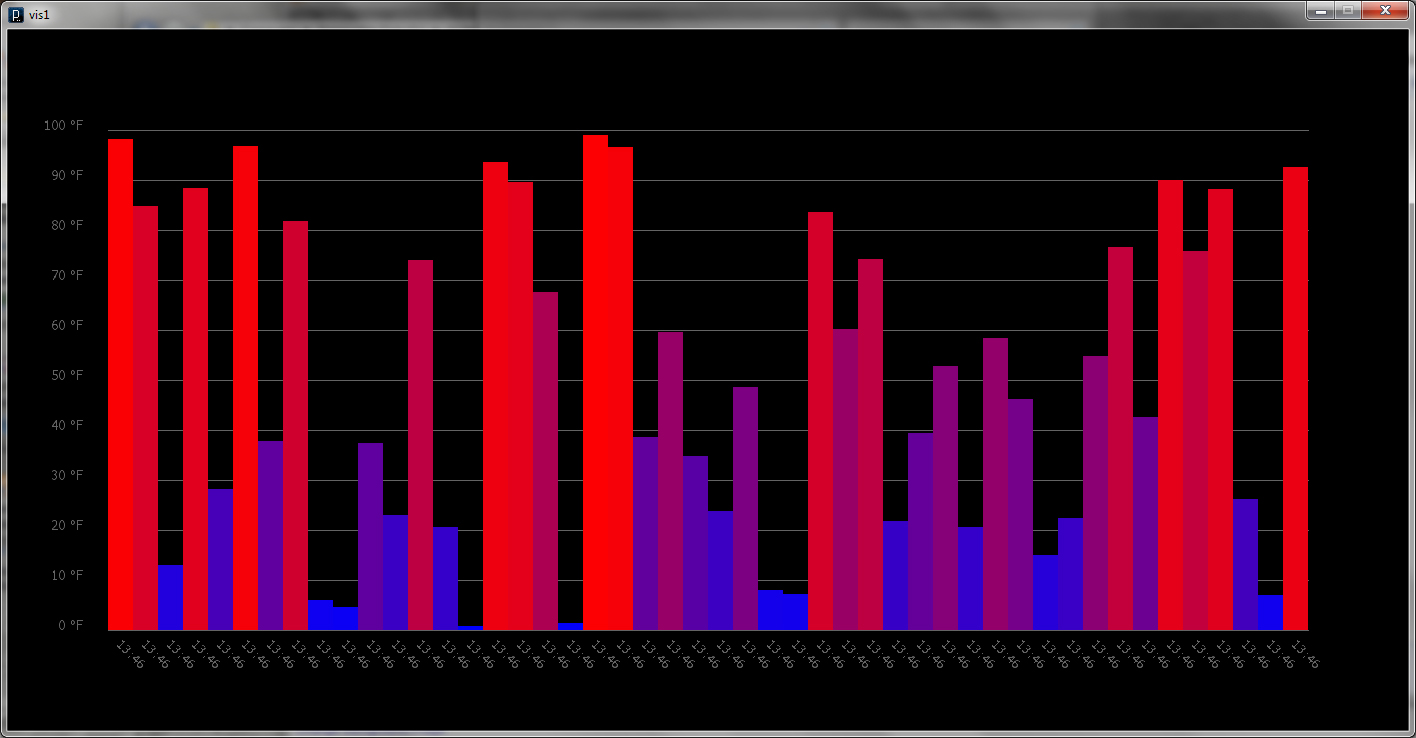
Once I was happy with the look and feel I worked on hacking it together with all the XBee Sensor Network code which was actually a lot less painful than I imagined it was going to be. I’m not quite sure how to put the XBee’s into sleep mode yet, so the longest interval I could sample at was once a minute.
I stuck the sensor and battery pack outside my window to track the temperature outside to test it out.


I scaled up the chart and let it run for two hours.

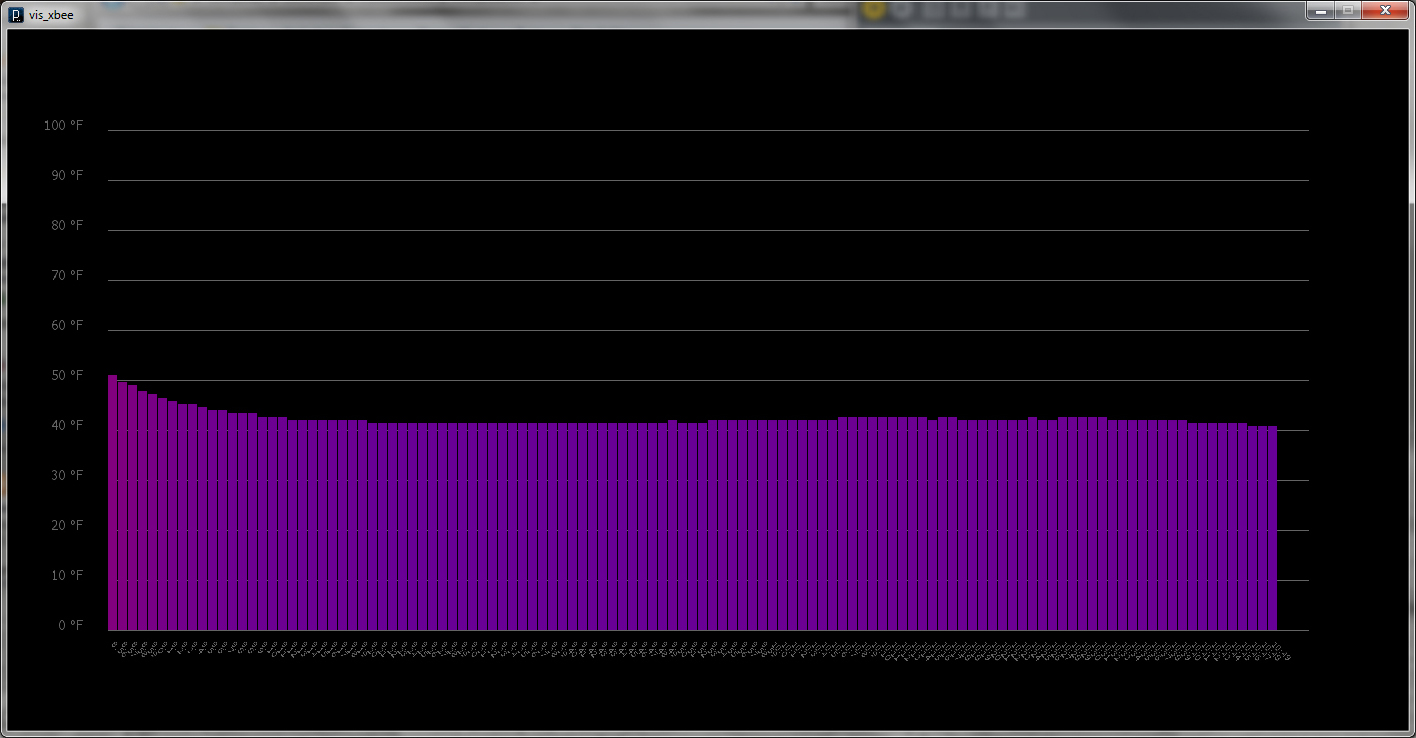
The initial warmer temps was residual heat from being inside. I checked my readings against what the internets were telling me was the current temperature and my little sensor proved to be pretty accurate.
Good stuff so far, next iteration I’ll make a more interesting visualization and pull in data from another sensor or two. I’ll also make the program slightly interactive with some rollover info or make it clickable.
import processing.serial.*;
import com.rapplogic.xbee.api.ApiId;
import com.rapplogic.xbee.api.PacketListener;
import com.rapplogic.xbee.api.XBee;
import com.rapplogic.xbee.api.XBeeResponse;
import com.rapplogic.xbee.api.zigbee.ZNetRxIoSampleResponse;

// *** REPLACE WITH THE SERIAL PORT (COM PORT) FOR YOUR LOCAL XBEE ***
String mySerialPort = "COM7";

String version = "1.03";

// create and initialize a new xbee object
XBee xbee = new XBee();

int error=0;

int NUM = 120;

float[] tempArray = new float[NUM];
int[] rectPosX = new int[NUM];
color[] rectColor = new color[NUM];
String[] time = new String[NUM];

int posX, posY;
float temp;
int count;

int rectWidth = 1200/NUM;

PFont font;

void setup() {
  size(1400,700);
  font = loadFont("Verdana-21.vlw");
  textFont(font,12);

  posX = 100;
  posY = 600;
  count = 0;

  noStroke();
  rectMode(CORNERS);

  // The log4j.properties file is required by the xbee api library, and
  // needs to be in your data folder. You can find this file in the xbee
  // api library you downloaded earlier
  PropertyConfigurator.configure(dataPath("")+"log4j.properties");
  // Print a list in case the selected one doesn't work out
  println("Available serial ports:");
  println(Serial.list());
  try {
    // opens your serial port defined above, at 9600 baud
    xbee.open(mySerialPort, 9600);
  }
  catch (XBeeException e) {
    println("** Error opening XBee port: " + e + " **");
    println("Is your XBee plugged in to your computer?");
    println("Did you set your COM port in the code near line 20?");
    error=1;
  }
}

void draw() {
  background(0);

  stroke(100);

  // This sets up my grid
  grid();

  // This brings in all the data
  sampleData();

  // This draw all the bars
  noStroke();
  if(count > 0) {
    for(int i=0; i<count; i++) {
      fill(rectColor[i]);
      rect(rectPosX[i],posY, rectPosX[i] + rectWidth - 1, posY - tempArray[i]);
      textAlign(LEFT);
      textSize(8);
      fill(100);
      pushMatrix();
      translate(rectPosX[i] + rectWidth/3, posY + 15);
      rotate(HALF_PI/2);
      text(time[i], 0, 0);
      popMatrix();
    }
  }
}

void sampleData() {
  if (error == 1) {
    fill(0);
    text("** Error opening XBee port: **\n"+
      "Is your XBee plugged in to your computer?\n" +
      "Did you set your COM port in the code near line 20?", width/3, height/2);
  }
  SensorData data = new SensorData(); // create a data object
  data = getData(); // put data into the data object
  //data = getSimulatedData(); // uncomment this to use random data for testing

  // check that actual data came in:
  if (data.value >=0 && data.address != null) {
    // process the data value into a Celsius temperature reading for
    // LM335 with a 1/3 voltage divider
    //   (value as a ratio of 1023 times max ADC voltage times
    //    3 (voltage divider value) divided by 10mV per degree
    //    minus zero Celsius in Kevin)
    float temperatureCelsius = (data.value/1023.0*1.2*3.0*100)-273.15;
    println(" temp: " + round(temperatureCelsius) + "˚C");

    temp = map(temperatureCelsius,-17.7777778,37.7777778,0,500);
    float r = map(temp,0,500,0,255);
    float b = map(temp,0,500,255,0);
    color tempColor = color(r,0,b);

    if(count < NUM) {
      posX = 100 + rectWidth*count;
      tempArray[count] = temp;
      rectPosX[count] = posX;
      rectColor[count] = tempColor;
      time[count] = hour()+":"+minute();
      count += 1;
    }

    else {
      count = NUM;
      posX = rectPosX[NUM-1];
      for(int i=0; i<NUM-1; i++) {
        tempArray[i] = tempArray[i+1];
        rectPosX[i] = rectPosX[i+1];
        rectColor[i] = rectColor[i+1];
        time[i] = time[i+1];
      }
      tempArray[NUM-1] = temp;
      rectPosX[NUM-1] = posX;
      rectColor[NUM-1] = tempColor;
      time[NUM-1] = hour()+":"+minute();
    }
  }
}

void grid() {
  for(int i=0; i<=10; i++) {
    line(100,100+50*i, 1300,100+50*i);
    fill(100);
    textAlign(RIGHT);
    textSize(12);
    text(100-10*i + " °F", 75,100+50*i);
  }
}

// defines the data object
class SensorData {
  int value;
  String address;
}

// queries the XBee for incoming I/O data frames
// and parses them into a data object
SensorData getData() {

  SensorData data = new SensorData();
  int value = -1;      // returns an impossible value if there's an error
  String address = ""; // returns a null value if there's an error

  try {
    // we wait here until a packet is received.
    XBeeResponse response = xbee.getResponse();
    // uncomment next line for additional debugging information
    //println("Received response " + response.toString());

    // check that this frame is a valid I/O sample, then parse it as such
    if (response.getApiId() == ApiId.ZNET_IO_SAMPLE_RESPONSE
      && !response.isError()) {
      ZNetRxIoSampleResponse ioSample =
        (ZNetRxIoSampleResponse)(XBeeResponse) response;

      // get the sender's 64-bit address
      int[] addressArray = ioSample.getRemoteAddress64().getAddress();
      // parse the address int array into a formatted string
      String[] hexAddress = new String[addressArray.length];
      for (int i=0; i<addressArray.length;i++) {
        // format each address byte with leading zeros:
        hexAddress[i] = String.format("%02x", addressArray[i]);
      }

      // join the array together with colons for readability:
      String senderAddress = join(hexAddress, ":");
      print("Sender address: " + senderAddress);
      data.address = senderAddress;
      // get the value of the first input pin
      value = ioSample.getAnalog0();
      print(" analog value: " + value );
      data.value = value;
    }
    else if (!response.isError()) {
      println("Got error in data frame");
    }
    else {
      println("Got non-i/o data frame");
    }
  }
  catch (XBeeException e) {
    println("Error receiving response: " + e);
  }
  return data; // sends the data back to the calling function
}
 Making Toys
Reply