Updates from October, 2011 Toggle Comment Threads | Keyboard Shortcuts

  • Unknown's avatar

    firmread 4:24 pm on October 28, 2011 Permalink | Reply  

    Boo!!! I’m not a pumpkin! 

    midterm project of : Firm Tharit Tothong
    project name : Boo!!! I’m not a pumpkin!

    This pumpkin take a character like a ghost in Mario game. (this guy )

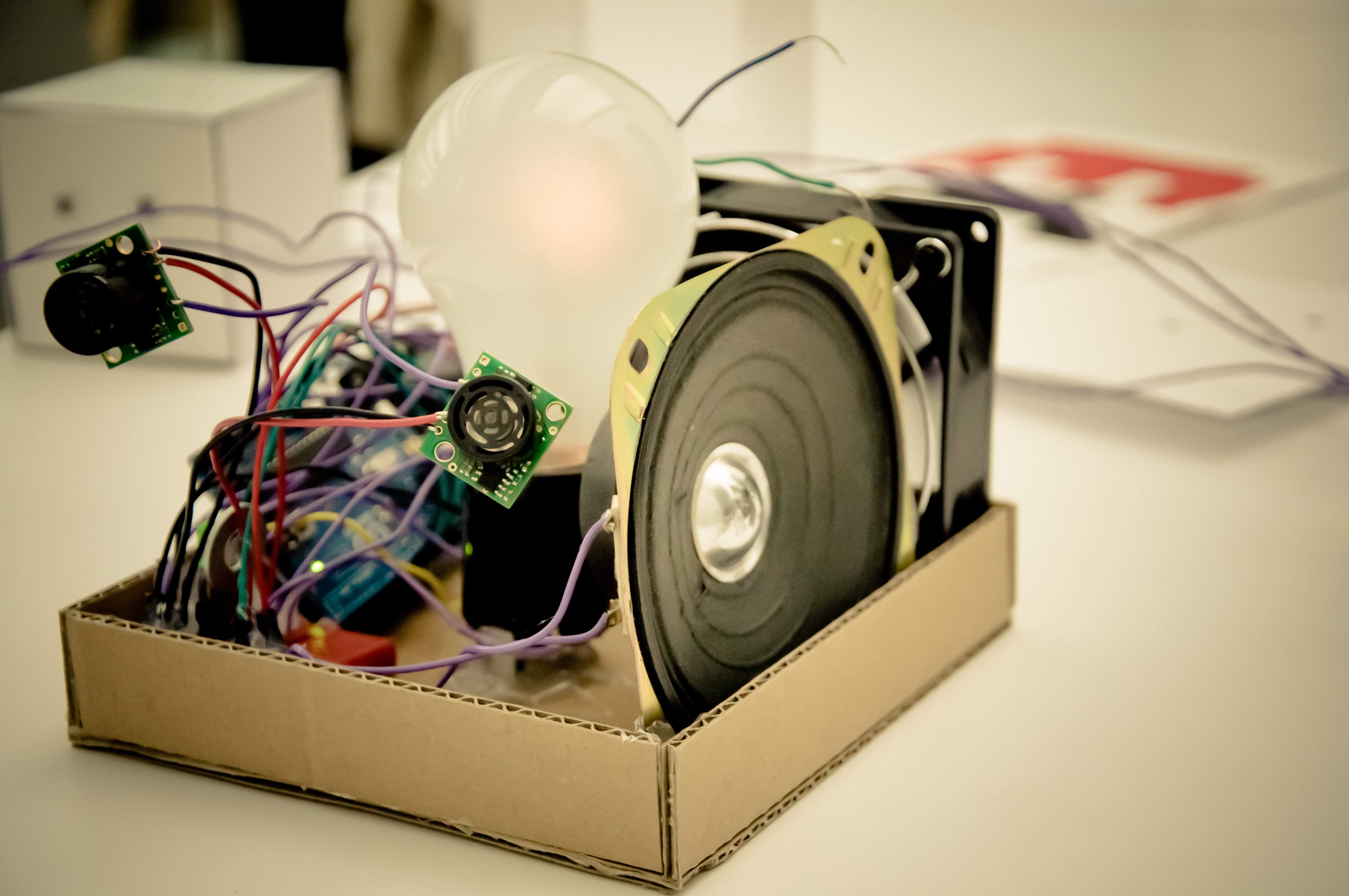
    Basically, the idea is the pumpkin going to do something when you’re not there.
    Initial ideas now are to use proximity sensor to detect people and it hide itself if there is someone there, while it casually lit up when nobody nearby.
    Also, it make some sound this sound is refer to Ghost house theme in Mario game and the beat is an analogy of the heartbeat of Boo. So when no body is closed to it, the beat goes slow because it’s relax. And goes more upbeat if there is someone nearby.

    documentation video

     #include "pitches.h"
     int speaker = 5;
     int bulb = 6;
     int lightPin1 = 3;
     int lightPin2 = 4;
     int brightness = 0;
     int fadeAmount = 5;</code>
    
    // notes in the melody:
     int melody[] = {
     NOTE_B3, NOTE_CS4, NOTE_A3, NOTE_C4, NOTE_B3 ,NOTE_CS4, NOTE_A3, NOTE_C4};
    
    // note durations: 4 = quarter note, 8 = eighth note, etc.:
     int noteDurations[] = {
     4, 4, 4, 4,4,4,4,4 };
    
    void setup() {
     pinMode(speaker, OUTPUT);
     pinMode(bulb, OUTPUT);
     }
    
    void loop() {
     note();
     fade();
     }
    
    void note(){
     for (int thisNote = 0; thisNote < 8; thisNote++) {
    
    // modulate music speed through proximity sensor
     int tempo = map (analogRead(0),10,400,300,4000);
     int noteDuration = tempo/noteDurations[thisNote];
     tone(speaker, melody[thisNote],noteDuration);
     int pauseBetweenNotes = noteDuration * 1.30;
     delay(pauseBetweenNotes);
     // stop the tone playing:
     noTone(speaker);
     }
     }
    
    void fade(){
     int brightness = map (analogRead(1),10,250,10,255);
     analogWrite(bulb, brightness);
     }


  • Unknown's avatar

    danSelden 4:23 pm on October 28, 2011 Permalink | Reply  

    pumpkinROBOT 

    The concept was actually derived from the likes of the Google Chrome icon… a metal sphere with an “eye” in the center. The pumpkinRobot won’t do anything super amazing and at first glance will seem to only have an eye with a pulsating internal light.  However, upon its detection of someone’s physical presence, it’s light will immediately turn flashing red as panels emerge from it’s sides with flashing LEDs.  After some time the panels will recede back into the form of the pumpkin and the internal light will return to its normal state.

    2-3 Sentences about the most challenging and most interesting aspects of the project:
    This has been difficult to build… and while I have built out the circuits for my RGB LEDs (the pulsating interior) and the panel LEDs… the other mechanics have been difficult. I’ve been testing with a button switch but plan on changing the trigger to a sensor once everything works.

    The panel mechanism has been extremely challenging. At first I decided I would need servo motors to push and pull the panels into place… after talking with peers I decided a linear actuator (piston like screw pump) or a solenoid pump would be better since they operate in a single direction and would be easier to integrate into the pumpkin innards. Unfortuantely linear actuators start around $100 and the solenoid pump I picked up is too small to really do what I need it to. Thus, I am back to servo motors… and continuous ones at that, so I need to figure out how to map the range I need and find a way to engineer the push/pull mechanism. (YIKES).

    The only other trouble I ran into was with the RGB light cycle.  While the cycle works fine… breaking out of it mid-cycle to switch into a flashing red display has been difficult and I’m still troubleshooting. Even by including break statements within the cycle code, I was only able to interfere at certain points but would not be able to kill the actual loop.  I hope to resolve this soon or I’ll just include a different mechanism.

     
  • Unknown's avatar

    mrcansler 4:22 pm on October 28, 2011 Permalink | Reply  

    Pumpkinstein, eater of pumpkins (Noa and Aaron) 

    Pumpkinstein is a life loving pumpkin that loves to eat and receive a lot of attention.  Pumpkinstein makes happy sounds when you rub his ears, which are connected to pots and speakers.  If you walk away, this is detected by a maxsonar sensor and his eyes turn red and angry, but if you are close, they are peaceful and blue.  If you feed him candy, it interrupts a led/photo resistor circuit and his eyes blink in happiness.

    The challenges so far have been figuring out the timing on potentiometers and speakers that make up the pumpkins ears.  It’s been complicated making them both only react when touched, and not just running all the time.  The other tricky part has been taking the simpler code from all separate sensors and combining them all together to play nice.

     
  • Unknown's avatar

    hirumi 4:22 pm on October 28, 2011 Permalink | Reply  

    Harry Potter Pumpkin 

    1. Ze Harry Potter Pumpkin

    2. This magical pumpkin lights up and shoots spells based on how close a person is to the pumpkin. The eyes and wand of the pumpkin are LEDs and a sound recorder plays back 3 different spells.

    3. I was having a lot of issues with the PIR sensor, so I switched to the miniphoto cell. This actually ended up being a good thing, because I can assign different values based on distance instead of just one with the PIR. The RGB LEDs make it more playful and integrates emotionality to the pumpkin; the closer you get to it, the more aggressive the spells get.

    I haven’t had success with the sound recorder just yet. I’m missing the JST female connector, but with the new soddering skills we’re picking up today, I should be able to work around it. There’s also something funky going on with the wand part. It lights up, but its super dim.

     
  • Unknown's avatar

    mónica arias. 4:22 pm on October 28, 2011 Permalink | Reply  

    the mac-o-lantern. 

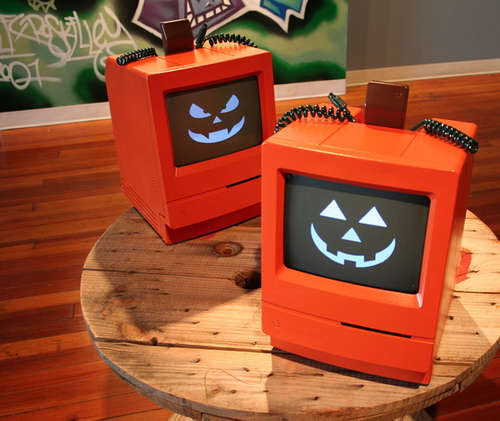
    The mac-o-lantern thinks it has a little core duo heart <3. Hence, it acts just like a computer. It doesn’t have a button to turn it on, so you just need to give it a little shake, and a white light will turn on (simulating an apple computer when it turns on). Then it has a little mouse. When you move it around, it will find the spot and connect to the internet. Then, you need to click the button on the mouse, and it will download the Halloween software. When it finishes downloading… THEN the pumpkin will light on, and it will be ready to light up the night. After it’s on, when people walk in front of it, it flickers its eyes, trying to lure them with its affordance… just like a real apple computer would do.

    This was my inspiration:

    rough sketch of the mac-o-lantern.

    I really wanted to add sound to the project, but all the instructions for the Twig Sound Recorder were so confusing. I thought sound would really add up to the concept (with the sounds of turning on, connecting to the internet, finishing downloading the software), so it was difficult bringing it down to just lights. The code in general was also a bit tricky, since there’s a lot of if’s and a lot of led’s. HOWEVER, the tricky/difficult parts are also the most interesting ones! But the best part overall was coming up with a concept that both makes sense, and makes me happy.

     
  • Unknown's avatar

    Jun Sik (Jason) Kim 4:21 pm on October 28, 2011 Permalink | Reply  

    Stupid Pumpkin 

    1) Project title: Stupid Pumpkin

    2) 2-3 Sentences explaining concept.

    My project is entitled Stupid Pumpkin because it is a pumpkin that people want to hit. It uses numerous LEDs using a shift register and uses blink, fade, multicolored, etc. to show its stupidness. It also has a motor that also turns according to the direction the pumpkin is hit to represent the pumpkin “seeing stars” after he gets hit. I’ve also used LEDs to show the pumpkin crying after he is it. Potentiometers are used so that people can change the pumpkin’s eye color.

    3) 2-3 Sentences on most challenging and most interesting parts of your experimentations.

    It was the first time I was using a shift register and a servo motor. I knew I wanted to use a lot of LEDs but my Arduino could only support so many output pins therefore I used the shift register to connect 8 LEDs to represent the mouth. Understanding the concept of the shift register was quite challenging. Another challenging part was working with the servo motor’s angles. I wanted to control the amount and the angle the servo motor turns and I had to work with a code that detected which numbers represented the turning of the servo motor. What is fun about my project is the servo motor turning according to which side the pumpkin is hit and that the pumpkin cries and makes a sad smiley face when it is it.

     
  • Unknown's avatar

    Fred Andrade 4:20 pm on October 28, 2011 Permalink | Reply  

    Haloweeeeeeeeee 

    Hi there 🙂

    My pumpkin will henceforth be known as

    Kitteh

    The concept is to explore the reactions of animals to recreate life in my pumpkin. I hope to make it blink naturally and breath steadily during its relaxed state, and make its eyes and breath very irregular when it’s startled.

    The most challenging aspect so far was to unify all four sketches into a single one. The most interesting has been to learn about randomizing numbers and how that works. I used randomizing for the blinking and the breath.

    ~Freddie

     
  • Unknown's avatar

    Fred Andrade 6:05 pm on October 26, 2011 Permalink | Reply  

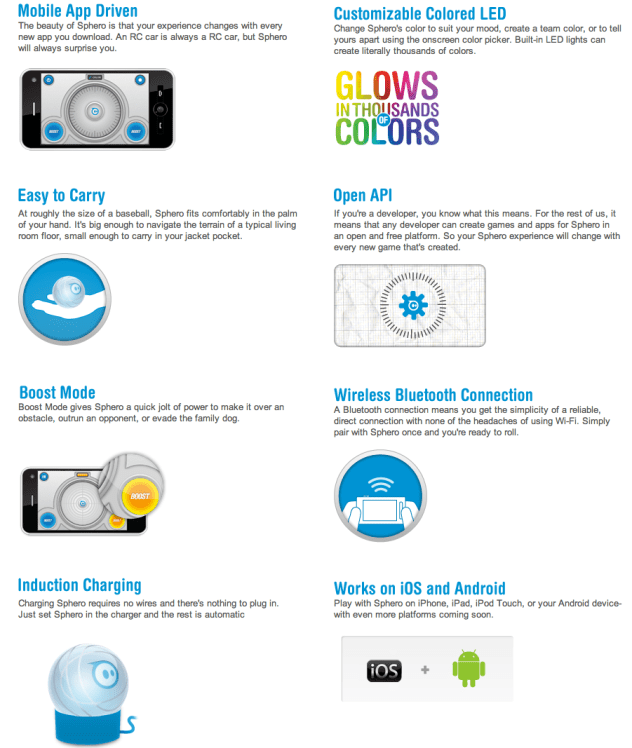
    Fun toy worth looking at 


    http://www.gosphero.com

     
  • Unknown's avatar

    firmread 7:30 am on October 23, 2011 Permalink | Reply  

    This and that on carving pumpkin 

    I’ve never done this before so I did a little bit research,,,

    How to Carve a Pumpkin for Halloween
    (series of how to video)

    How to Make Jack-O-Lanterns Last Longer
    (short tip article)

    Just wanna share, so you know 🙂

     
  • Unknown's avatar

    danSelden 8:35 am on October 20, 2011 Permalink | Reply  

    R2D2 Pumpkin!!!! Amazing 

    Had to post this… came across it on youtube while researching sound recording things…

     
    • rachel's avatar

      rachel 4:50 am on October 21, 2011 Permalink | Reply

      okay that makes america’s obsession with halloween 100x cooler!!!!!!

  • Unknown's avatar

    Jun Sik (Jason) Kim 11:08 pm on October 7, 2011 Permalink | Reply  

    Pulse Sensor Group 

    Jun Sik (Jason) Kim

    Rachel Law

    Freddie Andrade

    Amanda Wong

    http://www.pulsesensor.com is the official site for the Pulse Sensor.

    From there, we are going to read:

    1. The startup of the Pulse Sensor on google docs.

    2. Schematics & guidelines to the Pulse Sensor.

    3. And ofcourse the code.

    There are also information regarding the open hardware here.

    It’s going to be real fun learning about the Pulse Sensor!

    This is the video we are going to look at while studying the Pulse Sensor.

    http://www.kickstarter.com/projects/1342192419/pulse-sensor-an-open-source-heart-rate-sensor-that

    Thanks!


  • Unknown's avatar

    hirumi 6:33 pm on October 7, 2011 Permalink | Reply  

    LoL Shield 

    TEAM:
    Josef
    Monica
    Maya
    Hirumi

    Reading list
    Book:

    Web:
    http://www.sparkfun.com/products/9795
    http://jimmieprodgers.com/kits/lolshield/makelolshield/
    http://jimmieprodgers.com/kits/lolshield/programlolshield/
    http://code.google.com/p/lolshield/

    Datasheet:

    2 examples for class( include photos of circuit)

    with – twitter to text
    without arduino – frame by frame animation)

    lol shield theater: http://falldeaf.com/2011/02/the-lol-shield-theatre/


  • Unknown's avatar

    hirumi 3:46 pm on October 7, 2011 Permalink | Reply  

    maker faire-ish 

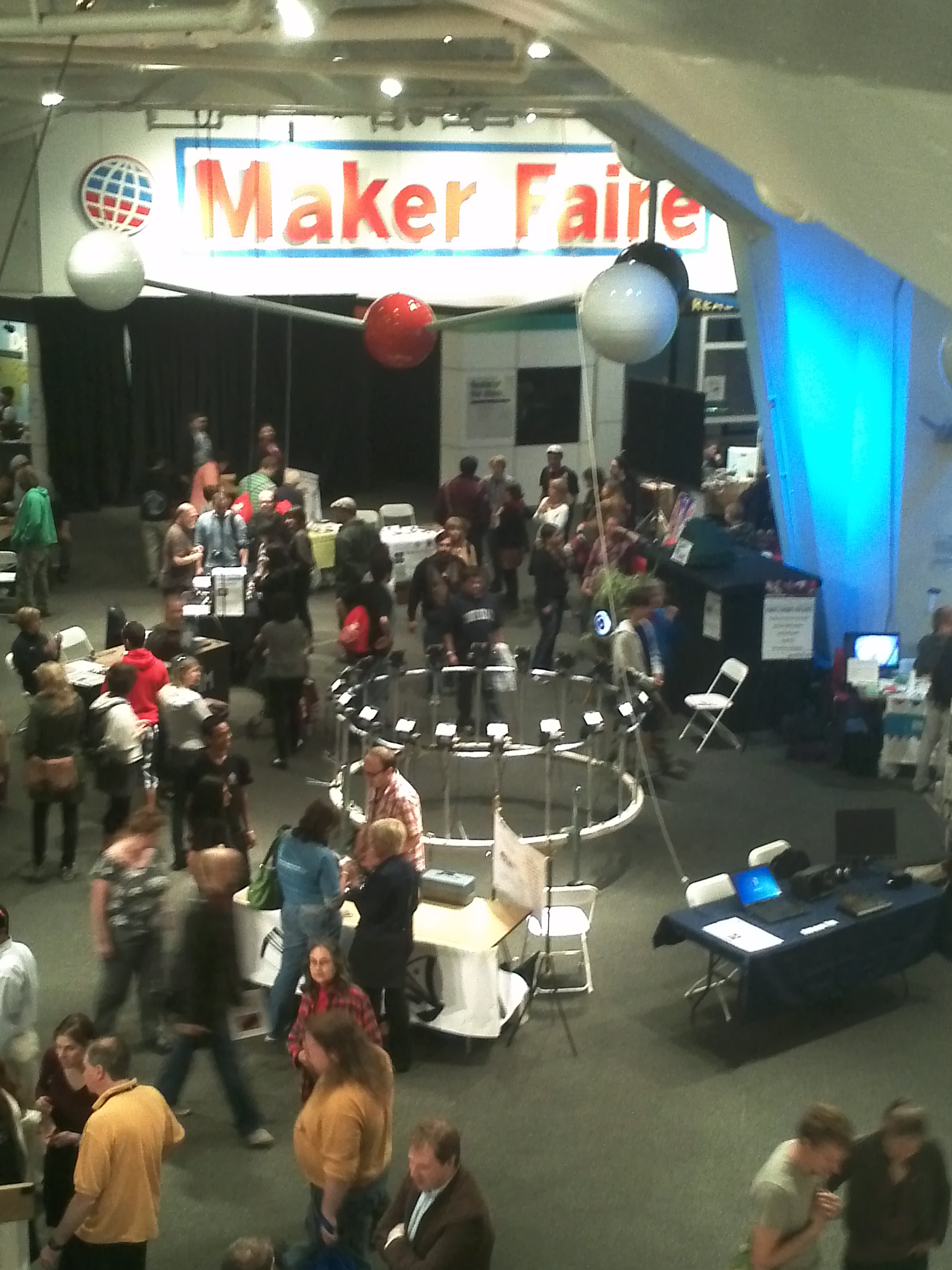
    I was out of town the week of maker faire, but the festival I was working at had some cool stuff.

    This is chroma. It’s an “interactive ecosystem” that responds to human disturbance.

    The team used arduinos to control phillips bulbs. They were realllly pretty and responded to touch. It felt like being in a room with a bunch of floating jellyfish.

    This isn’t very pcompy, but I thought was interesting. I heard the mind behind Bjork’s Biophilia music app album speak. They released a series of apps for each song on the album. Each app is a different way to experience the song. My favorite was virus–in order to hear the song in its entirety, you have to let the cell die.

     
  • Unknown's avatar

    mónica arias. 7:43 pm on September 30, 2011 Permalink | Reply  

    maker faire extravaganza. 

    Sashimi Tabernacle Choir
    by Richard Carter and John Schroeter (+30 volunteers).

    “What can be more annoying than an animated singing fish? Try 250 of them bolted to a Volvo and singing Opera”. It features 2 soloists, a conductor (The Lobster Formerly Known as Larry), and 6 different choral groups, performing everything from Opera to Pop to Punk Rock. The car has over 300 pounds of batteries, a computer, 31 custom circuit boards, and 5 miles of control system wire. They took something awful, and amplified it. At the end, even though a little annoying, it was a very entertaining show for everyone at the faire, and could not be ignored even if you wanted it. Talk about impact!

    Blu – Education and Hobby Robotics Kit
    by Photon Robotics.

    Blu is a series of programmable robotics system for education, hobby, and research use. It features an Arduino controller, and they’re easy to program. The ones in the small exhibition included 3 models: the Sensing Touch used a simple touch sensor to detect walls and obstacles, triggering the (car like) robot to turn around. Sensing Light uses a pair photocells to tell Blu to turn right or left. Sensing Distance was a bit more complicated, having a rangefinder and a servo gripper. The cool thing about these is they are targeted mostly for kids. Meaning they’re that simple to assemble, and it really gives them a sense of what electronics are, directing them into the geek field.

    Notify Me Now
    by Andrew Katz.

    It’s basically a monitoring system for your house/room. It’s an open source sensor used to notify the computer user of the current status of the sensor. Like the creator said “like when you don’t want your little brother in your room, and you want to know when his there, the sensor will tell you”. He’s 12… 12 years-old!!!! I loved this kid. According to his chart, he already programs using C++, Java, Processing, and Arduino. Hell, he’s even taken classes at MIT. Cute and innocent, the project prototype was well built and fully functional. This is the kind of things that inspire me to make art and design more accesible to kids, because this is evidence of what it can result in.

     
  • Unknown's avatar

    aisencc 6:34 pm on September 30, 2011 Permalink | Reply  

    Hello [pcomp]!! 

    Background?

    Aisen Caro Chacin is a regenerating composition of cells that collaborate to form an independent unit, despite of this precarious human condition. Together they compose a she, a Venezuelan, a Spaniard, an American, and an animal, whose patterns of migration are not based on seasons, but rather chance, chaos, and opportunity. Her curiosity drove her to a career in the Arts, a true trans-disciplinary practice that allows her to dabble between fields and still remain in a coherent path. Her intent has been to question the function and essence of art in order to explore dislocated, un-plotted, un-assigned ideas and social situations. She is also a bucket of ideas open to merge and exchange with other buckets

    to create

    coop erative

    k

    r

    Why [pcomp]? E± L± E±C ±T+ R+ I±C ± I ± T ±Y !!!

    Circuitry has become a fascination to me and Forrest Mims III a great influence on my latest work. Circuits and microcontrollers are the main reason why I am in MFA DT. After this class I hope to grasp on the Arduino API, and hope to program other chips in place of the prototyping boards.

    Make STUFF :

    move/ respond/ record/ sound/ light-up/ charge/ absorb/ change/ etc µ

    Toys?
    I had this awesome Chem Kit with a Microscope:
    null

    and this awesome GAMEBOY:

     
  • Unknown's avatar

    aisencc 6:33 pm on September 30, 2011 Permalink | Reply  

    Maker Faire! 

    Only the coolest faire ever!

    I came out of Maker Faire wired with excitement, inspired to the gills, and ready to make – make – make! I felt at home, I thought I was born in just the right time to experience the fruition of this culture. The culture of the makers and the breakers, where art and science are one, where a science museum shows off the vitality that it attempts to explain. The museum oozed with imagination, everyone was happy to be there together, participating in a huge show and tell. I was inspired to culminating some ideas that have been brewing in my brain for a while, like the sound sculpture albums, and the rain room, and the photo-sound performance wall. In a way I wished I had my own project there, but I am glad I had free reign to explore and find all the knickkancks, experiments, and projects. I loved so much of it, it was hard to pick just 3 to talk about. So to do the rest of the projects justice, I will post pictures of the rest.

    Interfaces:

    1) Swinging in the Rain

    The most amazing, beautiful, poetic piece in Maker Faire NY 2011. This swing set had a curtain of rain that would switch off as the swing would pass directly under the curtain. This work reminds me of a piece I’ve been wanting to make for a while now, a rain room that partitions the rain as you walk through. As far as interfaces, this is the most successful blissful work. Though I dared not to try it, since I saw a few girls get wet. I think the switches were not always working properly. Regardless of the switches, if it wasn’t for the cold or the line, I would have loved to swing by.

    2) Imaging Scope

    This piece created by Luis Violante is also endearing to me, since I have an utter fascination with microscopes. I’ve had one since I was a kid. In the Imagine Scope, Violante used a mini projector to play movies through the microscope viewfinders. The slides each had a magnetic chip that one could scan by placing it under the lens. Then depending on the slide you picked a movie would play. This interface is successful in many ways. Conceptually, it is taking the situation of watching films and redirecting it to a different point of view, perspective. It invites us to analyze these short films as carefully as biological specimens in a petri dish. Also I find the use of the mini projector a very clever way of displaying affection to the miniature world. This piece is just fantastic, the video selection was wonderful. I had the delight to see a compilation of  images collected from one of the earliest space explorers.

    Ò Ò

     ArcAttack-

    This Austin band is so cool. They use 4 huge  tesla coils to amplify their sound. I had seen a video of their performance before, and luckily got the opportunity to dee them live at maker faire. The only disappointing aspect, was that instead of having a band member in chain maille and armor conducting the band between the 2 coils, they had a metal cage. Members of the audience were invited to hang out in the electrocuted cage for the duration of a song- and honestly  this was boring. It made a spectacle of a perfectly awesome band.

     
  • Unknown's avatar

    hirumi 5:50 pm on September 30, 2011 Permalink | Reply  

    hello! 

    Sorry for the delay, just got my WP set up…

    Hi! I’m Hirumi. I studied Biology/Neurobiology as an undergrad and worked for a few years in Student Affairs in Higher Ed before pursing an MFA in DT.
    I’m exploring plant geekery for my thesis. Must learn pcomp so I can use those righteous sensors.

    My fave: The Toy Cash Register.

    I’m pretty sure I played with this bad boy right up until teen-hood. Clicky buttons. Magic numbers. Ringy sounds. What’s not to love? Oh haiii pcomp. Lets do this.

     
  • Unknown's avatar

    Aneta Genova 2:39 pm on September 23, 2011 Permalink | Reply
    Tags: ,   

    3 Things I loved at Maker Faire – Aneta Genova 

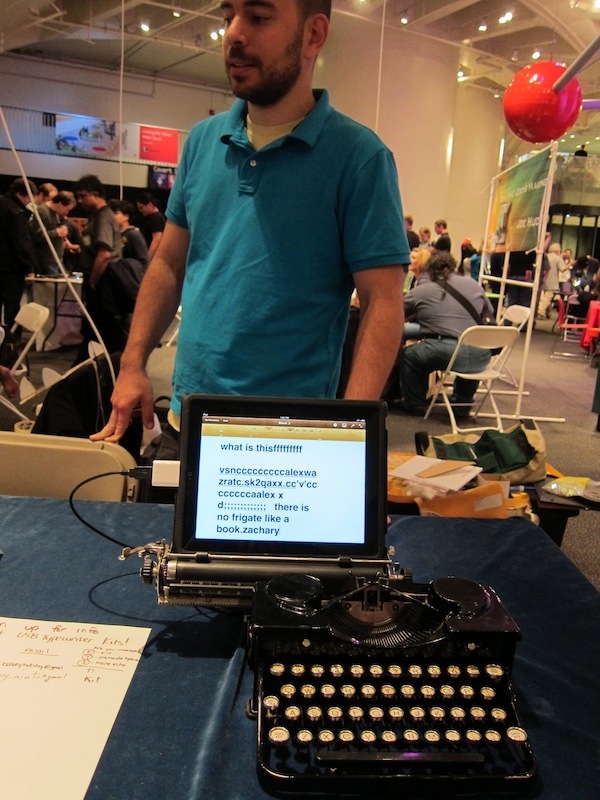
    The first thing that caught my eyes was the USB typewriter from Jack Zylkin. I provokes a nostalgic feeling for the disappearing typewriter and the art of typing, knowing that you can’t just delete and rewrite a whole sentence or rearrange the whole paragraph. I am also attracted to the overall design aesthetic of the old fashioned keyboards juxtaposed to the modern sleek look of the iPad or iMac. It’s not very portable, but it makes for an amazing display piece.

    The second project or actually product that I was specifically looking forward to see was the Conductive Ink form Bare Conductive. I am super excited about working with and creating products with soft circuits, so this was top priority for me. The inks are created by the team at Bare Conductive: Matt Johnson, Isabel Lizardi, Bibi Nelson and Becky Pilditch. The ink is quick drying and nontoxic, so it can be used by artists, hobbyist or serious inventors. Needless to say I am in love with this product 🙂

    Here is Isabel Lizardi showing me how you can draw on fabric.

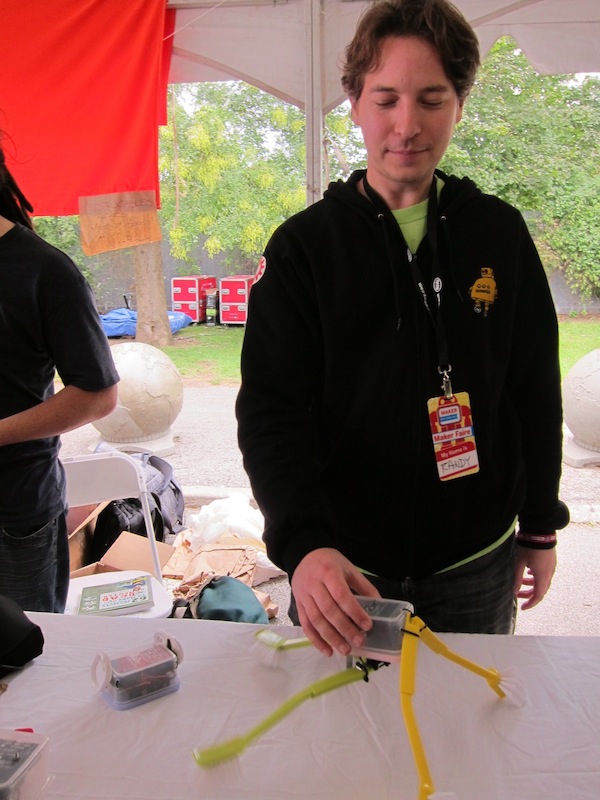
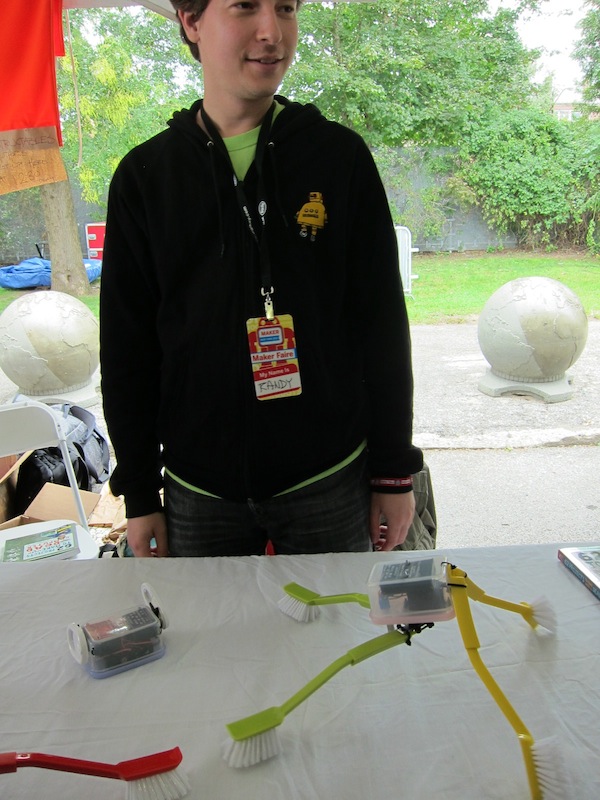
    And last but not least I really enjoyed the simple bots by Randi Sarafan, at the instructables.com booth. I was fascinated by the idea that simple objects from your house can be wired and put together into fun little bots, that take on a life of their own.

     
c
Compose new post
j
Next post/Next comment
k
Previous post/Previous comment
r
Reply
e
Edit
o
Show/Hide comments
t
Go to top
l
Go to login
h
Show/Hide help
shift + esc
Cancel