Recent Updates Page 18 Toggle Comment Threads | Keyboard Shortcuts

  • Unknown's avatar

    itsjennkaye 8:34 pm on December 7, 2012 Permalink | Reply  

    Love Machine: Prototype 

    The inspiration for my project is the movie Lady and the Tramp–specifically the part where the two dogs are eating the same spaghetti noodle.

    Lady and the Tramp

    I would like to re-create this moment with two pulse sensors and two servo motors. The motors will wind fake “spaghetti” at the rate of each user’s heartbeat. As the spools turn, it will draw the users closer and closer together.

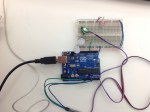
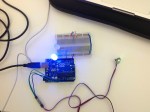
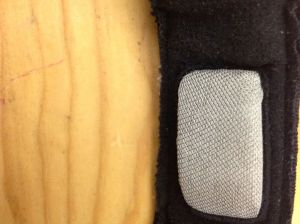
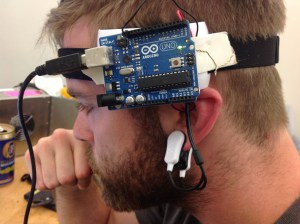
    I make a prototype of this with one pulse sensor while I wait for my second one to arrive in the mail. Currently, it draws my face into the plate of “spaghetti.” Pretty absurd.

     
  • Unknown's avatar

    JeannetteSubero 6:44 am on December 7, 2012 Permalink | Reply  

    Step 2: Prototyping 

    For my ideation I had very basic ideas, but I liked the toy one, so I went looking for one, and ended up finding something better! I finger puppet/fridge magnet of Nikola Tesla. So since he worked with wireless electricity, and we are working with wireless communication, I thought he’d be perfect. Also Kristen and Tiam did a project for Major Studio, and I really liked the flash effect from the lightning. My new idea is to make a didactic toy, in this case to explain kids about Tesla.

    Nik (1)

    Nik (2)

    Nik (3)

    Nik (4)

    Nik (5)

    Lightning + Tesla + Wireless toy Prototype from Jeannette Subero on Vimeo.

    I would like to add a visual interface in processing with the information on Tesla that also reacts with the pulse sensor. I’m working on that! I want to add sound as well (thunders), but I’m still not sure whether to do it on processing or through the arduino.

     
  • Unknown's avatar

    Yury Gitman 5:20 pm on December 3, 2012 Permalink | Reply  

    PComp 2012 Final Project 

    Create a “design object” that shows a user’s heartbeat represented with Light, Sound, and/or Vibration.

    Step 1:  Ideation  [Due Nov 30]

    One concept can be for example: a glowing orb that flashes red with a user’s heartbeat.  The electronic “guts” are similar to what you’ve worked with on your Sound Toy.  Make 3 such ideas with a line drawing for each.  Emphasis the Role this design object has in a user’s life.

    Step 2: Prototyping [Due Dec 7th]

    Pick one of your role prototypes from step 1.  Make two more prototypes, a implementation prototype and a look and feel prototype.   Your implementation prototype to should demonstration the technical function for your final project.  The look and feel prototype should show the size, color, weight, and ideal form factor of your final project.

    Step 3: Intergrated Prototype, Playtest, and Final Presentation [Due Dec 14th]

    Combine your implementation prototype and look and feel prototype, into one working design object.  What 3 different end-users interact with it.  Take notes on what the interaction is, with particular emphasis on “what happened as you expected” and “what happened that you didn’t expect”.

    Present final project, along with your Simon Says, to guest critics on Dec 14th.

    Step 4: Documentation [Due Dec 21st]

    Based on observations from play-testing and feedback at final critics, create a 90-120 video that demonstrates end-users interacting with your design object from start to finish.  The video should include slides with your name and your project’s name. This video should “show” and “tell” about our project to an audience that doesn’t know you and may never get a chance to see your project in their own hands.

     
  • Unknown's avatar

    kristenkersh 7:50 pm on November 30, 2012 Permalink | Reply  

    http://thingm.com/products/blinkm.html

    website for arch lights

     
  • Unknown's avatar

    Amp 5:39 pm on November 30, 2012 Permalink | Reply  

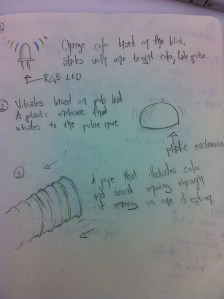
    Meditation floor mat 

    ideaforpulsesensor

    I want to design a floor mat that can tel you what state of meditation you’re in by changing colors.
     
  • Unknown's avatar

    JeannetteSubero 5:37 pm on November 30, 2012 Permalink | Reply  

    Heart Ideas 

    Heart Ideas

     
  • Unknown's avatar

    kristenkersh 5:21 pm on November 30, 2012 Permalink | Reply  

    Pulse Sensor HW 

    Working:


    Problems:

    It does not seem to be reliable? It is pulsing with my pulse with a delay but i’m not exactly sure if it is correct. Also I cannot get processing to work.

     
  • Unknown's avatar

    kristenkersh 5:20 pm on November 30, 2012 Permalink | Reply  

    Ideas / Final Project 

    EEG reader / Processing and the Brain

    Basic Hack:

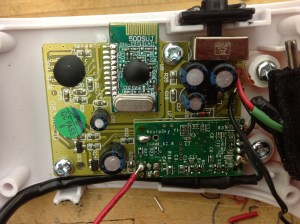
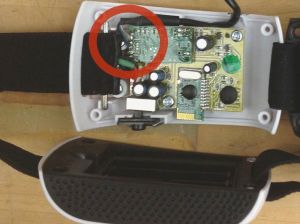
    EEG

    EEG

    1st iteration with working reading of individual readings

    1st iteration with working reading of individual readings

    1st hack

    1st hack

    1st hack

    1st hack

    1st hack wires solderd

    1st hack wires solderd

    1st hack need to re connect

    1st hack need to re connect

     
  • Unknown's avatar

    lizbethc 5:15 pm on November 30, 2012 Permalink | Reply  

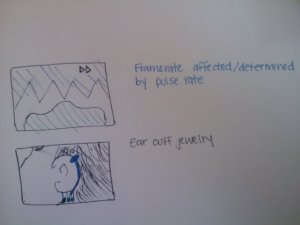
    Big Ideas: Pulse Sensor 

    Here are my big ideas:

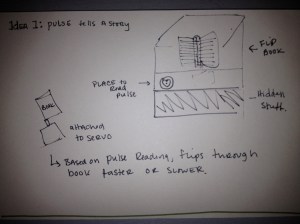
    1. Flip Book

    photo-8


    2. Film Reel:

    photo-6


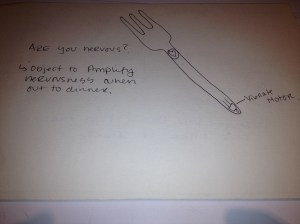
    3. Nervous Utensil

    photo-9

     
  • Unknown's avatar

    salome 5:01 pm on November 30, 2012 Permalink | Reply  

    Concept and Ideation 

    IMG146

     
  • Unknown's avatar

    Chy 4:36 pm on November 30, 2012 Permalink | Reply  

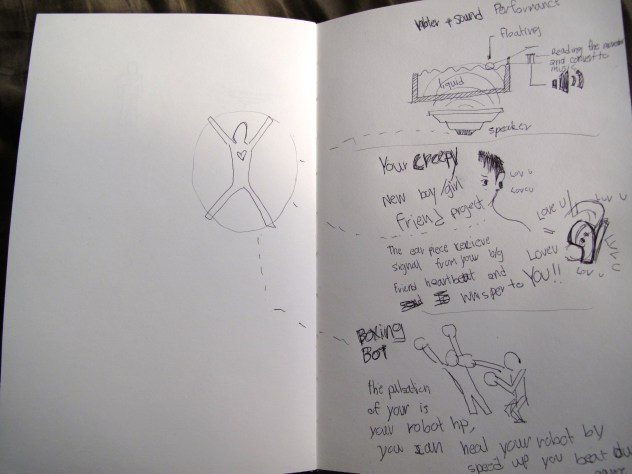
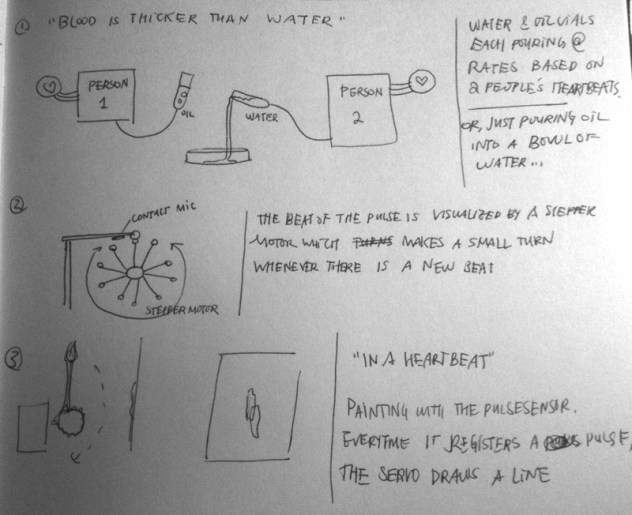
    Simon / Pulse Sensor 

    Simon

    http://www.youtube.com/watch?v=7rW3LPH5pR4

    http://www.youtube.com/watch?v=cRzF3KHrxkg


    Pulse Sensor – idea

    1. Water + Sound performance

    2. Your creepy b/g friend

    3.Boxing Bot


    IMG_1568

     
  • Unknown's avatar

    Yury Gitman 4:23 pm on November 30, 2012 Permalink | Reply  

    PComp schedule for rest of 2012 

    Week 13  (Nov 30)
    Pulse Sensor
    Homework  Setup Pulse Sensor to Blink 2 LED’s

    Week 14  (Dec 7)
    Present Iteration One of Wireless Beat Toy

    [Week 14.5]  Possible Make-up on Tues
    Week 15  (Dec 14)
    Present Finals

    Dec 22nd Publish Video Documentation.

     
  • Unknown's avatar

    tiamtaheri 4:20 pm on November 30, 2012 Permalink | Reply  

    [idea] 

    For the Pulse Sensor Project I want to use the values that I get to change the frequency of sound (for example a sine sound)
    I didn’t make a sketch, because this is mostly an audio project.

    The past couple of weeks I was thinking about this project, so this is the idea I want to work on.

     
  • Unknown's avatar

    carolkozak 4:19 pm on November 30, 2012 Permalink | Reply  

    Pulse Sensor 

    Idea One which is the traffic light is a tool for the gym.  It has clearly been too long since I have driven and I accidentally drew the stop light at the bottom.  Green means go faster to get to your target heart rate, yellow means keep doing what you are doing and red means slow down you are going too fast.  There are particular zones listed on gym equipment – going faster builds endurance and not as fast burns fat, etc.

    Idea Two would be more for kids, maybe in a science museum.  The found heart rate aligns with an animal.  Slower heart rates show slower moving animals and faster heart rates show faster moving animals.

    Idea Three is a tool for taking your pulse.  You press a button to start and then see your heart rate flashing.  After 15 seconds passes the first light illuminates, then 30 seconds lights the 2nd, 45 seconds the third, and 60 seconds the fourth.  This is a quick and easy way to check your pulse.  I imagine that the seconds lights would look like lotto ping pong balls.

     
  • Unknown's avatar

    Yury Gitman 4:13 pm on November 30, 2012 Permalink | Reply  

    Wireless and Wireless Pulse Sensor 

    1)  To hook-up our RX and TX modules, read the KLP Walkthrough Tutorial pin read-out and photos in a breadboard.

    2)  After Hooking up both of these.  Read the VirtualWire.pdf   starter guide.  Download the VirtualWire-1.9.zip library and unzip it in your Documents/Arduino/libraries/  folder.    With a restart of Arduino you’ll see it now pop-up in your available libraries and example sketches.

    3) Try running this code.  Run the RX code on one Arduino.  The “transmitter_pcomp_class” and make sure both work. Then try the “PulseSensorAmped_Arduino_1dot1_wireless_pcomp_class” code with the Pulse Sensor hooked up to the TX Arduino.

    Code: http://dl.dropbox.com/u/60949794/WirelessTX_RX_PComp_Class_Code.zip

     
  • Unknown's avatar

    itsjennkaye 4:01 pm on November 30, 2012 Permalink | Reply  

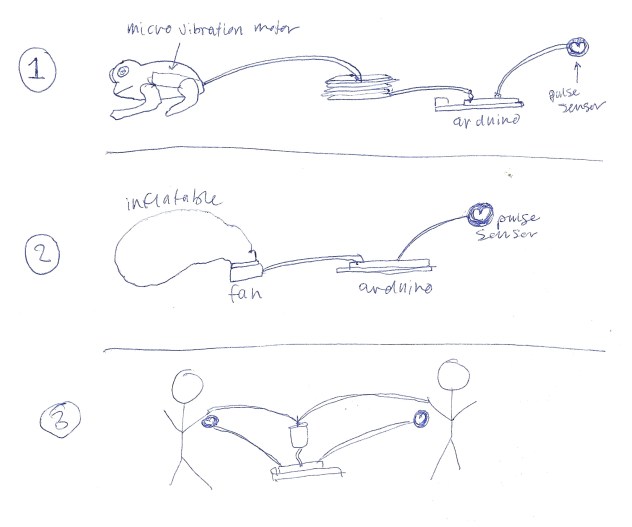
    Pulse Sensor Project Ideas 

    pulse_sensor_ideas_20121130

    1. Heart beat triggers a micro vibration motor inside of a stuffed frog and causes the frog to jump.
    2. Heart beat triggers a fan. Each time the fan blows a little, it inflates something a little more.
    3. “The Love Machine”– Heart beat triggers a motor that winds two separate pieces of string together. Each string is clipped to the clothing of a person. As the motor winds the string, it draws the two people closer together.
     
  • Unknown's avatar

    trytobegood 3:54 am on November 30, 2012 Permalink | Reply  

    Final project brainstorming 

     
  • Unknown's avatar

    sussesj 10:36 pm on November 29, 2012 Permalink | Reply  

    Code and Ideas 

    Here a link to my case statments
    https://github.com/Sussesj/CC-LAB/tree/master/CaseStatment

    A video for it here:

    https://github.com/Sussesj/CC-LAB/blob/master/CaseStatments.mov


    And here is a little of the Ideas I though of:


c
Compose new post
j
Next post/Next comment
k
Previous post/Previous comment
r
Reply
e
Edit
o
Show/Hide comments
t
Go to top
l
Go to login
h
Show/Hide help
shift + esc
Cancel