 Evander Batson
 xinhe feng
 FluffyLeecy
 frankiezek
 gaboratparsons
 giang063
 gracegotlost
 lauriewaxman
 Siwen Li
 Xiaofeng Lin
 Yury Gitman
 mar28th
 Max(TONG WEN)
 Soohyun
 sabotai
 Susan Lin
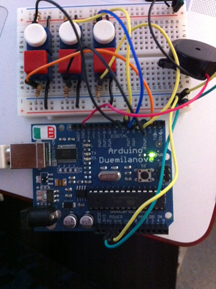
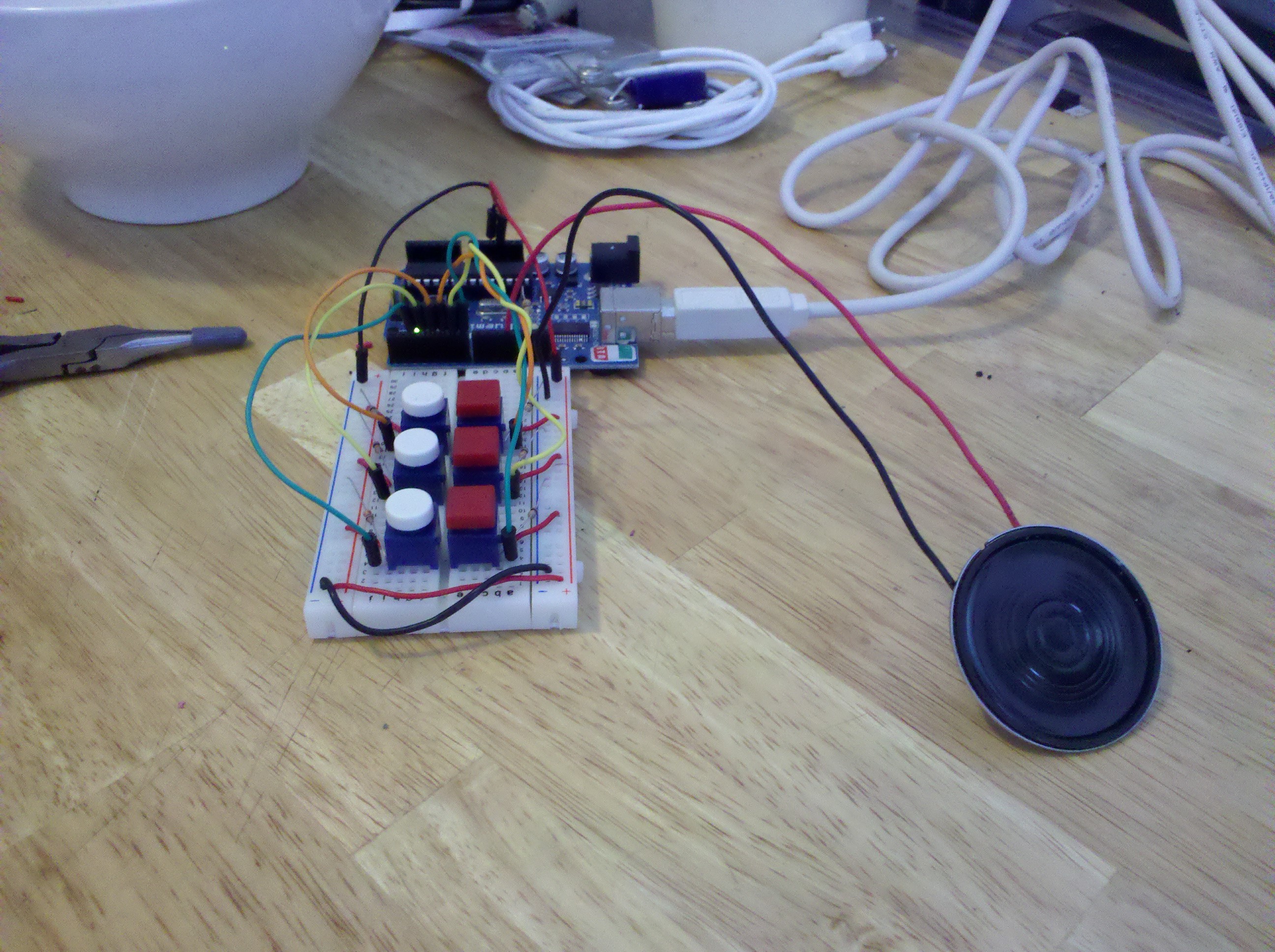
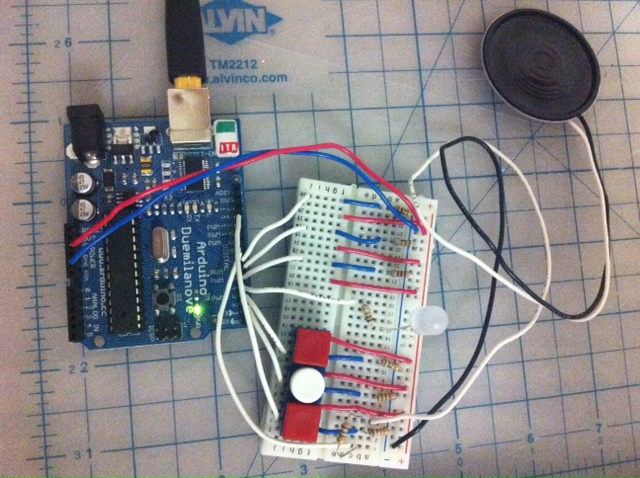
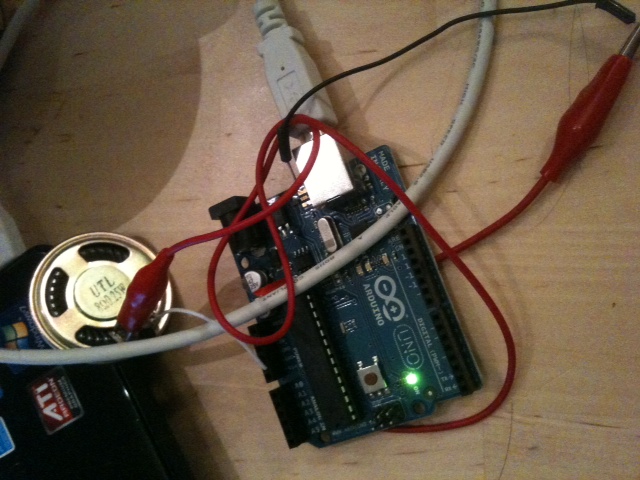
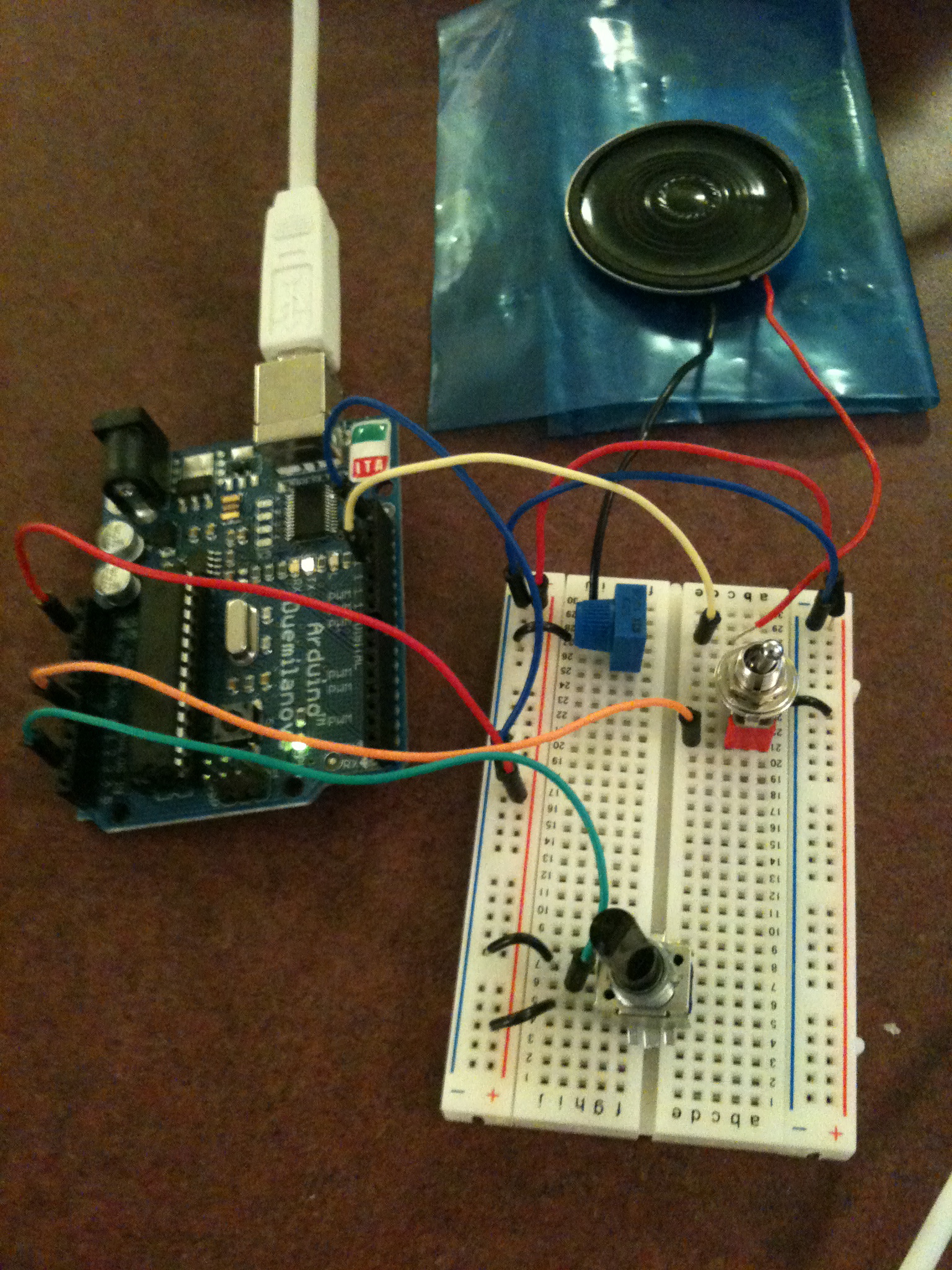
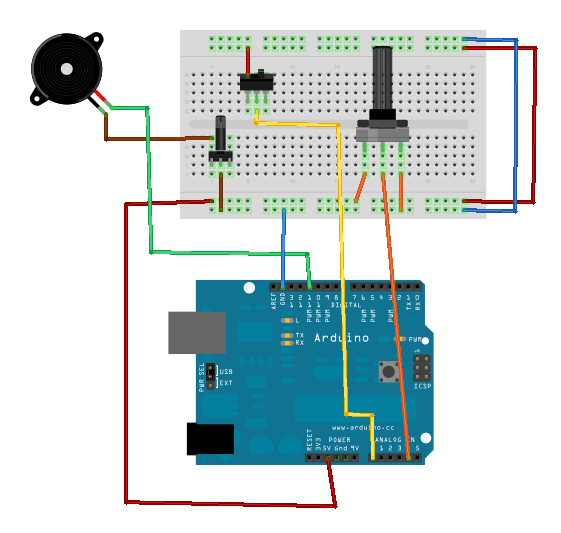
Hilal’s talking robot, internal organs exposed
My arduino has this whole speech for you, click to listen.
http://www.youtube.com/watch?v=3BFc1iQ1TqU
Sounds/Codes:
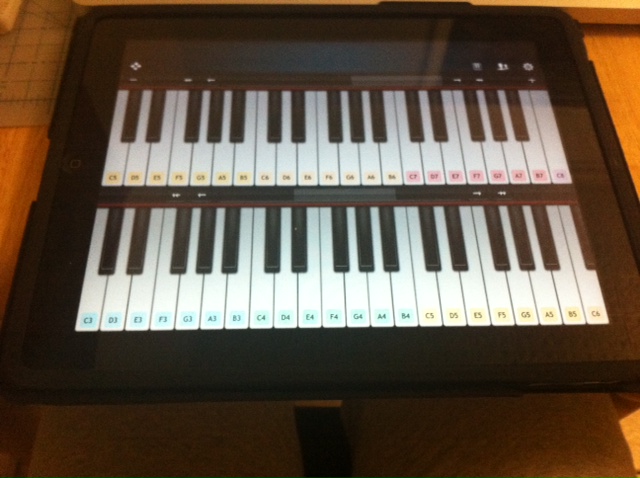
Pitch library that I created for ardu: hilal_pitch.h
#define A0	9091
#define A0S	8581
#define B_0	8099
#define C1	7644
#define C1S	7216
#define D1	6811
#define D1S	6428
#define E1	6068
#define F1	5727
#define F1S	5405
#define G1	5102
#define G1S	4816
#define A1	4545
#define A1S	4290
#define B_1	4050
#define C2	3822
#define C2S	3608
#define D2	3405
#define D2S	3214
#define E2	3034
#define F2	2863
#define F2S	2703
#define G2	2551
#define G2S	2408
#define A2	2273
#define A2S	2145
#define B2	2025
#define C3	1911
#define C3S	1804
#define D3	1703
#define D3S	1607
#define E3	1517
#define F3	1432
#define F3S	1351
#define G3	1276
#define G3S	1204
#define A3	1136
#define A3S	1073
#define B3	1012
#define C4	956
#define C4S	902
#define D4	851
#define D4S	804
#define E4	758
#define F4	716
#define F4S	676
#define G4	638
#define G4S	602
#define A4	568
#define A4S	536
#define B4	506
#define C5	478
#define C5S	451
#define D5	426
#define D5S	402
#define E5	379
#define F5	358
#define F5S	338
#define G5	319
#define G5S	301
#define A5	284
#define A5S	268
#define B5	253
#define C6	239
#define C6S	225
#define D6	213
#define D6S	201
#define E6	190
#define F6	179
#define F6S	169
#define G6	159
#define G6S	150
#define A6	142
#define A6S	134
#define B6	127
#define C7	119
#define C7S	113
#define D7	106
#define D7S	100
#define E7	95
#define F7	89
#define F7S	84
#define G7	80
#define G7S	75
#define A7	71
#define A7S	67
#define B7	63
#define C8	60
#define  R     0
Hello I’m on! :
/* Play HelloImOn
 * -----------
 *
 * Program to play a simple HelloImOn
 *
 * Tones are created by quickly pulsing a speaker on and off
 *   using PWM, to create signature frequencies.
 *
 * Each note has a frequency, created by varying the period of
 *  vibration, measured in microseconds. We'll use pulse-width
 *  modulation (PWM) to create that vibration.

 * We calculate the pulse-width to be half the period; we pulse
 *  the speaker HIGH for 'pulse-width' microseconds, then LOW
 *  for 'pulse-width' microseconds.
 *  This pulsing creates a vibration of the desired frequency.
 *
 * (cleft) 2005 D. Cuartielles for K3
 * Refactoring and comments 2006 clay.shirky@nyu.edu
 * See NOTES in comments at end for possible improvements
 */

// TONES  ==========================================
// Start by defining the relationship between
//       note, period, &  frequency.


// SETUP ============================================

 #include "hilal_pitch.h"

// Set up speaker on a PWM pin (digital 9, 10 or 11)
int speakerOut = 9;
// Do we want debugging on serial out? 1 for yes, 0 for no
int DEBUG = 1;

void setup() {
  pinMode(speakerOut, OUTPUT);
  if (DEBUG) {
    Serial.begin(9600); // Set serial out if we want debugging
  }
}

// HelloImOn  and TIMING  =======================================
//  HelloImOn [] is an array of notes, accompanied by beats[],
//  which sets each note's relative length (higher #, longer note)

int HelloImOn[] = { F2S, A2, D3, F3S, A3, D5S,  R };
int beats[]  = { 8, 8, 8, 8, 8, 32, 16};
int MAX_COUNT = sizeof(HelloImOn )/2; // HelloImOn  length, for looping.

// Set overall tempo
long tempo = 10000;
// Set length of pause between notes
int pause = 1000;
// Loop variable to increase Rest length
int rest_count = 110; //<-BLETCHEROUS HACK; See NOTES

// Initialize core variables
int ton = 0;
int beat = 0;
long duration  = 0;

// PLAY TONE  ==============================================
// Pulse the speaker to play a tone for a particular duration
void playTone() {
  long elapsed_time = 0;
  if (ton > 0) { // if this isn't a Rest beat, while the tone has
    //  played less long than 'duration', pulse speaker HIGH and LOW
    while (elapsed_time < duration) {

      digitalWrite(speakerOut,HIGH);
      delayMicroseconds(ton / 2);

      // DOWN
      digitalWrite(speakerOut, LOW);
      delayMicroseconds(ton / 2);

      // Keep track of how long we pulsed
      elapsed_time += (ton);
    }
  }
  else { // Rest beat; loop times delay
    for (int j = 0; j < rest_count; j++) { // See NOTE on rest_count
      delayMicroseconds(duration);
    }
  }
}

// LET THE WILD RUMPUS BEGIN =============================
void loop() {
  // Set up a counter to pull from HelloImOn [] and beats[]
  for (int i=0; i<MAX_COUNT; i++) {
    ton = HelloImOn [i];
    beat = beats[i];

    duration = beat * tempo; // Set up timing

    playTone();
    // A pause between notes...
    delayMicroseconds(pause);

    if (DEBUG) { // If debugging, report loop, tone, beat, and duration
      Serial.print(i);
      Serial.print(":");
      Serial.print(beat);
      Serial.print(" ");
      Serial.print(ton);
      Serial.print(" ");
      Serial.println(duration);
    }
  }
}

/*
 * NOTES
 * The program purports to hold a tone for 'duration' microseconds.
 *  Lies lies lies! It holds for at least 'duration' microseconds, _plus_
 *  any overhead created by incremeting elapsed_time (could be in excess of
 *  3K microseconds) _plus_ overhead of looping and two digitalWrites()
 *
 * As a result, a tone of 'duration' plays much more slowly than a rest
 *  of 'duration.' rest_count creates a loop variable to bring 'rest' beats
 *  in line with 'tone' beats of the same length.
 *
 * rest_count will be affected by chip architecture and speed, as well as
 *  overhead from any program mods. Past behavior is no guarantee of future
 *  performance. Your mileage may vary. Light fuse and get away.
 *
 * This could use a number of enhancements:
 * ADD code to let the programmer specify how many times the HelloImOn  should
 *     loop before stopping
 * ADD another octave
 * MOVE tempo, pause, and rest_count to #define statements
 * RE-WRITE to include volume, using analogWrite, as with the second program at
 *          http://www.arduino.cc/en/Tutorial/PlayHelloImOn
 * ADD code to make the tempo settable by pot or other input device
 * ADD code to take tempo or volume settable by serial communication
 *          (Requires 0005 or higher.)
 * ADD code to create a tone offset (higer or lower) through pot etc
 * REPLACE random HelloImOn  with opening bars to 'Smoke on the Water'
 */
Yes!:
/* Play Yes
 * -----------
 *
 * Program to play a simple Yes
 *
 * Tones are created by quickly pulsing a speaker on and off
 *   using PWM, to create signature frequencies.
 *
 * Each note has a frequency, created by varying the period of
 *  vibration, measured in microseconds. We'll use pulse-width
 *  modulation (PWM) to create that vibration.

 * We calculate the pulse-width to be half the period; we pulse
 *  the speaker HIGH for 'pulse-width' microseconds, then LOW
 *  for 'pulse-width' microseconds.
 *  This pulsing creates a vibration of the desired frequency.
 *
 * (cleft) 2005 D. Cuartielles for K3
 * Refactoring and comments 2006 clay.shirky@nyu.edu
 * See NOTES in comments at end for possible improvements
 */

// TONES  ==========================================
// Start by defining the relationship between
//       note, period, &  frequency.

 #include "hilal_pitch.h"

// SETUP ============================================
// Set up speaker on a PWM pin (digital 9, 10 or 11)
int speakerOut = 9;
// Do we want debugging on serial out? 1 for yes, 0 for no
int DEBUG = 1;

void setup() {
  pinMode(speakerOut, OUTPUT);
  if (DEBUG) {
    Serial.begin(9600); // Set serial out if we want debugging
  }
}

// Yes and TIMING  =======================================
//  Yes[] is an array of notes, accompanied by beats[],
//  which sets each note's relative length (higher #, longer note)

int Yes[] = {F3S,F3S,R };
int beats[]  = { 8,8, 16};
int MAX_COUNT = sizeof(Yes)/2; // Yes length, for looping.

// Set overall tempo
long tempo = 10000;
// Set length of pause between notes
int pause = 1000;
// Loop variable to increase Rest length
int rest_count = 110; //<-BLETCHEROUS HACK; See NOTES

// Initialize core variables
int ton = 0;
int beat = 0;
long duration  = 0;

// PLAY TONE  ==============================================
// Pulse the speaker to play a tone for a particular duration
void playTone() {
  long elapsed_time = 0;
  if (ton > 0) { // if this isn't a Rest beat, while the tone has
    //  played less long than 'duration', pulse speaker HIGH and LOW
    while (elapsed_time < duration) {

      digitalWrite(speakerOut,HIGH);
      delayMicroseconds(ton / 2);

      // DOWN
      digitalWrite(speakerOut, LOW);
      delayMicroseconds(ton / 2);

      // Keep track of how long we pulsed
      elapsed_time += (ton);
    }
  }
  else { // Rest beat; loop times delay
    for (int j = 0; j < rest_count; j++) { // See NOTE on rest_count
      delayMicroseconds(duration);
    }
  }
}

// LET THE WILD RUMPUS BEGIN =============================
void loop() {
  // Set up a counter to pull from Yes[] and beats[]
  for (int i=0; i<MAX_COUNT; i++) {
    ton = Yes[i];
    beat = beats[i];

    duration = beat * tempo; // Set up timing

    playTone();
    // A pause between notes...
    delayMicroseconds(pause);

    if (DEBUG) { // If debugging, report loop, tone, beat, and duration
      Serial.print(i);
      Serial.print(":");
      Serial.print(beat);
      Serial.print(" ");
      Serial.print(ton);
      Serial.print(" ");
      Serial.println(duration);
    }
  }
}

/*
 * NOTES
 * The program purports to hold a tone for 'duration' microseconds.
 *  Lies lies lies! It holds for at least 'duration' microseconds, _plus_
 *  any overhead created by incremeting elapsed_time (could be in excess of
 *  3K microseconds) _plus_ overhead of looping and two digitalWrites()
 *
 * As a result, a tone of 'duration' plays much more slowly than a rest
 *  of 'duration.' rest_count creates a loop variable to bring 'rest' beats
 *  in line with 'tone' beats of the same length.
 *
 * rest_count will be affected by chip architecture and speed, as well as
 *  overhead from any program mods. Past behavior is no guarantee of future
 *  performance. Your mileage may vary. Light fuse and get away.
 *
 * This could use a number of enhancements:
 * ADD code to let the programmer specify how many times the Yes should
 *     loop before stopping
 * ADD another octave
 * MOVE tempo, pause, and rest_count to #define statements
 * RE-WRITE to include volume, using analogWrite, as with the second program at
 *          http://www.arduino.cc/en/Tutorial/PlayYes
 * ADD code to make the tempo settable by pot or other input device
 * ADD code to take tempo or volume settable by serial communication
 *          (Requires 0005 or higher.)
 * ADD code to create a tone offset (higer or lower) through pot etc
 * REPLACE random Yes with opening bars to 'Smoke on the Water'
 */
I’m growing!!!:
/* Play ImGrowing
 * -----------
 *
 * Program to play a simple ImGrowing
 *
 * Tones are created by quickly pulsing a speaker on and off
 *   using PWM, to create signature frequencies.
 *
 * Each note has a frequency, created by varying the period of
 *  vibration, measured in microseconds. We'll use pulse-width
 *  modulation (PWM) to create that vibration.

 * We calculate the pulse-width to be half the period; we pulse
 *  the speaker HIGH for 'pulse-width' microseconds, then LOW
 *  for 'pulse-width' microseconds.
 *  This pulsing creates a vibration of the desired frequency.
 *
 * (cleft) 2005 D. Cuartielles for K3
 * Refactoring and comments 2006 clay.shirky@nyu.edu
 * See NOTES in comments at end for possible improvements
 */

// TONES  ==========================================
// Start by defining the relationship between
//       note, period, &  frequency.


// Define a special note, 'R', to represent a rest


// SETUP ============================================

#include "hilal_pitch.h"

// Set up speaker on a PWM pin (digital 9, 10 or 11)


"

int speakerOut = 9;
// Do we want debugging on serial out? 1 for yes, 0 for no
int DEBUG = 1;

void setup() {
  pinMode(speakerOut, OUTPUT);
  if (DEBUG) {
    Serial.begin(9600); // Set serial out if we want debugging
  }
}

// ImGrowing and TIMING  =======================================
//  ImGrowing[] is an array of notes, accompanied by beats[],
//  which sets each note's relative length (higher #, longer note)

int ImGrowing[] = {C3,D3,E3,F3,G3,A3,B3,C4,D4,E4,F4,G4,A4,B4,C5S, R };
int beats[]  = {4,4,4,4,4,4,4,4,4,4,4,4,4,4,24,8};
int MAX_COUNT = sizeof(ImGrowing)/2; // ImGrowing length, for looping.

// Set overall tempo
long tempo = 10000;
// Set length of pause between notes
int pause = 1000;
// Loop variable to increase Rest length
int rest_count = 110; //<-BLETCHEROUS HACK; See NOTES

// Initialize core variables
int ton = 0;
int beat = 0;
long duration  = 0;

// PLAY TONE  ==============================================
// Pulse the speaker to play a tone for a particular duration
void playTone() {
  long elapsed_time = 0;
  if (ton > 0) { // if this isn't a Rest beat, while the tone has
    //  played less long than 'duration', pulse speaker HIGH and LOW
    while (elapsed_time < duration) {

      digitalWrite(speakerOut,HIGH);
      delayMicroseconds(ton / 2);

      // DOWN
      digitalWrite(speakerOut, LOW);
      delayMicroseconds(ton / 2);

      // Keep track of how long we pulsed
      elapsed_time += (ton);
    }
  }
  else { // Rest beat; loop times delay
    for (int j = 0; j < rest_count; j++) { // See NOTE on rest_count
      delayMicroseconds(duration);
    }
  }
}

// LET THE WILD RUMPUS BEGIN =============================
void loop() {
  // Set up a counter to pull from ImGrowing[] and beats[]
  for (int i=0; i<MAX_COUNT; i++) {
    ton = ImGrowing[i];
    beat = beats[i];

    duration = beat * tempo; // Set up timing

    playTone();
    // A pause between notes...
    delayMicroseconds(pause);

    if (DEBUG) { // If debugging, report loop, tone, beat, and duration
      Serial.print(i);
      Serial.print(":");
      Serial.print(beat);
      Serial.print(" ");
      Serial.print(ton);
      Serial.print(" ");
      Serial.println(duration);
    }
  }
}

/*
 * NOTES
 * The program purports to hold a tone for 'duration' microseconds.
 *  Lies lies lies! It holds for at least 'duration' microseconds, _plus_
 *  any overhead created by incremeting elapsed_time (could be in excess of
 *  3K microseconds) _plus_ overhead of looping and two digitalWrites()
 *
 * As a result, a tone of 'duration' plays much more slowly than a rest
 *  of 'duration.' rest_count creates a loop variable to bring 'rest' beats
 *  in line with 'tone' beats of the same length.
 *
 * rest_count will be affected by chip architecture and speed, as well as
 *  overhead from any program mods. Past behavior is no guarantee of future
 *  performance. Your mileage may vary. Light fuse and get away.
 *
 * This could use a number of enhancements:
 * ADD code to let the programmer specify how many times the ImGrowing should
 *     loop before stopping
 * ADD another octave
 * MOVE tempo, pause, and rest_count to #define statements
 * RE-WRITE to include volume, using analogWrite, as with the second program at
 *          http://www.arduino.cc/en/Tutorial/PlayImGrowing
 * ADD code to make the tempo settable by pot or other input device
 * ADD code to take tempo or volume settable by serial communication
 *          (Requires 0005 or higher.)
 * ADD code to create a tone offset (higer or lower) through pot etc
 * REPLACE random ImGrowing with opening bars to 'Smoke on the Water'
 */
I’m happy:
// Define a special note, 'R', to represent a rest


// SETUP ============================================

 #include "hilal_pitch.h"

// Set up speaker on a PWM pin (digital 9, 10 or 11)
int speakerOut = 9;
// Do we want debugging on serial out? 1 for yes, 0 for no
int DEBUG = 1;

void setup() {
  pinMode(speakerOut, OUTPUT);
  if (DEBUG) {
    Serial.begin(9600); // Set serial out if we want debugging
  }
}

// ImHappy and TIMING  =======================================
//  ImHappy[] is an array of notes, accompanied by beats[],
//  which sets each note's relative length (higher #, longer note)

int ImHappy[] = {C3S,R, C3S,F3S,R };
int beats[]  = { 16, 2, 8, 64, 32 };
int MAX_COUNT = sizeof(ImHappy)/2; // ImHappy length, for looping.

// Set overall tempo
long tempo = 10000;
// Set length of pause between notes
int pause = 1000;
// Loop variable to increase Rest length
int rest_count = 110; //<-BLETCHEROUS HACK; See NOTES

// Initialize core variables
int ton = 0;
int beat = 0;
long duration  = 0;

// PLAY TONE  ==============================================
// Pulse the speaker to play a tone for a particular duration
void playTone() {
  long elapsed_time = 0;
  if (ton > 0) { // if this isn't a Rest beat, while the tone has
    //  played less long than 'duration', pulse speaker HIGH and LOW
    while (elapsed_time < duration) {

      digitalWrite(speakerOut,HIGH);
      delayMicroseconds(ton / 2);

      // DOWN
      digitalWrite(speakerOut, LOW);
      delayMicroseconds(ton / 2);

      // Keep track of how long we pulsed
      elapsed_time += (ton);
    }
  }
  else { // Rest beat; loop times delay
    for (int j = 0; j < rest_count; j++) { // See NOTE on rest_count
      delayMicroseconds(duration);
    }
  }
}

// LET THE WILD RUMPUS BEGIN =============================
void loop() {
  // Set up a counter to pull from ImHappy[] and beats[]
  for (int i=0; i<MAX_COUNT; i++) {
    ton = ImHappy[i];
    beat = beats[i];

    duration = beat * tempo; // Set up timing

    playTone();
    // A pause between notes...
    delayMicroseconds(pause);

    if (DEBUG) { // If debugging, report loop, tone, beat, and duration
      Serial.print(i);
      Serial.print(":");
      Serial.print(beat);
      Serial.print(" ");
      Serial.print(ton);
      Serial.print(" ");
      Serial.println(duration);
    }
  }
}

/*
 * NOTES
 * The program purports to hold a tone for 'duration' microseconds.
 *  Lies lies lies! It holds for at least 'duration' microseconds, _plus_
 *  any overhead created by incremeting elapsed_time (could be in excess of
 *  3K microseconds) _plus_ overhead of looping and two digitalWrites()
 *
 * As a result, a tone of 'duration' plays much more slowly than a rest
 *  of 'duration.' rest_count creates a loop variable to bring 'rest' beats
 *  in line with 'tone' beats of the same length.
 *
 * rest_count will be affected by chip architecture and speed, as well as
 *  overhead from any program mods. Past behavior is no guarantee of future
 *  performance. Your mileage may vary. Light fuse and get away.
 *
 * This could use a number of enhancements:
 * ADD code to let the programmer specify how many times the ImHappy should
 *     loop before stopping
 * ADD another octave
 * MOVE tempo, pause, and rest_count to #define statements
 * RE-WRITE to include volume, using analogWrite, as with the second program at
 *          http://www.arduino.cc/en/Tutorial/PlayImHappy
 * ADD code to make the tempo settable by pot or other input device
 * ADD code to take tempo or volume settable by serial communication
 *          (Requires 0005 or higher.)
 * ADD code to create a tone offset (higer or lower) through pot etc
 * REPLACE random ImHappy with opening bars to 'Smoke on the Water'
 */
No!!!:
/* Play No
 * -----------
 *
 * Program to play a simple No
 *
 * Tones are created by quickly pulsing a speaker on and off
 *   using PWM, to create signature frequencies.
 *
 * Each note has a frequency, created by varying the period of
 *  vibration, measured in microseconds. We'll use pulse-width
 *  modulation (PWM) to create that vibration.

 * We calculate the pulse-width to be half the period; we pulse
 *  the speaker HIGH for 'pulse-width' microseconds, then LOW
 *  for 'pulse-width' microseconds.
 *  This pulsing creates a vibration of the desired frequency.
 *
 * (cleft) 2005 D. Cuartielles for K3
 * Refactoring and comments 2006 clay.shirky@nyu.edu
 * See NOTES in comments at end for possible improvements
 */

// TONES  ==========================================
// Start by defining the relationship between
//       note, period, &  frequency.

 #include "hilal_pitch.h"

// SETUP ============================================
// Set up speaker on a PWM pin (digital 9, 10 or 11)
int speakerOut = 9;
// Do we want debugging on serial out? 1 for No, 0 for no
int DEBUG = 1;

void setup() {
  pinMode(speakerOut, OUTPUT);
  if (DEBUG) {
    Serial.begin(9600); // Set serial out if we want debugging
  }
}

// No and TIMING  =======================================
//  No[] is an array of notes, accompanied by beats[],
//  which sets each note's relative length (higher #, longer note)

int No[] = {C1S, R };
int beats[]  = { 64, 16};
int MAX_COUNT = sizeof(No)/2; // No length, for looping.

// Set overall tempo
long tempo = 10000;
// Set length of pause between notes
int pause = 1000;
// Loop variable to increase Rest length
int rest_count = 110; //<-BLETCHEROUS HACK; See NOTES

// Initialize core variables
int ton = 0;
int beat = 0;
long duration  = 0;

// PLAY TONE  ==============================================
// Pulse the speaker to play a tone for a particular duration
void playTone() {
  long elapsed_time = 0;
  if (ton > 0) { // if this isn't a Rest beat, while the tone has
    //  played less long than 'duration', pulse speaker HIGH and LOW
    while (elapsed_time < duration) {

      digitalWrite(speakerOut,HIGH);
      delayMicroseconds(ton / 2);

      // DOWN
      digitalWrite(speakerOut, LOW);
      delayMicroseconds(ton / 2);

      // Keep track of how long we pulsed
      elapsed_time += (ton);
    }
  }
  else { // Rest beat; loop times delay
    for (int j = 0; j < rest_count; j++) { // See NOTE on rest_count
      delayMicroseconds(duration);
    }
  }
}

// LET THE WILD RUMPUS BEGIN =============================
void loop() {
  // Set up a counter to pull from No[] and beats[]
  for (int i=0; i<MAX_COUNT; i++) {
    ton = No[i];
    beat = beats[i];

    duration = beat * tempo; // Set up timing

    playTone();
    // A pause between notes...
    delayMicroseconds(pause);

    if (DEBUG) { // If debugging, report loop, tone, beat, and duration
      Serial.print(i);
      Serial.print(":");
      Serial.print(beat);
      Serial.print(" ");
      Serial.print(ton);
      Serial.print(" ");
      Serial.println(duration);
    }
  }
}

/*
 * NOTES
 * The program purports to hold a tone for 'duration' microseconds.
 *  Lies lies lies! It holds for at least 'duration' microseconds, _plus_
 *  any overhead created by incremeting elapsed_time (could be in excess of
 *  3K microseconds) _plus_ overhead of looping and two digitalWrites()
 *
 * As a result, a tone of 'duration' plays much more slowly than a rest
 *  of 'duration.' rest_count creates a loop variable to bring 'rest' beats
 *  in line with 'tone' beats of the same length.
 *
 * rest_count will be affected by chip architecture and speed, as well as
 *  overhead from any program mods. Past behavior is no guarantee of future
 *  performance. Your mileage may vary. Light fuse and get away.
 *
 * This could use a number of enhancements:
 * ADD code to let the programmer specify how many times the No should
 *     loop before stopping
 * ADD another octave
 * MOVE tempo, pause, and rest_count to #define statements
 * RE-WRITE to include volume, using analogWrite, as with the second program at
 *          http://www.arduino.cc/en/Tutorial/PlayNo
 * ADD code to make the tempo settable by pot or other input device
 * ADD code to take tempo or volume settable by serial communication
 *          (Requires 0005 or higher.)
 * ADD code to create a tone offset (higer or lower) through pot etc
 * REPLACE random No with opening bars to 'Smoke on the Water'
 */
Help!!I’m running out of battery:
/* Play Help
 * -----------
 *
 * Program to play a simple Help
 *
 * Tones are created by quickly pulsing a speaker on and off
 *   using PWM, to create signature frequencies.
 *
 * Each Helpte has a frequency, created by varying the period of
 *  vibration, measured in microseconds. We'll use pulse-width
 *  modulation (PWM) to create that vibration.

 * We calculate the pulse-width to be half the period; we pulse
 *  the speaker HIGH for 'pulse-width' microseconds, then LOW
 *  for 'pulse-width' microseconds.
 *  This pulsing creates a vibration of the desired frequency.
 *
 * (cleft) 2005 D. Cuartielles for K3
 * Refactoring and comments 2006 clay.shirky@nyu.edu
 * See HelpTES in comments at end for possible improvements
 */

// TONES  ==========================================
// Start by defining the relationship between
//       Helpte, period, &  frequency.


// SETUP ============================================

 #include "hilal_pitch.h"

// Set up speaker on a PWM pin (digital 9, 10 or 11)
int speakerOut = 9;
// Do we want debugging on serial out? 1 for Help, 0 for Help
int DEBUG = 1;

void setup() {
  pinMode(speakerOut, OUTPUT);
  if (DEBUG) {
    Serial.begin(9600); // Set serial out if we want debugging
  }
}

// Help and TIMING  =======================================
//  Help[] is an array of Helptes, accompanied by beats[],
//  which sets each Helpte's relative length (higher #, longer Helpte)

int Help[] = {C3,F2 };
int beats[]  = { 7,7};
int MAX_COUNT = sizeof(Help)/2; // Help length, for looping.

// Set overall tempo
long tempo = 10000;
// Set length of pause between Helptes
int pause = 1000;
// Loop variable to increase Rest length
int rest_count = 110; //<-BLETCHEROUS HACK; See HelpTES

// Initialize core variables
int ton = 0;
int beat = 0;
long duration  = 0;

// PLAY TONE  ==============================================
// Pulse the speaker to play a tone for a particular duration
void playTone() {
  long elapsed_time = 0;
  if (ton > 0) { // if this isn't a Rest beat, while the tone has
    //  played less long than 'duration', pulse speaker HIGH and LOW
    while (elapsed_time < duration) {

      digitalWrite(speakerOut,HIGH);
      delayMicroseconds(ton / 2);

      // DOWN
      digitalWrite(speakerOut, LOW);
      delayMicroseconds(ton / 2);

      // Keep track of how long we pulsed
      elapsed_time += (ton);
    }
  }
  else { // Rest beat; loop times delay
    for (int j = 0; j < rest_count; j++) { // See HelpTE on rest_count
      delayMicroseconds(duration);
    }
  }
}

// LET THE WILD RUMPUS BEGIN =============================
void loop() {
  // Set up a counter to pull from Help[] and beats[]
  for (int i=0; i<MAX_COUNT; i++) {
    ton = Help[i];
    beat = beats[i];

    duration = beat * tempo; // Set up timing

    playTone();
    // A pause between Helptes...
    delayMicroseconds(pause);

    if (DEBUG) { // If debugging, report loop, tone, beat, and duration
      Serial.print(i);
      Serial.print(":");
      Serial.print(beat);
      Serial.print(" ");
      Serial.print(ton);
      Serial.print(" ");
      Serial.println(duration);
    }
  }
}

/*
 * HelpTES
 * The program purports to hold a tone for 'duration' microseconds.
 *  Lies lies lies! It holds for at least 'duration' microseconds, _plus_
 *  any overhead created by incremeting elapsed_time (could be in excess of
 *  3K microseconds) _plus_ overhead of looping and two digitalWrites()
 *
 * As a result, a tone of 'duration' plays much more slowly than a rest
 *  of 'duration.' rest_count creates a loop variable to bring 'rest' beats
 *  in line with 'tone' beats of the same length.
 *
 * rest_count will be affected by chip architecture and speed, as well as
 *  overhead from any program mods. Past behavior is Help guarantee of future
 *  performance. Your mileage may vary. Light fuse and get away.
 *
 * This could use a number of enhancements:
 * ADD code to let the programmer specify how many times the Help should
 *     loop before stopping
 * ADD aHelpther octave
 * MOVE tempo, pause, and rest_count to #define statements
 * RE-WRITE to include volume, using analogWrite, as with the second program at
 *          http://www.arduiHelp.cc/en/Tutorial/PlayHelp
 * ADD code to make the tempo settable by pot or other input device
 * ADD code to take tempo or volume settable by serial communication
 *          (Requires 0005 or higher.)
 * ADD code to create a tone offset (higer or lower) through pot etc
 * REPLACE random Help with opening bars to 'Smoke on the Water'
 */
I’m sad:
/* Play ImSad
 * -----------
 *
 * Program to play a simple ImSad
 *
 * Tones are created by quickly pulsing a speaker on and off
 *   using PWM, to create signature frequencies.
 *
 * Each ImSadte has a frequency, created by varying the period of
 *  vibration, measured in microseconds. We'll use pulse-width
 *  modulation (PWM) to create that vibration.

 * We calculate the pulse-width to be half the period; we pulse
 *  the speaker HIGH for 'pulse-width' microseconds, then LOW
 *  for 'pulse-width' microseconds.
 *  This pulsing creates a vibration of the desired frequency.
 *
 * (cleft) 2005 D. Cuartielles for K3
 * Refactoring and comments 2006 clay.shirky@nyu.edu
 * See ImSadTES in comments at end for possible improvements
 */

// TONES  ==========================================
// Start by defining the relationship between
//       ImSadte, period, &  frequency.

// Define a special ImSadte, 'R', to represent a rest


// SETUP ============================================

 #include "hilal_pitch.h"

// Set up speaker on a PWM pin (digital 9, 10 or 11)

int speakerOut = 9;
// Do we want debugging on serial out? 1 for ImSad, 0 for ImSad
int DEBUG = 1;

void setup() {
  pinMode(speakerOut, OUTPUT);
  if (DEBUG) {
    Serial.begin(9600); // Set serial out if we want debugging
  }
}

// ImSad and TIMING  =======================================
//  ImSad[] is an array of ImSadtes, accompanied by beats[],
//  which sets each ImSadte's relative length (higher #, longer ImSadte)

int ImSad[] = {F2, F2S,C3S, C2S, R };
int beats[]  = { 32,32,32,80, 16};
int MAX_COUNT = sizeof(ImSad)/2; // ImSad length, for looping.

// Set overall tempo
long tempo = 10000;
// Set length of pause between ImSadtes
int pause = 1000;
// Loop variable to increase Rest length
int rest_count = 110; //<-BLETCHEROUS HACK; See ImSadTES

// Initialize core variables
int ton = 0;
int beat = 0;
long duration  = 0;

// PLAY TONE  ==============================================
// Pulse the speaker to play a tone for a particular duration
void playTone() {
  long elapsed_time = 0;
  if (ton > 0) { // if this isn't a Rest beat, while the tone has
    //  played less long than 'duration', pulse speaker HIGH and LOW
    while (elapsed_time < duration) {

      digitalWrite(speakerOut,HIGH);
      delayMicroseconds(ton / 2);

      // DOWN
      digitalWrite(speakerOut, LOW);
      delayMicroseconds(ton / 2);

      // Keep track of how long we pulsed
      elapsed_time += (ton);
    }
  }
  else { // Rest beat; loop times delay
    for (int j = 0; j < rest_count; j++) { // See ImSadTE on rest_count
      delayMicroseconds(duration);
    }
  }
}

// LET THE WILD RUMPUS BEGIN =============================
void loop() {
  // Set up a counter to pull from ImSad[] and beats[]
  for (int i=0; i<MAX_COUNT; i++) {
    ton = ImSad[i];
    beat = beats[i];

    duration = beat * tempo; // Set up timing

    playTone();
    // A pause between ImSadtes...
    delayMicroseconds(pause);

    if (DEBUG) { // If debugging, report loop, tone, beat, and duration
      Serial.print(i);
      Serial.print(":");
      Serial.print(beat);
      Serial.print(" ");
      Serial.print(ton);
      Serial.print(" ");
      Serial.println(duration);
    }
  }
}

/*
 * ImSadTES
 * The program purports to hold a tone for 'duration' microseconds.
 *  Lies lies lies! It holds for at least 'duration' microseconds, _plus_
 *  any overhead created by incremeting elapsed_time (could be in excess of
 *  3K microseconds) _plus_ overhead of looping and two digitalWrites()
 *
 * As a result, a tone of 'duration' plays much more slowly than a rest
 *  of 'duration.' rest_count creates a loop variable to bring 'rest' beats
 *  in line with 'tone' beats of the same length.
 *
 * rest_count will be affected by chip architecture and speed, as well as
 *  overhead from any program mods. Past behavior is ImSad guarantee of future
 *  performance. Your mileage may vary. Light fuse and get away.
 *
 * This could use a number of enhancements:
 * ADD code to let the programmer specify how many times the ImSad should
 *     loop before stopping
 * ADD aImSadther octave
 * MOVE tempo, pause, and rest_count to #define statements
 * RE-WRITE to include volume, using analogWrite, as with the second program at
 *          http://www.arduiImSad.cc/en/Tutorial/PlayImSad
 * ADD code to make the tempo settable by pot or other input device
 * ADD code to take tempo or volume settable by serial communication
 *          (Requires 0005 or higher.)
 * ADD code to create a tone offset (higer or lower) through pot etc
 * REPLACE random ImSad with opening bars to 'Smoke on the Water'
 */
Bye I’m off. :
/* Play ByeImOff
 * -----------
 *
 * Program to play a simple ByeImOff
 *
 * Tones are created by quickly pulsing a speaker on and off
 *   using PWM, to create signature frequencies.
 *
 * Each note has a frequency, created by varying the period of
 *  vibration, measured in microseconds. We'll use pulse-width
 *  modulation (PWM) to create that vibration.

 * We calculate the pulse-width to be half the period; we pulse
 *  the speaker HIGH for 'pulse-width' microseconds, then LOW
 *  for 'pulse-width' microseconds.
 *  This pulsing creates a vibration of the desired frequency.
 *
 * (cleft) 2005 D. Cuartielles for K3
 * Refactoring and comments 2006 clay.shirky@nyu.edu
 * See NOTES in comments at end for possible improvements
 */

// TONES  ==========================================
// Start by defining the relationship between
//       note, period, &  frequency.


// Define a special note, 'R', to represent a rest

// SETUP ============================================

#include "hilal_pitch.h"

// Set up speaker on a PWM pin (digital 9, 10 or 11)
int speakerOut = 9;
// Do we want debugging on serial out? 1 for yes, 0 for no
int DEBUG = 1;

void setup() {
  pinMode(speakerOut, OUTPUT);
  if (DEBUG) {
    Serial.begin(9600); // Set serial out if we want debugging
  }
}

// ByeImOff and TIMING  =======================================
//  ByeImOff[] is an array of notes, accompanied by beats[],
//  which sets each note's relative length (higher #, longer note)

int ByeImOff[] = { D5S, A3, F3S, D3, A2, F2S, R };
int beats[]  = { 8, 8, 8, 8,8, 32, 16};
int MAX_COUNT = sizeof(ByeImOff)/2; // ByeImOff length, for looping.

// Set overall tempo
long tempo = 10000;
// Set length of pause between notes
int pause = 1000;
// Loop variable to increase Rest length
int rest_count = 110; //<-BLETCHEROUS HACK; See NOTES

// Initialize core variables
int ton = 0;
int beat = 0;
long duration  = 0;

// PLAY TONE  ==============================================
// Pulse the speaker to play a tone for a particular duration
void playTone() {
  long elapsed_time = 0;
  if (ton > 0) { // if this isn't a Rest beat, while the tone has
    //  played less long than 'duration', pulse speaker HIGH and LOW
    while (elapsed_time < duration) {

      digitalWrite(speakerOut,HIGH);
      delayMicroseconds(ton / 2);

      // DOWN
      digitalWrite(speakerOut, LOW);
      delayMicroseconds(ton / 2);

      // Keep track of how long we pulsed
      elapsed_time += (ton);
    }
  }
  else { // Rest beat; loop times delay
    for (int j = 0; j < rest_count; j++) { // See NOTE on rest_count
      delayMicroseconds(duration);
    }
  }
}

// LET THE WILD RUMPUS BEGIN =============================
void loop() {
  // Set up a counter to pull from ByeImOff[] and beats[]
  for (int i=0; i<MAX_COUNT; i++) {
    ton = ByeImOff[i];
    beat = beats[i];

    duration = beat * tempo; // Set up timing

    playTone();
    // A pause between notes...
    delayMicroseconds(pause);

    if (DEBUG) { // If debugging, report loop, tone, beat, and duration
      Serial.print(i);
      Serial.print(":");
      Serial.print(beat);
      Serial.print(" ");
      Serial.print(ton);
      Serial.print(" ");
      Serial.println(duration);
    }
  }
}

/*
 * NOTES
 * The program purports to hold a tone for 'duration' microseconds.
 *  Lies lies lies! It holds for at least 'duration' microseconds, _plus_
 *  any overhead created by incremeting elapsed_time (could be in excess of
 *  3K microseconds) _plus_ overhead of looping and two digitalWrites()
 *
 * As a result, a tone of 'duration' plays much more slowly than a rest
 *  of 'duration.' rest_count creates a loop variable to bring 'rest' beats
 *  in line with 'tone' beats of the same length.
 *
 * rest_count will be affected by chip architecture and speed, as well as
 *  overhead from any program mods. Past behavior is no guarantee of future
 *  performance. Your mileage may vary. Light fuse and get away.
 *
 * This could use a number of enhancements:
 * ADD code to let the programmer specify how many times the ByeImOff should
 *     loop before stopping
 * ADD another octave
 * MOVE tempo, pause, and rest_count to #define statements
 * RE-WRITE to include volume, using analogWrite, as with the second program at
 *          http://www.arduino.cc/en/Tutorial/PlayByeImOff
 * ADD code to make the tempo settable by pot or other input device
 * ADD code to take tempo or volume settable by serial communication
 *          (Requires 0005 or higher.)
 * ADD code to create a tone offset (higer or lower) through pot etc
 * REPLACE random ByeImOff with opening bars to 'Smoke on the Water'
 */














 Making Toys
Reply