Updates from March, 2011 Toggle Comment Threads | Keyboard Shortcuts

  • Unknown's avatar

    andywallace 10:46 pm on March 20, 2011 Permalink | Reply  

    The Haunted Fridge 

    I guess I’m just obsessed with refrigerator projects. So it goes. For my visualization, I wanted to make a game that used the data collected to control some element of the gameplay. I settled on creating a top down shoot-em-up game that used the data to spawn enemies.

    For data collection, I wanted to select something that was not continuous (such as the brightness of my room would have been), so that I could use each instance of it happening as another enemy spawn. I settled on using the refrigerator door because I could also check how long the door was open for and get two data points (when it was opened, and for how long) very easily using just the one sensor.

    In my previous fridge project, I had inadvertently encouraged bad energy use habits by more or less rewarding the user for opening up their refrigerator for no reason, so with this one, I wanted there to be something of a punishment for leaving the door open longer than necessary. In my game, the time that the door was left open is used to determine how strong the new enemy is.

    The look of the game resulted from the housing I used for the sensor. Wile cleaning out my parents’ house, I found an old Halloween decoration that I liked quite a bit.

    (More …)

     
  • Unknown's avatar

    Thom Hines 6:50 pm on March 20, 2011 Permalink | Reply  

    Light and Tempurature Logging: A Lovely Visualization of Not Much 

    Data Visualization

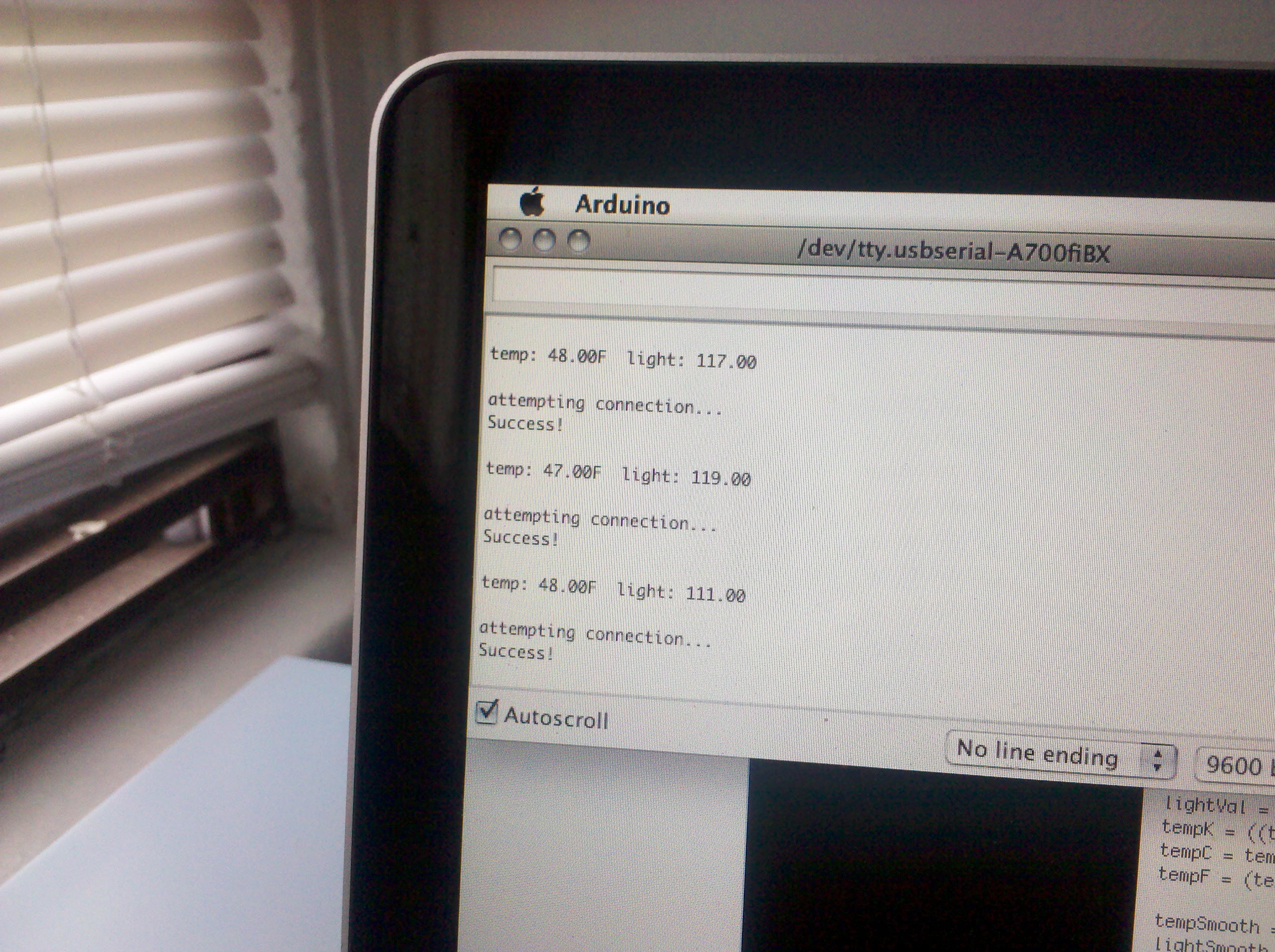
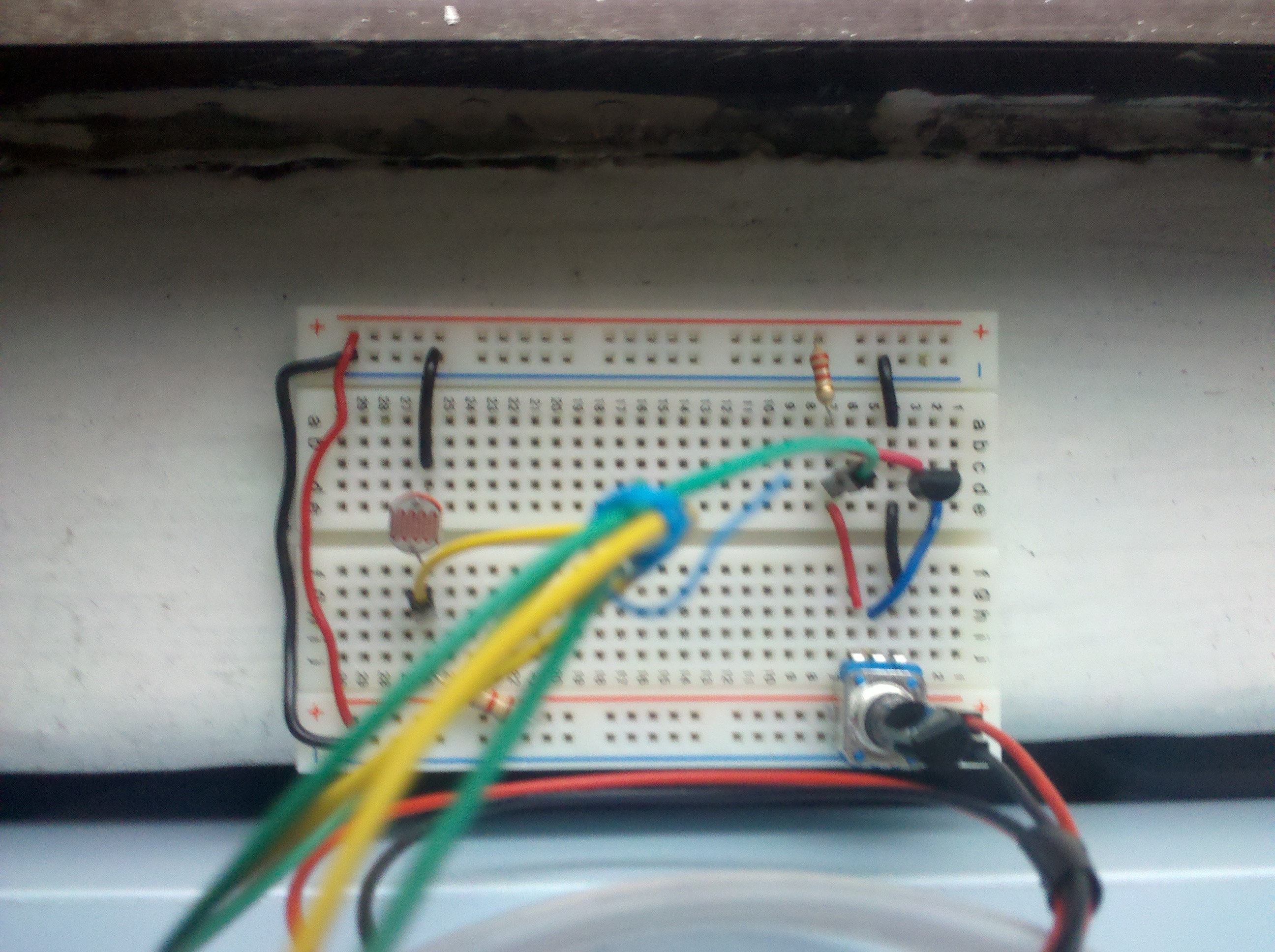
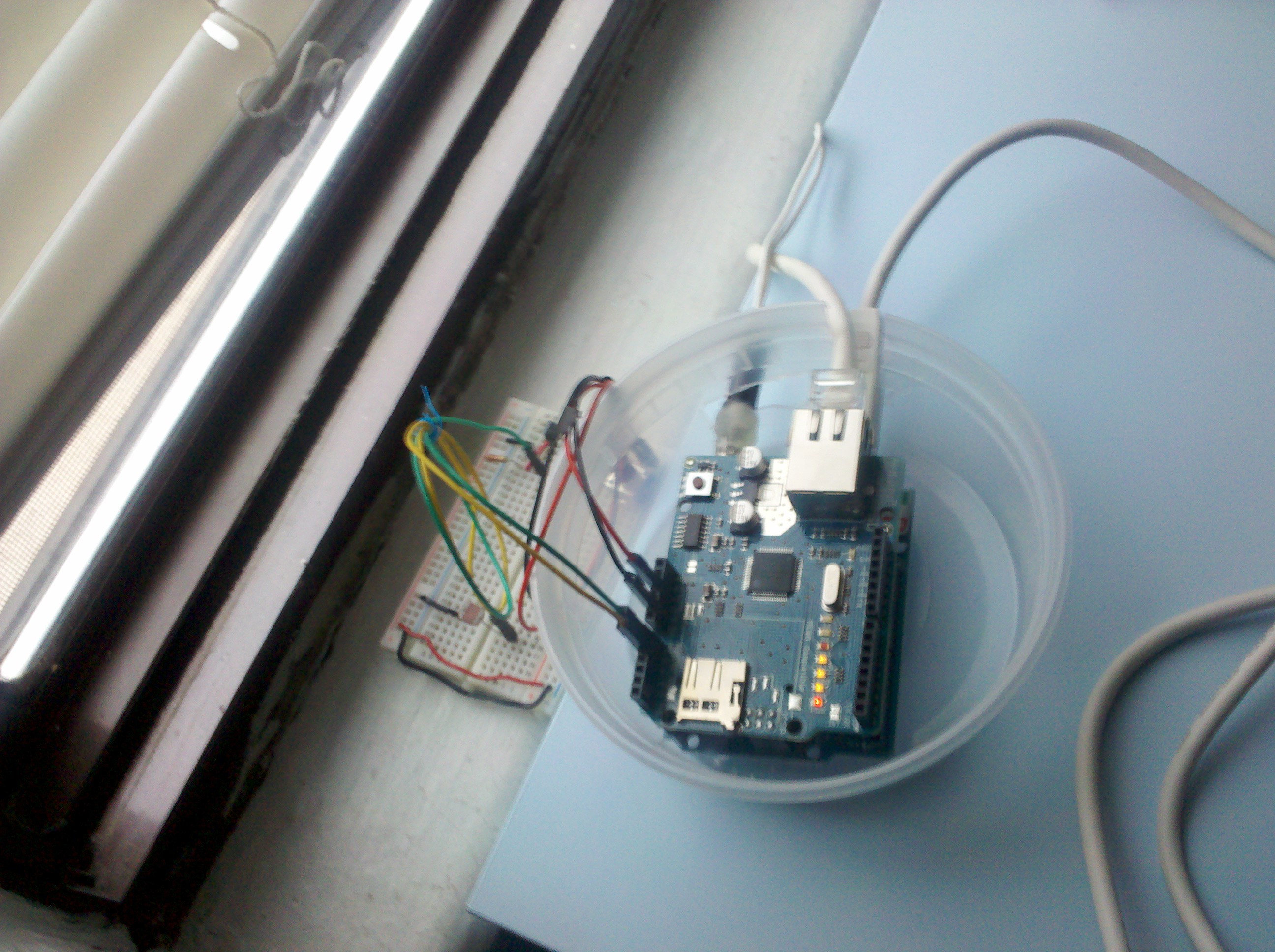
    The recurring theme of this class seems to be that I spend about 3-4 times as long on a given project as I expect I’ll have to put in. My initial idea for this project was to strap my thermo sensor and a light sensor to my bedroom window to track how the sunlight and temperature correlated. I wanted to learn how to hook up multiple sensors to my XBee and trasmit both pieces of data on a regular interval. It seemed like it wouldn’t be so hard to adapt the code from the book to create this project, but in the end, I couldn’t get any reliable data. It may have been how I set up my XBee in CoolTerm, or just that my Processing code was handling the API data packets from the sensor incorrectly, but as I went along, the more I tried, the further I seemed to get. Not only that, but I was going to be leaving home for a few days, and I needed to hook up my sensor to a stable power supply, so I was going to be plugging it into my computer anyway, so after many many hours of trying, I moved my whole operation to the Arduino.

    Data Logging

    Working with a combination of circuits from the book and a variation that Chris sent me a couple weeks ago, I managed to get my thermometer to return values that were pretty close to the thermometer we have in our house. And with quite a bit of luck, I got my light sensor to return values that came close to the top and bottom of the 10-bit analog range, at the lightest and darkest times of the day. So, before I left for a few days, I set up my sensor and let it go.

    Unfortunately, it seems that my thermo sensor fluctuated between two values the whole time, regardless of the fact that I know there were much larger swings of temperature in the window sill where I installed my sensors. Nevertheless, my setup managed to consistently record data, and you can see what I collected here:

    http://thomhines.com/projects/wireless_sensor/data.php (Click on one of the hour labels to see that hour in more detail)

    The data was stored in a text file on my server, and because HTML is built specifically to organize and display information, I decided to try to make a dynamic visual display using only web technologies. The HTML is built via PHP to load and print out the data. The bar graphs and colorings are all done via CSS and javascript. You can check out all the various pieces of code here:

    Arduino
    Processing
    HTML/PHP
    JavaScript/jQuery

     
  • Unknown's avatar

    Bree 12:50 am on March 19, 2011 Permalink | Reply
    Tags: call for help,   

    Five days later, can’t get data from arduino 

    Hey  guys, I am going insane and could really use help!

    I’m using a little omnidirectional mic as my “sensor” and am trying to throw these readings into a spreadsheet.

    The arduino printouts show “meaningful” values. As in, I get a value that makes sense; if it’s quiet, it’s one number, and if I make noise, the number goes up.

    However, when it gets to processing, I get this pattern of numbers that just repeats, regardless of what goes on and numbers that don’t match Arduino. Is this because of the kinds of packets of info I am getting from Arduino? I’m going CRAZY!


    Please help if yall have any ideas!

    (More …)

     
    • hilalkoyuncu's avatar

      hilalkoyuncu 2:18 am on March 20, 2011 Permalink | Reply

      Hi Bree,
      I am just using the Xbees them selves without Arduinos. I recommend you do the same, it is just easier if you are not trying to create a crazy complicated system.

      -Configure your Xbees as its shown in the 5th chapter.(API mode)
      -I think you might have to enter ATD03 instead of ATD02 because your sensor will not be a digital input.
      -When building the circuit use a piezo instead of a temp sensor cause it has a transducer and it will pick up sound as you are trying to do.
      -Use the processing sketch given for reading temperature, tweak it so that it will draw what you want to visualize. You can simply use the “temp” value in the sketch
      as the input for your visualizer.
      -Enjoy the awesomeness of your project!:)

    • Bree's avatar

      breegeek 2:17 pm on March 20, 2011 Permalink | Reply

      Thanks ill try that!

  • Unknown's avatar

    catherine 2:47 pm on March 18, 2011 Permalink | Reply  

    New York Times Article about Arduino 

    Hey guys,
    This was in yesterday’s New York Times.

    http://www.nytimes.com/2011/03/17/arts/design/arduinos-provide-interactive-exhibits-for-about-30.html

     
  • Unknown's avatar

    Lee 1:55 pm on March 16, 2011 Permalink | Reply  

    xbee sleep, help! 

    I’ve been at this for over 24 hours now and I can’t get my xbee to sleep for any extended period of time. I followed the book example and I can get it to sample every second, but anything longer, nothing happens.

    Anyone else having trouble? Anyone have any tips? email me at pixeldot.lee (@) gmail.com

     
  • Unknown's avatar

    Chris Piuggi 11:22 pm on March 10, 2011 Permalink | Reply  

    Ethernet to Server 

    Writing temperature and light values to a storage file.

    http://www.piuggi.com/sensorData/storage.txt

    Php Script

    put this script on your server which supports php.

    <html><body>
    <?php
     $light = $_GET['sendLight'];	$temp = $_GET['sendTemp'];
     $test_string = sprintf("We work work work work work work work, the whole day through...");
     //print the date
     $day = date('m/d');
    
     //print the time
     $time = date('H:i:s');
    
     //format them into an xml style
     $data = sprintf("\n<entry> \n <day>%s</day> \n <time> %s </time> \n <light> %s </light> \n <temp> %s </temp> \n</entry>\n",$day, $time , $light, $temp);
     //tell the server which file to open
     $filename = "storage.txt";
     //command it to open in order to append
     $file = fopen($filename,"a");
    //write our data string...
     fwrite($file, $data);
     //and we out.
     fclose($file);	?>
    
    <p> <?php echo $test_string ?> </p>
    
    </body>
    </html>
    

    Arduino Side of things
    Download here >

     
    • scottpeterman's avatar

      scottpeterman 1:40 am on March 11, 2011 Permalink | Reply

      Thanks!!!! Super helpful, the mac seems to be pretty weird with direct fwrite/fread to the arduino over serial (plus a lot of user error as well I’m sure), I kinda want to just pick one of these up…

  • Unknown's avatar

    Thom Hines 11:16 pm on March 10, 2011 Permalink | Reply  

    Takin’ it all the way: Sleep Mode and Direct Activation 

    Today’s lesson covers two unrelated, but very practical subjects.

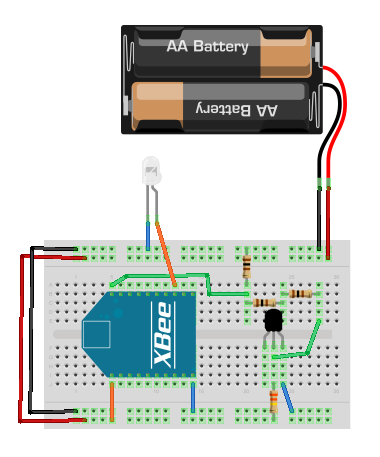
    First off, we’re starting with enabling sleep mode on our end device XBee’s. This essentially will power down our remote devices on a regular cycle to save power and make our network slightly more efficient. We’re going to be using the same thermometer circuit that we worked with last week. Here is a diagram of the circuit you need to (re)build:

    Thermometer Diagram

    In order to enable sleep mode on the device, we’ll have to bring your Router into CoolTerm, and set up a few AT parameters there.

    From here, we’re going to be using the same Processing code to read all the various thermometers. Easy! Done!

    The direct activation project is basically the thermometer project in reverse. Instead of reading from each of the routers, the coordinator (hooked up to a Processing sketch) will be able to turn on and off various devices remotely. Here’s the circuit you’ll want to build:

    Actuator Diagram

    The LED on the board represents the device we’ll want to turn on and off.

    The Processing sketch we’re using can be found on the O’Reilly site here (contains several assets).

     
  • Unknown's avatar

    scottpeterman 11:12 pm on March 10, 2011 Permalink | Reply  

    1/2 way there 

    So I am attempting to talk directly though the xbee coordinator into php, storing to a mysql database, so the info will be live viewable and the sensors will be controllable from the computer or mobile device.

    I worked off of this project using LCDs and xbees

    The toggle switch webpage works like this…

    <html> 
    	<head> 
    		<title>TEST</title> 
           	<style>
    		  p { color:red; margin:5px; cursor:pointer; }
    		  p .toggleon { color:red; margin:5px; cursor:pointer; }
    		  p .toggleoff { color:red; margin:5px; cursor:pointer; }
    		  </style>
    		  <script src="http://code.jquery.com/jquery-1.5.js"></script>
    		</head>
    		<body>
    		  <p class="toggleon">TOGGLE ON</p>
    		  <p class="toggleoff">TOGGLE OFF</p>
    		<script>
    		    $("p").click(function () { 
    		      $(this).addClass("click").load('ledOn.php');
    		 	location.reload();
    		    });
    		</script>
    
    		</body>
    		</html>
    

    (More …)

     
  • Unknown's avatar

    lpercifield 11:10 pm on March 10, 2011 Permalink | Reply  

    Xbee to the interwebs 

    This slideshow requires JavaScript.

    http://lpimaging.net/xbee/dataFile.txt

    This uses a Digi ConnectPort x2 module that connects directly to my xbee module.

     
  • Unknown's avatar

    andywallace 11:05 pm on March 10, 2011 Permalink | Reply  

    Code for today 

    HERE IT IS

    And here are the slides!

     
  • Unknown's avatar

    thisisvictorkim 10:31 pm on March 10, 2011 Permalink | Reply  

    “temperature” sensor graph 

    (note: “temperature” because I still need to adjust my thermometer, so for this example I was using light sensor.  a light sensor may be used for the final iterations)

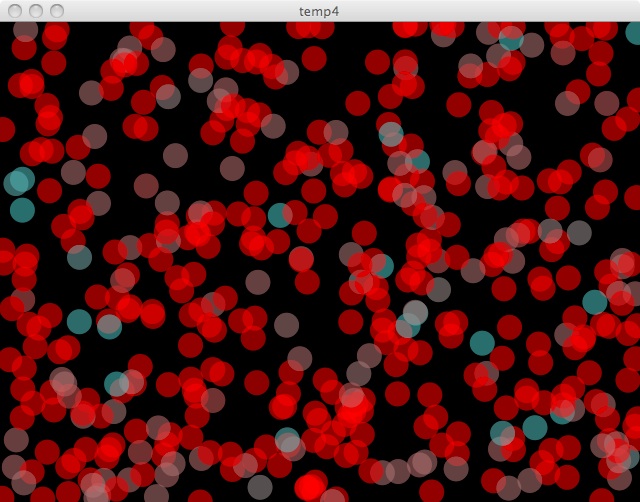
    sensor values are plotted to randomly plotted circles’ color.  over time this will create a collage of (hopefully) consistent colors.  If the temperature sensor is moved around to different climates then it won’t be a consistent color.  if I add a light sensor, it’ll get variance from the lights in my room being turned and off. so in theory i should get a nice collage of complimentary colors.

     
  • Unknown's avatar

    Bree 8:27 pm on March 10, 2011 Permalink | Reply  

    Surprisingly… 

    http://technabob.com/blog/2011/03/10/ipotti-bathroom-monitor/


    wow. just. wow. O_<

     
  • Unknown's avatar

    Lee 7:24 pm on March 10, 2011 Permalink | Reply  

    visualizing temperature data part1 

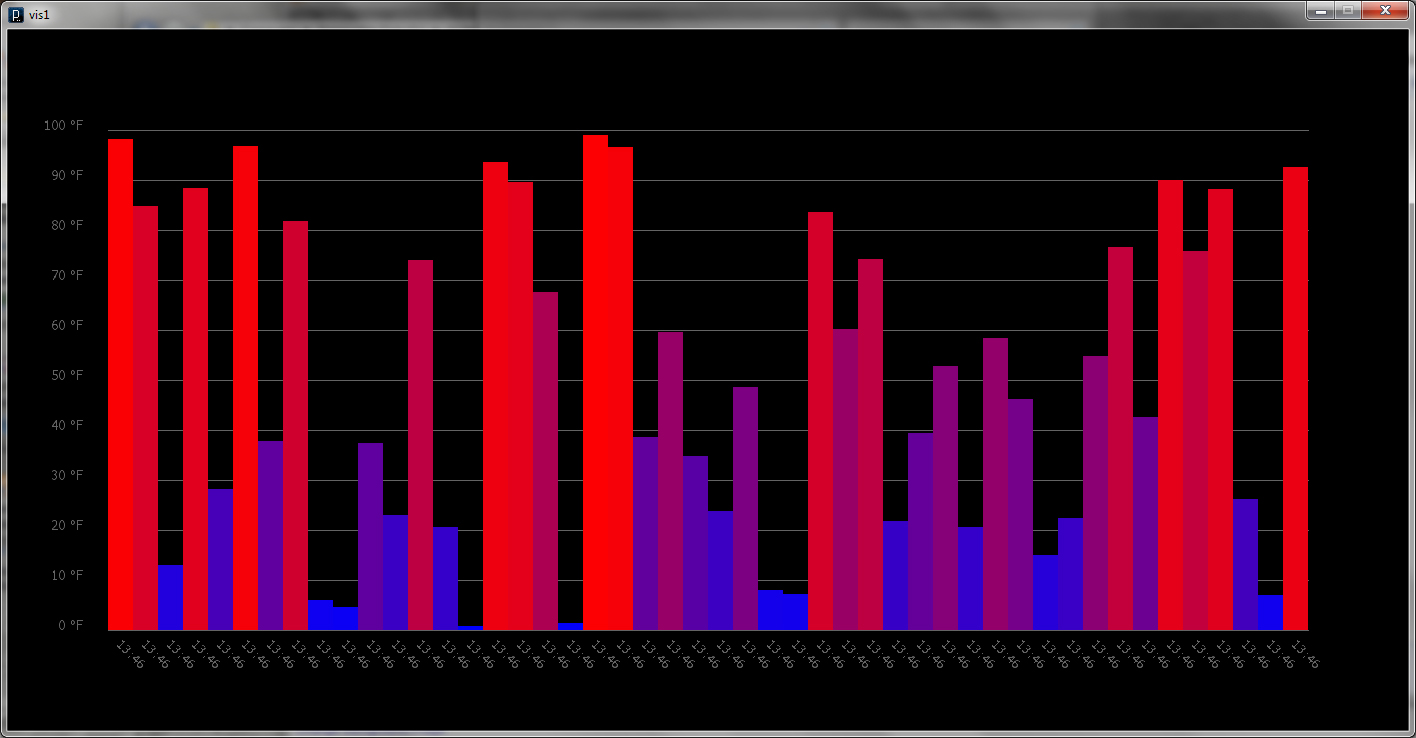
    This is iteration / step 1. Get some data from a wireless sensor and write some simple program to visualize it. I started simple since I’m a little rusty with processing. I need to see if there are any XBee libraries for codeBlocks or OF, processing just isn’t going to cut it.

    Anyhow, I started first by building up the look and creating a simple system for how incoming data would affect the chart. I got this setup before even touching my XBee’s, I simulated incoming data with a button press and spitting out a random temperature.

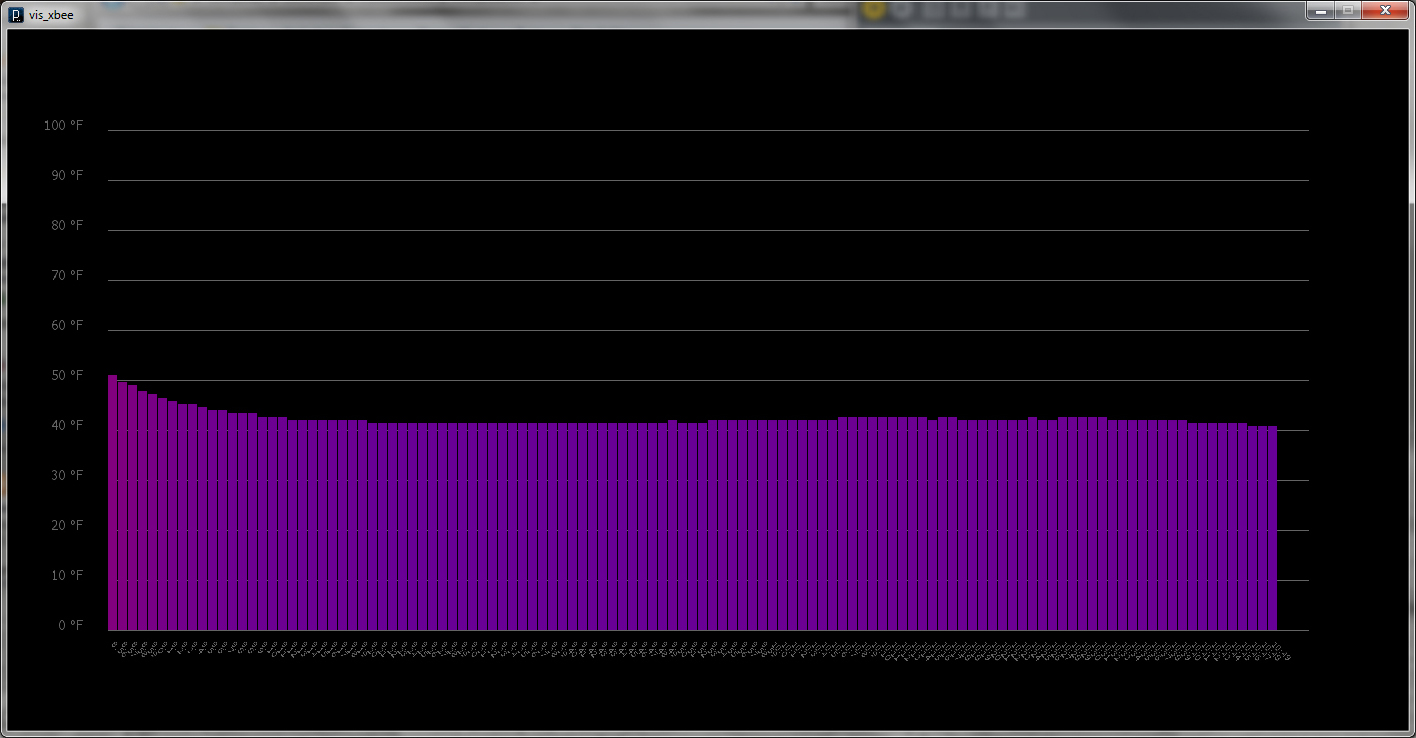
    Once I was happy with the look and feel I worked on hacking it together with all the XBee Sensor Network code which was actually a lot less painful than I imagined it was going to be. I’m not quite sure how to put the XBee’s into sleep mode yet, so the longest interval I could sample at was once a minute.

    I stuck the sensor and battery pack outside my window to track the temperature outside to test it out.

    I scaled up the chart and let it run for two hours.

    The initial warmer temps was residual heat from being inside. I checked my readings against what the internets were telling me was the current temperature and my little sensor proved to be pretty accurate.

    Good stuff so far, next iteration I’ll make a more interesting visualization and pull in data from another sensor or two. I’ll also make the program slightly interactive with some rollover info or make it clickable.

    (More …)

     
  • Unknown's avatar

    Behnaz Babazadeh 6:28 pm on March 9, 2011 Permalink | Reply  

    Visualizing Data in Processing 

    From the last chapter of Getting started with Processing .

    Click on the image above to see the animated gif of the different color / alpha values I played with.

    (More …)

     
  • Unknown's avatar

    Behnaz Babazadeh 6:27 pm on March 9, 2011 Permalink | Reply  

    Cigar box Fail. 

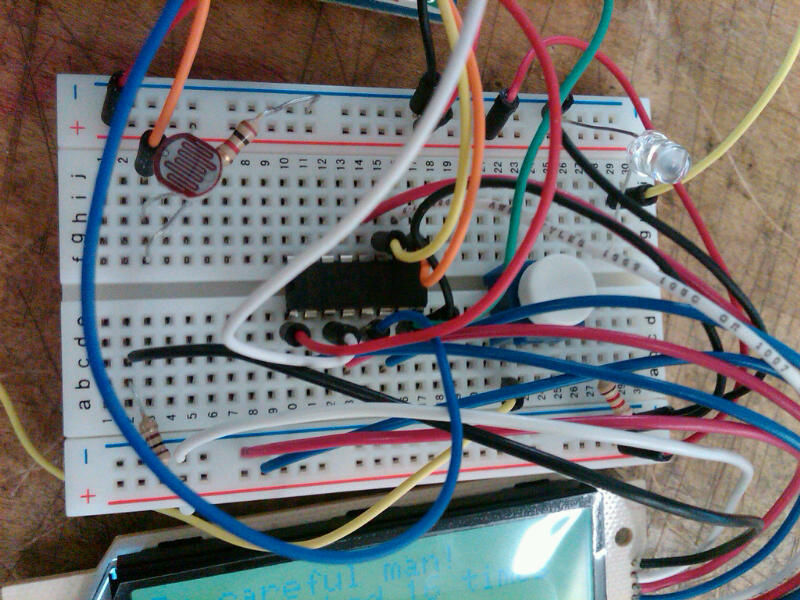
    Our group project, Oylum and I were interested in a pocket companion with a solid functional aspect to it. We settled on a cigarette box that would either encourages or discourages smoking. The concept will work with an LCD screen to output a “tamagotchi” character that will keep track of how often you have smoked with the use of a photocell sensor. The screen will also output messages as they pertain to time. There is also a speaker to output emotional sounds so that the user feels the character through the digital interface.

    Used the LCD code provided to prepare the lcd for the project. Then we combined previous piezo code and photocell. Unfortunately, last night I was so excited about finishing rewiring that  Code to be posted soon.

     
  • Unknown's avatar

    Alvaro Soto 11:08 pm on March 7, 2011 Permalink | Reply  

    busy club Bathroom 


  • Unknown's avatar

    scottpeterman 11:07 pm on March 7, 2011 Permalink | Reply  

    Bathroom Duck 

    So this was quite a struggle! First couldn’t get api mode to work, then got it working with two arduinos and managed to fry one of them! But finally got it up and running. The duck lives in the bathroom and sends a signal to the alertbox (an old 60s clock) if the bathroom is occupied.
    duck sensor wiring
    (More …)

     
  • Unknown's avatar

    minho 8:32 pm on March 7, 2011 Permalink | Reply  

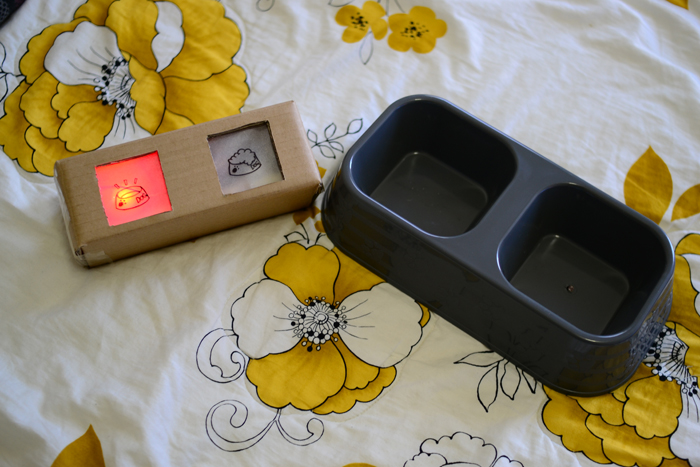
    Dog Bowl Monitor 

    (More …)

     
c
Compose new post
j
Next post/Next comment
k
Previous post/Previous comment
r
Reply
e
Edit
o
Show/Hide comments
t
Go to top
l
Go to login
h
Show/Hide help
shift + esc
Cancel