Updates from October, 2013 Toggle Comment Threads | Keyboard Shortcuts

  • Unknown's avatar

    Yury Gitman 2:33 pm on October 11, 2013 Permalink | Reply  

    Project 1, A “Simon Says Style Game” 

    In this 2-week assignment, make a “Simon Says” Style Memory Game.

    Game Design Specs:
    This is a memory game.  A light/sound pattern is presented. The user copies that pattern. After a successful copy, the pattern gets longer. As the game progresses, the speed of the pattern presented increases. There is a conclusion of the game.  If the user guess a 12 element pattern correctly they Win.  Play an “Win Sound”.   If they guess wrong, they loose, Play a Loose Sound.

    Physical Specs:
    4 LED’s
    4 Momentary Switches
    Battery Pack/ or Plug-in Power
    Speaker
    A physical enclosure to hold all.

    Vision and Enclosure Homework:
    3 Sketches, or Image Mock-up “Blue Sky Idea”, or Vision of the Physical form.
    3 Photo Found or Off Shelf Enclosures That you can “Tool”

    Publish Images on Blog BEFORE class, and present these 6 images in class.

    Sound Design Homework:

    1)  Make a “Start-up Sound and light effect”
    2)  Make a “You are Correct, you Win!” sound effect.
    3)  Make a “You are Wrong, you Dummy” sound effects, “You Lose”.
    4)  Make Simon Say something, incrementing up, with a pause in the middle.

    Parts Budget:  $20

     
  • Unknown's avatar

    Siwen Li 6:29 am on October 11, 2013 Permalink | Reply  

    Button- and Light-operated Music Box 

    The device showcase the Five Notes of Chinese acient music—Do, Re, Mi, So, La—harmonious scale, up and down.

    Button- and Light-operated Music Box from lswlhn on Vimeo.

     
  • Unknown's avatar

    Xiaofeng Lin 5:53 am on October 11, 2013 Permalink | Reply  

    Color Dial Device 

     
  • Unknown's avatar

    frankiezek 9:54 pm on October 5, 2013 Permalink | Reply  

    Intrument 

     
  • Unknown's avatar

    gaboratparsons 4:58 am on October 5, 2013 Permalink | Reply  

    Assignment with 2 buttons and light sensor 

    [“Minimum viable project”]

    https://vimeo.com/76197193

     
  • Unknown's avatar

    Xiaofeng Lin 2:28 am on October 5, 2013 Permalink | Reply  

    Arduino Instrument w/ Buttons & Photo Resistor 

     
  • Unknown's avatar

    sabotai 6:56 pm on October 4, 2013 Permalink | Reply
    Tags:   

    Instrument

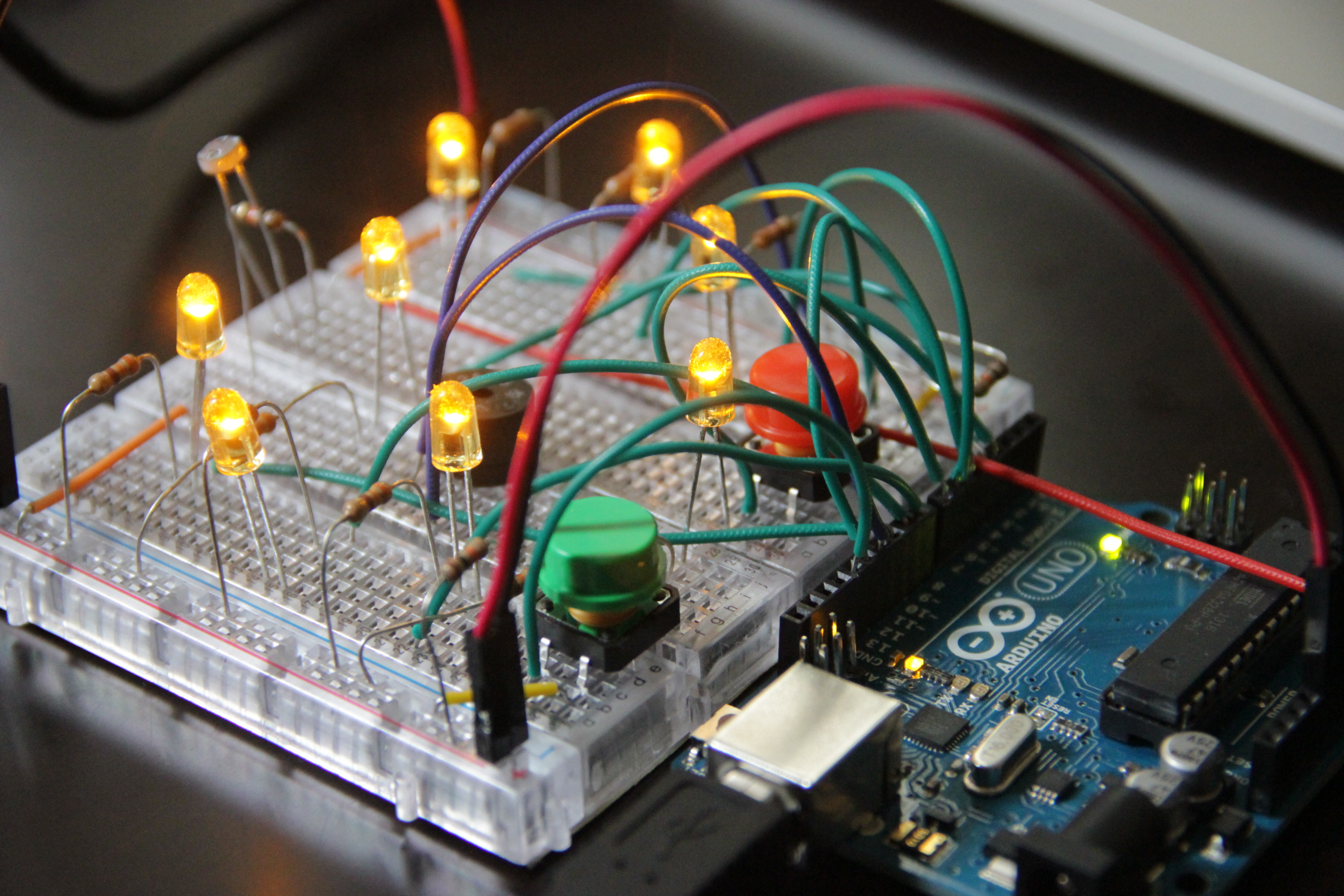
    The yellow button triggers range mode with the tone moving along the scale with the photoresistor acting as a multiplier.

    The green button triggers the light sensing tone/light level mode.

    The other buttons increase and decrease the delay.

     
  • Unknown's avatar

    Max(TONG WEN) 6:51 pm on October 4, 2013 Permalink | Reply  

    Maker fair–Max 

    IMG_0007

    IMG_0004

    IMG_0002

     
  • Unknown's avatar

    Max(TONG WEN) 6:44 pm on October 4, 2013 Permalink | Reply  

    homework-3week-(maxine) 

    http://www.youtube.com/watch?v=feZV4hb38aA&feature=youtu.be

     
  • Unknown's avatar

    Max(TONG WEN) 6:44 pm on October 4, 2013 Permalink | Reply  

    homework-2week-(Maxine) 

    http://www.youtube.com/watch?v=SZzj5lRQioM&feature=youtu.be

     
  • Unknown's avatar

    xinhe feng 6:33 pm on October 4, 2013 Permalink | Reply  

    My Small Instrument 

    Homework assignment for class 09/27

     
  • Unknown's avatar

    gracegotlost 4:31 pm on October 4, 2013 Permalink | Reply  

    Light&Sensor&Sound: Electronic Heart_Tingshan Gou 

    My idea is to create a visual/audio representation of Love. The sound was created based on the Initial Letter of me and my bf, which is GTS&YJL on the piano keyboard. The Green button represents when we are happy, while the Red button represents when we fight. I put the speaker in the middle of the heart, which looks like the heart can speak itself. I found it really interesting to arrange the wires, resistors, and other components like this. Apart from its function, the circuit is like a piece of work itself, quiet and humble, waiting for someone to push either of its color button, eager to tell its stories. In prototype 1, the button can not stay ON state itself once I moved my hand, so I have to hold the button and cover the sensor to change the mode. But in prototype 2 as I uploaded below, I used a variable to record the previous state of the button and changed the state only if the previous state is OFF and current state is ON. I also recreated the breadboard, cut off the +/- part of each board and combine them into one. Hope this won’t cause trouble to my later work >_<

    IMG_5400

    Below is the video:

     
  • Unknown's avatar

    Evander Batson 4:29 pm on October 4, 2013 Permalink | Reply  

    [homework] Three button instrument 

    button A : g major automatic arpeggio
    button B : e minor automatic arpeggio
    button C : d major light-resistor controlled arpeggio


    Code here:

    https://github.com/evanderbatson/demos/blob/master/instrument.ino

     
  • Unknown's avatar

    Soohyun 3:46 pm on October 4, 2013 Permalink | Reply  

    Musical Instrument (light sensor LED) Assignment 

    Assignment – light sensor with button and LED

    I used two buttons: one for increasing way of led lights and sound, and the other for decreasing way of them. In addition, sound and light speed are changed by the light level status from the light sensor analog input data.

     
  • Unknown's avatar

    Yury Gitman 3:35 pm on October 4, 2013 Permalink | Reply  

    Assignment for 4/11's Class 

    1)   Read and Do exercises pages: 105-108,  Programming Arduino. (Section on Library and Random Numbers)

    Re-read Analog Outputs section on Programming Arduino in Chapter 6.

    2)  Read and Do circuit 03 in the SparkFun Inventor’s Kit   RGB LED.

    3)  Create a “Color Dial Toy”. 

    Make a device with 1 RBD LED, 3 Potentiometer Knobs, and One Button.   Each one of the Knobs increases or decreases the value of and Red, Green, or Blue Value.   As you turn the 3 knobs you can mix the R, G, or B values individually.  When you push the button, the RGB LED changes colors Randomly.  IF button is pressed the LED turns all sorts of different colors.

    Note: I asked you to buy three Rotary Potentiometers. Use these or any 3 of similar value.

     
  • Unknown's avatar

    giang063 2:51 pm on October 4, 2013 Permalink | Reply  

    Musical Instrument 

    Idea
    Make a real music instrument. Actions should change notes and time. I find pre-programmed musical loops frustrating for playing. Typical Lanier’s “locked-in” designs, maybe?
    Push button should change some playing “mode”.
    Original assignment: https://makingtoys.net/2013/09/27/1-read-and-do-exercises-pages-85-103/

    Prototype 1
    I first put a potentiometer to control the notes. They are playing a C Major scale, based on the frequencies I’ve found here.

    Prototype 2
    I added pauses between the notes so that they can articulate and I would have a tempo.

    Prototype 3
    I added a photo resistor to control the note value, i.e., duration. It feels more like a change in tempo, but it works.

    Prototype 4
    I added a push button to switch modes:

    • In the first mode, potentiometer controls notes and photo resistor changes time;
    • In the second mode, photo resistor controls notes and potentiometer changes time.

    The second mode feels more intuitive to play.

    Notes
    The push button may need some adjustments to change modes properly. It may not be the best solution for a switch function.

    Update
    I added the bounce library and now it works perfectly!

     
  • Unknown's avatar

    FluffyLeecy 1:43 pm on October 4, 2013 Permalink | Reply
    Tags:   

    Maker Faire Highlight – My favorite 3 

    I have to say I enjoyed MF so much that I really want to bring my project next time. As I was also a volunteer on Sunday, I experienced the fun of both making and exchanging ideas and passion. Showing projects to kids made me so proud of myself even it was not my project.

    My 3 favorite projects were:

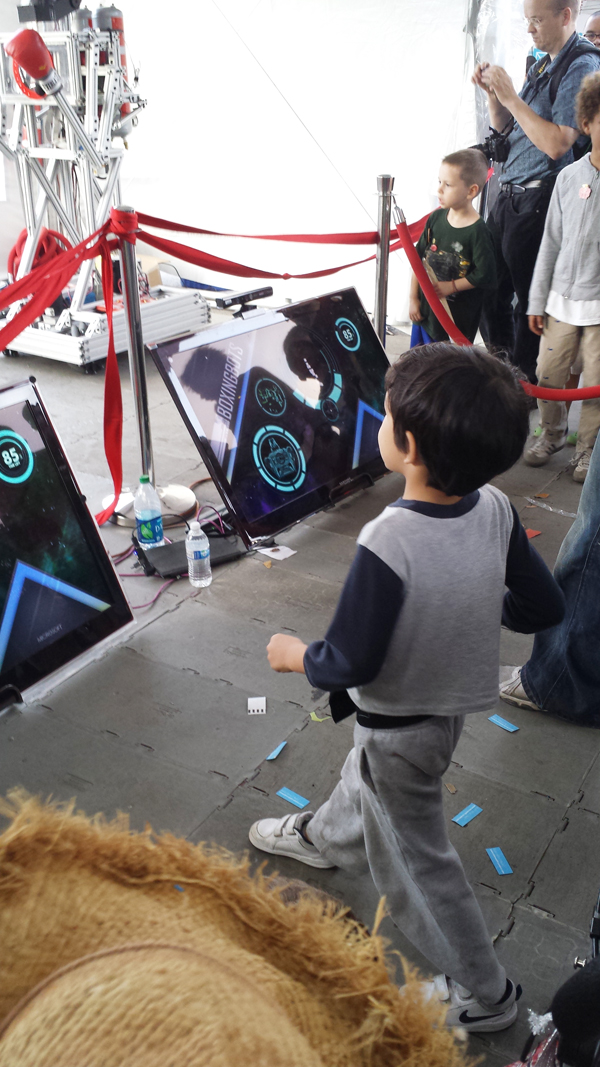
    1.  Kinect Fighting RobotImage

    Using Kinect to track movements is not news but still makes it exciting and fun. I was fascinated by its well-designed appearance and UI design which is very smooth, clear and easy to convey the messages like loading, fighter information, and etc. Kids can understand it, join it and play it, without any instructions.

    Image

    Here’s the video:
    https://vimeo.com/76709865

    2. Thunder Bear Board

    This is really old school stuff but truly impressed me. It’s designed by Stamati & Sophia, from a little lovely studio called “Almost Art House”. It’s pretty easy in designing but very meaningful for people who have dreams and goals. In despite of its low techie, it emphasized the willingness or motivation of doing things. I think this spirit is very important today as technology is making people’s lives more and more convenient, at the same time, making people lazy in thoughts, even subconsciously rely on technology. Design products as Thunderbear would bring back the motivation in people, making them do things only they are aware of. Setting goals by hand, fulfill dreams and enjoy being a champion.

    The most lovely part is it even designed a champion board for users to show their achievements.  How adorable!

    ImageImageImage

    3. Lovely robots

    I simply like their appearance. I like the idea they are using daily-used material to design their robots. Look at the eyebrows they have!

     
  • Unknown's avatar

    xinhe feng 6:01 am on October 3, 2013 Permalink | Reply  

    Maker Faire Report – 3 Interesting Arduino Projects 

    No.1  WetPong Bioarcade

    By GenspaceNYC

    WetPong is a video game that you play using a joystick to control live, swimming, single-celled organisms. Makers put a microscope on an iPhone camera so you can see the bacterium and build up the game interface. Arduino system is used to control magnetic field.

    It is so interesting that they find these magnetotactic bacterium that always follow magnetic field, so you can simply control the movement of real lives. What is more creative is that they made a game that you can play through this device with bacterium.

    Image

    No.2  Dual Wireless Data

    By Kevin Marinelli

    This project is a pair of compact wireless data gloves that allow a person to interact with a computer using both hands. So you can drag the strings on the screen by picking and moving, just like you are touching the real object.

    Its finger movement capture is highly accurate. I can simply picking a color string on the screen. The transition from 3D human movement into 2D screen is very interesting. I think this project has tremendous potential.

    Image

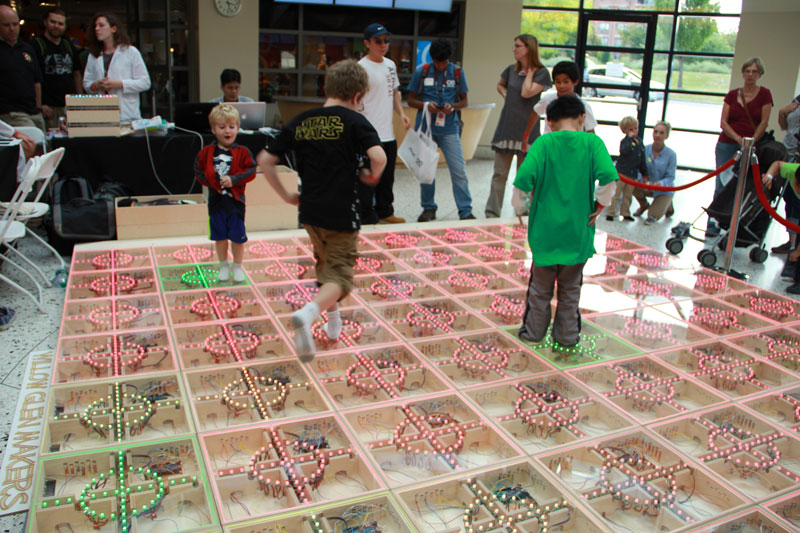
    N0.3  FlowX26

    By Lendy Dunaway, Davis Dunaway,Sami McGinnis, Mathew Tung, Andrew Ke

    FlowX26 is a life-size version of the mobile app Flow Free. Instead of connecting circles using your finger,people will be walking on tiled that will be light up.The game board is an interactive platform that reacts to steps.

    I did not notice this idea came from a mobile game at first. The concept is quite simple and straightforward. But the scale of the project make it very successful. There were always many kids playing on it. I always appreciate works that involves people and generate happy interactions.

    Image

     
c
Compose new post
j
Next post/Next comment
k
Previous post/Previous comment
r
Reply
e
Edit
o
Show/Hide comments
t
Go to top
l
Go to login
h
Show/Hide help
shift + esc
Cancel