I used two buttons: one for increasing way of led lights and sound, and the other for decreasing way of them. In addition, sound and light speed are changed by the light level status from the light sensor analog input data.
1) Read and Do exercises pages: 105-108, Programming Arduino. (Section on Library and Random Numbers)
Re-read Analog Outputs section on Programming Arduino in Chapter 6.
2) Read and Do circuit 03 in the SparkFun Inventor’s Kit RGB LED.
3) Create a “Color Dial Toy”.
Make a device with 1 RBD LED, 3 Potentiometer Knobs, and One Button. Each one of the Knobs increases or decreases the value of and Red, Green, or Blue Value. As you turn the 3 knobs you can mix the R, G, or B values individually. When you push the button, the RGB LED changes colors Randomly. IF button is pressed the LED turns all sorts of different colors.
Note: I asked you to buy three Rotary Potentiometers. Use these or any 3 of similar value.
Idea
Make a real music instrument. Actions should change notes and time. I find pre-programmed musical loops frustrating for playing. Typical Lanier’s “locked-in” designs, maybe?
Push button should change some playing “mode”.
Original assignment: https://makingtoys.net/2013/09/27/1-read-and-do-exercises-pages-85-103/
Prototype 1 I first put a potentiometer to control the notes. They are playing a C Major scale, based on the frequencies I’ve found here.
Prototype 2 I added pauses between the notes so that they can articulate and I would have a tempo.
Prototype 3 I added a photo resistor to control the note value, i.e., duration. It feels more like a change in tempo, but it works.
Prototype 4 I added a push button to switch modes:
In the first mode, potentiometer controls notes and photo resistor changes time;
In the second mode, photo resistor controls notes and potentiometer changes time.
The second mode feels more intuitive to play.
Notes The push button may need some adjustments to change modes properly. It may not be the best solution for a switch function.
Update I added the bounce library and now it works perfectly!
I have to say I enjoyed MF so much that I really want to bring my project next time. As I was also a volunteer on Sunday, I experienced the fun of both making and exchanging ideas and passion. Showing projects to kids made me so proud of myself even it was not my project.
My 3 favorite projects were:
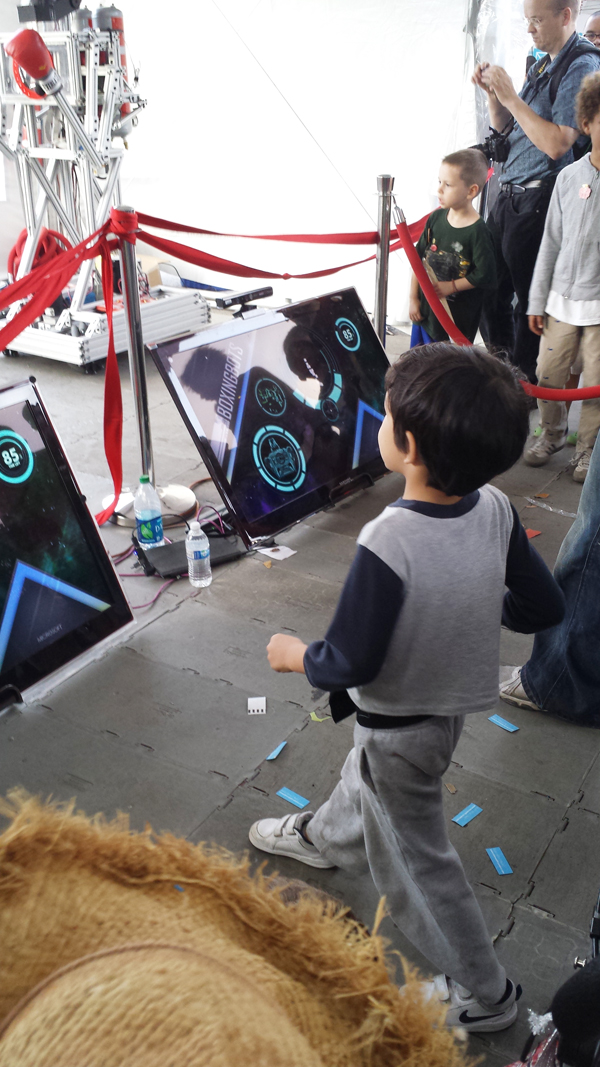
1. Kinect Fighting Robot
Using Kinect to track movements is not news but still makes it exciting and fun. I was fascinated by its well-designed appearance and UI design which is very smooth, clear and easy to convey the messages like loading, fighter information, and etc. Kids can understand it, join it and play it, without any instructions.
This is really old school stuff but truly impressed me. It’s designed by Stamati & Sophia, from a little lovely studio called “Almost Art House”. It’s pretty easy in designing but very meaningful for people who have dreams and goals. In despite of its low techie, it emphasized the willingness or motivation of doing things. I think this spirit is very important today as technology is making people’s lives more and more convenient, at the same time, making people lazy in thoughts, even subconsciously rely on technology. Design products as Thunderbear would bring back the motivation in people, making them do things only they are aware of. Setting goals by hand, fulfill dreams and enjoy being a champion.
The most lovely part is it even designed a champion board for users to show their achievements. How adorable!
3. Lovely robots
I simply like their appearance. I like the idea they are using daily-used material to design their robots. Look at the eyebrows they have!
WetPong is a video game that you play using a joystick to control live, swimming, single-celled organisms. Makers put a microscope on an iPhone camera so you can see the bacterium and build up the game interface. Arduino system is used to control magnetic field.
It is so interesting that they find these magnetotactic bacterium that always follow magnetic field, so you can simply control the movement of real lives. What is more creative is that they made a game that you can play through this device with bacterium.
No.2 Dual Wireless Data
By Kevin Marinelli
This project is a pair of compact wireless data gloves that allow a person to interact with a computer using both hands. So you can drag the strings on the screen by picking and moving, just like you are touching the real object.
Its finger movement capture is highly accurate. I can simply picking a color string on the screen. The transition from 3D human movement into 2D screen is very interesting. I think this project has tremendous potential.
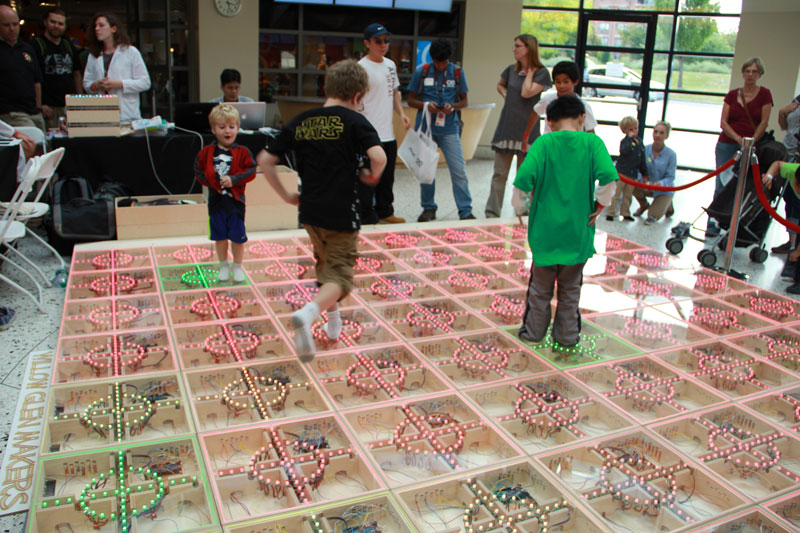
N0.3 FlowX26
By Lendy Dunaway, Davis Dunaway,Sami McGinnis, Mathew Tung, Andrew Ke
FlowX26 is a life-size version of the mobile app Flow Free. Instead of connecting circles using your finger,people will be walking on tiled that will be light up.The game board is an interactive platform that reacts to steps.
I did not notice this idea came from a mobile game at first. The concept is quite simple and straightforward. But the scale of the project make it very successful. There were always many kids playing on it. I always appreciate works that involves people and generate happy interactions.
Came to check out the homework and realized forgot to hit publish on this.
Whoops..
And it still won’t let me upload images…
My absolute favourite thing I saw was an Arduino powered coffee roaster built using some scrap or scavenged parts by WTG (We Teach Geek). It embodied three things I’m really interested in: code, reusing and recycling materials and coffee. While coffee is what turned my head and got me over to the booth (I’ve written papers on coffee and coffee production. I’m endlessly interested), the scavenged parts were my favourite part. One of my greatest interests is in reducing waste, so adding code and coffee just made this seem really cool.
Not sure how techy this one was, but I really liked this faucet by Delta. It made the same amount of water feel more powerful than a normal faucet or shower head. While I don’t recall the details, I believe the idea behind this was to reduce water use without cutting down on quality. Other shower heads that reduce the water used feel weak. Once again, I liked this for it’s earthiness.
And last, I liked the programmed graphing calculators, because they were what I dreamed of in high school. Well, a little more complex than what I dreamed of in high school. The project was just some little programs on T3/T4 graphing calculators by Christopher Mitchell to make them do some funky things like play music on a floppy disc.
Least favourite, all the useless 3D printed coffee table knick-knacks.
This work includes two parts: one is a video hang on the wall, telling the story of the author, the other one is a blackboard around it with a title said: What inspires you? Although this piece of work doesn’t have high – tech visual effect, I think it deeply interacts with people, who may watch the video to not. Further, people who draw on the board later would got inspired from people who draw earlier. In a world there full of technologies and mouse-keyboard interactions, drawing on board might be a harbor for people to get over a “shock”.
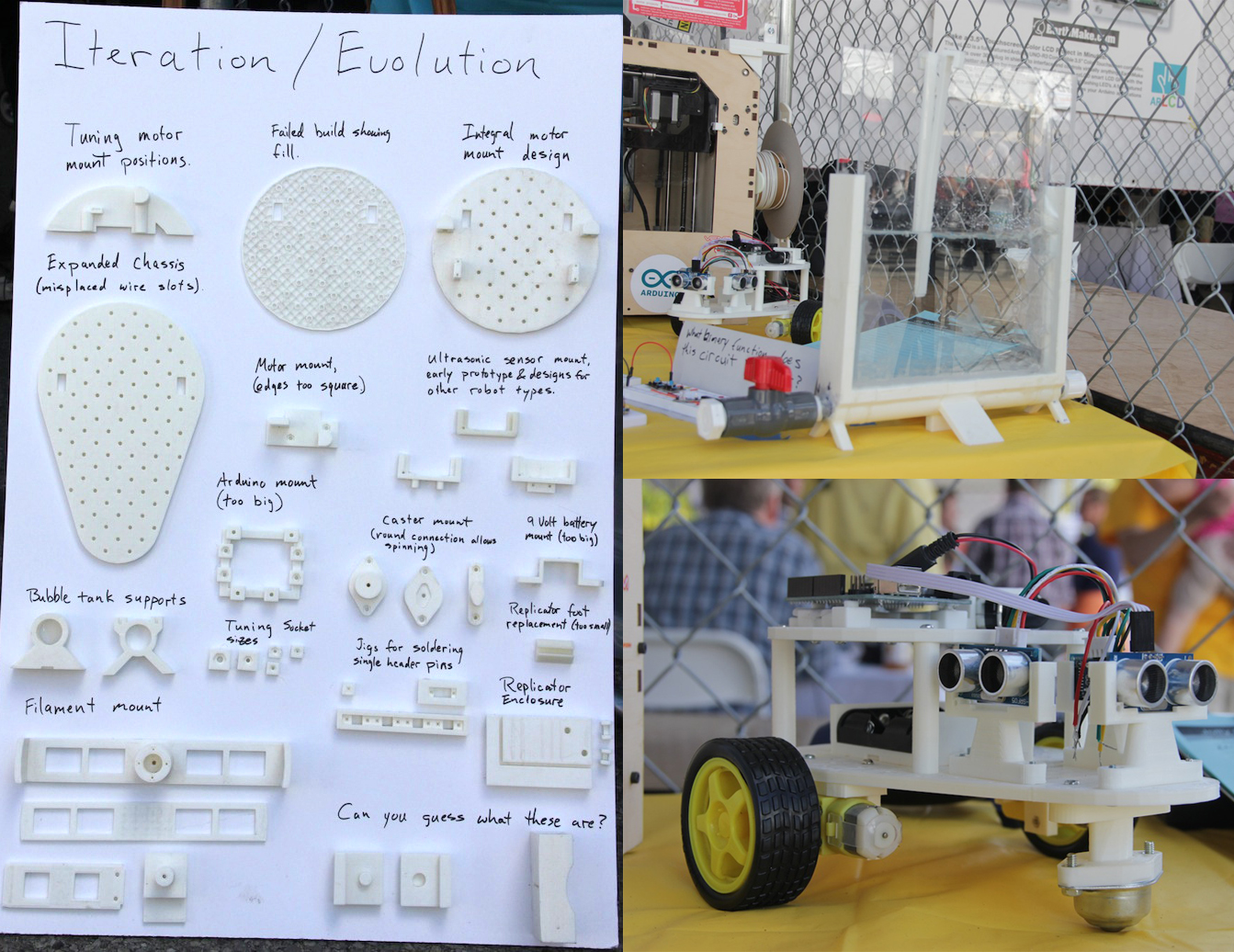
2.Printed on Makerbot Replicator 3D printer by Jolly Roger Labs: Brian Davis, Ed Kalen
The first one is a bubble tank for etching printed circuit boards, which hasn’t finished yet, and the second one is a modular robot controlled by Arduino. It was designed using OpenSCAD software. This is the first 3D printing projects I saw, and that’s why I got impressed by the convenience of how one can make prototypes quickly and precisely. I particularly like the board the creator made for the display of his entire process, it’s a piece of artwork itself.
3.Cosmic Ray Detector by a generous anonymous gift
The last one is a cosmic ray detector. It is a cloud chamber that contains a layer of supersaturated alcohol vapor. Since the vapor is supersaturated it will easily condense into liquid form. When an electrically charged particle comes along, it ionizes the vapor, tearing away the electrons in some of the atoms along its path. This leaves these atoms positively charged. Other nearby atoms are attracted to the charged atoms. This is enough to start the condensation process. So you see little droplets of alcohol forming tiny clouds along the paths the particles too throughout the chamber. I didn’t really like it at first sight. but after seeing the introduction of these tiny white lines and dots, I was shocked. The cosmic ray detector may be familiar with some people, but for me, I never thought of these invisible rays can be seen and “feel”. What impressed me more is how the “rays” have been created.
Other interesting things I found:
1. Willings for 3D printer
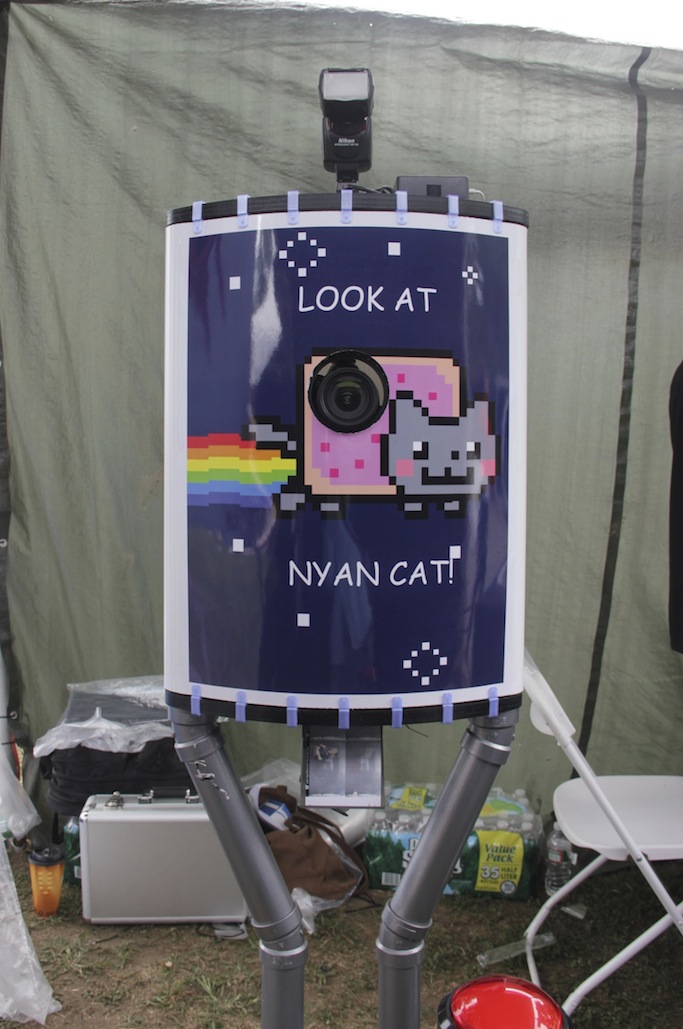
2. All in one machine for self-taking photo and printing
3. The future needs fixing by Sugru – Self-setting rubber for fix, modify, and adapt
1) Read and Do exercises pages: 85-103, Programming Arduino
2) Read and Do circuit 05 and 06 in the SparkFun Inventor’s Kit
3) Create and “instrument” with two switches, 10 LED’s, and a photo-resistor. As you push one button the instrument tones scales UP and LED’s blink in one direction. As you push the other button, the tone scales down and LED’s blink in another direction. As the Light Level changes the delay of the tones change, or another aspect of the instrument changes.
It can good be a break from screen based video games. It has the potential to encourage people/kids to use their imagination to create sharpie worlds and obstacle, and their own characters. I loved the idea of having a game that you can create yourself. It was fun playing it and Im sure it would be even more entertaining having to create your world and compete against your friends.
The next one is a textile, I lost the paper with the name :S
In this project they semi-digitalized the process of making looms. You make your pattern in the computer (square grid), then you load the file. Magnets are activated that will allow you to create the patter. I like the idea of mixing craft and digital labor.
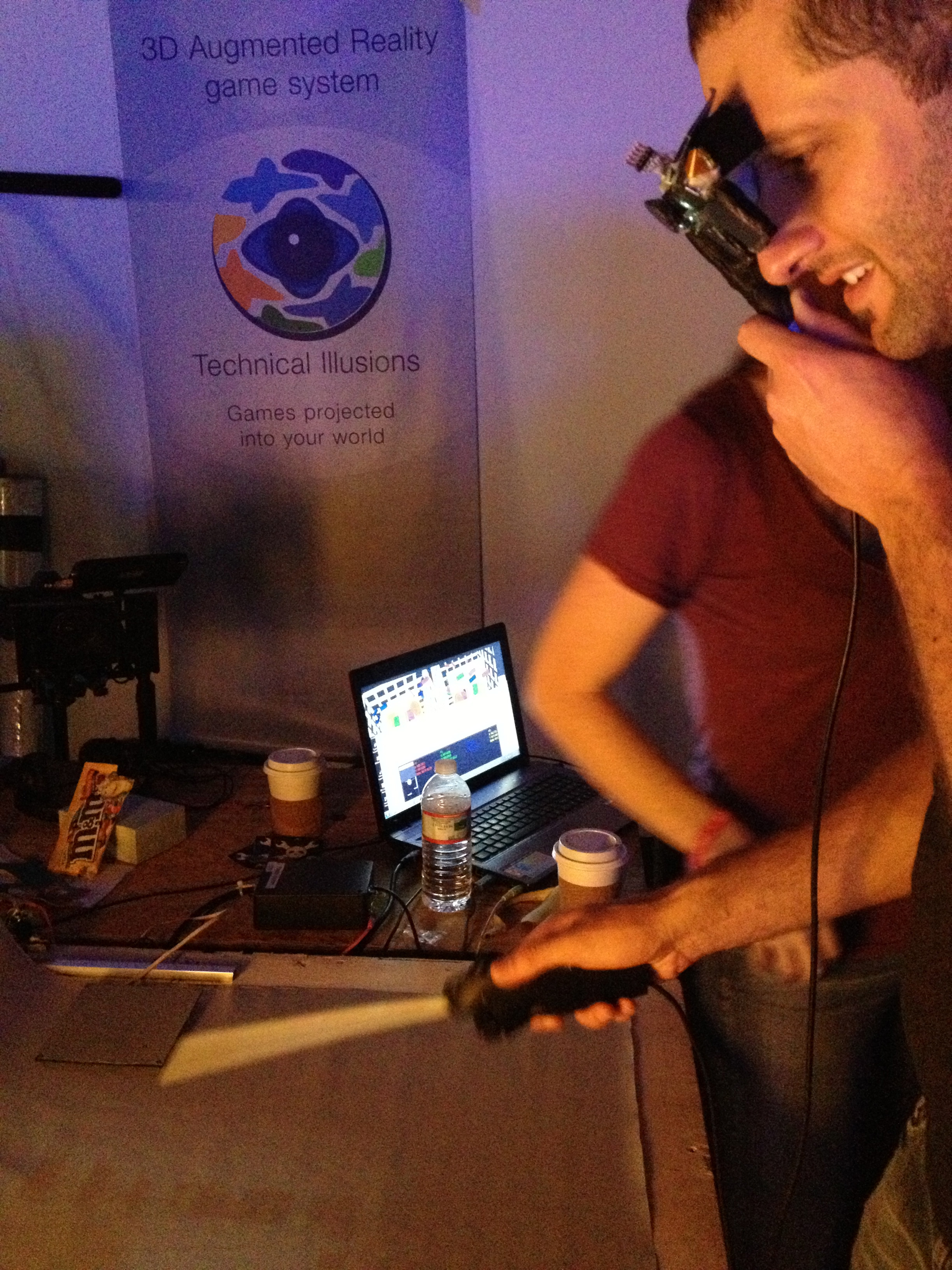
Augmented Reality Glasses and Games by Jeri Ellsworth
As opposed to the video sans-video game this one was all about the video. It was fun to play and you can actually look around and feel that you are inside the video game. A particular design choice they made that caught my attention was that you have complete control of your view but you can still see your character. I fin it interesting that they decided to empower the user as a controlling god.
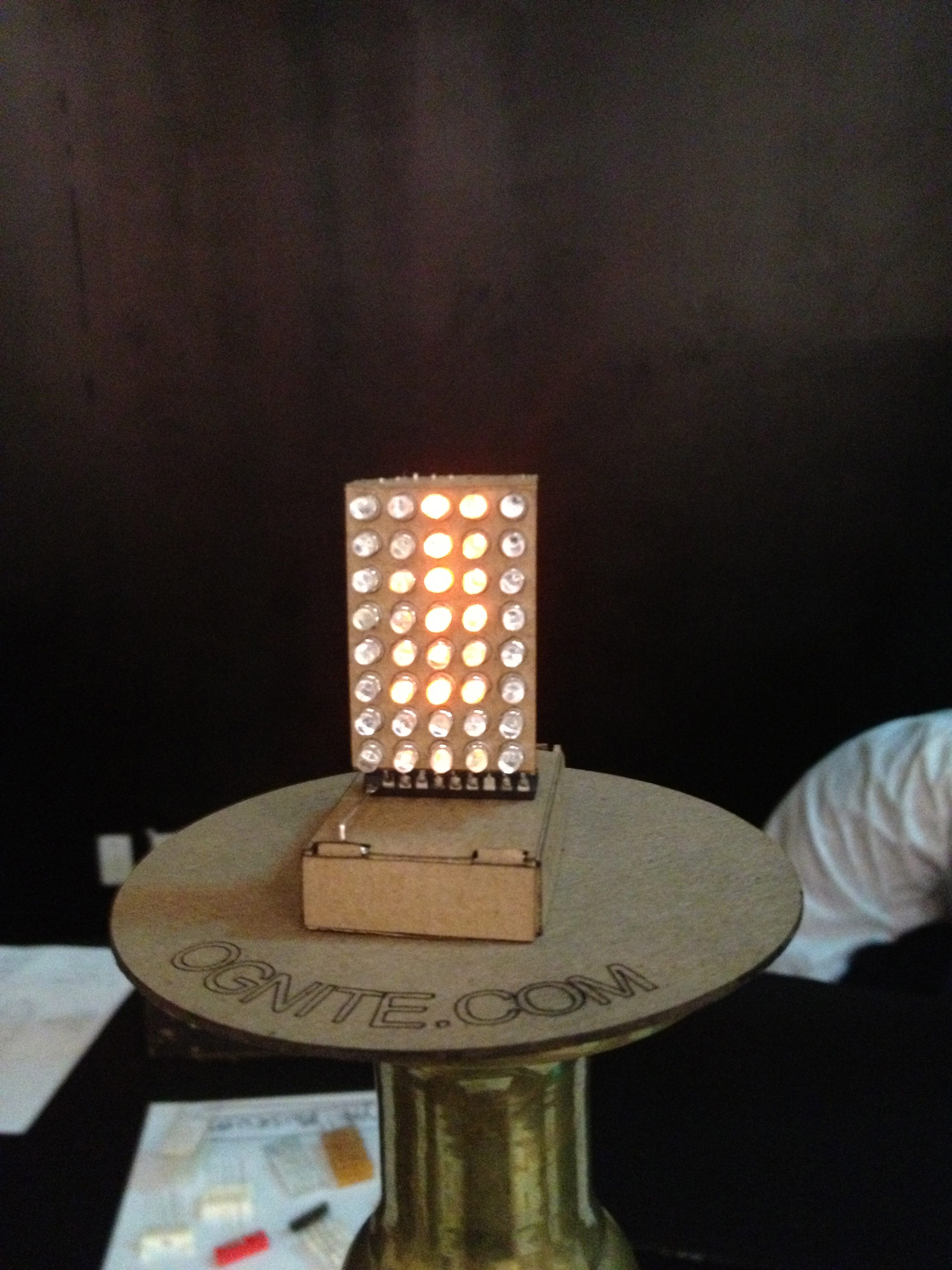
Ognite by Josh Levine
This was a simulated candle $5 kit. It was a simple LED structure with a attiny already programed. A simple idea that can amuse, educate and decorate.
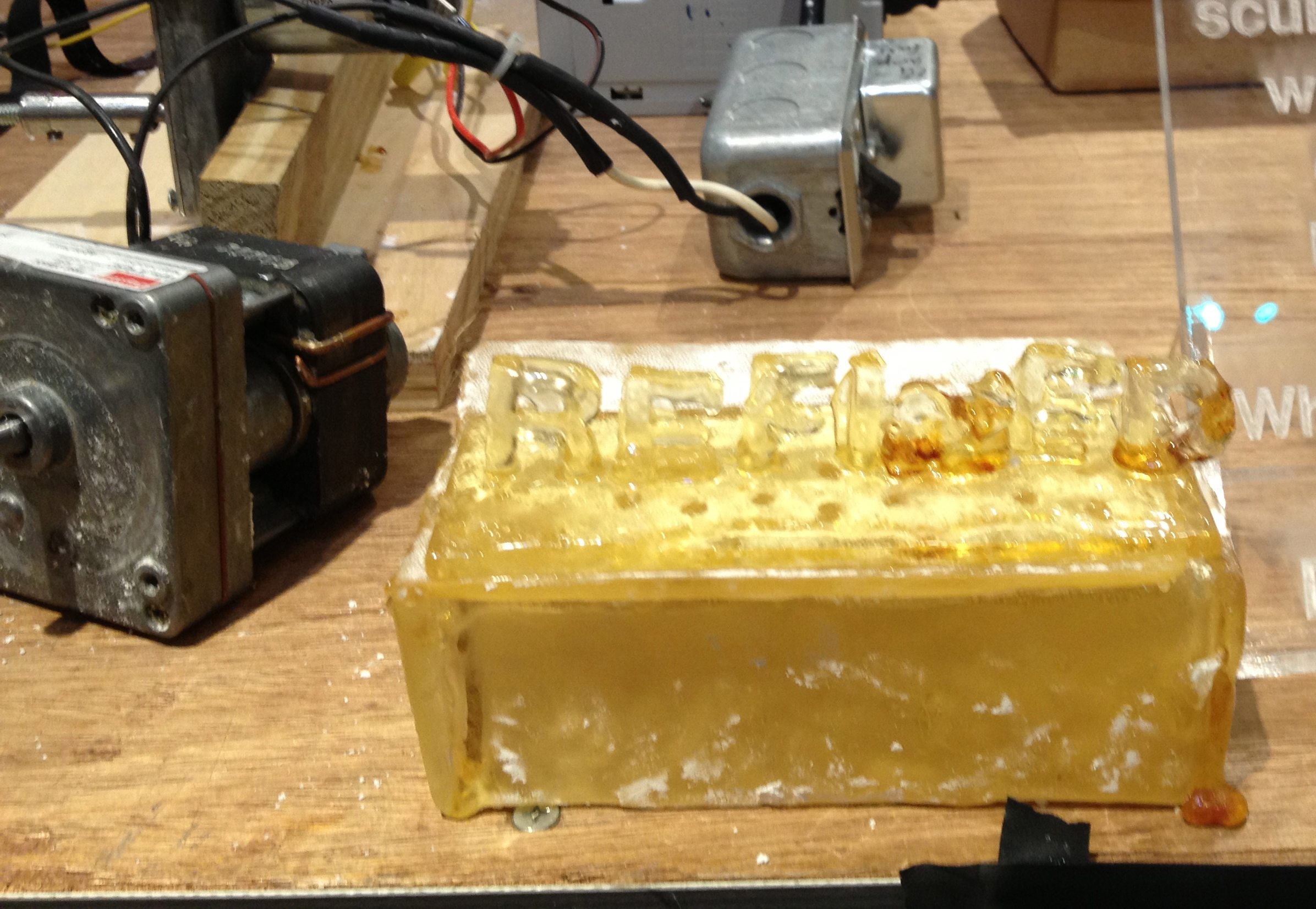
Refined by Eric Hagan
It was a food safe sugar based electromagnetic sculpture. Making electronic/machine parts with food…brilliant idea!
The place was huge! I enjoyed walking around, there where so many interesting projects.
This Sir Walter Cooler from Microsoft was interesting to me because the machine shows emotional expression, which I am interested in, to give information of water needs to users. It tried to catch users’ attention by showing color on the board and also a man’s voice to encourage users to drink water more.
2. Physical to Digital Color Mixer / Drawing Tool
This work is from MFADT !! This is drawing tool with physical objects and digital images. Users can create colour with 3 cups of water by mixing them in a cup from the data(water weight and selection of water cup). It is just transparent water but it shows differ color on the screen. Also, users can use this color to lamp’s light color. It encourage users to use real physical brushes and water to make colour and apply them to digital world. I think successful thing of the project is it combines analog and digital in interesting way. Users can enjoy their painting with water and brush which are physical art materials to play with digital drawing tool.
3. Sensacell Music Sequencer
This work was interesting to me so much, because I want to explore smart home interaction design and this work inspired me of that. It spreads beautiful visual effects based on sensing system. It encourage users to touch and feel the huge screen and feel something connection between the screen and themselves.
6-LED Array with 4 different modes / includes potentiometer and buzzer
————————————
MAKER FAIRE NYC 2013
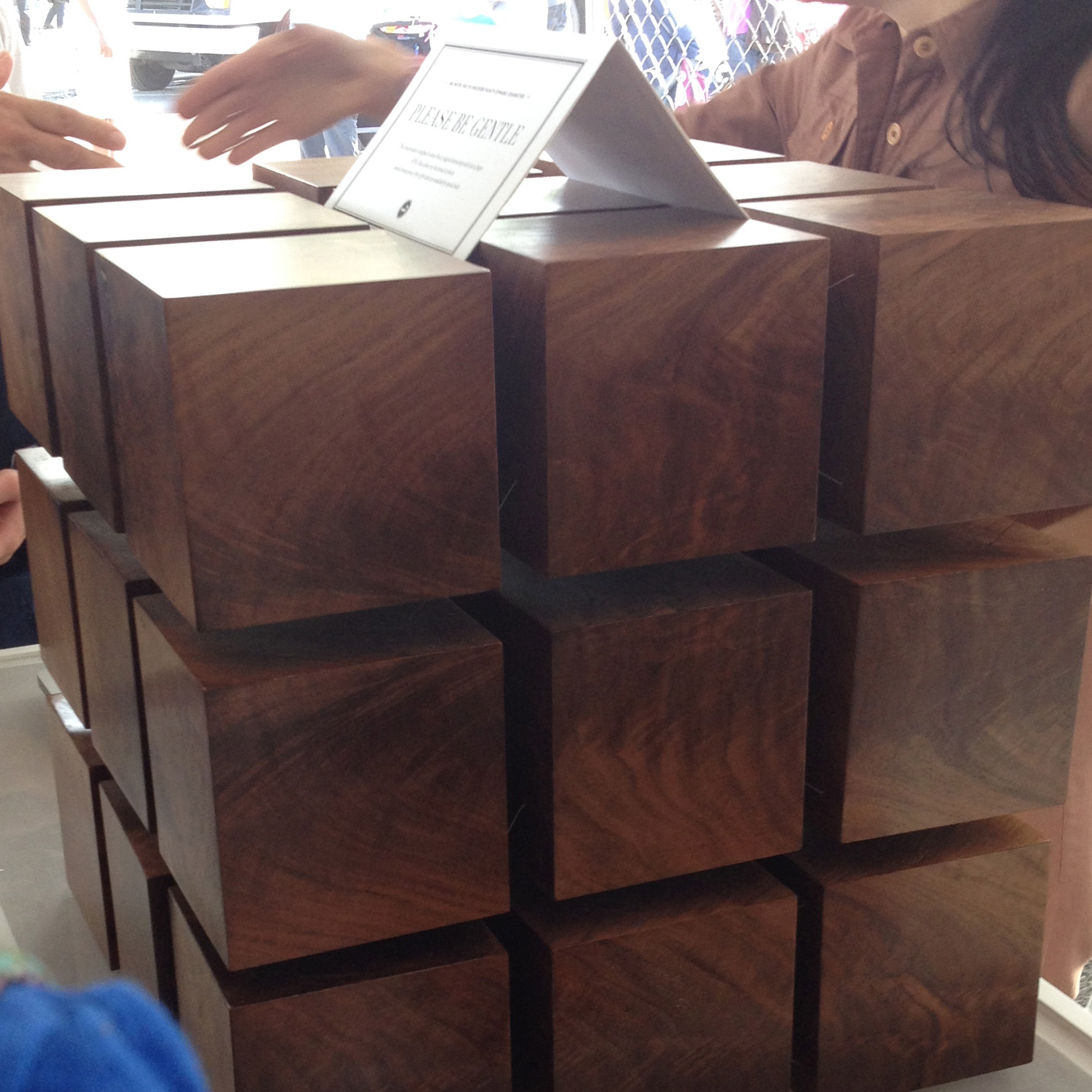
FLOAT TABLE – by Rock Paper Robot
A piece of furniture comprised of interconnected suspended cubes. The connecting elements are what seem like impossibly thin wires, giving the piece the illusion of floating. When I noticed a crack in one of the blocks that had been patched with gold, the artist explained to me their nod towards the wabi-sabi Japanese ceramics technique of kintsugi. I thought this small detail added another layer of interest to this already sublime table.
Do-it-yourself aerial photography: A guided tour – by Engineers Without Borders – NY
These guys went to Cambodia and built this amazing kite with a camera mount for getting areal snapshots from 300 feet in the air. I found this project interesting because I have done aerial photography in the past in the context of field archaeology. We sure as hell didn’t use a kite; we used a more standard method: attaching a roboticly-articulated camera rig to a small, tethered hot air balloon. When I asked Engineers Without Borders why they didn’t use a balloon, they told me that acquiring the necessary gasses such as helium is impractical in the remote areas of Cambodia. I found the invention of this kite system an elegant solution to that problem.
Scale – by Leo Kang, Taezoo Park, Steven Jackson
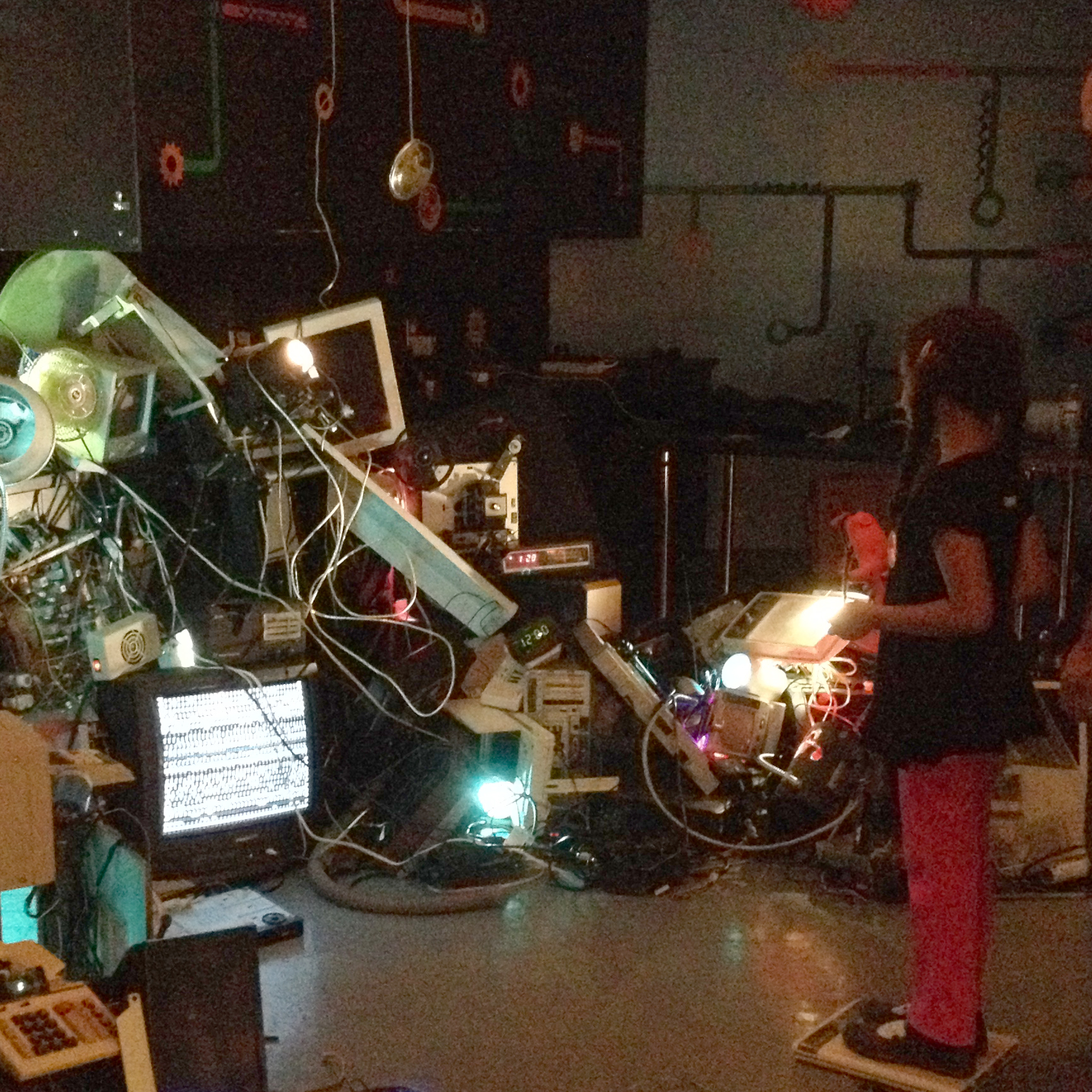
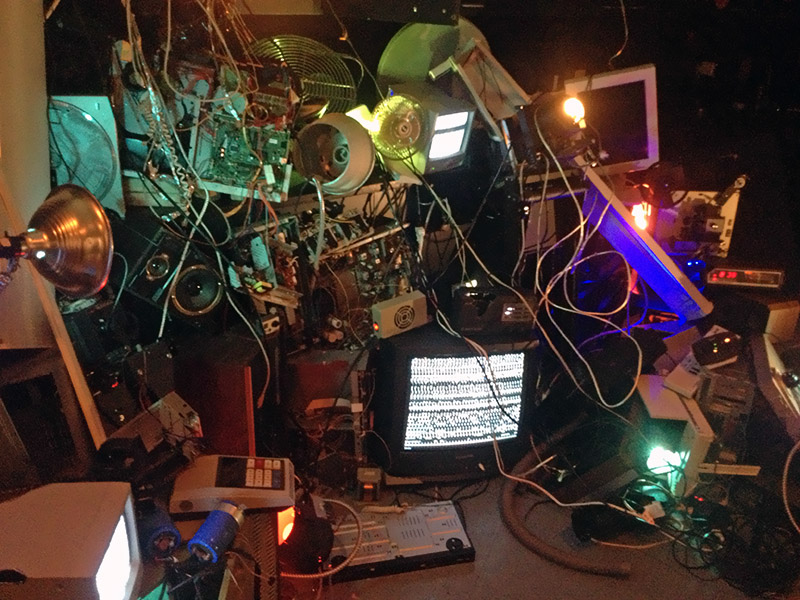
I think this piece was the most engaging of any at the Faire that I saw, if the excited reactions of the participants I saw is a indication of real engagement. This is an interactive conceptual art installation that speaks to us about the the trail of forgotten and obsolete devices we abandon in the wake of our lives as our consumers. Suddenly, their ghosts come back to haunt us in a chaotic and overwhelming groan. I think the biggest take away for me personally from the fair is despite how complex, practical, or innovative projects are, the quiet poetry of fine art has the most impactful and lingering resonance.
Hi Class, Im a second year mfaDT, recently doing my thesis project. I’m interested in datas, quantified self and digital interaction in a physical representation. I finished my BA in communication design in Shanghai. Before came to NYC, I had a briefly working experience at an agency mainly for designing building websites.
I don’t have much physical computing experience during the first year, in this class because recently I found that physical and environmental sensing interactions are interesting!
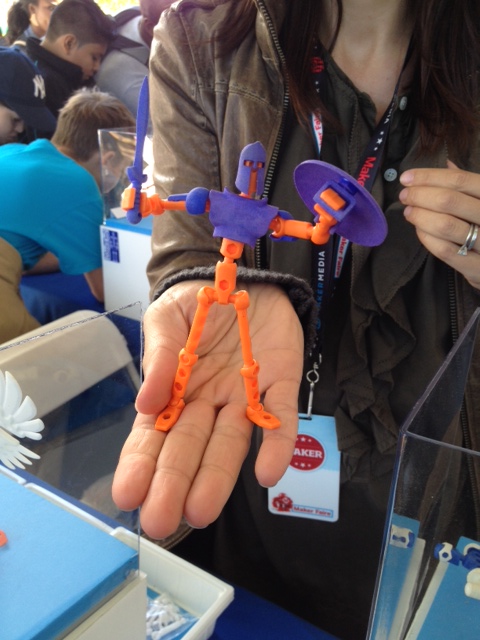
It is a character design system created through 3D printing. There are lots of 3D projects on display at Maker Faire, what makes it stand out is, as far as I think, these action figures snap together with a ball-and-sockect style attachments, and they can also be split into smaller pieces, which makes them easier to manufacture and people can creates endless characters with different mix-and-matches.
2. DIWIRE by PensaLabs
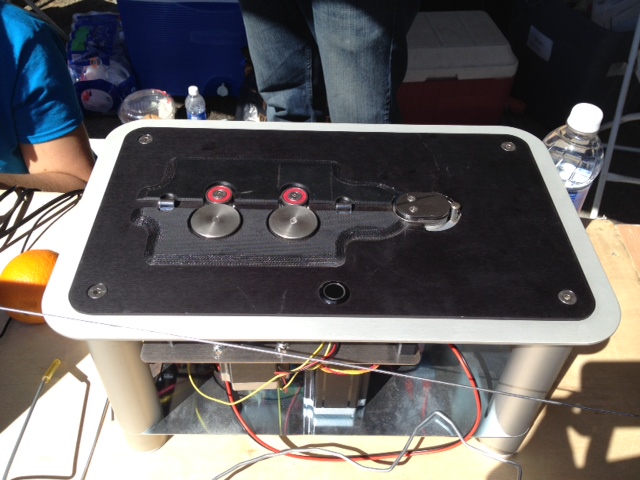
This is a machine that can print lines out of metal. Any 2D shapes in a .SVG files drawn on a computer can be wired out by the machine based on the data sent from the computer. And several 2D shapes can be soldered or clipped together to create 3D structures. The two legs of the metal glasses in the pictures are bent to an 90 degree angel after the shape of the frame is wired.
Connection can be easily accomplished by a USB cable.
3. Bee Keyboard by MakeAnything.
Being touched by the “bee”, a “flower” will produce sound in a certain frequency, which makes a note. Then by connecting the bee to different flowers continously, people can play a basic scale.
The idea behind this project is nothing new or hi-tech. I simply adore the idea, and this is one of the few projects I think I can make at the moment.
The Periodic Calendar This is a different type of calendar. Its inventor, Joey Sellers, calls it a “perpetual” one. In fact, it can be used for any year from the 21st to the 24th century.
I liked this project because it was totally unexpected. I was very surprised to see a 2D printed visualization in Maker Faire. Besides, its solution is really ingenious.
If you want to know more about how it works, check the periodic calendar website. The project is very well documented there.
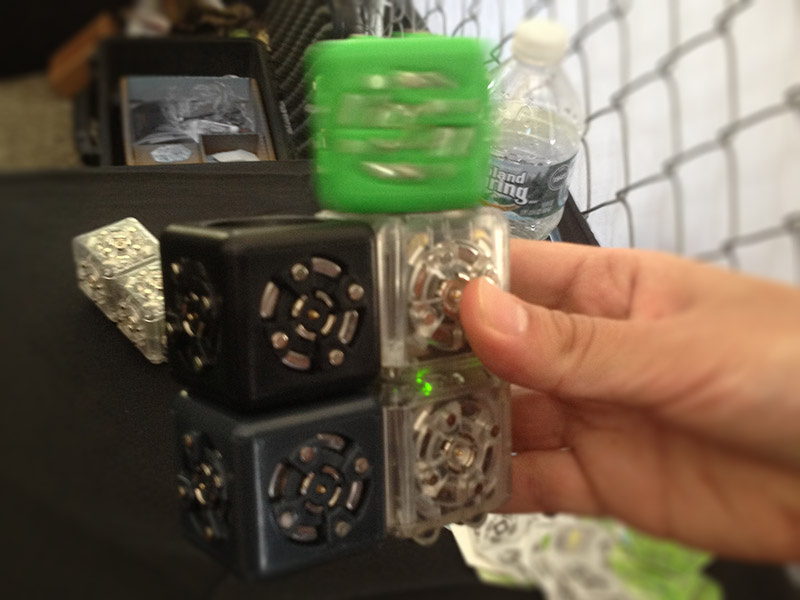
Cubelets Beautiful and easy-to-use cubes that, once plugged in, can trigger different actions and behave like robots. Created by Modular Robotics.
For each robot, you need at least one battery cubelet. Than you can add a sensor cube — temperature, light, distance — and an action cube — drive, rotate, speaker etc.
There was a lot of projects in Maker Faire about building simplified frameworks for electronics, like Little Bits, for instance. But I have the impression that even when they don’t require any programming skill most of them are still to complex for a child to play with.
Cubelets was astonishingly simple. I just had to plug the cubes and it immediately worked. For a toy, I think that this is important. Once you have fun with it, then you can start to engage in building more complex stuff.
Scale An art installation made of several obsolete gadgets. As far as I could understand, the only interaction is stepping on the scale. That triggers some apparently random behaviours in the semi-broken devices. It was created by Leo Kang, Taezoo Park and Steven Jackson.
I was first attracted to this piece by its aesthetics. The devices give a vintage look to the scene, even though most of them are probably not older than 2 decades. The lighting creates a great dramatic effect, too. In spite of its simple interaction, I think that this installation creates a strong emotional connection to the user.
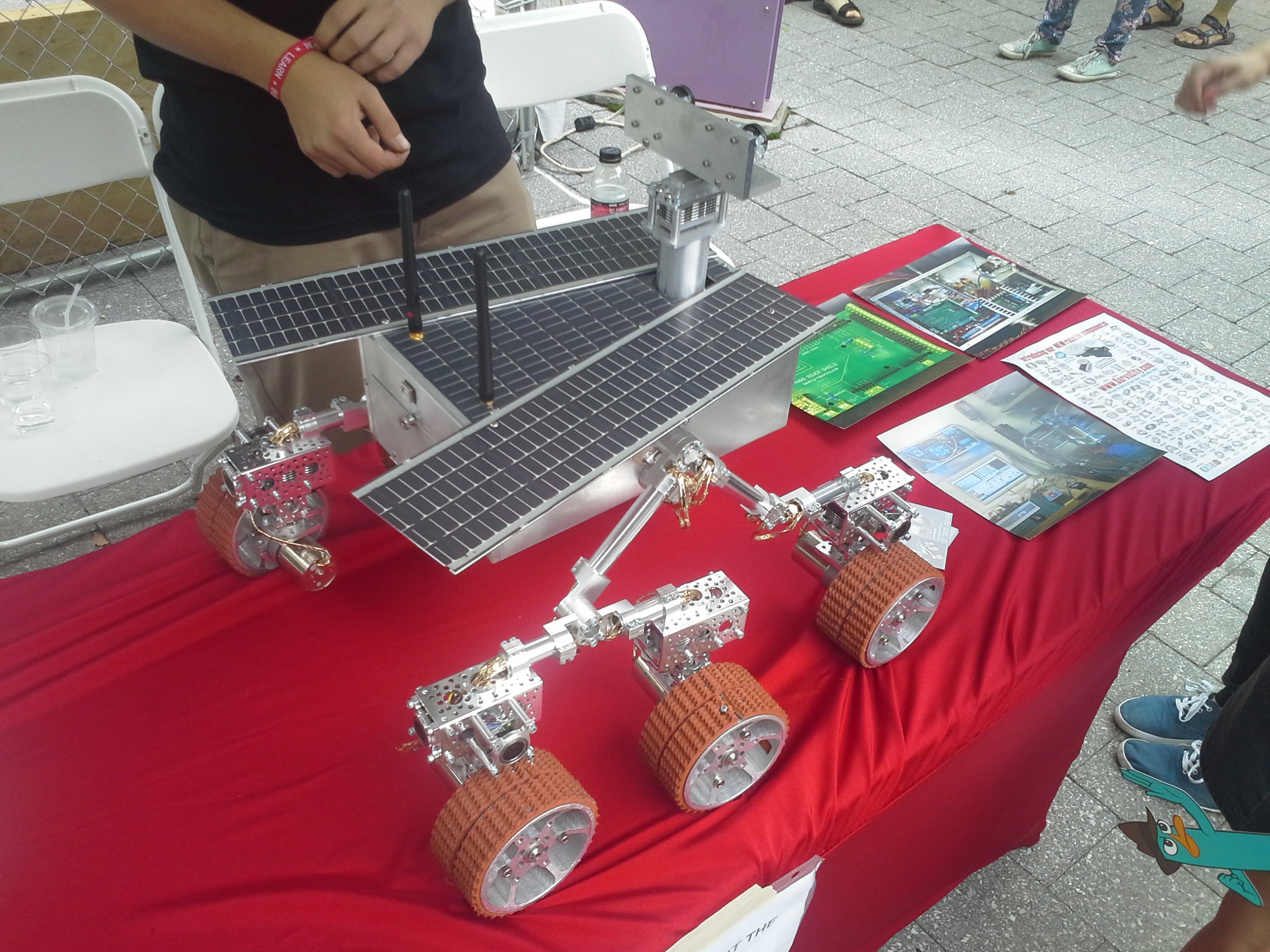
CREATORS: Robert Beatty and his families (donated to NYSCI)
It is fascinating to see this model built by common people instead of professionals. The idea of generalization of techniques of making is very well demonstrated.
——————————————————————————————————-
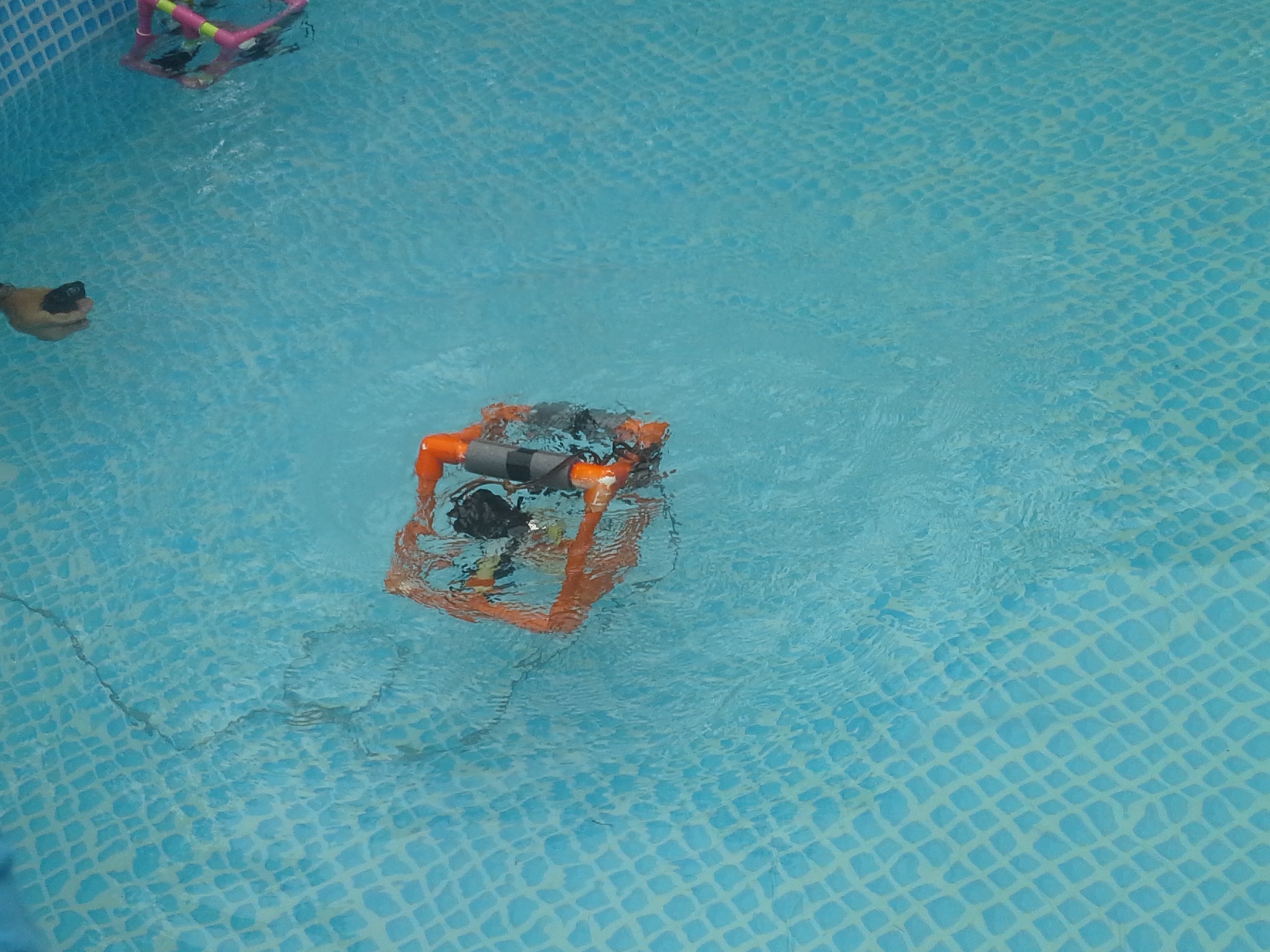
2. UNDERWATER ROBOT
CREATORS: NYSCI Science and Technology with COSEE OCEAN and artist, Colleen Flannigan
The robot has mechanisms such as propellers to control its movement in the pool. The humanistic nature of the robot really makes me want to build my next project to relate to water somehow. I hope to see a camera or something attached to it.
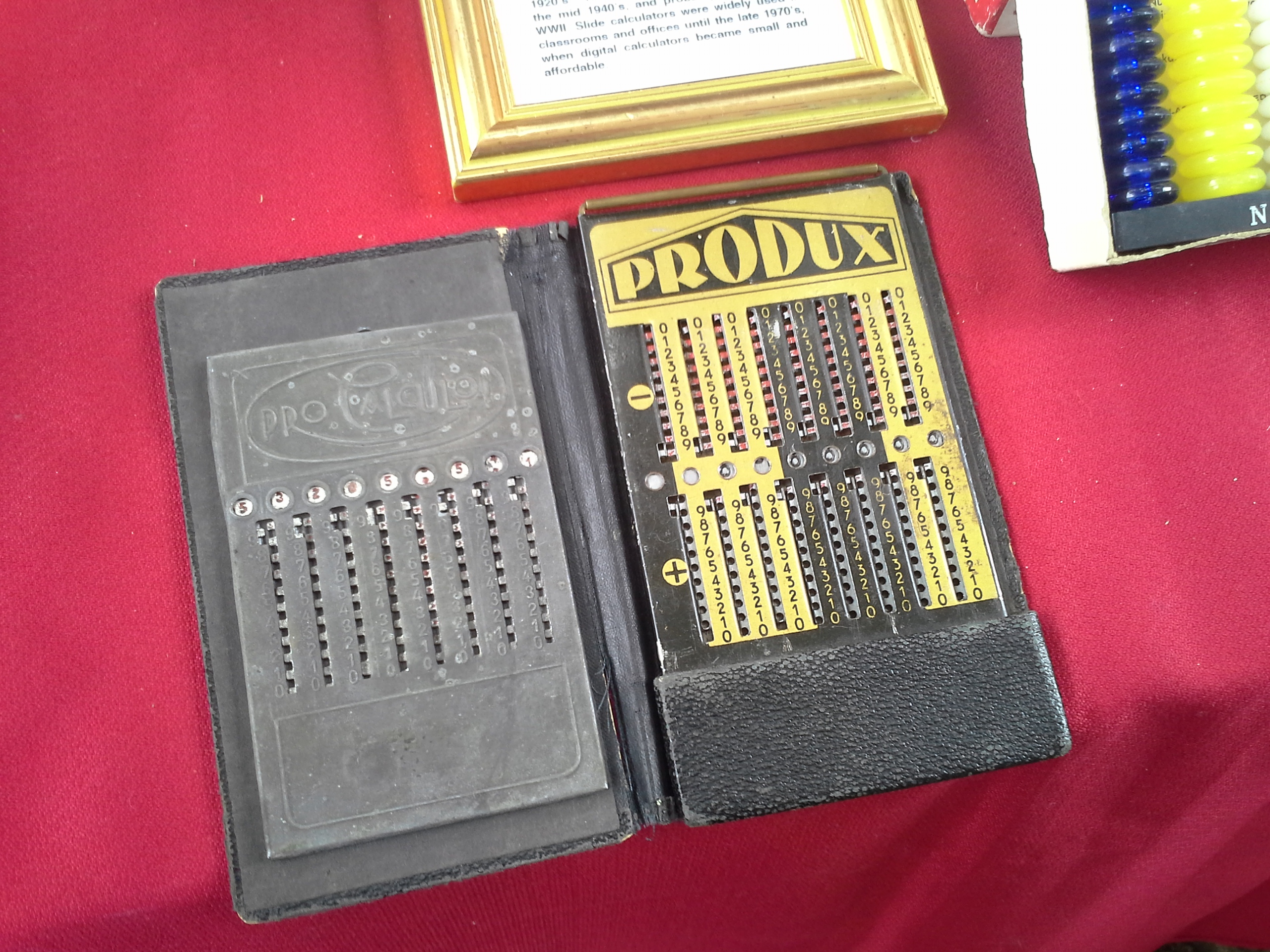
This calculator has a mysterious and inviting nature, which was also the case at the time when it was first introduced in Berlin, Germany by Meuter and also Kuebler, a business man. It can only add or subtract. Numbers are entered with the vertical sliders (one set for positive numbers and one for negative numbers) using the accompanying stylus. The result appears in the circular windows in the middle. Use the pull rod at the top of the right panel to clear/restart.
Our own Adiel Fernandez‘s Physical to Digital Color Mixer was one of my favorite things at the show. By mixing water from 3 different pitchers representing red, green and blue, one can create a new color to carry over into the digital realm. I love that Adiel is thinking “outside the box” and doing something as taboo as combining water and electronics. Check out the video.
The Rendersphere is a project by the Hoboken Makerbar using rotating LED lights and persistence of vision to create an illusion of movement or dimensionality. While this is nothing new, I thought the execution was good I love illusions (especially involving light).
This third project, Sensacell Music Sequencer by Matthew Schlanger, displays light patterns and music that changes with touch. I enjoyed the hazy, out of focus look of the light and the combination of touch, light and sound. Unforunately, the sound wasn’t very loud when I was there, but it was still fun to see. More Info
 Evander Batson
 xinhe feng
 FluffyLeecy
 frankiezek
 gaboratparsons
 giang063
 gracegotlost
 lauriewaxman
 Siwen Li
 Xiaofeng Lin
 Yury Gitman
 mar28th
 Max(TONG WEN)
 Soohyun
 sabotai
 Susan Lin





















 Making Toys
Reply