 Evander Batson
 xinhe feng
 FluffyLeecy
 frankiezek
 gaboratparsons
 giang063
 gracegotlost
 lauriewaxman
 Siwen Li
 Xiaofeng Lin
 Yury Gitman
 mar28th
 Max(TONG WEN)
 Soohyun
 sabotai
 Susan Lin
More super quick prototyping
Even though all these are super rough cardboard and paper glued and taped together, I’ve learned a lot already about some very specific areas I’ll need to research and focus on.

Even though all these are super rough cardboard and paper glued and taped together, I’ve learned a lot already about some very specific areas I’ll need to research and focus on.

Ted just told Sven he looks like “an Eastern European Gangster”.

Roles
1) CMS for Dummies (or those without a lot of administrative rights)
While a typical db-driven CMS may be good for many people, it requires more initial setup and a bit of expertise and access to make it happen. A robust and sophisticated CMS could conceivably be built storing all the data in files instead, and using PHP or some other server-side language to put it all together in different ways. Templates and themes could be used, settings, links, and common headers, etc. could all be a part of this, and instead of using a lot of propietary code, this CMS would use standard for everything.
2) Low-bandwidth CMS for low-tech servers
In many places around the world, bandwidth and modern web servers with current versions of MySQL or some other database can be quite limited. Most off-the-shelf CMS’s do a lot of sophisticated work, but can be quite resource intensive. A CMS that prioritizes small transfers of data and low overhead for the servers and users could save lots of money and time over the course of the
3) In-line Site Editor
Many CMSs make all the data modular, and if somebody wants to update content in the sidebar, the main area, and the navigation, they may have to go to three or more places to make these changes. By moving all of the content into HTML files and allowing the links to be embedded into the files themselves, editing can occur in the browser on the same page.
Implementation
I’ve created a few prototype pages to see if I can get some of the functionality I would like in a CMS like this. In my mind, the basic phases that I have to worry about are the design phase (choosing and enabling certain objects to be editable), the edit phase (where changes can be made directly to the text) and the admin area, where files can be managed and links can be created between pages.
Look and Feel
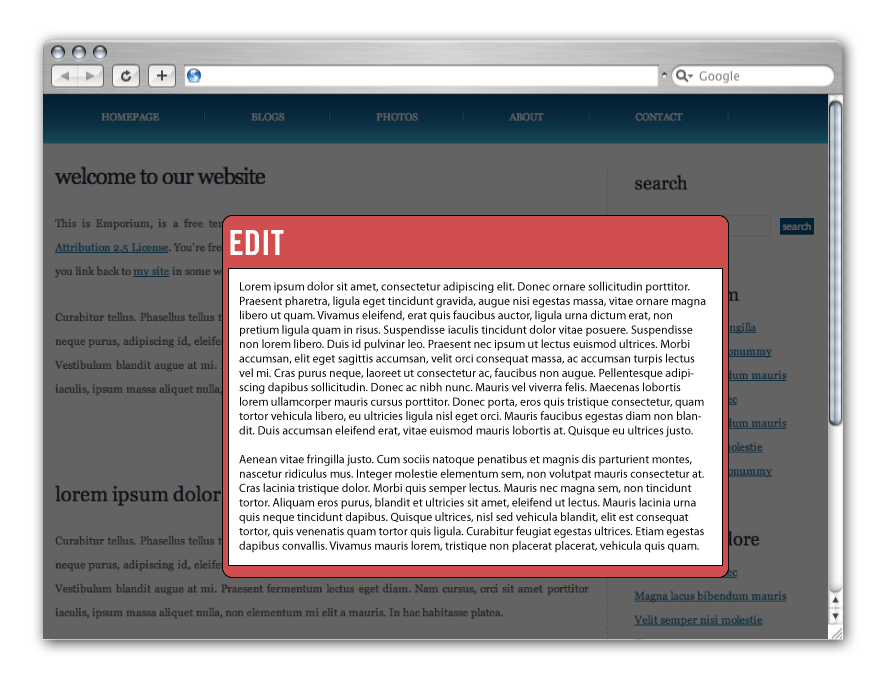
It’s still kind of early for me in the process, but a big part of any direction I choose in this CMS, I think it is important that most of the administration happens in the browser page. It may make technical sense to manage the content away from the layout and styles, but quite often it makes more sense to the user to see the changes as they happen, and to picture the scale, position and it’s relevance as they develop it. Here are a couple of early mock-ups I’ve made:


What do Prototypes Prototype
read it (again), live it, love it.

Here is the Experience Prototyping reading:
video
http://abcnews.go.com/video/playerIndex?id=7001867
and science:
http://www.nifplay.org/science_intro.html
Materials thing; not sure if anyone saw it.
http://amt.parsons.edu/2011/03/03/materials-exploration-symposium-march-31/

CSO outfall sensor: This is a device that will measure the amount of an outfall and accurately report when a CSO is outfalling. It will take other measurements about the waste water at the time of the outfall.
Magic Mirror: This is a mirror that will allow people to try on clothing with out actually trying it on. The mirror will “place” the clothing on the person standing in front of it. The person will be able to choose the piece of clothing that they wear. This could be used for historical clothing as well as for a shopping aid.
Flush-me-not: A device that the user installs on their toilet that reminds them not to flush if there is a CSO outfall in their area. This device also makes the recommendation about how else to save water.
Public flush-o-meter: A display device that simple shows how much people are flushing and how much of that is ending up in the NY harbor.
Mobile flush-o-meter: Based on where you are it flush-o-meter tells you whether or not its safe to flush a toilet.
Mobile PaintOut: a mobile platform for people to create digital graffiti. This would allow people to create graffiti on any surface with out actually leaving a mark on the surface.


1. Open CV Shape Puzzle
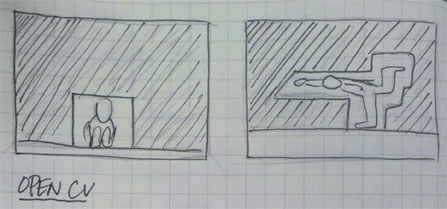
Similar to american and Japanese game shows players are challenged to fit into shapes, openCV and a projector would be used to take the game anywhere.
2. Concert Room Visualizer

Using environment and sound sensors a wall of LED would visualize that the concert hall was experiencing within its walls.
3. Room Synthesizer
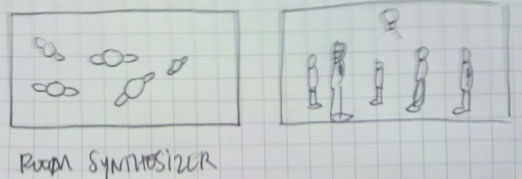
Use openCV to create sound synthesizer out of people walking within the room.
4. Smart Home Recommendation System
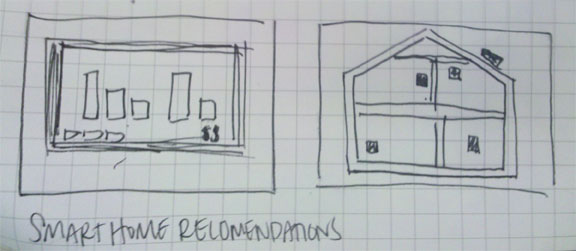
Track data inside and outside house to make recommendation and train users on best home practices.
5. Aquaponics

Track and create a system for hydroponics and fish farming, tracking water nutrient data in order to facilitate growth of fish and plants.
6. Emotional Computer

Computer that responds to your activity with it. You must keep it happy to continue to use it. If it is unhappy you must make it happy before using it.
Design writing represents one form of expression with the MFADT program. As a result, students in the Major Studio. In addition to learning how to write a design brief, students will also be asked to produce a longer piece of writing associated with the many aspects of their course work.
*Document Objectives
1. Present a clear and concise overview of the project concept;
2. Situate the project within historical and creative contexts;
3. Provide a set of criteria used to evaluate the project;
4. Provide self-assessment of the project’s strengths and weaknesses
5. Give an overview of the design process;
6. Present a list of related resources.
**Guidelines
This document will be composed of the following sections:
A Thesis Sentence and Thesis Paragraph: One sentence that summurized the big picture of the project. This is located in on paragraph that expands on that one sentence.
Domains: what are the domains with which your project engages? What relationships exist between these domains?
Summary: a narrative description of the project. What is it, who is it designed for, what is it designed to do, what kind of technology does it explore, etc.
Precedents: What are examples of work that share something in common with your project? These precedents can be contemporary or historical, can be drawn from the realms of design, technology, sociology, psychology, etc. In preparing this section of your document, please include the following information for each precedent discussed:
• title of work and author/designer/artist
• brief description of project
• relevance/relation of the project to your own work
Iterative Design Process and User-testing: a narrative description of your process, prototypes, user-testing, key methods and discoveries, sample sketches, storyboards, diagrams, etc.
Evaluation: the Evaluation section of your document has two parts:
• a narrative summary that outlines your thoughts on the strengths and
weaknesses of your project.
• a list of criteria that you are using to evaluate the quality of your project. These criteria will be shared with the critics during your final presentation, and will serve as the basis for feedback during your review.
Future Directions: Summarizes what step would be taken if this project would be continued in the future. This should be written absolutely last, and after final presentations.
Bibliography, References, Resources: a list of important works used to guide your project. Bibliographic information should include the title of the work, author(s), publication date, publisher, and pages cited.


As a product designer I am very interested in the intersection of both Technology an objects. for my 6 ideas I gravitated into 6 domains:


Check this out RE EEG thingie: http://www.ubergizmo.com/2011/03/browse-flickr-emotiv-epoc/

Thanks very much Bree!

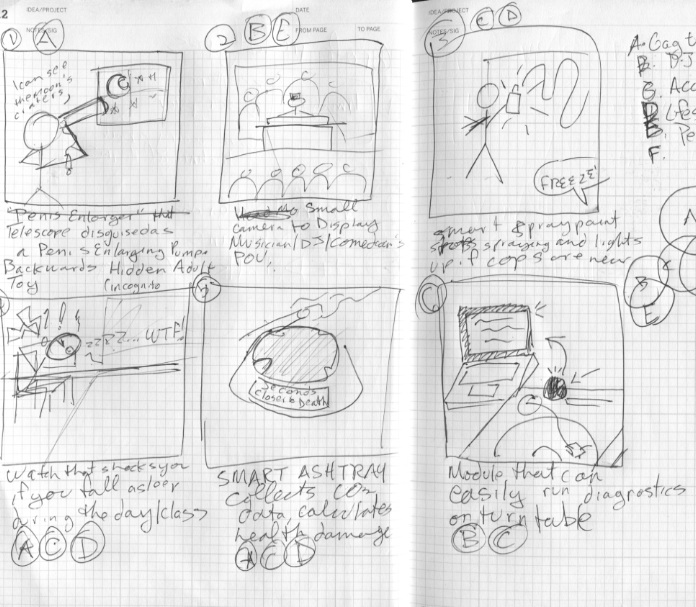
1. Reverse Incognito Adult Toys. In this example the user is using a telescope that is disguised as a penis enlarger pump to view the cosmos. this can also be a vibrator. other ideas would be a porno dvd case that would be a a cigarette/cigar case or nicotine patches hidden in condom wrapper.
2. Musician Cam is an easy to use and wearable camera that would display a musician’s point of view during a live show.
3. Smart Spray Paint Coozy wraps around your spray can and alerts you when cops are near by
4. Mid-Day Nap Preventor shocks you if you fall asleep during the day
5. Smart(Ass) Ashtray collects environmental data and tells you how many days you’re shaving off your life
6. Turntable Diagnostic is module that tells you what’s wrong with your turntable.

3/21- Begin Mini-Thesis
3/24- Role Prototyping, Domain Mapping
3/28- 9 Prototypes, Update Domain Maps
4/4- 9 Prototypes, Research, User-Test
4/7- Present Pior Art, Prototypes, User-Feedback
4/11- Iterate 3-6 Prototypes for User-Feedback, Document
4/14- Present User-Feedback to prototypes, Iteration 1
4/18- Present User-Feedback to prototypes, Iteration 2
4/21- Present User-Feedback to prototypes Iteration 3
4/18- Document your work, Assess you Progress, Plan Steps forward.
4/21- Research, Iterative Prototyping, User-Testing, Documentation
4/25- Research, Iterative Prototyping, User-Testing, Documentation
4/28- Research, Iterative Prototyping, User-Testing, Documentation
5/2- Research, Iterative Prototyping, User-Testing, Documentation
5/5- Research, Iterative Prototyping, User-Testing, Documentation
5/9 – Final In-class Presentation, Final Draft of Paper Due
5/12- Final Critiques, Presentations
5/16- Final Paper Due
| WEEK 8 | 3/28 & 3/24 | Mini-Thesis Begin |
| WEEK 9 | 4/4, 4/7 | Mini-Thesis Begin Research, Prototyping,User Testing Read: Design as Art |
| WEEK 10 | 4/7, 4/11 | Mini-Thesis Begin Research, Prototyping,User Testing Read: Design as Art: |
| WEEK 11 | 4/14, 4/18 | Mini-Thesis Begin Research, Prototyping, User Testing Read: Design as Art Guest Speaker |
| WEEK 12 | 4/21, 4/25 | Mini-Thesis Begin Research, Prototyping, User Testing Design Writing |
| WEEK 13 | 4/28, 5/2 | Mini-Thesis Begin Research, Prototyping, User Testing Design Writing and Distribuition |
| WEEK 14 | 5/5, 5/9 | Mini-Thesis Begin Research, Prototyping, User Testing Design Writing, Distribution, and Presentations |
| WEEK 15 | 5/12, 5/16 | Design Writing, Distribution, and Presentation |
Simulated Hive Mind

This idea came partially from a project I was working on last semester, and partly from a series of books by Orson Scott Card. What I would like to create is an artificial lifeform that can adapt to its surroundings, and as it encounters other members of it’s ‘species’, it can communicate with them and teach them. If one creature discovers a hazardous area, or learns a more efficient way of doing something, that knowledge will spread and soon all the creatures, will have this enhanced knowledge.
Self-Constructing Teacher
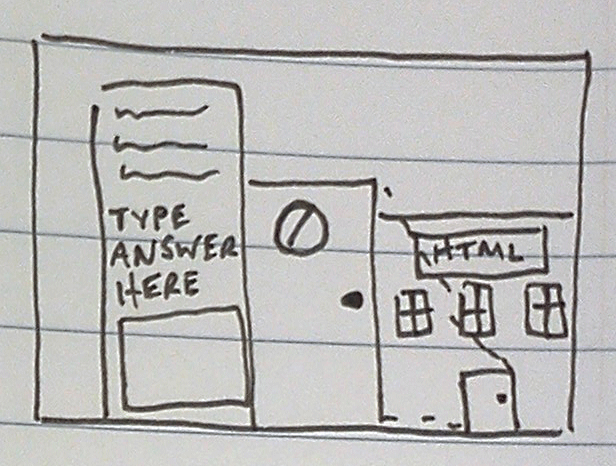
I have been interested in education for a long time, and after being in this program for the last several months, I’ve thought about ways of teaching students through technology. My self-constructing teacher will teach certain skills to a student, and require them to solve problems or create solutions in order to proceed. Sometimes the student will have to do outside research to accomplish these tasks, and as they progress, they will actually be creating the more advanced structures of their curriculum, and will adapt itself to the interests of the student.
Robotic Lazer Tag
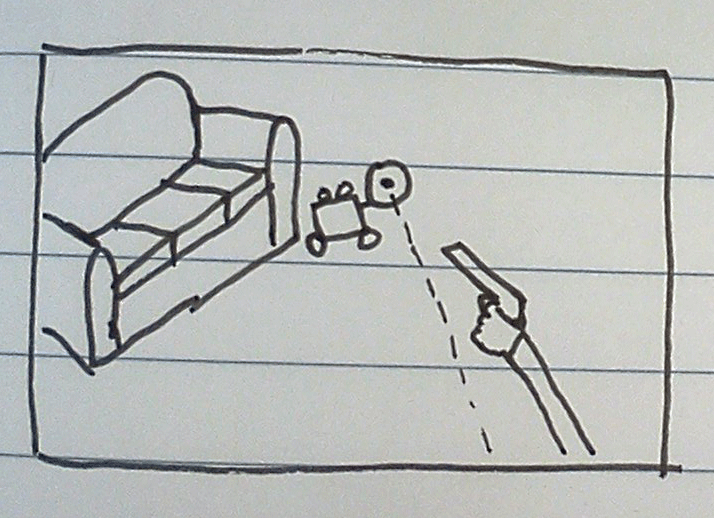
Whether for the solitary lazer tagger looking for an opponent or for those hobbyists who would like to move on to a more tactical version of battle bots, I want to create robots that are aware of their surroundings and their opponents, and essentially use artificial intelligence to make use of their surroundings and outthink their opponents.
Database-free CMS

After living in Beirut for a year, I realized that the we tend to take our technology for granted. While we have the benefit of fast and virtually unlimited internet, many parts of the world don’t. I propose to make a CMS that will allow for a simple and efficient way of letting somebody update their own site without having to use a database, while transferring as little data as possible.
Arduino A/C Shield
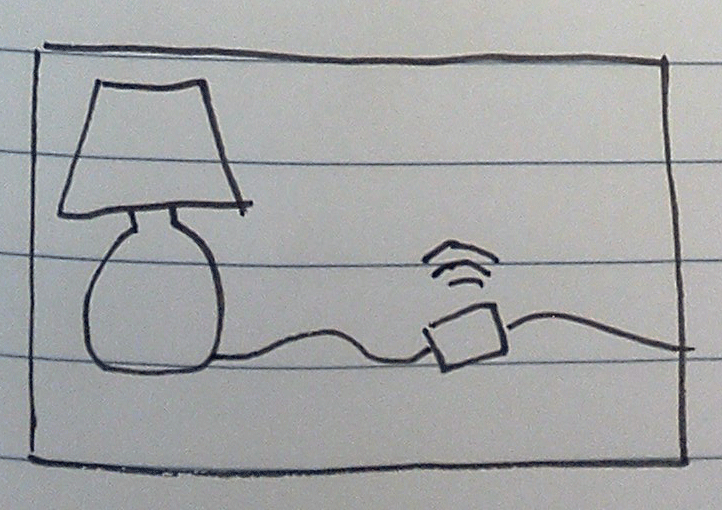
While most of what we have been focussing on is making things smaller and more energy efficient, there is still a need for high power devices, and the ability to control them. There are many proprietary solutions out there, but I haven’t seen any sort of open standard or universal way of communicating with certain devices remotely and simply. This device would allow for a lot of adjustment based on input from the Arduino, and provide info back to a server.
Micro Web Server

The world is getting more and more connected, and so the ability to have access to information from anywhere is all the more important. A device that could detect a network, collect information, and broadcast in a small hand-held device could be incredibly useful.

Because the idea fairy hasn’t visited me much lately, I am too afraid to look and find out that all of these ideas are done to death 😛

Ideas for the mini-thesis. The question is: Which one should I go for?
1. Habit locker
The idea came from one of my previuos projects this semester, the cigarette box that tries to encourage you smoke less. I decided to expand the idea to habits we want to stay away.
Design question: Is social media powerful enough to effect personal agency? Can it be achieved through a personal physical device?


 Oylum is discussing.




 hilalkoyuncu and
  breegeek are discussing.


 Making Toys




Lee Williams 10:12 pm on March 28, 2011 Permalink |
The easiest thing about prototyping for me is coming up with ideas and roles. I can easily imagine how things should work, what would be cool, and what would make something better, but when it comes to building a physical representational prototype. I often get hung up on materials, size texture, etc. Often I’ll start off treating physical physical things like precious objects and end up failing. Eventually I’ll finally let go and start throwing things together and get moving again.