Recent Updates Page 38 Toggle Comment Threads | Keyboard Shortcuts

  • Unknown's avatar

    Yury Gitman 5:53 pm on October 8, 2011 Permalink | Reply
    Tags: , , cookbook, homework,   

    Arduino Cookbook Reading/Homework 

    Come to Oct 7th’s Class having done and read:

    Review: 1.1-1.5   [Read it for what you don’t know]

    Variables Introduced:  2.0-2.2

    Doing Math to Variables: 3.0-3.2

    Serial Comm Intro: Read 4.0 and don’t worry if over your head. Do pay close attention to 4.1.

    More Fun with Variables, Relational Operators: 2.17

    *Switches Intro, with Pull-Up Resistor and De-bouncing: Read 5.0 and 5.1, Do 5.2 and 5.3

    “If” and “Else If” Statements Intro: 2.12

    *”While” and “For” Loop: Pages 2.13, 2.14

    ———————————————-

    Come to Oct 14th’s Class having done and read:

    2.4:   Arrays Introduced (for Switches and LED’s)

    2.10:   Functions: Pages

    7.1:  LED’s Introduced and Reviewed

    7.6:  Making Knight Rider

    2.15-2.16:  Break and Switch Case:

    5.4:   Switches Intermediate:

    2.19, 2.21:  Logical Operators on Variables:

    Assignment:

    1)  Change LED Blink Delay based on Amount of time Button is pressed.

    2)  Make 6 Different Light Sequences with  3-4 Switches and 4 LED’s.  Use Logical Operator, Knight Rider Effect, Functions and/or Switch Cases.

    ———————————————-

    Come to 21st’s Class having done and read:

    Reading Analog Values: 5.6,

    Map Function: 5.7

    Sensor: 6.0-6.3

    LED Fading, Color, and Control: 7.0, 7.2, 7.4, 7.5, 7.6

    http://wiring.org.co/learning/basics/rgbled.html

    Assignment:

    Show 7.4 and 7.5 in Class.

     
    • hirumi's avatar

      hirumi 4:21 pm on October 14, 2011 Permalink | Reply

      Most useful/valuable exercises:
      I found that using the serial input to be the most useful exercise from the homework. It was gratifying to see the computer communicate with the arduino. Functions was a useful read because it made my code more modular and clean.

      Most difficult:
      Both switchTime sketches made me want to bash my head into a wall. I couldn’t get them to work to save my life. I kept getting errors even though it seemed like I had copied the examples exactly from the book. I’m not sure if there was a typo, or if there was some sort of additional code I was supposed to know to include, but regardless I couldn’t troubleshoot the issue.

    • noadol's avatar

      noadol 4:24 pm on October 14, 2011 Permalink | Reply

      Most useful and valuable:

      Functions && Logical Operators on Variables.

      These two exercise really pushed my understanding of code structure
      and expand my options to control conditions.

      Most difficult and confusing:

      (5.4) Determining How Long a Switch Is Pressed:
      I could get the code text and structure, but I was confused about what it’s supposed to do or how it’s functions.. I’m not sure I got the point of this assignment, meaning I won’t be able to apply it and develop it in other projects.

      Formatting Serial Communication:
      It was very technical, a lot of new expressions I’m not sure what’s their value (e.g. ASCII, BYTE, BIN..).

    • mayaweinstein's avatar

      mayaweinstein 4:24 pm on October 14, 2011 Permalink | Reply

      I found the section on breaks helpful. It’s good to know how to break a for loop without ending the function. I also found the section on RGB led’s helpful, it was a good introduction on how to use RGB led’s.
      I was really confused by the section covering the switch-case function. I understand what a function is and how it works but I did not understand what was being accomplished through the use of the switch-case. I was completely lost when it came down to the bitwise operations. I have no idea why you would be working with what looked like binary code in arduino. I’m not sure exactly what the code was trying to do or when you would actually use it.

    • Catalina Cortazar's avatar

      Catalina Cortazar 4:25 pm on October 14, 2011 Permalink | Reply

      The codes I found more difficult and confusing were the following:

      The example blink3 on the function part. The function that needs a parameter and gives 1 return value. I couldn’t get it to work at home and also don’t understand how and when do we call the function. Do we need to call it from inside the void loop?

      Another thing that I still found confusing is the pull up button. They always start HIGH ? How do we do it to turn the light off, or maybe is there a way to change the state of the button?

      I also don’t understand what the value >>= 2; means (shift value right to places)

      Most useful or valuable

      The most useful and valuable thing I found was the use of arrays in order to declare more than one element. I also think it’s useful the logical operators and comparison, in order to give “instruction” to what and when to do something.

      Another thing I found useful is the use of break;
      specially when we have lots of information and we don’t want to use infinitive number of if, else if commands.

    • mónica arias.'s avatar

      mónica arias. 4:25 pm on October 14, 2011 Permalink | Reply

      MOST HELPFUL ASSIGNMENTS:
      – Both sections regarding logical operators on variables. I had never seen it explained in so much detail, but at the same time in a concise way. They weren’t exercises per se, but it was one of the most helpful chapters. (2.19, 2.21: Logical Operators on Variables)

      MOST DIFFICULT ASSIGNMENTS:
      – 2.4: Arrays Introduced (for Switches and LED’s): The book makes a fine job explaining it, so it might be just a personal issue I have against arrays in general.
      – 2.15-2.16: Break and Switch Case… yeah. I understood the concept, BUT I still don’t feel comfortable explaining it, or doing it. But hey, isn’t experimentation key? I’m sure that if I spend more time on it, I would eventually get it.

    • danSelden's avatar

      dss49 4:26 pm on October 14, 2011 Permalink | Reply

      I guess I neglected some of the reading although I found a very helpful tutorial online that sort of walked me through basic input/output using buttons and LED’s. (I’ll be sure to stay on top of it in the future). The link can be found at http://www.ladyada.net/learn/arduino/lesson5.html.

      Essentially they create a problem set starting with basic switch functions… helping build the code ground up for recognizing change in state and output controls. Towards the end they give you a series of problems involving a Bike company that needs help programming a new lighting system. The various stages of the prompt test your abilities and end with the creation of a light system which has 4-5 separate modes activated by the button. This piecemeal way of learning was personally very helpful.

      There were a number of other tutorials that I found helpful, one of which explained the use of millis() instead of delay(). By using millis() as a timer instead of delay(), one is able to nest other functionality within conditionals that otherwise would not be able to run with delay() since delay() stops all processes within the Arduino. A notable example would be having one LED blink 500ms after another has started blinking, creating a sort of Lag effect. Using delay() would prevent you from activating another LED while the former is being delayed. Another use of millis() was creating a stopwatch which blinks as a timer begins… the push of a button turns the timer off, the start and end times are calculated as Serial.println spits out the time.

      • danSelden's avatar

        dss49 4:28 pm on October 14, 2011 Permalink | Reply

        debouncing was helpful as well.. making sure both readings of the input were consistent.

    • yonglee2011's avatar

      yonglee2011 4:27 pm on October 14, 2011 Permalink | Reply

      Two Exercise that I like or helpful:
      The custom function for different Blinks are good sample of diverse options we can use. I wish the codes are more detailed, so it is easy to follow on the Arduino. I type the code from the book, but the code didn’t work.

      Conditional section show diverse conditional options. But I wish the conditional section has more sample codes.

      Difficult exercise:

      There are some samples of using arrays. I played with Arrays, and wish there are more samples to look up. I found the book is helpful, but it seems it doesn’t have depth details.

      I really like what While and For Loop do, and wish there are more exercise to help a stater to understand the concepts and samples.

    • mrcansler's avatar

      mrcansler 4:27 pm on October 14, 2011 Permalink | Reply

      The two readings I found most interesting were 2.10 (Functions), and 2.19 (Logical Operators). Until this point, I was unaware that functions even existed within this programming environment, and they appear to be a useful resource when constructing larger sections of code later. The logical operators sections was useful, as they are actually very basic concepts, but I was not particularly familiar with these basics. Still feel like I’m playing catchup with Syntax.

      I had some difficulty with arrays, as I feel like I completely get them structurally, but whenever I try to implement them I always seem to mess up the for loops associated with counting through them. I’m also having a bit of trouble digesting 2.16 “Switch”, and figuring out when to use these vs if/else statements. Is there a specific number of inputs before it’s best to use SwitchCase?

    • Aneta Genova's avatar

      Aneta Genova 4:27 pm on October 14, 2011 Permalink | Reply

      I found most useful the array reading and exercise.It makes working with many variables extremely easy and certainly shortens the code. I developed a project about bouncing animals in a field and the array list was the easiest way to do them.

      I found very easy the functions reading and exercise. The first exercise about blinking and delay was very familiar to sketches we’ve done in class.

      I found challenging the logical operators and logical comparisons and I definitely get confused when we get to compare strings. I was not able to do that assignment.

    • Jun Sik (Jason) Kim's avatar

      jasonkim1006 4:27 pm on October 14, 2011 Permalink | Reply

      1. Which two exercises or code did you find most useful or valuable from the reading? Be as specific as possible.

      a) The first code I found to be very useful was the case / break code. It was really interesting to get input from the serial monitor and make the LED blink.
      if(Serial.available()){
      char ch = Serial.read();
      switch(ch){
      case ‘1’:
      Serial.println(“blink once!”);
      for(int i = 0; i<4; i++){
      myBlink(i,70);
      }

      Using default, we can set the default input and by using the switch case, we can use any key on the keyboard to create an input and make, for example, an LED blink sequence. Just by using the case '1':, case '2':, etc. we can determine how many different types of sequences we want.

      b) The second code I found very useful were using logical operators such as and (&&), or (||), and not (!). By using logical operators, we can determine diverse situations such as if both switches are pressed, both the switch and the tilt sensor are sending input, either the first button or the last button is pressed, etc. By including logical operators, there can be so many different types of situations with just four buttons. Instead of making one button do one thing, we can make a combination of one, two, three, or four buttons to something else. The logical operators are also good for setting up boundaries or giving certain conditions to inputs.

      2.Which two exercises or code did you find most difficult or confusing from the reading? Be as specific as possible.

      a) The first code that was really difficult to understand was calculating the amount of time using the switchTime() function. It was really hard to understand because whenever I tried it, the counter would increase rapidly or even decrease to a high negative number. I want to try using the "long" and "millis()" more so that I can understand its concept better. Because we used pullup resistors inside the Arduino, the HIGH and LOW was also a bit confusing to understand. The state should be inverted when using different resistors.

      long switchTime(){
      static unsigned long startTime = 0;
      static boolean state;

      if(digitalRead(inPin) != state){
      state =! state;
      startTime = millis();
      }
      if(state == LOW){
      return millis() – startTime;
      }
      else{
      return 0;
      }
      }

      b) Related with the switchTime() function is the debounce code. It took me a long time to understand the debounce code by using booleans of state and previousState. I think it was especially hard to understand because the debounce does not actually give direct feedback. Switch codes worked without having to use the debounce code and therefore it was at first hard to understand what "debouncing" actually did to my code. Later did I find out it was just a check for a few milliseconds to see if the button was stable enough to input and output information. It was a comparison between the current state and previousState and to see if they were equal.

    • firmread's avatar

      litchirhythm 4:29 pm on October 14, 2011 Permalink | Reply

      ● The most useful exercise would be 5.4, the switch timer, for sure. It shows how to use timing (millis() function) to count how long you push the button and make led lit up in relative amount of time.

      And the other one that is interesting is 2.16 on the ‘switch’ logical command which I never know before. It function can be written with a long list of if statement but switch can be really handy on another person (or yourself) to read and understand the code much easier.

      ● The most difficult would also be the 5.4, the switch timer, since the first homework assignment is to tweak this one to make it blink. So I have to know this code inside out to be able to tweak it. In it, I have to apply the concept of custom function that count the time and return the data back to the main loop (the concept from 2.10 the function block), It’s like a wrap up of all exercises.

      Another thing that I find most difficult is Array (2.4). Even we have saw some of them on the example we work on. But to read and understand all of the concept and remember the syntax so that I can think and make it to work in the way I want is still hard. Because you’ll have to use a for loop to run the arrays all the time. But I think I understand it much more now.

    • josefayala's avatar

      josefayala 4:33 pm on October 14, 2011 Permalink | Reply

      I liked the vast majority of the tutorials. My favorite was Arrays because in the past I have not been able to properly execute them. There is something gratifying about making 100 ellipses with 3-4 lines of code (otherwise we’d have to hard code each ellipse). With regards to Arduino work it’s nice to know that I can call on a group of pins for one purpose by simply calling an array. What I was surprised to find out is that the array can hold a string of characters. I found that character strings are good possibly for Serial Monitor work. Functions were also a good time, and it was good to get a good look at the use of parameters and returns.

      Switch statements can be difficult, but overall the concept is well embedded into my mind. I understand the importance of using breaks within a switch command but kind of miss the logic of setting it up with what seem to be all the arguments wrapped between the switch (I guess from the purpose of switching). Is it comparable to an array ? Who knows…I guess I have to re-read it.

      -josef

    • aisencc's avatar

      aisencc 5:02 pm on October 14, 2011 Permalink | Reply

      10/14 Reading Assignment Response
      The easiest sections from the readings were the Arrays Introduced and Logical Operators. Both of these sections are reviews to the Processing and Arduino IDEs. Both of these sections seemed a bit redundant, since it is crucial to know these in order to create any functions or when working with a variety of pins that are programmed to do similar things. For the homework assignment I used both of these methods in structuring my code. Every time I use these

      The most challenging chapters were Determining How Long a Switch is Pressed and Knight Rider. These are not necessarily hard to understand, but more dense than the practical sections I mentioned above. The Knight Rider was not complicated, but it was dense. Understanding arrays makes this section easy, because the use of for loops with the right amount of delay HIGH and LOW patterns is what makes the LED pins blink one at a time. Determining How Long a Switch is Pressed was the most challenging section of the homework because it introduces a counter and functions. I am still having to read it over and over again, to try to understand exactly what it’s doing.

  • Unknown's avatar

    Jun Sik (Jason) Kim 11:08 pm on October 7, 2011 Permalink | Reply  

    Pulse Sensor Group 

    Jun Sik (Jason) Kim

    Rachel Law

    Freddie Andrade

    Amanda Wong

    http://www.pulsesensor.com is the official site for the Pulse Sensor.

    From there, we are going to read:

    1. The startup of the Pulse Sensor on google docs.

    2. Schematics & guidelines to the Pulse Sensor.

    3. And ofcourse the code.

    There are also information regarding the open hardware here.

    It’s going to be real fun learning about the Pulse Sensor!

    This is the video we are going to look at while studying the Pulse Sensor.

    http://www.kickstarter.com/projects/1342192419/pulse-sensor-an-open-source-heart-rate-sensor-that

    Thanks!


  • Unknown's avatar

    hirumi 6:33 pm on October 7, 2011 Permalink | Reply  

    LoL Shield 

    TEAM:
    Josef
    Monica
    Maya
    Hirumi

    Reading list
    Book:

    Web:
    http://www.sparkfun.com/products/9795
    http://jimmieprodgers.com/kits/lolshield/makelolshield/
    http://jimmieprodgers.com/kits/lolshield/programlolshield/
    http://code.google.com/p/lolshield/

    Datasheet:

    2 examples for class( include photos of circuit)

    with – twitter to text
    without arduino – frame by frame animation)

    lol shield theater: http://falldeaf.com/2011/02/the-lol-shield-theatre/


  • Unknown's avatar

    hirumi 3:46 pm on October 7, 2011 Permalink | Reply  

    maker faire-ish 

    I was out of town the week of maker faire, but the festival I was working at had some cool stuff.

    This is chroma. It’s an “interactive ecosystem” that responds to human disturbance.

    The team used arduinos to control phillips bulbs. They were realllly pretty and responded to touch. It felt like being in a room with a bunch of floating jellyfish.

    This isn’t very pcompy, but I thought was interesting. I heard the mind behind Bjork’s Biophilia music app album speak. They released a series of apps for each song on the album. Each app is a different way to experience the song. My favorite was virus–in order to hear the song in its entirety, you have to let the cell die.

     
  • Unknown's avatar

    mónica arias. 7:43 pm on September 30, 2011 Permalink | Reply  

    maker faire extravaganza. 

    Sashimi Tabernacle Choir
    by Richard Carter and John Schroeter (+30 volunteers).

    “What can be more annoying than an animated singing fish? Try 250 of them bolted to a Volvo and singing Opera”. It features 2 soloists, a conductor (The Lobster Formerly Known as Larry), and 6 different choral groups, performing everything from Opera to Pop to Punk Rock. The car has over 300 pounds of batteries, a computer, 31 custom circuit boards, and 5 miles of control system wire. They took something awful, and amplified it. At the end, even though a little annoying, it was a very entertaining show for everyone at the faire, and could not be ignored even if you wanted it. Talk about impact!

    Blu – Education and Hobby Robotics Kit
    by Photon Robotics.

    Blu is a series of programmable robotics system for education, hobby, and research use. It features an Arduino controller, and they’re easy to program. The ones in the small exhibition included 3 models: the Sensing Touch used a simple touch sensor to detect walls and obstacles, triggering the (car like) robot to turn around. Sensing Light uses a pair photocells to tell Blu to turn right or left. Sensing Distance was a bit more complicated, having a rangefinder and a servo gripper. The cool thing about these is they are targeted mostly for kids. Meaning they’re that simple to assemble, and it really gives them a sense of what electronics are, directing them into the geek field.

    Notify Me Now
    by Andrew Katz.

    It’s basically a monitoring system for your house/room. It’s an open source sensor used to notify the computer user of the current status of the sensor. Like the creator said “like when you don’t want your little brother in your room, and you want to know when his there, the sensor will tell you”. He’s 12… 12 years-old!!!! I loved this kid. According to his chart, he already programs using C++, Java, Processing, and Arduino. Hell, he’s even taken classes at MIT. Cute and innocent, the project prototype was well built and fully functional. This is the kind of things that inspire me to make art and design more accesible to kids, because this is evidence of what it can result in.

     
  • Unknown's avatar

    aisencc 6:34 pm on September 30, 2011 Permalink | Reply  

    Hello [pcomp]!! 

    Background?

    Aisen Caro Chacin is a regenerating composition of cells that collaborate to form an independent unit, despite of this precarious human condition. Together they compose a she, a Venezuelan, a Spaniard, an American, and an animal, whose patterns of migration are not based on seasons, but rather chance, chaos, and opportunity. Her curiosity drove her to a career in the Arts, a true trans-disciplinary practice that allows her to dabble between fields and still remain in a coherent path. Her intent has been to question the function and essence of art in order to explore dislocated, un-plotted, un-assigned ideas and social situations. She is also a bucket of ideas open to merge and exchange with other buckets

    to create

    coop erative

    k

    r

    Why [pcomp]? E± L± E±C ±T+ R+ I±C ± I ± T ±Y !!!

    Circuitry has become a fascination to me and Forrest Mims III a great influence on my latest work. Circuits and microcontrollers are the main reason why I am in MFA DT. After this class I hope to grasp on the Arduino API, and hope to program other chips in place of the prototyping boards.

    Make STUFF :

    move/ respond/ record/ sound/ light-up/ charge/ absorb/ change/ etc µ

    Toys?
    I had this awesome Chem Kit with a Microscope:
    null

    and this awesome GAMEBOY:

     
  • Unknown's avatar

    aisencc 6:33 pm on September 30, 2011 Permalink | Reply  

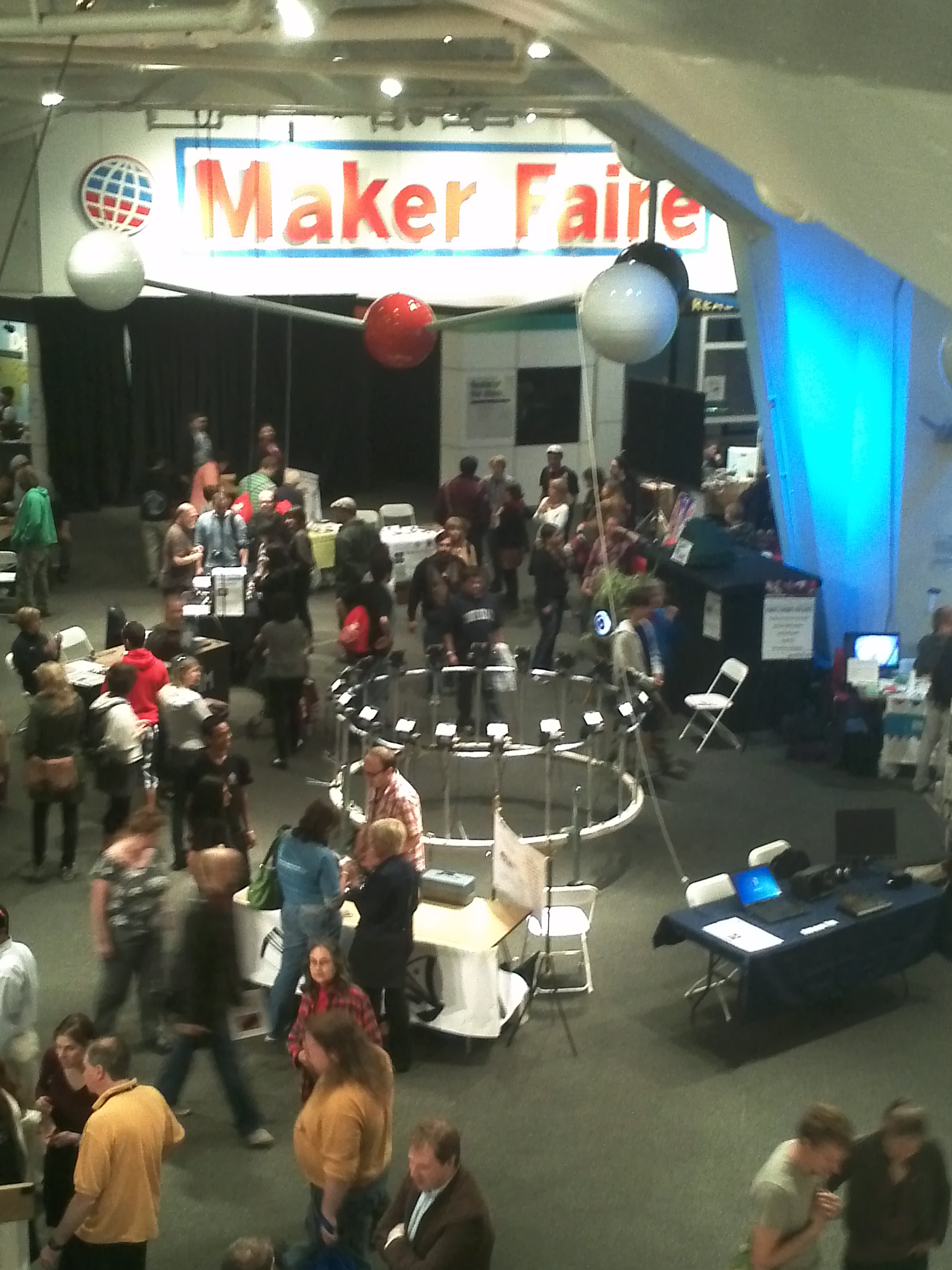
    Maker Faire! 

    Only the coolest faire ever!

    I came out of Maker Faire wired with excitement, inspired to the gills, and ready to make – make – make! I felt at home, I thought I was born in just the right time to experience the fruition of this culture. The culture of the makers and the breakers, where art and science are one, where a science museum shows off the vitality that it attempts to explain. The museum oozed with imagination, everyone was happy to be there together, participating in a huge show and tell. I was inspired to culminating some ideas that have been brewing in my brain for a while, like the sound sculpture albums, and the rain room, and the photo-sound performance wall. In a way I wished I had my own project there, but I am glad I had free reign to explore and find all the knickkancks, experiments, and projects. I loved so much of it, it was hard to pick just 3 to talk about. So to do the rest of the projects justice, I will post pictures of the rest.

    Interfaces:

    1) Swinging in the Rain

    The most amazing, beautiful, poetic piece in Maker Faire NY 2011. This swing set had a curtain of rain that would switch off as the swing would pass directly under the curtain. This work reminds me of a piece I’ve been wanting to make for a while now, a rain room that partitions the rain as you walk through. As far as interfaces, this is the most successful blissful work. Though I dared not to try it, since I saw a few girls get wet. I think the switches were not always working properly. Regardless of the switches, if it wasn’t for the cold or the line, I would have loved to swing by.

    2) Imaging Scope

    This piece created by Luis Violante is also endearing to me, since I have an utter fascination with microscopes. I’ve had one since I was a kid. In the Imagine Scope, Violante used a mini projector to play movies through the microscope viewfinders. The slides each had a magnetic chip that one could scan by placing it under the lens. Then depending on the slide you picked a movie would play. This interface is successful in many ways. Conceptually, it is taking the situation of watching films and redirecting it to a different point of view, perspective. It invites us to analyze these short films as carefully as biological specimens in a petri dish. Also I find the use of the mini projector a very clever way of displaying affection to the miniature world. This piece is just fantastic, the video selection was wonderful. I had the delight to see a compilation of  images collected from one of the earliest space explorers.

    Ò Ò

     ArcAttack-

    This Austin band is so cool. They use 4 huge  tesla coils to amplify their sound. I had seen a video of their performance before, and luckily got the opportunity to dee them live at maker faire. The only disappointing aspect, was that instead of having a band member in chain maille and armor conducting the band between the 2 coils, they had a metal cage. Members of the audience were invited to hang out in the electrocuted cage for the duration of a song- and honestly  this was boring. It made a spectacle of a perfectly awesome band.

     
  • Unknown's avatar

    hirumi 5:50 pm on September 30, 2011 Permalink | Reply  

    hello! 

    Sorry for the delay, just got my WP set up…

    Hi! I’m Hirumi. I studied Biology/Neurobiology as an undergrad and worked for a few years in Student Affairs in Higher Ed before pursing an MFA in DT.
    I’m exploring plant geekery for my thesis. Must learn pcomp so I can use those righteous sensors.

    My fave: The Toy Cash Register.

    I’m pretty sure I played with this bad boy right up until teen-hood. Clicky buttons. Magic numbers. Ringy sounds. What’s not to love? Oh haiii pcomp. Lets do this.

     
  • Unknown's avatar

    Aneta Genova 2:39 pm on September 23, 2011 Permalink | Reply
    Tags: ,   

    3 Things I loved at Maker Faire – Aneta Genova 

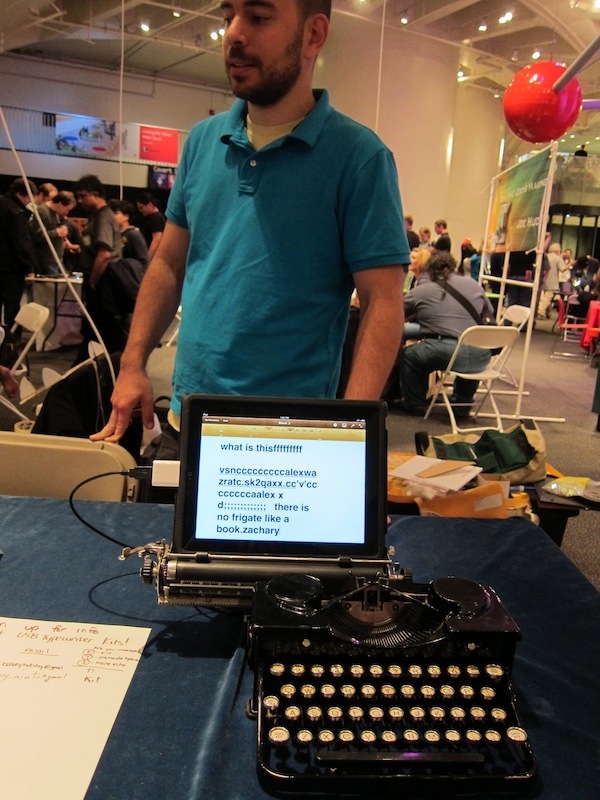
    The first thing that caught my eyes was the USB typewriter from Jack Zylkin. I provokes a nostalgic feeling for the disappearing typewriter and the art of typing, knowing that you can’t just delete and rewrite a whole sentence or rearrange the whole paragraph. I am also attracted to the overall design aesthetic of the old fashioned keyboards juxtaposed to the modern sleek look of the iPad or iMac. It’s not very portable, but it makes for an amazing display piece.

    The second project or actually product that I was specifically looking forward to see was the Conductive Ink form Bare Conductive. I am super excited about working with and creating products with soft circuits, so this was top priority for me. The inks are created by the team at Bare Conductive: Matt Johnson, Isabel Lizardi, Bibi Nelson and Becky Pilditch. The ink is quick drying and nontoxic, so it can be used by artists, hobbyist or serious inventors. Needless to say I am in love with this product 🙂

    Here is Isabel Lizardi showing me how you can draw on fabric.

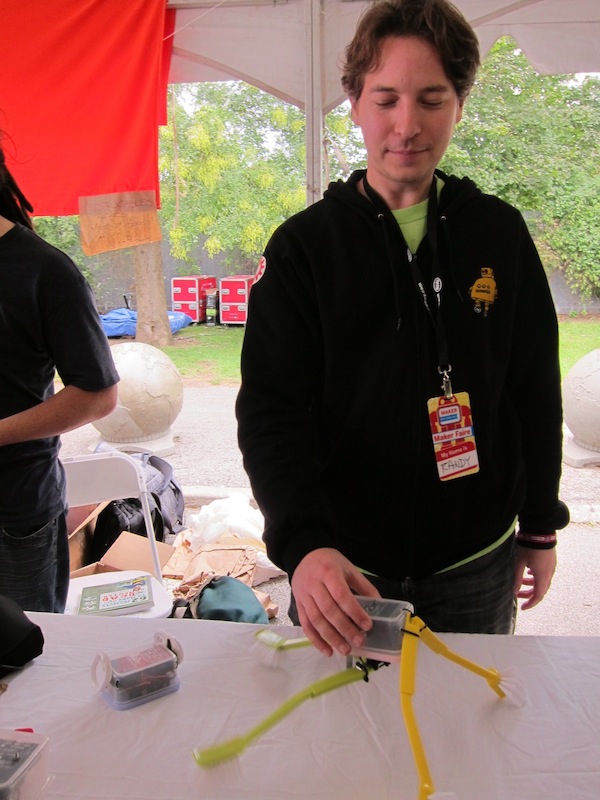
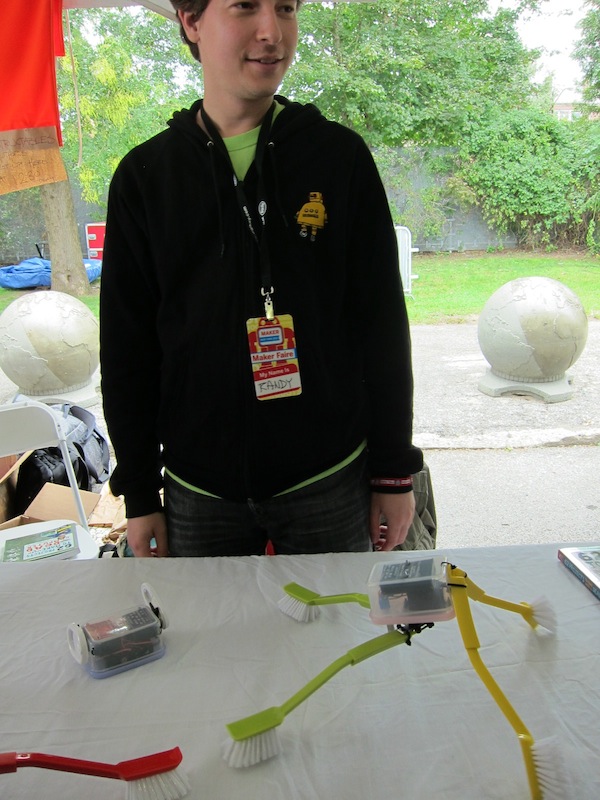
    And last but not least I really enjoyed the simple bots by Randi Sarafan, at the instructables.com booth. I was fascinated by the idea that simple objects from your house can be wired and put together into fun little bots, that take on a life of their own.

     
  • Unknown's avatar

    josefayala 5:56 am on September 23, 2011 Permalink | Reply
    Tags: 3D printing, , DoItYourself, , New York, New York City, New York Hall of Science, Open source   

    3 Things I Liked At Maker Faire by Josef Ayala 

    Going to Maker Faire this year made me realize how much I REGRET not going to Maker Faire last year in 2010. I had such a really good time all under the impression that I would look at it all and yawn. I will eat those words now, and most likely be at Maker Faire in 2012!!!!! It was not only great to see how people’s minds work but also how everyone attacked their tasks and executed assembly in a very unique way but also good to see a really nice and well rounded community for this sort of event. It was peculiar, interesting, entertaining and nerdy all rolled into one. It was also quite scary to see 8 year olds speaking to me using terms such as “open-source”. When I was 8, “open-source”  didn’t exist and I wasn’t playing around with sensors (See sling shot photograph from my first post)! The world might just have a bright future after all.


    That said, here are some of my favorite exhibits from Maker Faire: VIDEOS COMING SOON!!!!

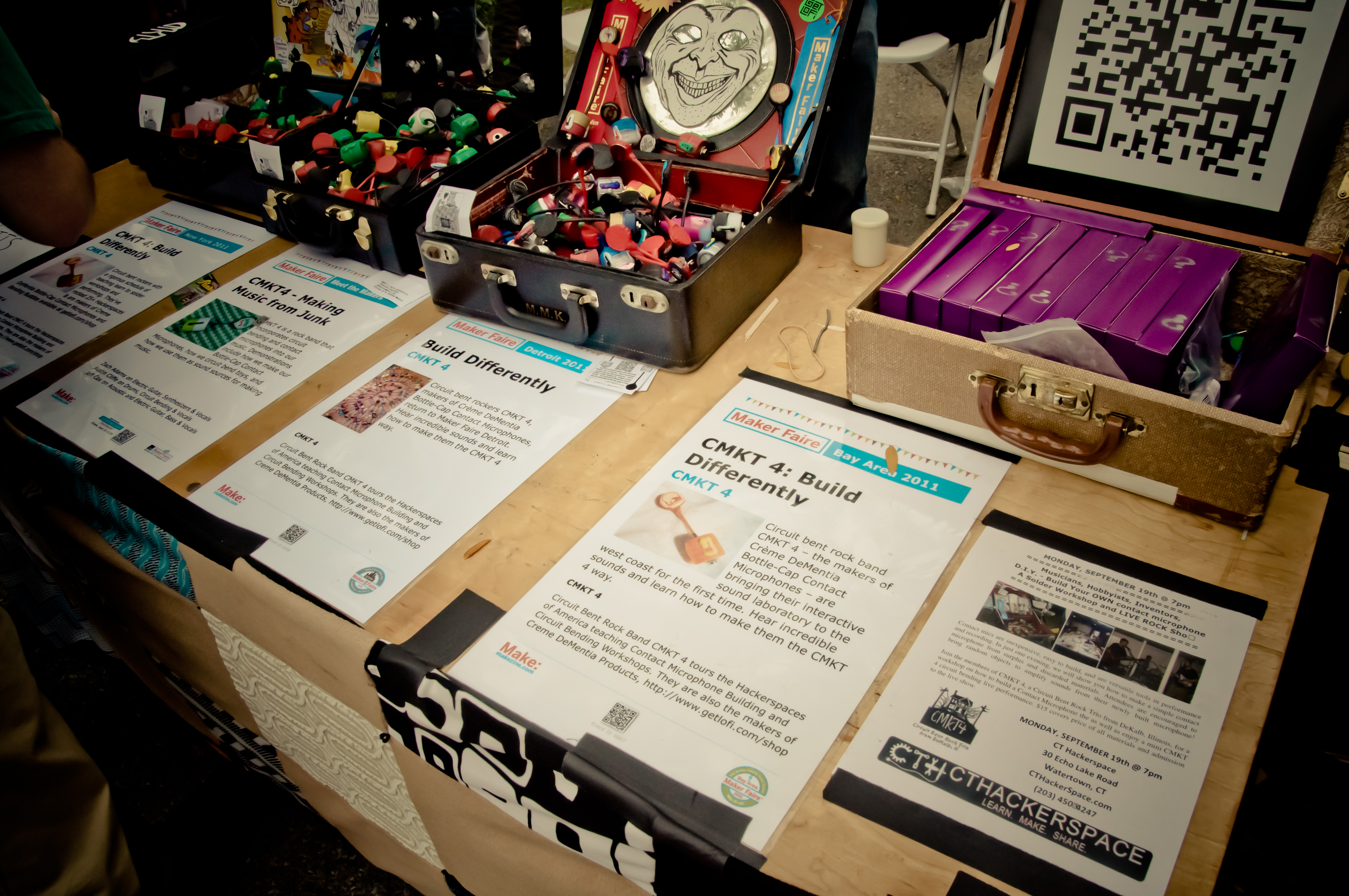
    1) GetLoFi – Contact Mics:

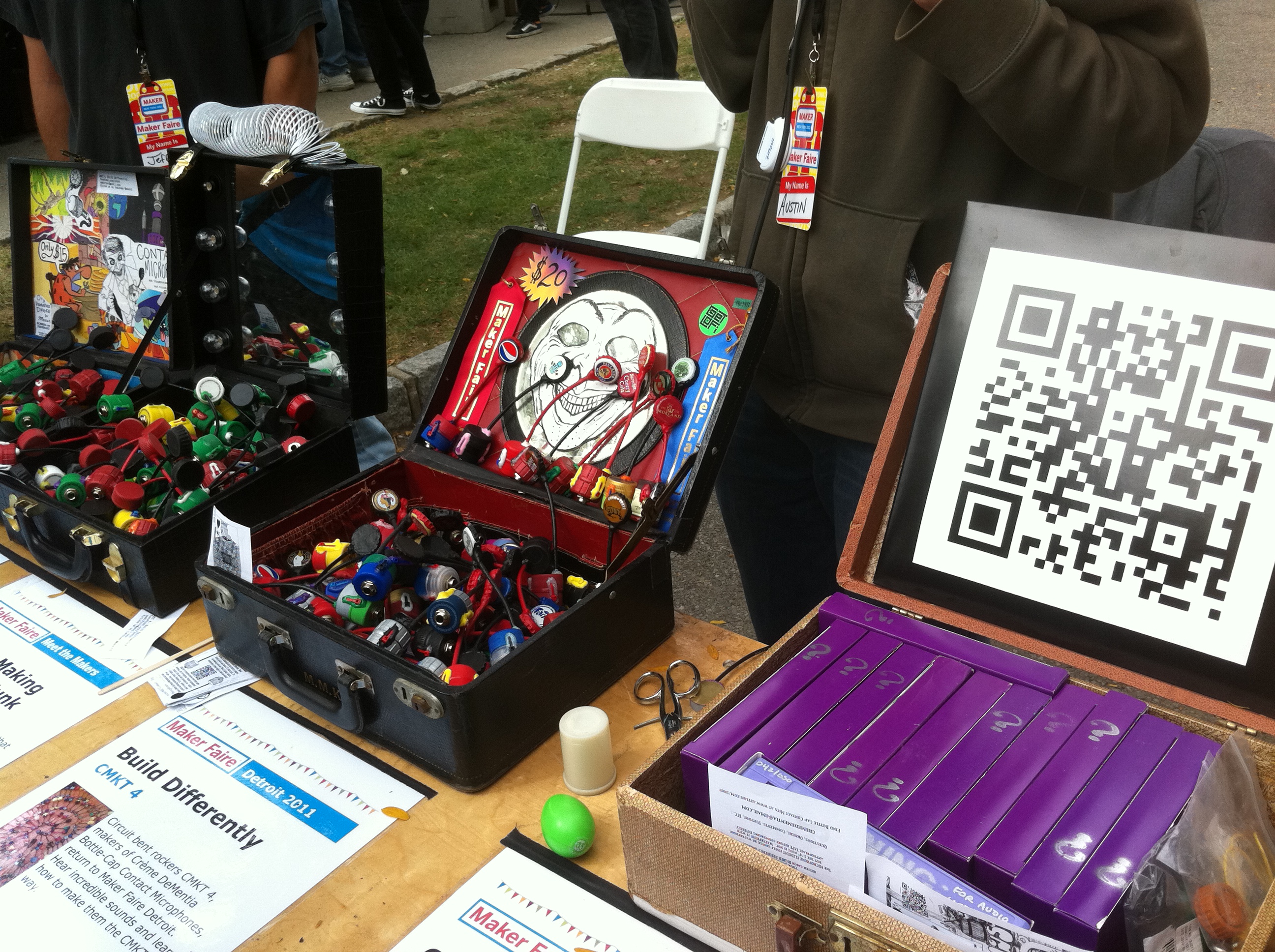
    These guys were great, I am heavily into anything related to the sound field. Even though, people might have thought that this was a very simplistic setup and effect, I was still greatly surprised by the ingenuity and talent that goes into something like this. After all that they still managed to pull off a very nice aesthetic for these extremely awesome mics. I plan to try to build one for myself in the future. :

    The microphones are “piezoelectric” which essentially means is that they respond by in large to pressure. Piezo electricity contains the ability of some materials to produce a voltage when subjected to pressure—to convert vibrations into an electrical signal.

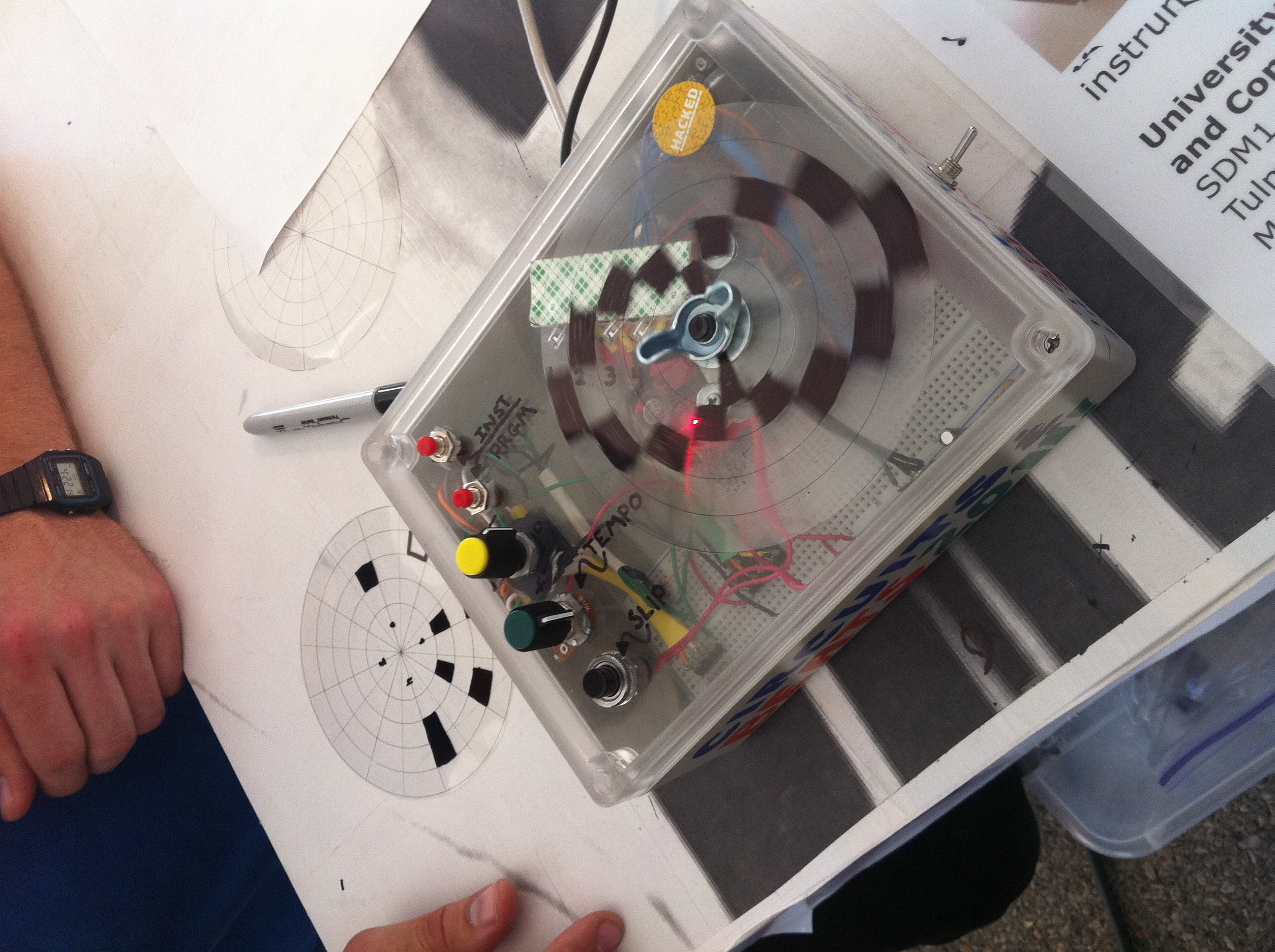
    2) Drum Machine/Synth TV Set:

    Again, music oriented Arduino projects win me over. I liked this set up because it incorporated what I believe was an Arduino set up to the television set which triggered an Animation on the adjacent television screen. The drum machine had a similar set up which incorporated what I believe was a light sensor which detected the absence of light and triggered different drum sounds based on how you marked up the projector screen disc. It was a fun set up and I got to play Fur Elise and The Entertainer.


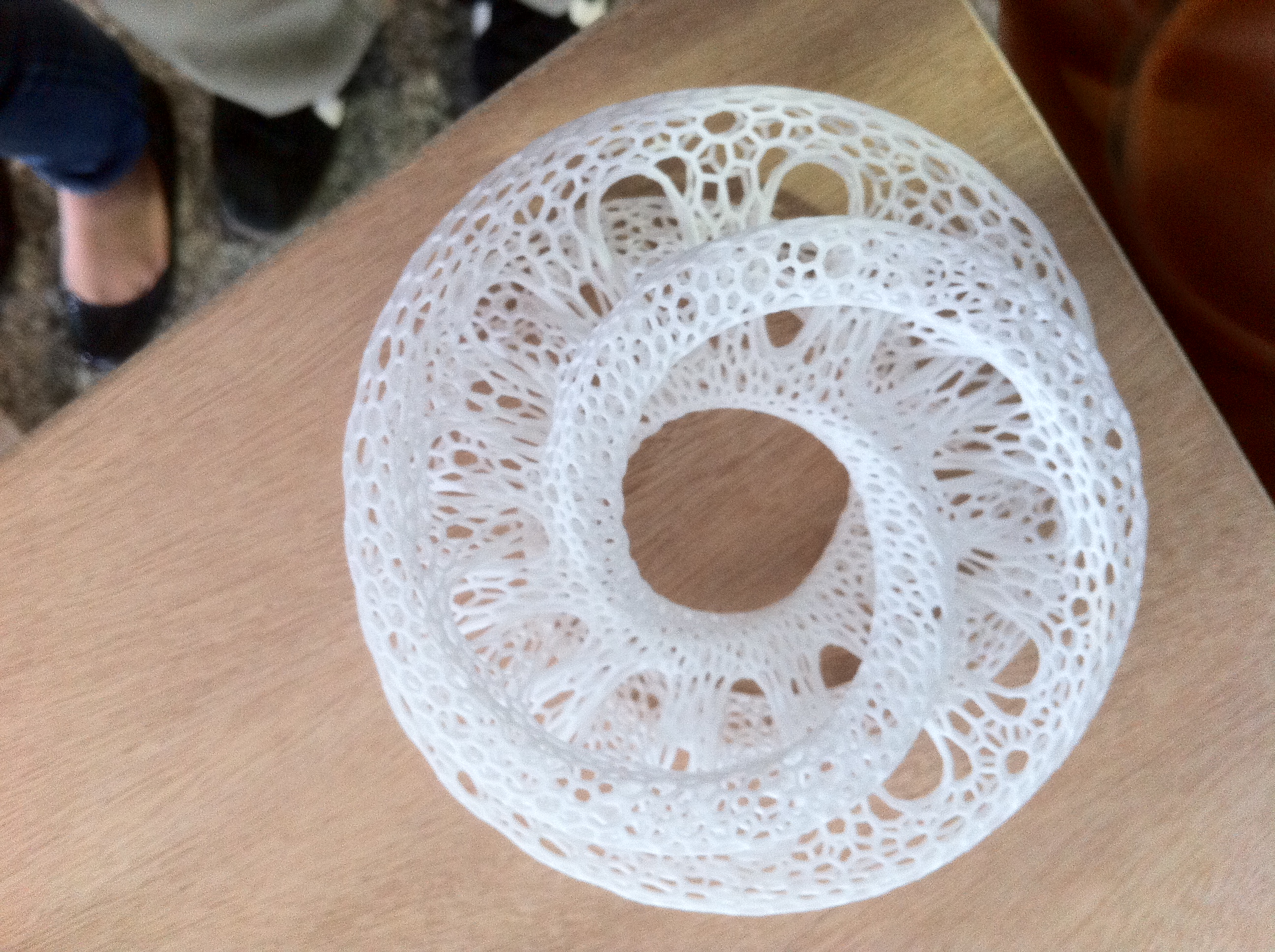
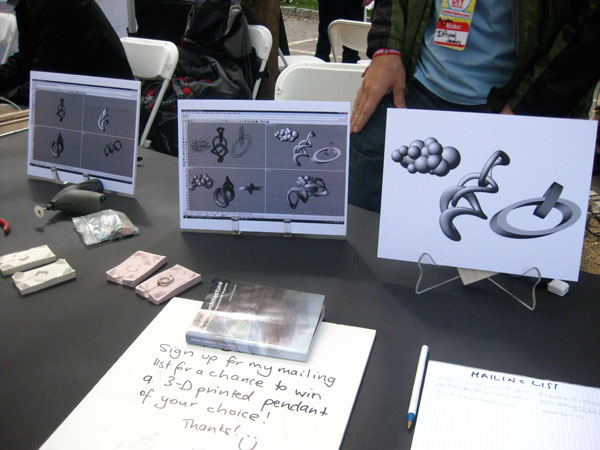
    3) 3-D Printing:

    This never ceases to amaze me. It is growing on me more as I am now learning about “parametric design” for products in my Thesis section but overall, it’s nice to see how things are made and processed. Below I believe are examples of algorithmic product development.


    honorable mentions:

    aren’t these helmets cool !?


  • Unknown's avatar

    strawberrymillefuille 4:45 am on September 23, 2011 Permalink | Reply  

    maker faire 

    Maker Faire was really fun! actually I spent most of Saturday looking at stuff with fellow classmates, then Sunday my housemate wanted to go so I went to try the rides I missed like the Water Swing and stuff cos the queues were much shorter the next day. My favourite item from the Arduino tent was Ember:

    ember hack

    Maker website: Ember Kit|| Lower East Kitchen

    It’s conceived by this engaged couple; he’s a plasma scientist and she’s a writer and they worked together to come up with this really cheap yet effective arudino kitchen appliance hack. Basically it’s a box controlling the heating/cooling of an appliance precisely so you can achieve perfect sous vitae temperatures (I know it doesn’t sound like much, but it’s infinitely useful) This really really really excites me because I used to be a backyard chemist, and maintaining temperatures on a consistent level was one of my greatest difficulties (the other one is humidity). Most of the examples listed on the blog/website are developed for Heston-esque cooking techniques, but it can be easily applied to things like distillation of alcohol (70C), 1st stage polyermisation of thermoplastic (85C), making resins/epoxy (104C), bain marie (40C) etc etc… I really want to get one!!!!!!! I think you could even hack to get higher temperatures by combining it with a pressure chamber,  which would be really good if you’re trying to maintain temperature in a  non-conductive element.

    I also really like it ’cause it’s very reasonably priced compared to some of the other items at Maker Faire…. like some of the 3-d printers cost thousands while the more complicated circuits could run into hundreds! Here, it was a complete kit with prices ranging from $50 (the total DIY) to $80 (pre-assembled, just drill and affix)

    Anyway I really enjoyed going to Maker Faire, I hope they have another one next year!

     
  • Unknown's avatar

    mayaweinstein 2:27 am on September 23, 2011 Permalink | Reply  

    Maker Faire 


    The Reverse GeoCache Puzzle
    Mikal Hart

    The Reverse Geocache Puzzle is a wooden box containing an Arduino, the exterior of the box has a small LCD displaying a set of numbers. The user takes the box, places something inside, and programs it to open only in a specific place. The user then gives the box to someone else and that person can only open the box when they get to that specific place, the LCD displays the total miles away from the spot. Hart often produces these boxes as engagement gifts, with the ring inside only to be found and opened when the spot is located. I love the idea of a box of secrets that only opens in a certain spot, the only thing I would change is that I think the boxes could have some more intricate woodwork.


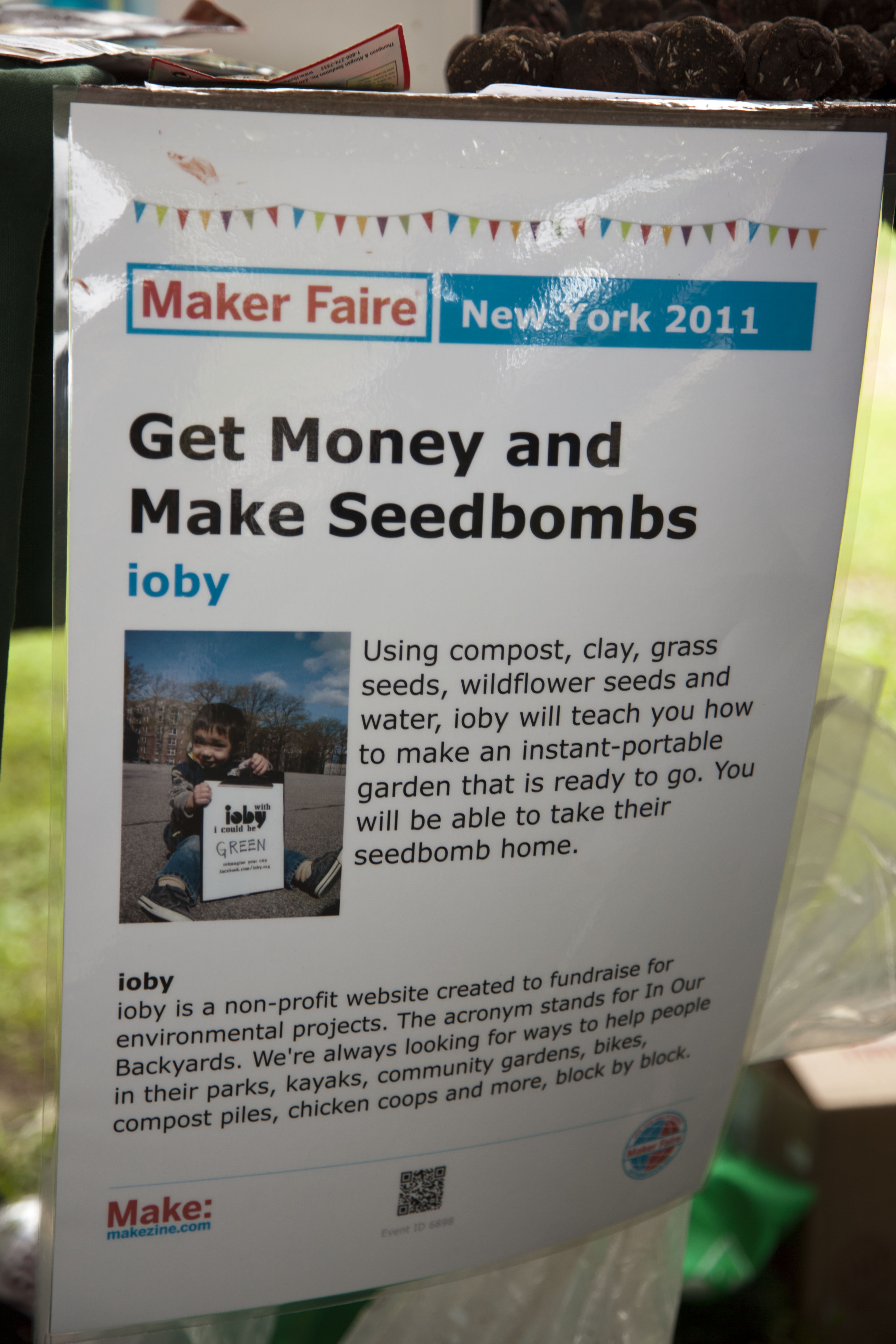
    Seedbombs
    ioby

    Seedbombs start out with a ball of clay, the user takes that clay and rolls it in a mixture of compost, grass seeds and wildflower seeds. The user then tosses that ball into a plot of land where it can grow. The idea behind Seedbombs could be thought of like urban guerrilla farming, if there is an abandoned lot surrounded by a tall fence all one would have to do is throw a Seedbomb over the fence and a garden would be planted. I found it very refreshing that these were one of the few people I met at Maker Faire that were not trying to sell me anything. The company itself is a nonprofit and truly believes in finding new ways to better the community. The idea itself is simple but effective and requires little cost on the side of the user.


    Vertical Theory
    Karen McKay

    Vertical Theory is a form of urban gardening using felt and hydroponics, it takes up a small amount of space and is relatively easy to maintain. Although we are inundated with new urban gardening techniques at the moment I was really drawn to this piece. The use of simple materials such as felt, buckets, funnels and hoses made this particular form of urban gardening feel very accessible. With little money, space, and time I could easily set this up inside my apartment and have a harvest within a month. It really goes to show that you don’t need a lot of money and a huge backyard to have a small garden of your own.

     
  • Unknown's avatar

    danSelden 12:45 am on September 22, 2011 Permalink | Reply  

    Maker Faire-steamPunked 

    VASS with War Machine
    Jacques Laroche

    Description: The VASS (Video Audio Synthesis System) is a real-time Arduino powered visualization system which converts analog audio into data a computer monitor can display.
    This music to video system was just super cool… hooking up an old school beat machine to an Arduino and a monitor. The ability to create visuals through different combinations of sounds is very satisfying… offering a new dimension to an immersive sound experience. I can’t help thinking about its application at live shows where people and musician alike can have an influence on the sound and visuals around them

    Spinning Drum Machine 1
    University of Amherst ECE

    Description: The SDM1 is programmed via marks on small discs.  When light is blocked by an opaque mark, the chosen percussion instrument sound is played.  Developed for a Middle School outreach program called Circuits and Beats.
    This was another great project developed to be built and used by Middle Schoolers… it’s super cheap to assemble and the disks which act as the rhythm makers can be easily created by students.  I thought this was generally a great way to expose younger students to basic circuitry and computation… while at the same time pushing them to break out a sharpie to come up with the most imaginative beat combinations.  No two designs are alike, and thus kids are encouraged to explore their creation in a very hands-on way.

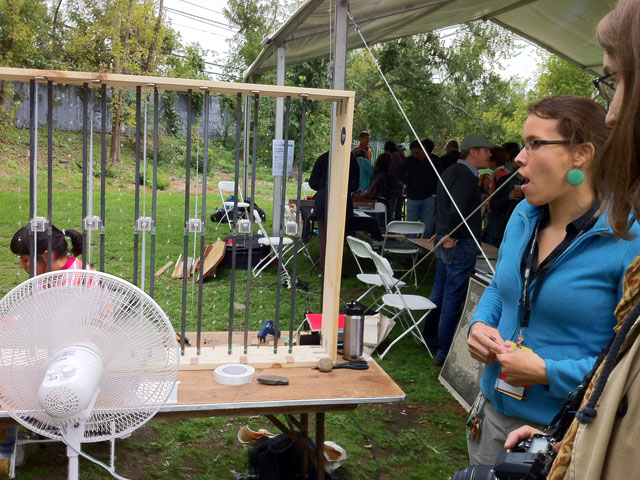
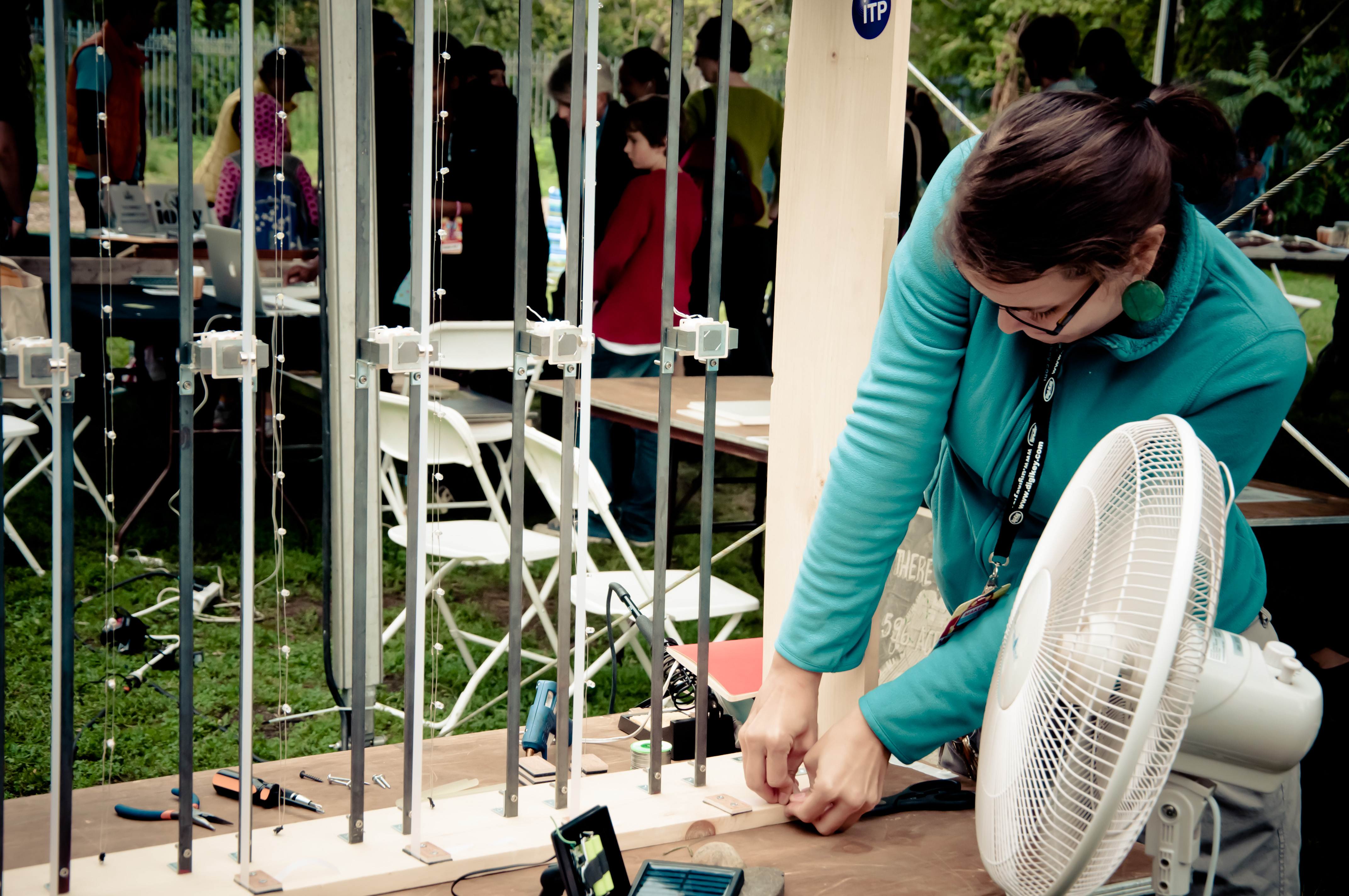
    Lumarca
    Matt Parker, Albert Hwang, Elliot Woods

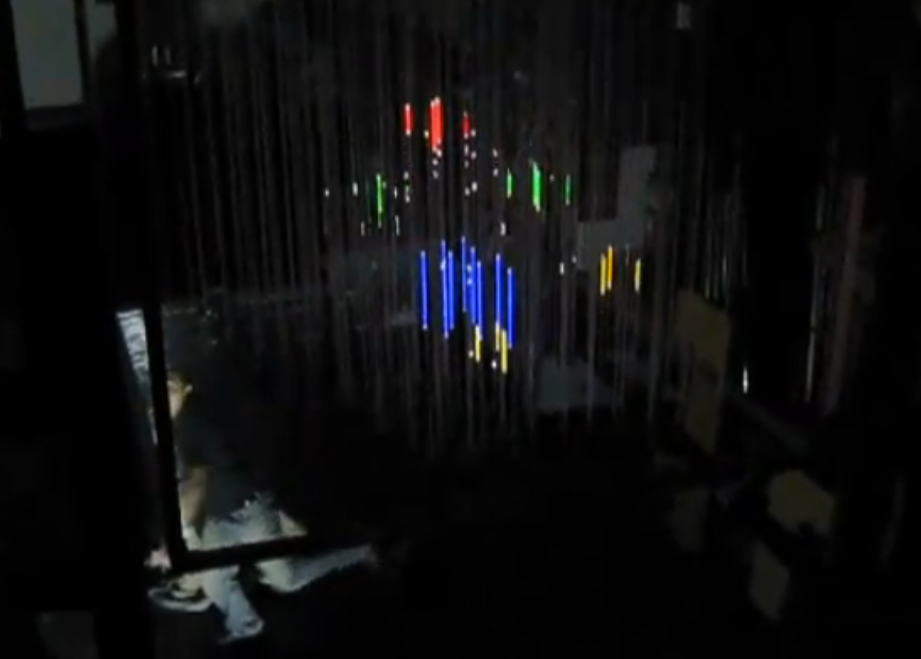
    Description:The Lumarca is a display that renders true 3d volumetric content.  Due to the custom designed string lattice, the project can illuminate any point on any string.  This cost-effective, scalable, and customizable solution is drive by a frequently updated open source library.
    This was hands down my favorite installation… being able to project a 3d visualization onto an array of strings creates a tangible experience that seems to offer great potential for informational displays… bringing a vast 3d scape of data points into the physical environemnt.  The depth really brings life a screen cannot capture… especially when you’re able to walk around it. The only drawback is it must be used in a dark environment… and it’s incredibly sensitive to any alterations to the alignment of the strings.  Other than that, I’m tempted to actual get a starter kit they’ve developed and give it a shot.  I included an additional video that showcases some other functionality.

     
  • Unknown's avatar

    Jun Sik (Jason) Kim 6:47 pm on September 20, 2011 Permalink | Reply  

    Maker Faire Experience 

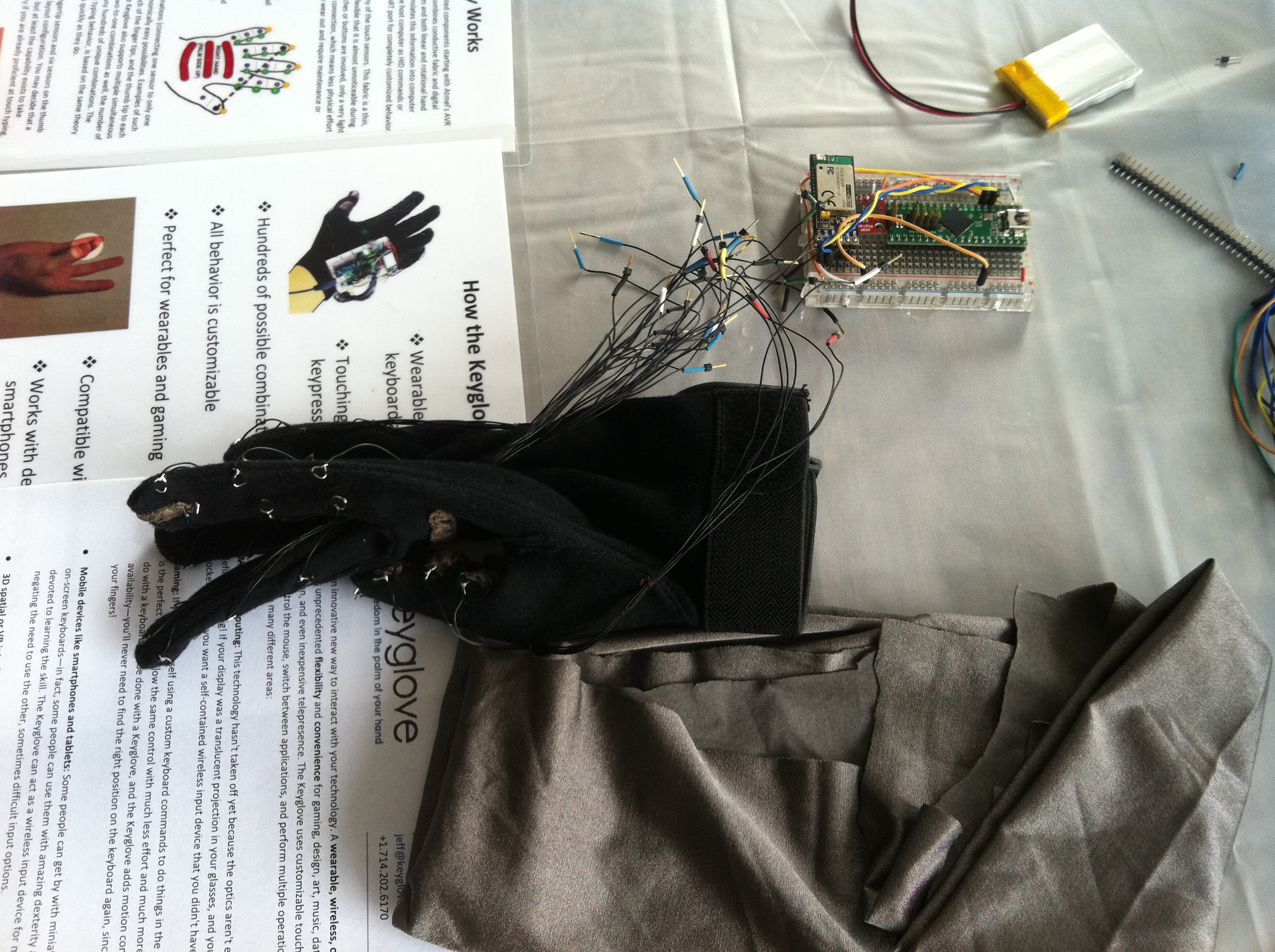
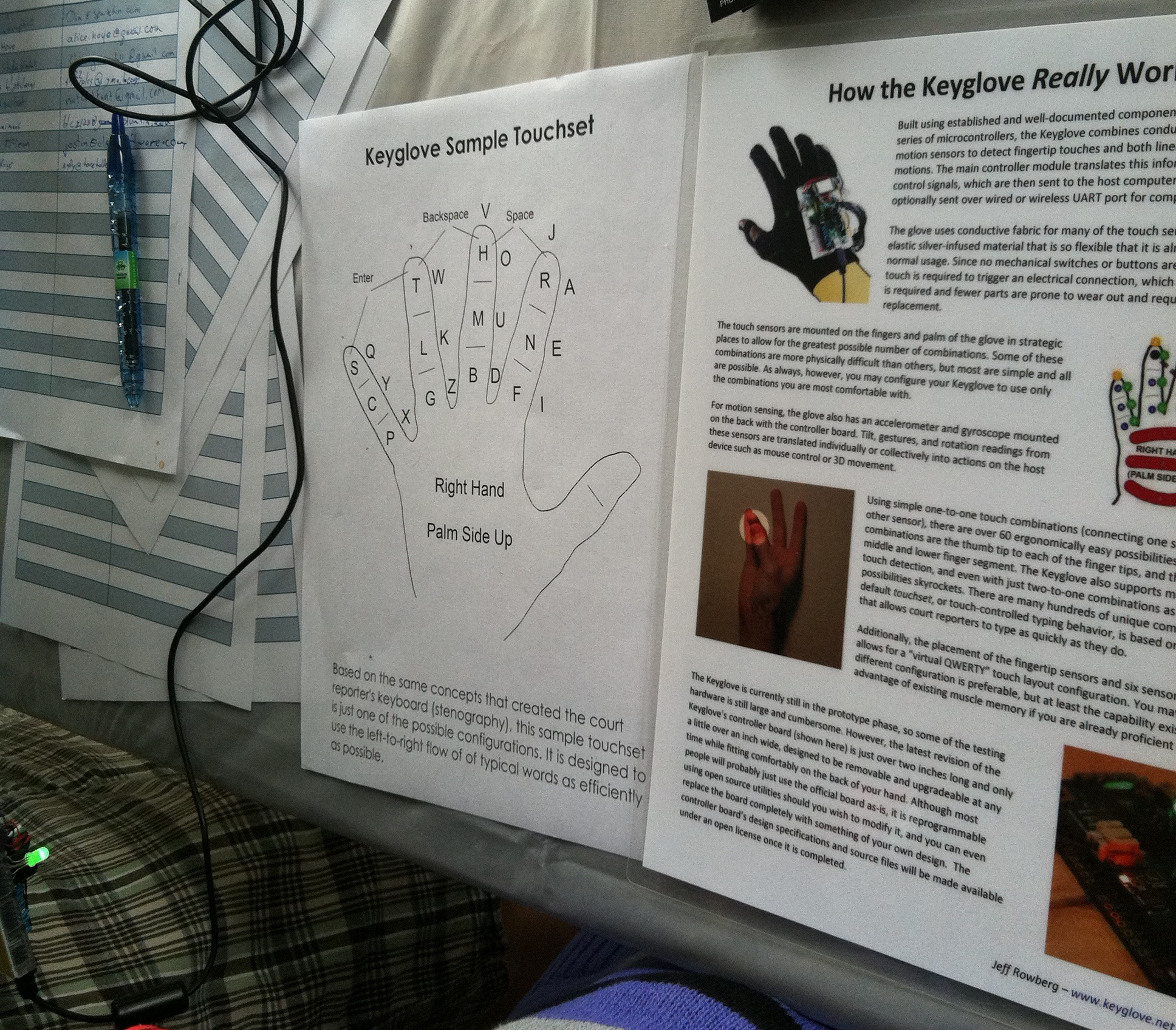
    The product that got me most excited inside the Arduino tent was a product entitled “Keyglove by Jeff Rowberg. This is because during my industrial design studying days, I remembered a concept mobile phone that used fingers to represent keys. What intrigued me the most was the possibility of Keyglove’s further development. Although people are used to QWERTY-based keyboards, it doesn’t necessarily mean it HAS to be the most comfortable. Because the wearable computing market is becoming very popular I believe the Keyglove will impact the world of gaming, design, art, music, etc. I’d love to see a further developed Keyglove where if I made a certain shape with my hand while putting on Keyglove, a 3D CAD software would automatically create the shape I’m making with my hands.

    As I entered the indoor section of the Maker Faire, the work that first caught my eyes was the “Lumarca” designed by Matt Parker. Using a projection, Lumarca used a volumetric display to show viewers a three dimensional image in motion. When I first looked at it in the dark, I initially thought that it involved high technology. But once I asked the artist on the mechanism of Lumarca, I realized it was just a calculated projection in motion towards strings attached to boards. When I researched for Lumarca on the internet, I also realized the creators incorporated Kinect into Lumarca. They created a 3d projection portraying the exact movement of somebody moving infront of the Kinect. What’s so interesting is that the Lumarca need not require a 3d glass in order for people to see 3d.

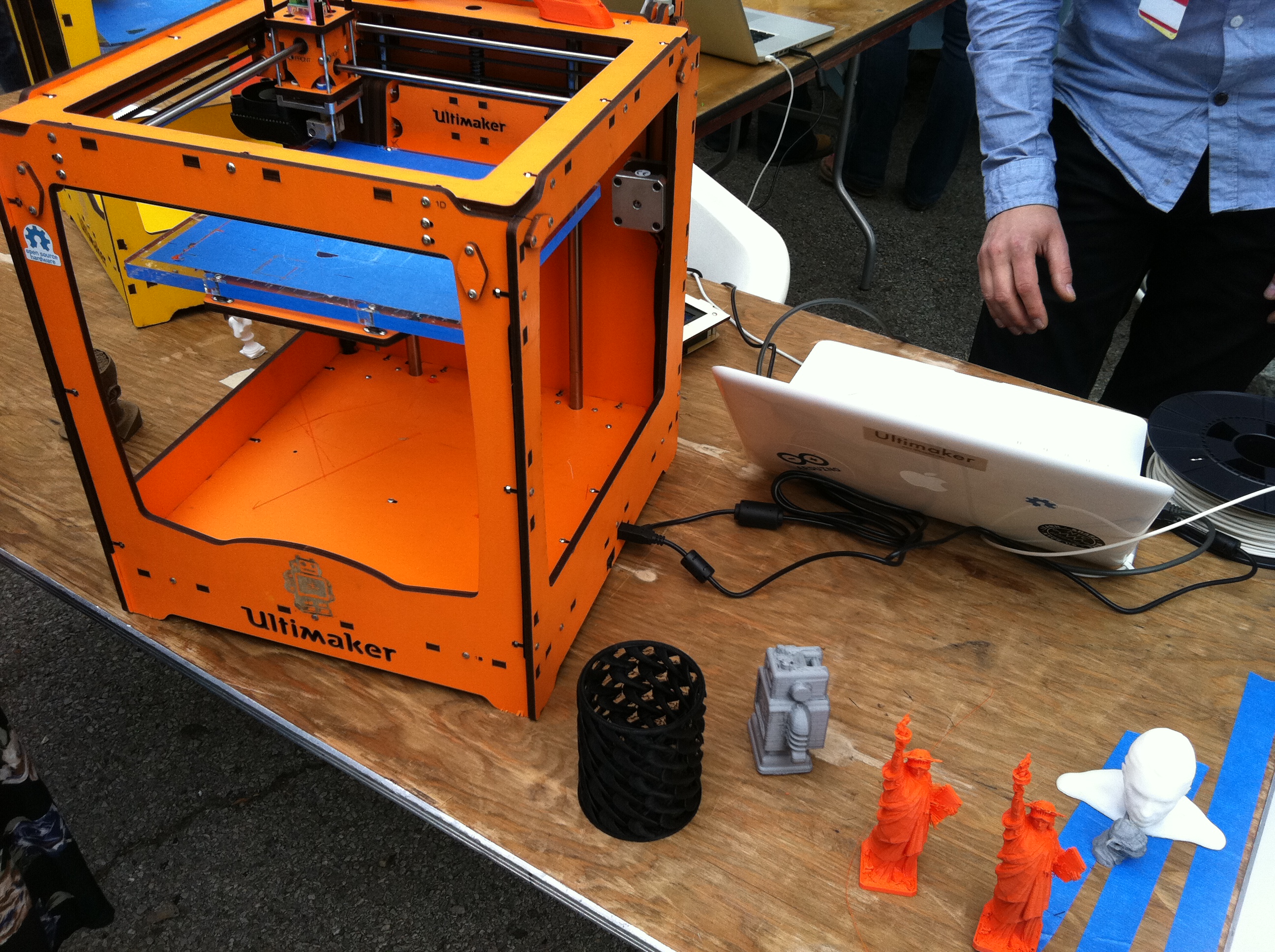
    Because I have an industrial design background, every time I passed by a 3d printer, I just wanted to buy it. Just last year, I had paid $2000 to create a fine mockup of one of my product designs in Korea. Seeing that a 3d printer now only costs about $1600 shocks me. There were 3D printers that worked by addition while there were 3D printers that worked by subtraction. Because I’ve already seen many printers that work by subtracting from the raw material, I was more interested on those printers that worked by addition. An example would be the “Ultimaker: the fast, affordable, large build volume, open source 3D printing” made by the Ultimaker. Just like its name, it was indeed a fast, affordable, open source 3d printer. It would accept almost any type of CAD file and would print in such detail that I couldn’t believe it. It created what seemed to me like a billion layers of shape in order to achieve the detail of the final product. It was very fun to see.

    I really enjoyed the Maker Faire!


  • Unknown's avatar

    noadol 4:39 am on September 20, 2011 Permalink | Reply  

    maker fair 

    1/ The Anywhere Organ
    by Matthew Bo Bogatti

    The idea is to have a mobile pipe organ, that can change in size and layout, according to the space.

    The interface is a simple MIDI, fronting a bunch of organs (group of pipes). Each of the octaves operate a different organ. You have stickers on the keyboard indicating that, so the interface is effective and communicates what there is to do, no frustration.

    The computer generates MIDI signals. The organ has a microchip (boot loaded AVR chip) that converts MIDI to serial. The AVR communicates with transistors: takes the low power signals from the MIDI and the transistors turn it to a hight power signals that control all the valve that open the air. Pressing a key, the pipe has a magnet that opens up the valve and let the air come up from the blower, and produce a sound.

    I find the objects’ design beautiful; half “traditional” half modern machine and an interesting materials mix: old original metal pipes, wood shaped made by laser cutter, plastic tubes.

    // The organ can play without the computer //

    2/ The Simple CV
    by Katherin Scott, Anthpny Oliver, Nathan Oostendorp


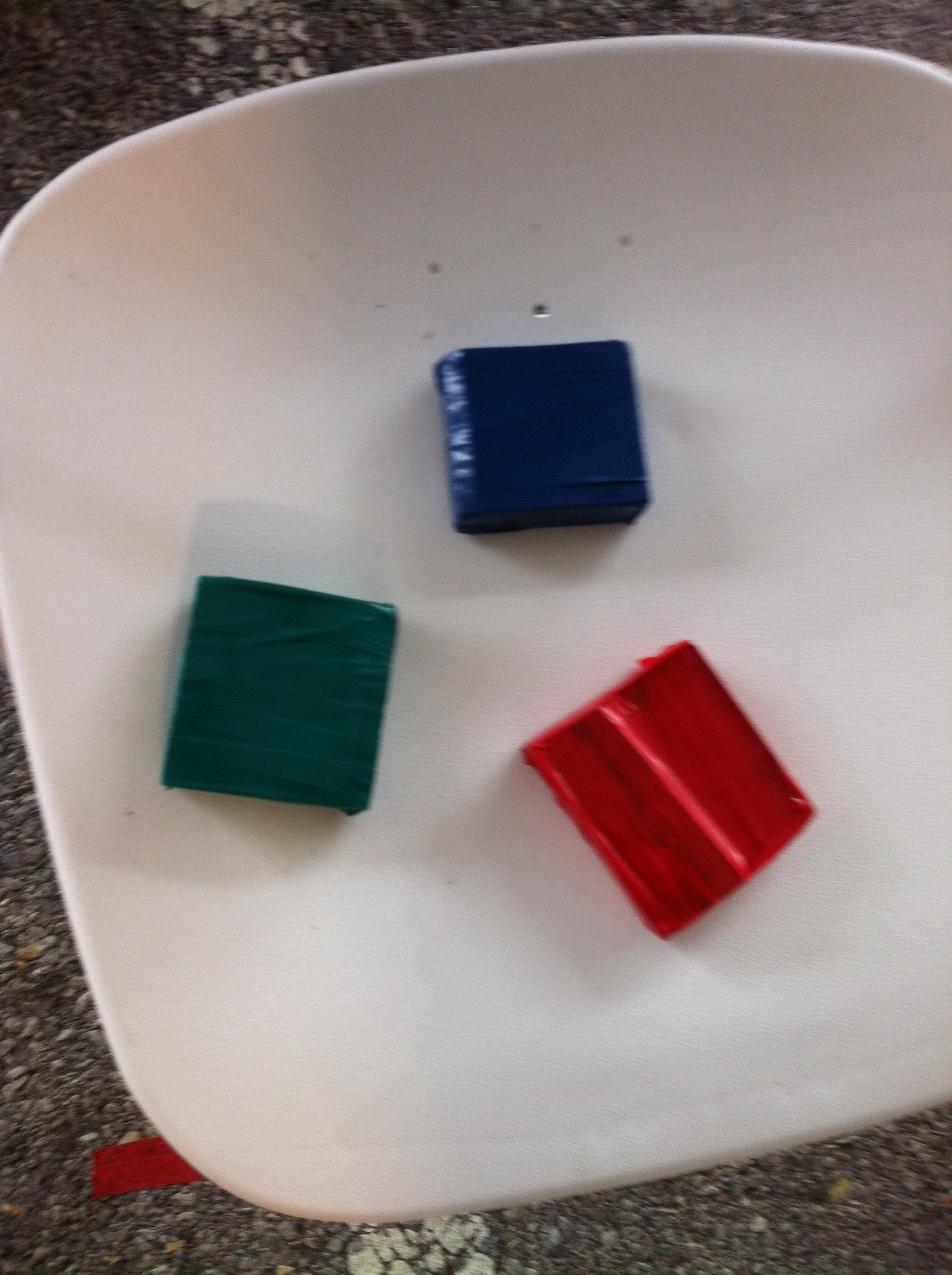
    Three colored cubes that are benign used as painting tools/brushes for painting on the TV screen.
    The TV has a webcam above it and the technology that is being used is best described in the simplecv.org website:
    “SimpleCV is a Python interface to several powerful open source computer vision libraries in a single convenient package.”
    For this project they also used Kinect.

    I like this project for its simple interface and because of the fact that these low-tech wooden cubes activate a digital reaction, adding an element of surprise.


    3/ Wheelchair DJ System
    by John Schimmel

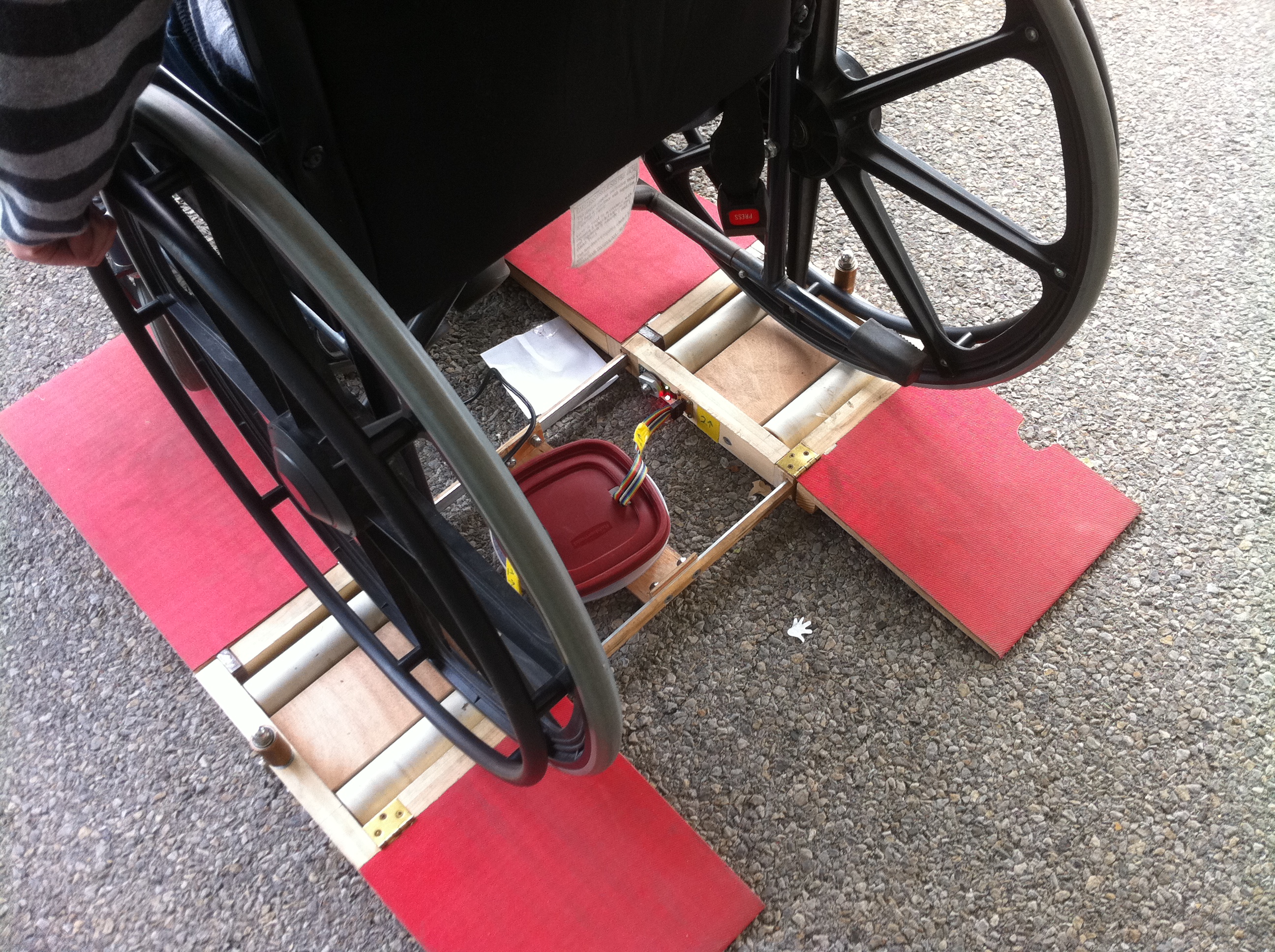
    The project was tailor-made for a disabled 18 years old boy. Instead of using hands to scratch on turntables, you can use the wheels  and by moving them back and forth, manipulate two mp3s. In front of the wheelchair there’s the computer screen with and interface that resemble the DJ set. The connection between the action and the reaction is pretty clear.


    The wheelchair sits on rollers that detects the speed and direction of each wheel. The software and the simple interface design is in Processing. Underneath all that is the Arduino circuit (in the red box), that is connected to the rollers.

     
  • Unknown's avatar

    Catalina 3:48 am on September 20, 2011 Permalink | Reply  

    A Sunday at the Makers Faire by Catalina 

    The following are my 3 favorite projects:

    A week ago I found on the street this amazing typewriter and took it home just because I couldn’t let it out there, it even had it’s own box! And what a great surprise when I get down into the SCI hall and found this USB typewriter. It’s developed with Arduino (Atmega328P) and a sensor board to capture the keyboard; once you connect it, via USB to your computer, you have a great new keyboard.

    If you want to learn more about it, visit the site: http://www.usbtypewriter.com/

    Sonic Threads by Rita Shewbridge.

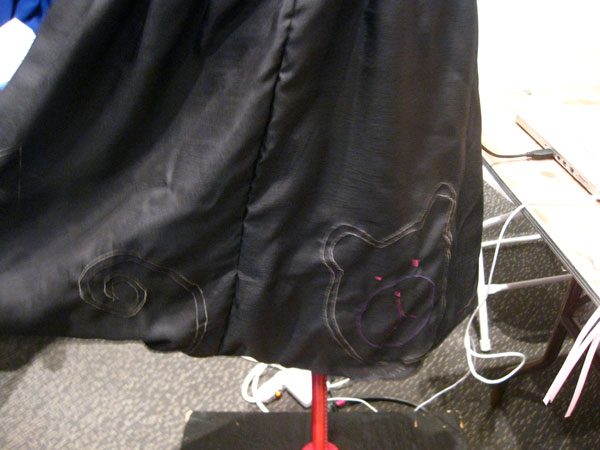
    I found this to be a really interesting and fun approach to fashion & technology. The dress is made using conductive threads and uses Arduino. The idea is that you touch the dress and tells you a story, reconnecting this “new world” with the old way of interaction within people, storytelling.

    If you want to learn more about it, visit the site: http://www.fashioningtech.com/video/sonic-threads

    Rhythm Synthesis

    This project was the Thesis project of a Parson’s student Ryan Raffa. It’s an amazing project, that allow people to interact, to create music and to have fun. It’s a light-box that make sound using colors, shapes and sound. The user moves the color figures and it generates different sounds composition.

    If you want to learn more about it, visit the site: http://www.ryanraffa.com/parsons/blog/

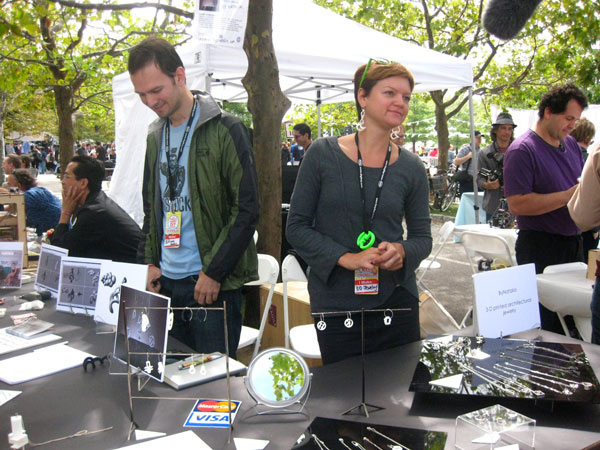
    I have to mention that I also loved the Jewelry designed by Natalia Krasnodebska using autocad and printed in a 3-d printer – Really pretty…..

    Check it out at http://www.bynatalia.com

     
  • Unknown's avatar

    yongjaelee2011 5:52 pm on September 18, 2011 Permalink | Reply  

    3 Projects I like at the Maker Faire 

    1 . The Empowerment Plan : Veronika Scott at the College of Creative Studies

    The jacket is self-heated, waterproof, and transforms into a sleeping bag at night for a homeless people. I am very interested in using our knowledge in our daily lives and for people. I think that Veronika’s idea and her coat are great example of using our knowledge to needed people.

    empwermentplan.org

    2. In the Wind: Michell Cardona and Nelson Ramon at NYU ITP

    A project on self-generating power with wind. The project is great use of alernative energy. Magnetics in the center of the bands vibrate as wind blows and create energy. These two people studies at the NYU ITP.

    http://www.datumdezign.com/inthewind

    3. Spinning Drum: University of Massachusetts Amherst, Electric Computer Engineering

    A user hits the synthisizer key inputs to create animation on the screen. The music player is very simple and easy to use, so I found lots of not technical users having fun to play with it.

     
  • Unknown's avatar

    firmread 8:54 am on September 18, 2011 Permalink | Reply  

    Maker Faire!!! 

    Here we go, Maker Faire!

    “In the wind” By ITP students Michell Cardona and Nelson Ramon
    http://blog.makezine.com/archive/2011/08/oscillating-wind-generator-flutters-and-flickers.html
    Basically, this project works by using wind to generate electricity to operate the LED light.
    Nice prototype for some self-sufficiency circuit.

    Next, “Contact Microphone”, it is a simple kit using the piezoelectric pickup to get the vibration. But the application of the kit can happen in very variety ways. For video example check out their site here.

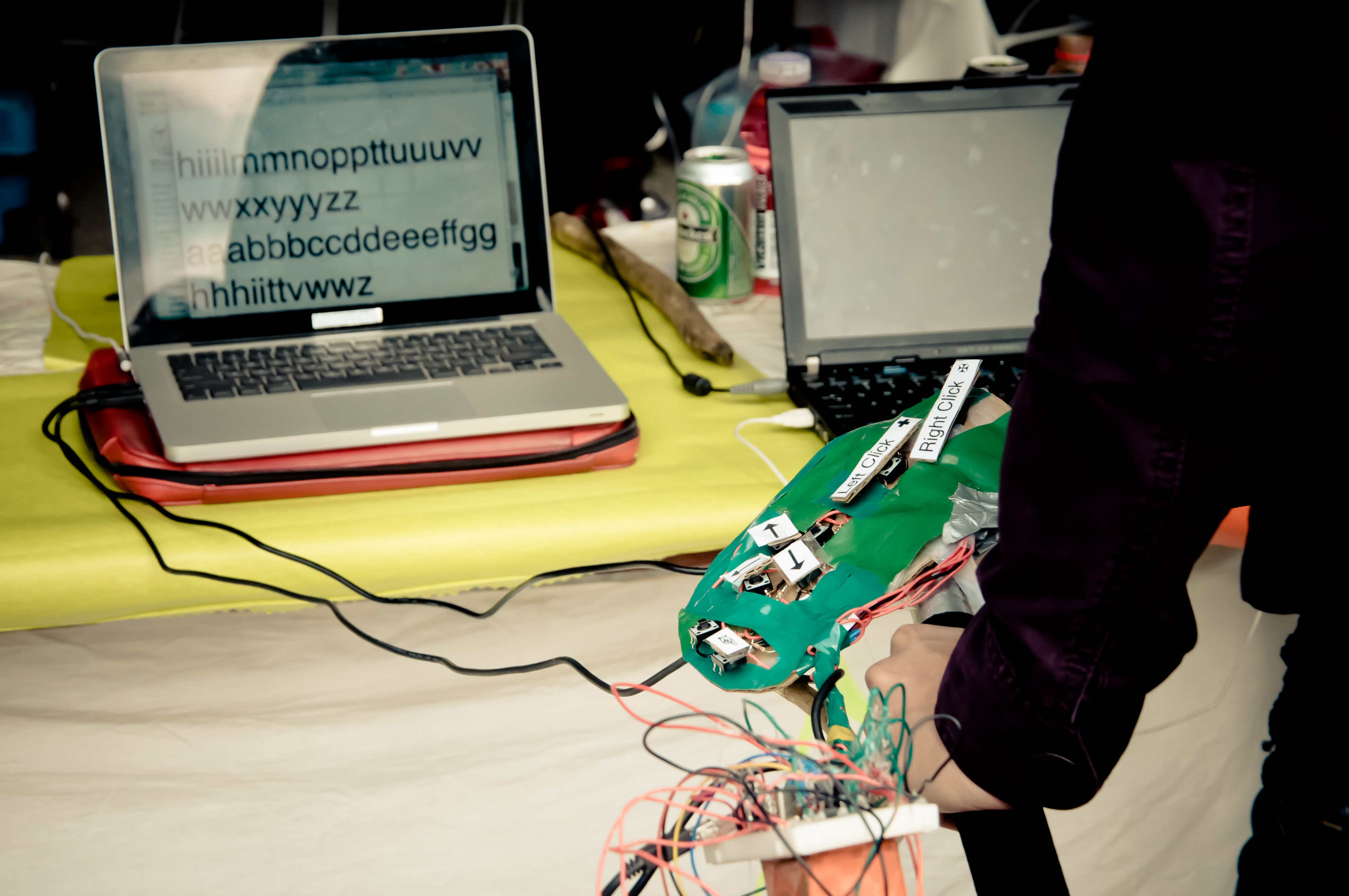
    Last but not least, “Electrisize Machines” by Samwell Freeman. I like how the project is not so practical but more like a critical design about how we use computer so much and don’t do enough body exercise. So you just have to exercise to do simple inputs like keyboard and mouse.
    http://makerfaire.com/pub/e/6962

    There is other 3 projects that I like on Major Studio blog (It’s double assignments on this Faire, sweet huh?). Just wanna post a quick link here in case you guys care to check it out.

     
c
Compose new post
j
Next post/Next comment
k
Previous post/Previous comment
r
Reply
e
Edit
o
Show/Hide comments
t
Go to top
l
Go to login
h
Show/Hide help
shift + esc
Cancel