Updates from March, 2011 Toggle Comment Threads | Keyboard Shortcuts

  • Unknown's avatar

    Lee 6:07 pm on March 24, 2011 Permalink | Reply  

    6 ideas 


    Idea #1
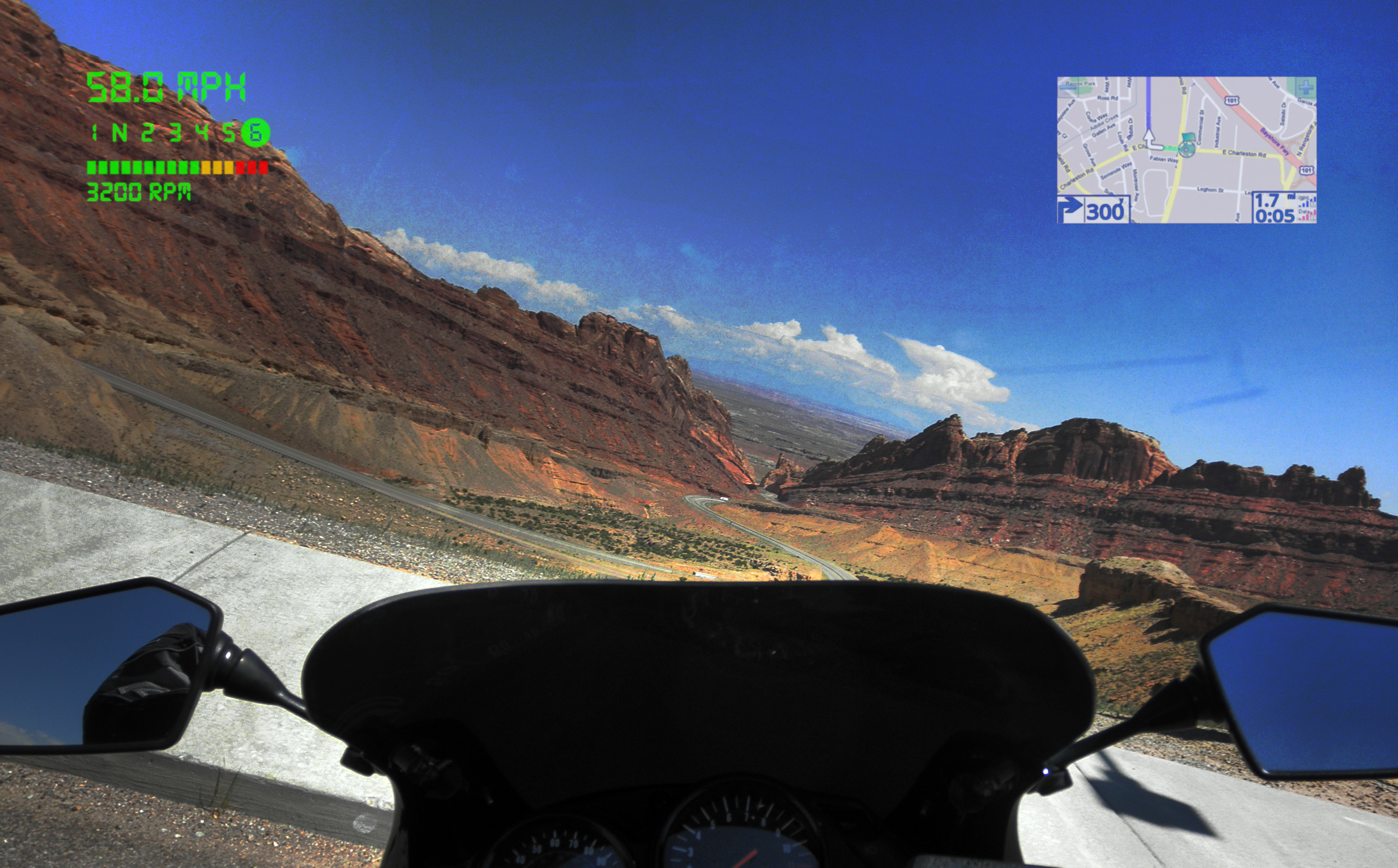
    H.U.D. for Motorcycle Helemets
    A HUD system for displaying vital information on the visor of a motorcycle helmet. Instrument panels on motorcycles are by and large placed low around the triple tree. In order for a motorcyclist to monitor his speed or RPM’s he needs to take his eyes off the road ahead of him/her and quite literally look down. Always having this information within a riders field of vision will cause less distraction, allow riders to be more conscious of their speed and allow one to focus entirely on the road. Additionally it will also encourage the use of full face helmets.


    Idea #2
    Wearable Environmental Quality Monitor
    A wearable object which could provide ambient information about the quality of the environment a user is in. Preferable it’d be in the form factor of a watch or wristband that would change color based upon sensor input and strobe if levels were dangerous. When a user wants they could upload the data to a computer for an in depth analysis of their exposure.

    idea #3
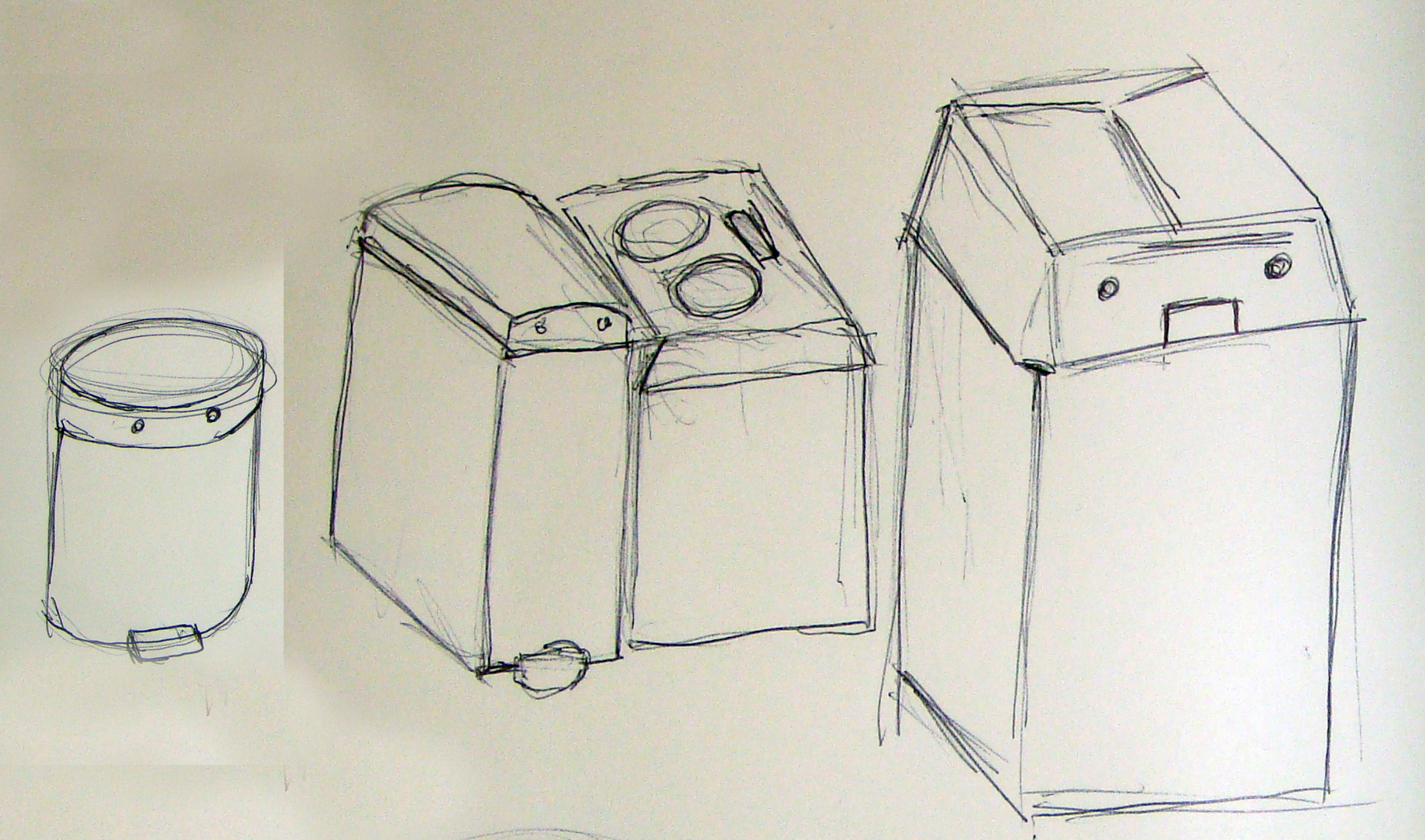
    OmNom Recycling System
    Anthropomorphized smart recycling containers which talk to each other and your computer. Each container has a personality and lets you know it appreciates it when you feed them and will alert you when they’re full and need emptying. They’ll communicate wirelessly with your computer and tell you what you’ve been recycling and how much they appreciate it.


    idea #4
    Ambient Navigation System
    Device you wear which navigates a user by providing directional feedback in the form of vibration or other stimulus. Ideally it’d be in the form a bracelet/wristband that would buzz on top for straight on the left side for left, right etc. This would allow for users to follow turn by turn directions without needing to stare at their devices instead of watching where they’re going.


    idea #5
    Automatic Motorcycle 911
    Motorcycles are extraordinarily fun, but they are more dangerous than other forms of transportation and if a rider crashes and is alone he may not be able to physically retrieve or dial his cell phone. This device would dial 911 automatically and provide GPS coordinates of the riders location in the event of a crash.

    idea #6
    Radio Spectrum Visualizer
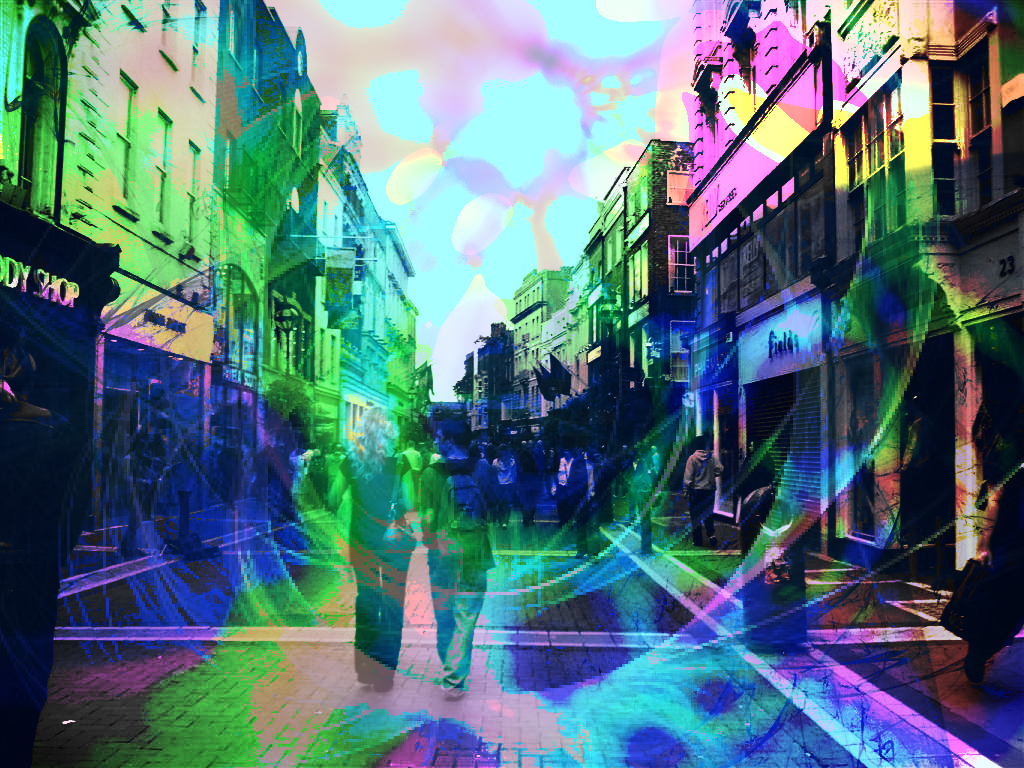
    Somehow detect and map all spectrum of radio waves in a specfic area and visualize the strength and type overlayed a live image. This is to help people understand the massive ammount of radio / electromagnetic radiation we’re constantly bombarded with.

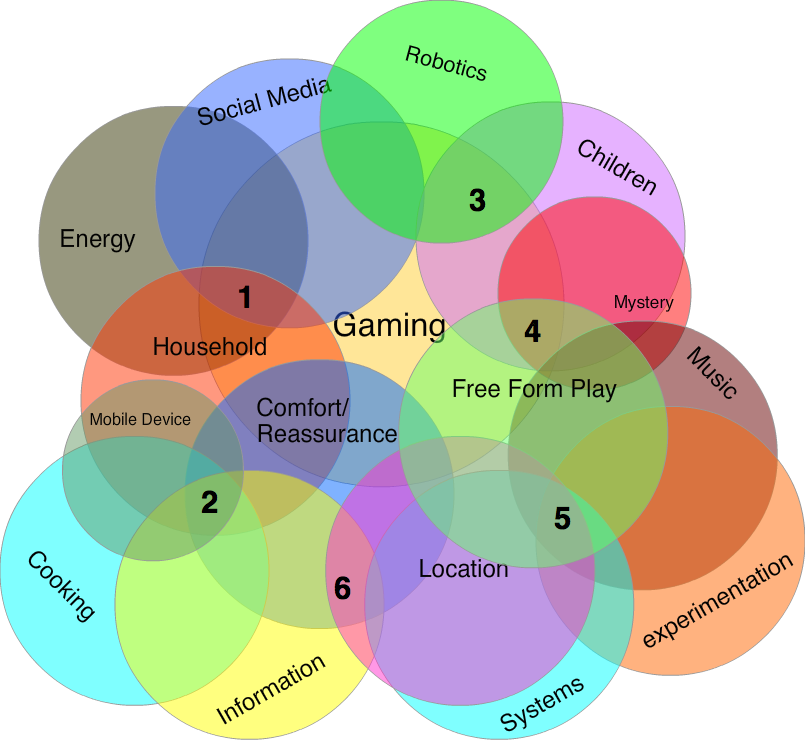
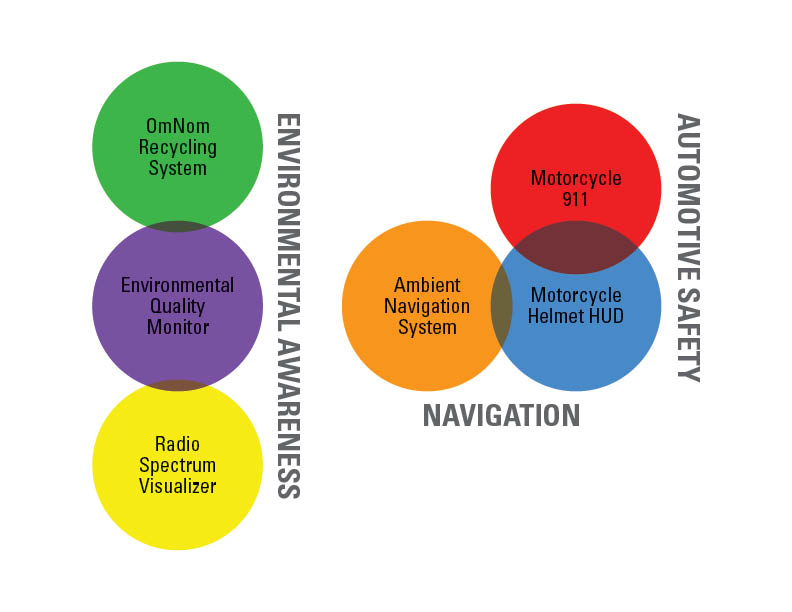
    Here’s a Ven Diagram of my ideas domain’s.
     
    • scottpeterman's avatar

      scottpeterman 6:11 pm on March 24, 2011 Permalink | Reply

      Love, love, love the motorcycle HUD idea. Hell, I’d wear that just walking around!!

    • Bree's avatar

      breegeek 12:30 am on March 25, 2011 Permalink | Reply

      The radio wave visualizer would also be awesome and trippy. Kind of like a lava lamp for the modern age.

    • minho's avatar

      mkmkmkmk 5:53 am on March 28, 2011 Permalink | Reply

      • Lee's avatar

        Lee Williams 11:30 am on March 28, 2011 Permalink | Reply

        Exactly, I saw these over winter break and all I could think is WTF this is hardly even necessary for snowboarding why don’t motorcyclists have this tech

    • Karin Bakker's avatar

      Karin Bakker 1:50 pm on April 30, 2012 Permalink | Reply

      Hi Lee,
      Love the picture you use in idea 6. I would like to use it in my theses on “exposure to electromagnetic fields”. (non commercial). Can you tell me how i can obtain a big format version i could use in print? I would be very grateful. Kind regards, Karin

  • Unknown's avatar

    scottpeterman 6:05 pm on March 24, 2011 Permalink | Reply  

    6 Ideas I am interested in pursuing for my thesis… 

    Scott Ghost Orchestra sketch
    1. Ghost Orchestra
    This is an idea I am already working on – it would be a series of instruments that are wearable and functionally invisible. So the players would be able to play their instrument – trumpet, trombone, drums, guitar, etc. – by “air” playing and the glove/wearable would translate their motions into MIDI which could then be translated into audio.

    Scott POTY sketch
    2. Party of the Year
    This is another idea I’ve already done some work on. It is a social game for mobile devices that gives players incentives for spontaneously performing in public – imagine 20 complete strangers simultaneously breaking out in dance while waiting for a train in Grand Central.

    Scott Uniform Sketch
    3. I want to start wearing a uniform for a number of reasons, primary among them a desire to remove all instances of meaningless choice from my life. Also, I would like to open up my closet and see only matching outfits, like Inspector Gadget. I want to simultaneously embed my most common daily items – wallet, keys, water bottle, sunglasses and phone – with sensors that will alert my digital belt buckle if I am ever going to leave any of those things behind. Finally, I want it to make my computer and phone NOT work if I am not wearing the uniform, to force me to conform.

    Other World sketch
    4. This is an idea I’ve had since I was in high school, and has become piece of software that Thom and I are already working on and might want to pursue for a thesis. This is essentially AR technology that would allow people to see an entire second world mapped onto our own. People could put up artwork, comment on the world around them, etc. I would particularly like to pursue an idea I have of hiding monsters around the world for people to find.

    Xenomorph sketch
    5. Xenomorph
    This would be a technology-enable ballet, set to Jerry Goldsmith’s unused score for the film Alien, that tells that story from the creature’s point of view. It would be an epic meditation on otherness, on man vs. nature vs. machine.

    Artbot sketch
    6. ArtBot
    This would be a robot that took typed text instructions and turned them into art, which it then executed in paint on a wall. The test for this being complete would be whether it could successfully execute the collected works of my favorite artist, Sol LeWitt.

    7. BONUS IDEA – ZombieTag
    Oh, I forgot about this one when I was sketching but I want to make a laser tag game with squibs (blood packs) that explode when you get shot. This would first be used to host a giant Zombie Shooting Party. I have a background in theater and all of our plays have been very bloody, so I’m pretty confident with the gore part of the equations…

    And here is a venn diagram of how these ideas connect. As you’ll see, they’re all included in the broad category of “Funny,” which I think perfectly sums up my aesthetic!

    scott's idea venn diagram

     
    • Bree's avatar

      breegeek 12:32 am on March 25, 2011 Permalink | Reply

      #4 is especially awesome because every kid would love to see their imaginary friends come to life. It’s part of the reason Webkins totally took off.

  • Unknown's avatar

    minho 6:32 am on March 24, 2011 Permalink | Reply  

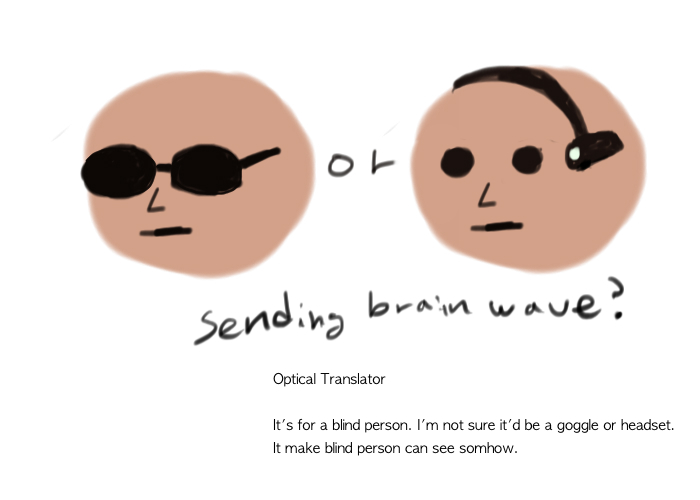
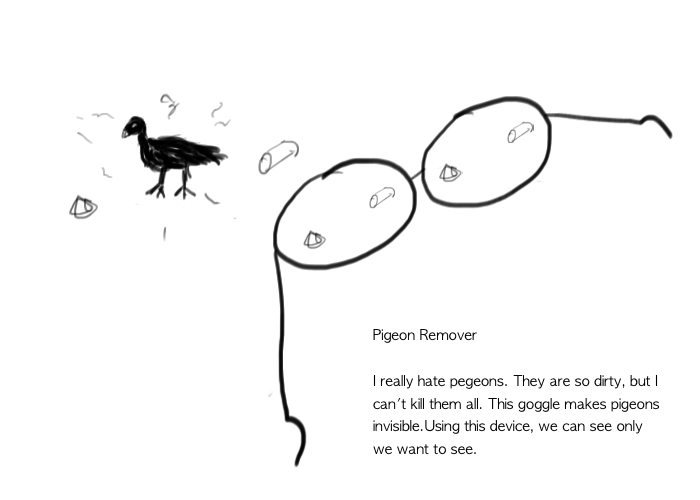
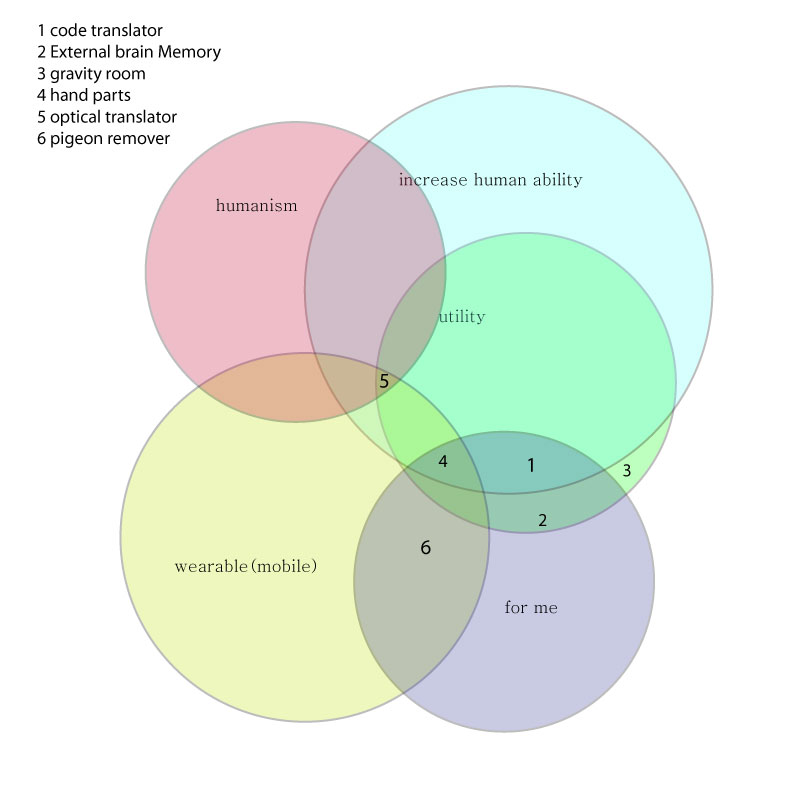
    6 role ideas 

     
    • scottpeterman's avatar

      scottpeterman 4:23 pm on March 24, 2011 Permalink | Reply

      LOVE your interchangeable hand idea Minho, and great illustrations!

    • Bree's avatar

      breegeek 12:34 am on March 25, 2011 Permalink | Reply

      OMG I want a code translator. Or like, a code you can talk to and ask questions. Like “why the hell can’t I get the circle to draw?!?!?!”

  • Unknown's avatar

    andywallace 4:15 am on March 24, 2011 Permalink | Reply  

    6 Amazing Ideas 

    Each one better than the last.

    Here are some potential ideas for a final:

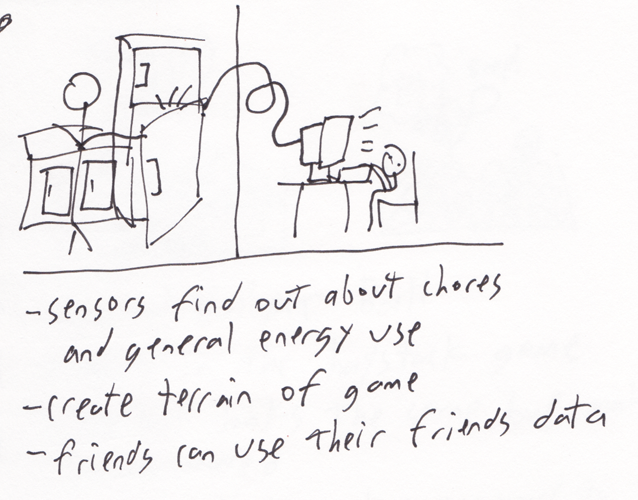
    This is an extension of my last project. Users would play a shoot-em-up game that spawns enemies and other level elements based on their actions within their homes and the actions of their friends. This would be a social game that people would play as much to compare their scores against their friends as for the challenge.

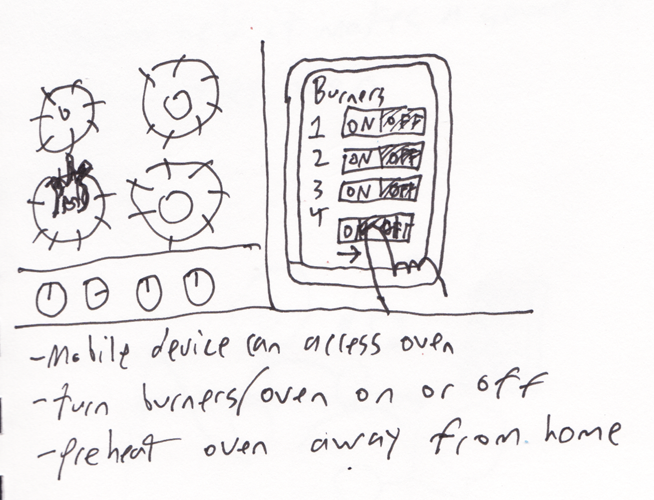
    Mobile Oven would be an app that allows the user to control their oven and stove top from a distance. If a person is nervous that they left a burner on, they could check the app and either be sure they didn’t or turn it off right from where they are. They could also use the app to have the oven preheat when they know they are coming home.

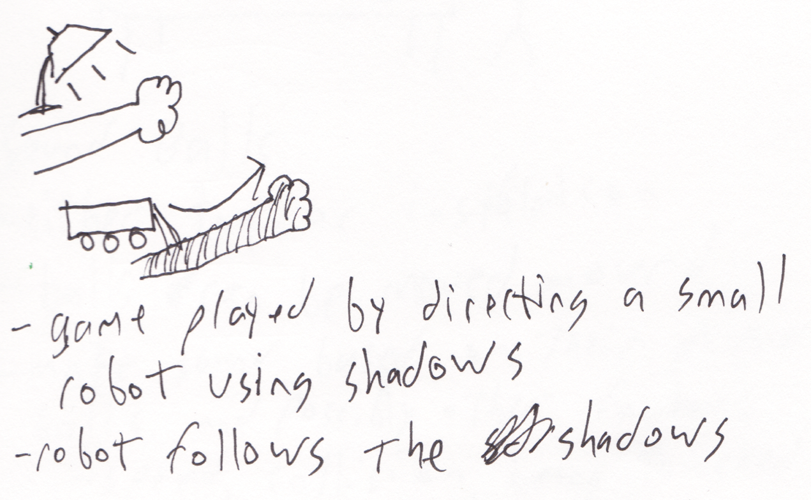
    Shadow Bot would be a game played using a robot that follows the lines created by shadows. The goal of the game would be to direct the bot to a specified location. I’m not sure if this game would be played cooperatively or competitively. It would most likely be played by children.

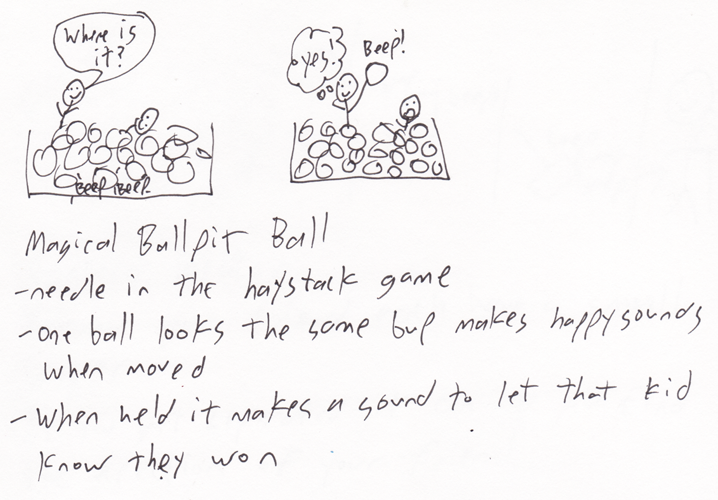
    This is another game for children. Kids playing in a ball pit would know that there is one special ball, which looks just like the others. Whenever that ball is moved (either directly or by the balls around it) it lets out a chirp. If somebody finds it and is holding it, it makes a victory sound and that kid is the winner. If this were at a Chuck-Cheese type environment, the finder might receive some prize.

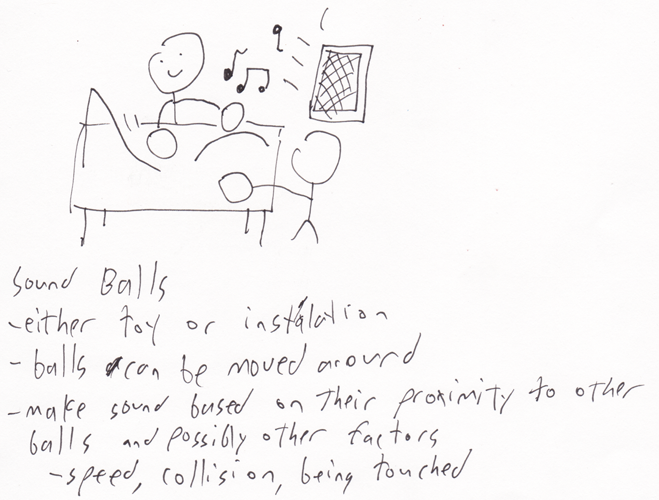
    These would be a collection of roughly pool ball sized balls that create sound and music based on their proximity to each other and other actions. It would function as a set of toys for adults (such as would be sold on thinkgeek), being to complex (and most likely pricey) for kids, but capable of creating interesting play for adults as they experiment and find what sounds can be made.

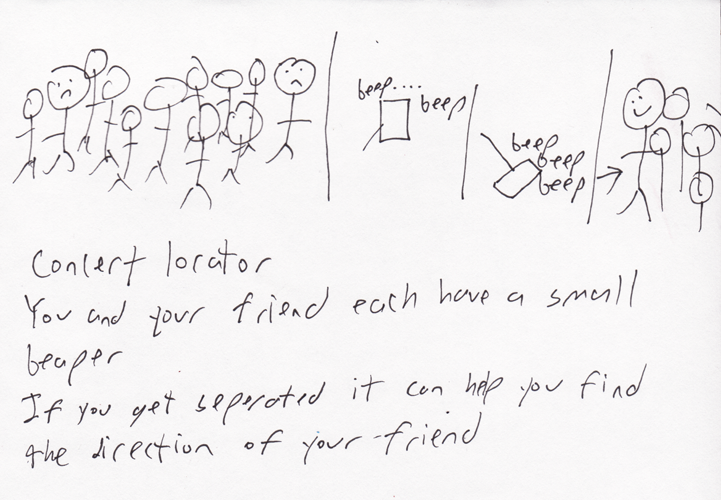
    The concert locator is for people who get lost at concerts. Each person would have a small device that they could use to tell when they are getting closer to their missing friend. It would comunicate with pulses or light so that hearing it would not be an issue.


    And here are the projects mapped to their domains:

    1- Appliance Game
    2- Mobile Oven
    3- Shadow Bot
    4- Ball Pit Game
    5- Sound Balls
    6- Concert Locator

     
    • scottpeterman's avatar

      scottpeterman 4:25 pm on March 24, 2011 Permalink | Reply

      Ooh! Shadowbot could be really neat if you played it in teams, and if the bot ever didn’t have anywhere to go, it would start heading back to the start line, so you’d always have to have a continuous line of shadow made by your team. Very cool idea.

    • Bree's avatar

      breegeek 12:39 am on March 25, 2011 Permalink | Reply

      I love the sound billiards idea.

      Also, the shadow game reminded me of this awesome kid’s book I saw on shelves recently http://www.amazon.com/Shadow-Suzy-Lee/dp/0811872807

  • Unknown's avatar

    Chris Piuggi 10:48 am on March 22, 2011 Permalink | Reply  

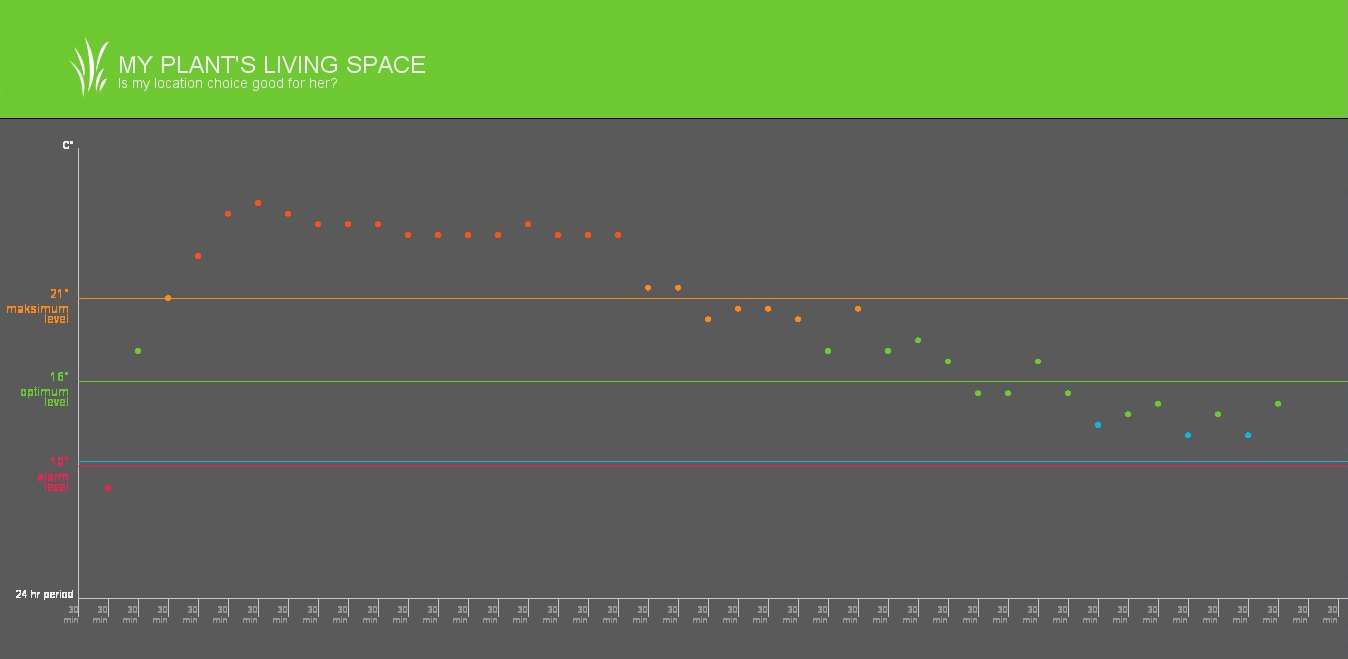
    Visualizing Light and Temp 


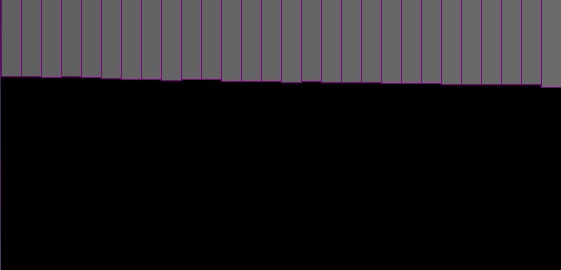
    A quick look at my simple visualization of the data. I ran into some XML issues with openframeworks reading strings. I will post about this as iron out the kinks; just needs a little more time to figure out why this bug is happening. In order to give users the date and time of the readings.

    Each pixel represents 30 seconds of data. Everything is still running at http://piuggi.com/sensorData/storage.txt/.


    https://makingtoys.net/2011/03/10/ethernet-to-server/

    Or download my openframeworks project if you have questions – post a comment!

     
  • Unknown's avatar

    Yury Gitman 3:03 am on March 22, 2011 Permalink | Reply  

    Two video talks for this week 

    William McDonough: The wisdom of designing Cradle to Cradle
    http://www.ted.com/talks/lang/eng/william_mcdonough_on_cradle_to_cradle_design.html

    David Pogue says “Simplicity sells”
    http://www.ted.com/talks/lang/eng/david_pogue_says_simplicity_sells.html

     
    • scottpeterman's avatar

      scottpeterman 4:03 pm on March 24, 2011 Permalink | Reply

      Hahaha. Don’t cry for me cupertino. Gotta love pogue.

  • Unknown's avatar

    Behnaz Babazadeh 12:29 am on March 22, 2011 Permalink | Reply  

    Visualizing Data over the break 

     
  • Unknown's avatar

    Bree 11:40 pm on March 21, 2011 Permalink | Reply  

    to GOOGLE! 

    Here are the two guides I used 😀
    http://blog.blprnt.com/blog/blprnt/open-science-h1n1-processing-and-the-google-spreadsheet-api

    http://blog.makezine.com/archive/2010/12/save-sensor-data-to-google-spreadsh.html

     
  • Unknown's avatar

    scottpeterman 10:52 pm on March 21, 2011 Permalink | Reply  

    MIDI Room Tones 

    So my whole PHP Xbee thing ended up crashing my computer, again! So square one (Well, also tried the ethernet shield but couldn’t get it running either, server side).

    I tried something very different! I’d been reading a John Cage biography over break and it inspired me to create a MIDI instrument that makes music in response to what is going on in the room. It uses a temperature sensor, an electret microphone, and a photoresistor. It passes the values to the arduino, which then maps them to MIDI values between 0 and 127 setting tone and velocity of notes played, as well as turning notes on and off. Temperature sets velocity. Light sets tone. Audio interrupts the light tone with a louder note of its own, with tone being set by volume – louder being higher. Right now this is all going in as one MIDI instrument, but it should be possible to run two versions of the processing sketch that is interpolating between the serial values and the MIDI input on the computer (and this is also only being used to make the USB serial port a MIDI in – putting a MIDI output on the arduino would make this unnecessary, as would running off a MIDI breakout box). I’ve been playing around with MIDI a lot and have found this to be a pretty good work flow for using the arduino as a midi controller.


    (More …)

     
    • Yury Gitman's avatar

      makingtoys 1:21 pm on March 23, 2011 Permalink | Reply

      You made your apartment an installation work. Very nice, I did not see this complexity in class during presentation. You are showing many valuable concepts here functioning for the first confusing time.

  • Unknown's avatar

    catherine 10:17 pm on March 21, 2011 Permalink | Reply  

    Spring Break Data Viz 

    This graph is of averages of photocell readings over time. I wrote the data to a text file then called the text file to create this graph.

    I experienced a lot of trouble getting my XBees to communicate with each other and every time i plugged them into my PC, it would freeze. After wasting a lot of time yelling at my XBees, I decided to ditch them and just keep an Arduino plugged into my computer for a few hours a day and obtain some readings. The data is not 100% accurate because my house has a lot of windows and sun shines through and reflects off objects in my room and at night I have a lot of things that glow in the dark.

    In the future, I would like to get my XBees to work and research more into how to visualize things nicely. This was a very nice learning experience but needs to be explored more in depth.

     
  • Unknown's avatar

    Alvaro Soto 9:45 pm on March 21, 2011 Permalink | Reply  

    Temperature data during one day 

    So my Xbees had trouble for a change, and after long hours trying to troubleshoot I decided it was time to move on and record data wired to an arduino. Not as efficient but I wanted to spend some time learning how to access this data in Open Frameworks and visualizing it.

    You can access the OF code here

     
  • Unknown's avatar

    thisisvictorkim 8:52 pm on March 21, 2011 Permalink | Reply  

    blobs 

    Watch video:

    http://vimeo.com/21315783

    got some weird spikes in readings that caused some odd (fun) effects

     
  • Unknown's avatar

    Oylum 8:21 pm on March 21, 2011 Permalink | Reply  

    My poor little visualization 

    Detailed documentation will come soon.

    I used Pachube to collect data but the API killed me when I tried to pull data. I couldn’t used the EEML library they offer for Processing, there might be a problem about API version and library. Anyway, I pulled the data to a txt file and visualized that info.


    (More …)

     
    • Yury Gitman's avatar

      makingtoys 1:26 pm on March 23, 2011 Permalink | Reply

      Oylum,
      It blows my mind how much work you did for this assignment. Your documentation here needs a little help. Consider it a first draft. Please make another pass at it.

      For example, the Pachube work you did alone is amazing. Please provide links to your nodes, or where your nodes were, and/or [well cropped] screen grabs of what it looks like. [Please edit current screen grabs.] Include a photo(s) of your “look and feel” planter prototype. Place 3 of your best (and representative) images Before the “read more” tag. Each image can have 2-4 sentences.
      Your work is amazing. Make sure it’s documented correctly, this creates great value for you. Please update this post..

      Y.

  • Unknown's avatar

    hilalkoyuncu 8:15 pm on March 21, 2011 Permalink | Reply  

    Emotion Catcher+ Bathroom Electricity Minder 

    Originally I wanted to make a GSR sensor and connect data from my self. I was just going to wirewrap the sensor to the XBee and use a lithium coin battery and wear it. I tried it in many different ways but the connections were not secure.

    So I had to go with the bulkiest possible(most durable) version(below):

    It was pretty heavy but I spent 10 hours in it, mostly sleeping.

    The data I collected was fluctuating a lot so for the sake of accuracy, aesthetics and time, I had to put this project in the back burner.

    Instead I collected data from our bathroom. By using my towel spy from the previous bathroom project, I collected data that was triggered by a light sensor, indicating wether the bathroom was occupied.

    I calculated how much “time=money ” we spend merely by being in the bathroom based on our ConEd Bill.

    ( 0.0003 cents/sec lighting a 100watts bulb). I saved the data as string on a text file and visualized it realtime:

    I have used three 9V batteries and finally got a wall charger and added my arduino in the box via which I supplied the device with power cause I didn’t have another XBee USB cable.

    For me this visualization was  very effective based on the reactions of my roommates. Seeing numbers directly seems to have an impact on the user.

    I had many many disconnections over the course of three days.

    The reasons were:

    -battery died.

    -someone dropped the towel.

    -my computer shut down.

    -my coordinator Xbee got disconnected.

    -overwrote the collected data by rerunning the Processing sketch.

    Things I have learned:

    -Don’t rely on a computer, use an ethernet shield or a data logger via arduino to collect the data.

    -Power up the device with a wall charger (have an extra XBee cable to attach the device to it!)

    -Secure the device firmly so it wont get disconnected in anyway.

    Here is a demo video of the process:

    and Here is the code:

    (More …)

     
  • Unknown's avatar

    Bree 7:50 pm on March 21, 2011 Permalink | Reply
    Tags: , data visualization, processing, sensors, sound   

    The story of an Hour 

    Sooooooooooooooo….

    Since I was using a microphone as my input and was sampling every 100 microseconds, then updating to a googledocs spreadsheet every two seconds… one day’s worth of data maxed out 200,000 cells in my sheet. Which led me to taking data for one hour only.

    I hooked up my mic as the input to the arduino and took an average every 5 miliseconds, wrote the arduino input to serial in single bytes, then wrote the information from processing to google spreadsheets.

    It worked…kind of? I am not sure if the arduino and the processing talked together accurately, and I should rework that. Another thing I should try to do is use the Xbee directly (without arduino), as a few people have suggested.

    Anyway, here is the sound scape visualized over an hour.

    And the code (there are three main pieces)

    (More …)

     
  • Unknown's avatar

    minho 6:29 pm on March 21, 2011 Permalink | Reply  

    visualizing temperature 

    (More …)

     
    • Yury Gitman's avatar

      Yury Gitman 7:45 pm on March 21, 2011 Permalink | Reply

      Beautiful visualization.

  • Unknown's avatar

    lpercifield 3:48 pm on March 21, 2011 Permalink | Reply  

    Temperature Visualization 

    After collecting LOTS of sensor data I realized that I wanted to create a visualization that would allow each data point to be represented individually. In the thought process I said to my self “Self, its raining data”. This is how I came up with the idea to visualize the data as rain. Each rain drop represents one temperature reading from my arduino. The rain drops decrease in size and opacity with temperature.

    Since this blog is eating my html tags here is the link.

     
  • Unknown's avatar

    Lee 3:44 pm on March 21, 2011 Permalink | Reply  

    Data logging and visualizing temperature 

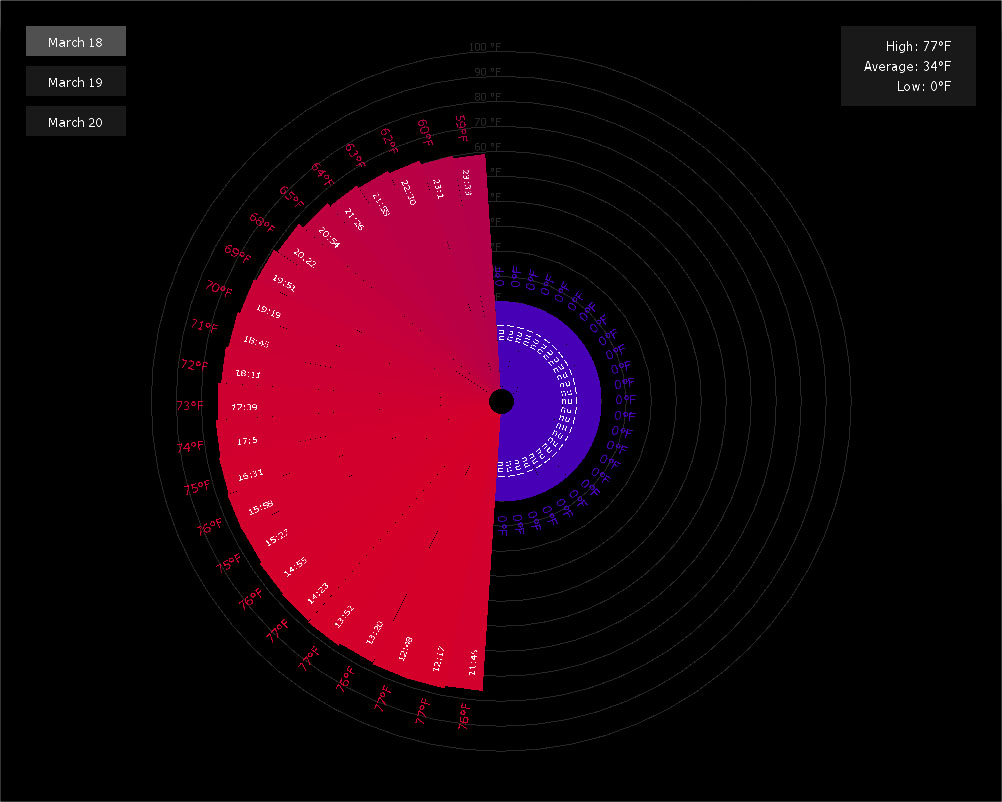
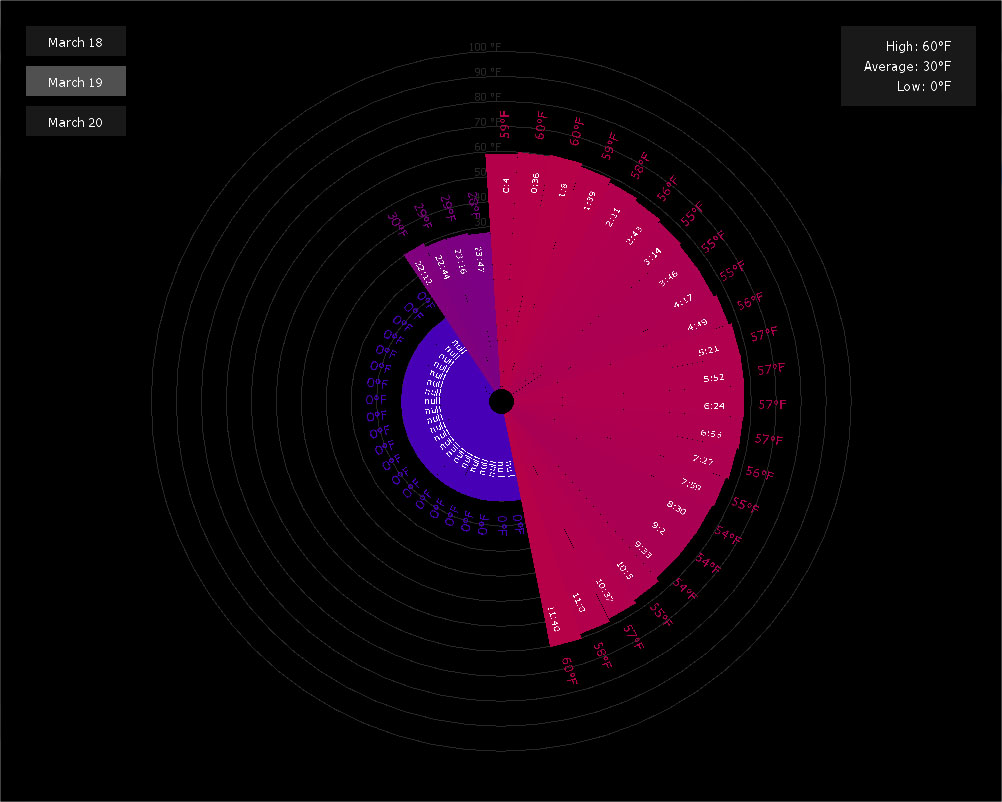
    Second iteration. Now the data is logged and saved to text files for visualizing later and I’ve experimented with a circular graph. Temperature is sample and averaged over half hour periods, so each day has 48 samples. Unfortunately over the past week I haven’t been in one place for too terribly long, so I’ve only been able to successfully log one 24 hour period.


    This Friday March 18th I was in Martinsville VA and it was unseasonably warm, I managed to log data from around 11:30 AM through the rest of the day.


    I was still in VA on the 19th, but left in the early afternoon driving back to Jersey City NJ. I managed to log data from around midnight to noon. Once back at home in JC I setup the sensors around 10PM.


    Finally on the 20th I was able to capture a full 24 hour cycle and the weather was a lot colder than previous days.

    I would still like to add more to this program, like rollovers for each section so times and temps aren’t always displayed. I would also like to add time of day cycle icon/animation sunrise/sunset/moon rise/moon set etc. I’d like to revise the look and function of this circular style chart more as well.

     
c
Compose new post
j
Next post/Next comment
k
Previous post/Previous comment
r
Reply
e
Edit
o
Show/Hide comments
t
Go to top
l
Go to login
h
Show/Hide help
shift + esc
Cancel